
You published an explosive investigative story at 6 AM. Three reporters spent months on it. The facts are airtight. The headline is perfect. Your site is fast.
By 9 AM, you check Google News. Your story is nowhere.
Instead, a competitor’s rushed 300-word summary of YOUR reporting is ranking #1. They published 20 minutes after you—yet somehow Google prioritized their version over your original investigation.
You’re furious. You’re confused. And you’re missing the technical detail that determines who wins in Google News: news article schema markup.
Here’s what most publishers don’t realize: Google can’t read your beautifully written article the way humans do. Without proper NewsArticle structured data, Google’s algorithms are essentially blind—guessing at publication dates, confused about authors, unable to identify your content as breaking news requiring prioritized crawling.
Your competitor? They implemented complete schema markup. Google’s bots instantly understood: “This is breaking news. Author is verified journalist. Published 2 minutes ago. Images are high quality. Prioritize for news results.”
The brutal reality: You can have Pulitzer-worthy journalism, but if Google’s algorithms can’t parse your content structure, you’re algorithmically invisible in news search.
Ready to learn how to implement news article schema markup correctly so Google treats your breaking news with the urgency it deserves? Let’s decode exactly what structured data best practices for news publishers 2025 look like—with every required field, validation method, and optimization technique clearly explained.
Table of Contents
ToggleWhat Is News Article Schema Markup and Why Does It Matter?
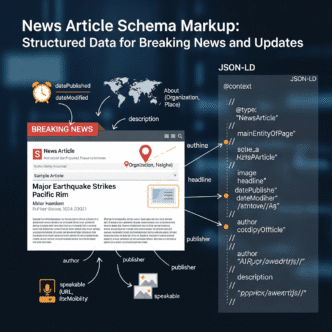
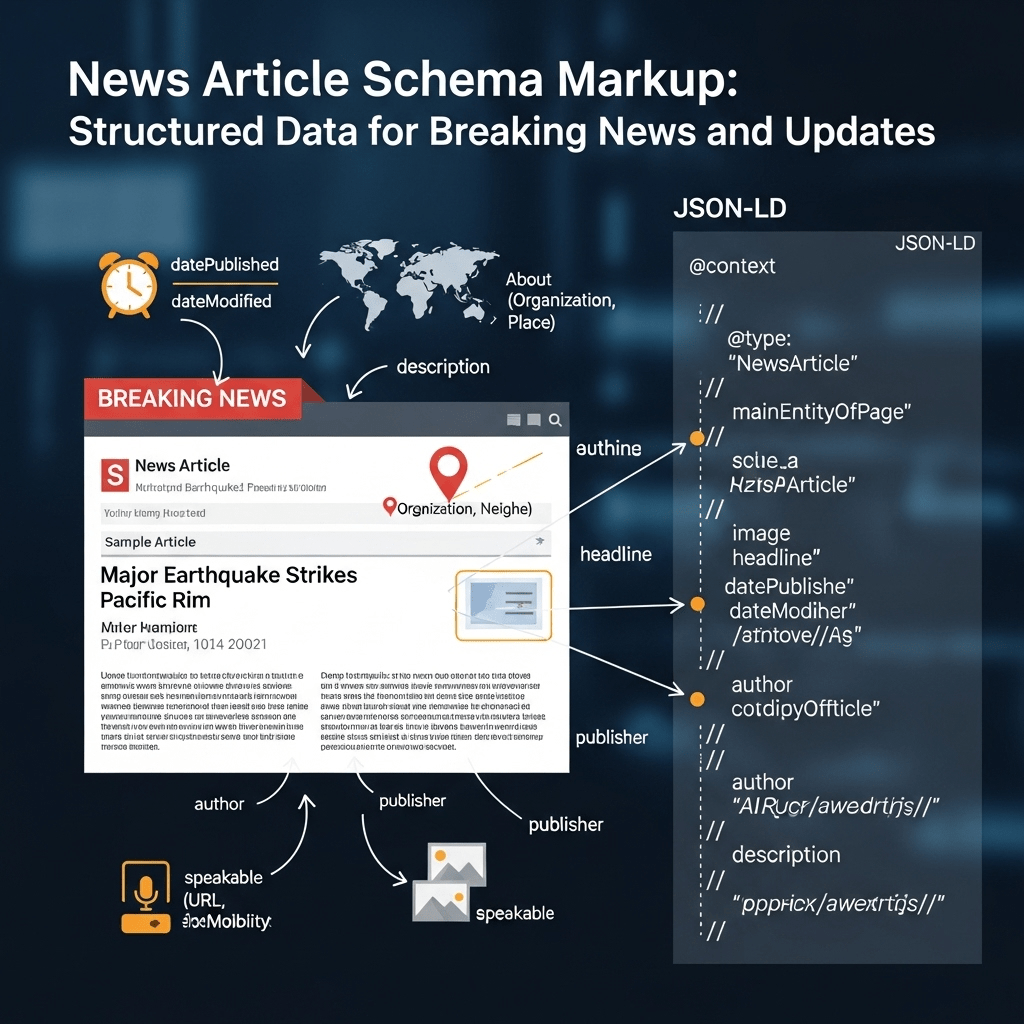
News article schema markup is structured data code added to your articles that tells search engines: “This is a news article. Here’s the headline, author, publication date, images, publisher info, and other critical metadata.”
Think of it as translating your human-readable article into machine-readable format that Google’s algorithms can instantly parse.
The Difference Between Content Google Sees vs. Understands
Without schema markup:
Google’s crawler sees your article as a blob of text. It uses natural language processing to guess:
- What’s the main headline?
- Who wrote this?
- When was it published?
- Which image is the featured photo?
- Who published it?
- Is this news or opinion?
With proper schema markup:
You explicitly tell Google:
{
  "@type": "NewsArticle",
  "headline": "Exact headline here",
  "author": "Sarah Martinez",
  "datePublished": "2025-01-15T14:23:00+00:00",
  "image": ["High-res image URLs"],
  "publisher": "Your News Organization"
}
Zero guessing. Zero ambiguity. Instant algorithmic understanding.
According to Google’s Search documentation, articles with properly implemented structured data are eligible for enhanced features in search results, including Top Stories carousels, rich results, Google News placement, and visual story formats.
Schema Types for News Content
Multiple schema types exist for different content formats:Schema TypeBest ForKey DifferenceNewsArticleBreaking news, daily journalism, time-sensitive reportingSignals freshness priority, eligible for Google News, specific to news contentArticleGeneral content, blog posts, evergreen articlesGeneric content type, no news-specific featuresBlogPostingOpinion pieces, personal blogs, commentaryIndicates blog-style content rather than news reportingLiveBlogPostingLive event coverage, ongoing breaking news, electionsSupports real-time updates, shows timestamp for each updateReportageNewsArticleInvestigative journalism, in-depth reportingIndicates investigative reporting requiring significant effortOpinionNewsArticleEditorial opinions, op-eds, commentary columnsClearly marks opinion vs. news reportingReviewNewsArticleProduct/service reviews with news angleReviews that qualify as news coverage
Critical decision: Using wrong schema type signals wrong content classification to Google.
❌ Wrong: Using generic “Article” for breaking news
✅ Correct: Using “NewsArticle” for time-sensitive news reporting
Why it matters: Google’s news algorithms specifically look for NewsArticle type to determine:
- Should this be crawled frequently (every 15-30 minutes)?
- Is this eligible for Google News placement?
- Does this qualify for breaking news features?
- How fresh is this content?
For comprehensive context on how schema fits into overall news strategy, see our complete guide to news SEO and Google News optimization.
What Schema Markup Enables
Properly implemented news article schema markup unlocks:
1. Google News eligibility
- Required for Google News Publisher Center approval
- Prioritized crawling for breaking news
- Featured in Google News app and news.google.com
- Appears in news-specific search features
2. Rich results in search
- Article thumbnails in search results
- Publication date and author displayed
- Top Stories carousels
- Visual story cards
3. Voice assistant compatibility
- Alexa/Google Assistant news briefings
- Smart speaker news reading
- Voice search optimization
- Google Discover placement
- Large image displays
- Enhanced presentation
5. Accurate analytics
- Google can attribute traffic correctly
- Understand content performance
- Track article lifecycle
6. Third-party integrations
- Social media rich previews (Facebook, Twitter)
- News aggregators parsing your content
- Content recommendation engines
Pro Tip: Think of schema markup as the difference between shouting into a crowded room and speaking directly into a microphone. Without schema, you’re hoping Google hears you correctly. With schema, you’re broadcasting clearly in the language search engines fluently understand. Every minute you publish news without proper schema is a minute your content is disadvantaged against competitors who implement it correctly.
What Are the Required Fields for NewsArticle Schema?
Google specifies minimum requirements—but “required” and “recommended for success” are different.
Absolutely Required Fields
These fields MUST be present or your NewsArticle markup is invalid:
1. @context and @type
{
  "@context": "https://schema.org",
  "@type": "NewsArticle"
}
What it does: Declares this is Schema.org structured data of type NewsArticle
Common mistakes:
- ❌ Wrong context URL
- ❌ Misspelling “NewsArticle”
- ❌ Using “Article” instead of “NewsArticle”
2. headline
"headline": "City Council Approves $500M Budget Despite Public Opposition"
Requirements:
- Maximum 110 characters (Google truncates longer)
- Must match visible article headline (or close paraphrase)
- No HTML formatting tags
- Plain text only
Why it matters: This is what appears in search results and Google News
3. image
"image": [
  "https://yournewssite.com/images/article-1200x800.jpg",
  "https://yournewssite.com/images/article-1200x1200.jpg",
  "https://yournewssite.com/images/article-1920x1080.jpg"
]
Requirements:
- Minimum 1200 pixels wide (Google’s hard requirement)
- Multiple aspect ratios required for Google News:
- 16:9 (1920×1080) – for Discover and news feeds
- 4:3 (1200×900) – for some news placements
- 1×1 (1200×1200) – for square displays
- URLs must be fully qualified (https://)
- Images must be crawlable (not behind login)
- High resolution, sharp quality
Common mistakes:
- ❌ Single image instead of array
- ❌ Images smaller than 1200px wide
- ❌ Low-quality or blurry images
- ❌ Stock photos used by hundreds of sites
- ❌ Images with heavy text overlay
4. datePublished
"datePublished": "2025-01-15T14:23:00+00:00"
Requirements:
- ISO 8601 format with timezone
- Must match (or be very close to) actual publication time
- Include timezone (UTC preferred: +00:00)
- Cannot be future date
Format breakdown:
2025-01-15= Date (YYYY-MM-DD)T= Time separator14:23:00= Time (HH:MM:SS in 24-hour format)+00:00= Timezone offset (UTC)
Why it matters: Google uses this to determine freshness ranking in news results
5. dateModified
"dateModified": "2025-01-15T16:45:00+00:00"
Requirements:
- Same ISO 8601 format as datePublished
- Must be equal to or later than datePublished
- Update this every time article content changes significantly
- Signals fresh content to Google
When to update:
- Breaking news updates added
- Corrections made
- New information added
- Related content linked
When NOT to update:
- Minor typo fixes
- Formatting changes
- Adding internal links
- Minor word changes that don’t affect facts
6. author
"author": {
  "@type": "Person",
  "name": "Sarah Martinez",
  "url": "https://yournewssite.com/author/sarah-martinez"
}
Requirements:
- Can be Person or Organization
- Must include name
- Should include URL to author page
- Name must be consistent across all articles (same exact spelling)
For multiple authors:
"author": [
  {
    "@type": "Person",
    "name": "Sarah Martinez",
    "url": "https://yournewssite.com/author/sarah-martinez"
  },
  {
    "@type": "Person",
    "name": "James Chen",
    "url": "https://yournewssite.com/author/james-chen"
  }
]
Why it matters: Google builds author authority signals from consistent attribution
7. publisher
"publisher": {
  "@type": "Organization",
  "name": "Seattle Local News",
  "logo": {
    "@type": "ImageObject",
    "url": "https://seattlelocalnews.com/logo-600x60.png",
    "width": 600,
    "height": 60
  }
}
Requirements:
- Must be Organization (not Person, even for solo publishers)
- Name must match your publication name exactly
- Logo MUST be exactly 600 pixels wide × 60 pixels tall (Google’s strict requirement)
- Logo must be on white or transparent background
- Logo URL must be HTTPS
Common mistakes:
- ❌ Logo wrong dimensions (even 601×61 fails validation)
- ❌ Using rectangular publication logo instead of creating horizontal version
- ❌ Logo with complex background
- ❌ Missing width and height attributes
Why logo dimensions matter: Google displays your logo in standardized spaces across Google News—wrong dimensions break layout.
Strongly Recommended Fields
Not technically required, but omitting these hurts performance:
1. description (meta description)
"description": "Seattle City Council approved controversial $500M annual budget in 5-4 vote Tuesday night, funding new homeless services and transit expansions despite resident opposition."
Requirements:
- 150-200 characters optimal
- Summarizes article succinctly
- No HTML tags
- Should entice clicks while being accurate
Where it appears: Search results snippets, social media previews, voice assistant summaries
2. articleBody
"articleBody": "Full text of article here..."
Requirements:
- Complete article text
- Plain text (no HTML)
- Include all paragraphs
Why include: Helps Google understand full content context, extract key facts, generate AI summaries
3. articleSection
"articleSection": "Local News"
Options:
- Local News
- National News
- World News
- Politics
- Business
- Sports
- Entertainment
- Opinion
- Technology
- Science
- Health
Why it matters: Helps Google categorize content for section-specific news results
4. keywords
"keywords": ["city council", "budget", "seattle politics", "municipal finance"]
Requirements:
- Array of relevant topic keywords
- 5-10 keywords optimal
- Don’t keyword stuff
- Use terms readers would search
Note: Less important than other fields, but provides topical context
5. mainEntityOfPage
"mainEntityOfPage": {
  "@type": "WebPage",
  "@id": "https://seattlelocalnews.com/city-council-budget-vote"
}
What it does: Indicates this article is the main content of this webpage
Why include: Helps Google understand canonical URL and page structure
For detailed implementation strategies and avoiding common mistakes, review our comprehensive news SEO technical guide.
Enhanced Fields for Maximum Impact
Go beyond basics with these optional but powerful fields:
1. Enhanced author information
"author": {
  "@type": "Person",
  "name": "Sarah Martinez",
  "url": "https://seattlelocalnews.com/author/sarah-martinez",
  "jobTitle": "City Hall Reporter",
  "description": "Sarah has covered local government for Seattle Local News since 2017. She previously worked at The Seattle Times.",
  "sameAs": [
    "https://twitter.com/sarahmartinez",
    "https://linkedin.com/in/sarahmartinezjournalist"
  ],
  "image": "https://seattlelocalnews.com/staff/sarah-martinez-photo.jpg"
}
Why this helps:
- Builds author E-E-A-T signals
- Links author identity across platforms
- Provides credibility markers
- Supports author-based news search
2. Publisher organization details
"publisher": {
  "@type": "Organization",
  "name": "Seattle Local News",
  "logo": {
    "@type": "ImageObject",
    "url": "https://seattlelocalnews.com/logo-600x60.png",
    "width": 600,
    "height": 60
  },
  "url": "https://seattlelocalnews.com",
  "sameAs": [
    "https://twitter.com/seattlelocalnews",
    "https://facebook.com/seattlelocalnews",
    "https://en.wikipedia.org/wiki/Seattle_Local_News"
  ],
  "contactPoint": {
    "@type": "ContactPoint",
    "telephone": "+1-206-555-0123",
    "contactType": "Editorial",
    "email": "ne**@**************ws.com"
  }
}
Why this helps:
- Establishes publication authority
- Provides verification touchpoints
- Links brand across platforms
- Supports publisher-level trust signals
3. Speakable (for voice assistants)
"speakable": {
  "@type": "SpeakableSpecification",
  "cssSelector": [".article-headline", ".article-summary", ".key-points"]
}
What it does: Marks which parts of article should be read aloud by smart speakers and voice assistants
Use cases:
- Alexa Flash Briefings
- Google Assistant news summaries
- Voice search results
- Audio article features
CSS selectors should point to:
- Headline
- Summary/lede paragraph
- Key facts or bullet points
- Important quotes
4. Video object (if article includes video)
"video": {
  "@type": "VideoObject",
  "name": "City Council Budget Vote Coverage",
  "description": "Full coverage of Tuesday's city council budget vote",
  "thumbnailUrl": "https://seattlelocalnews.com/video-thumbnail.jpg",
  "uploadDate": "2025-01-15T14:30:00+00:00",
  "duration": "PT3M45S",
  "contentUrl": "https://seattlelocalnews.com/videos/budget-vote.mp4"
}
Why include: Eligible for video-specific rich results, YouTube-style search features
5. About (for topical context)
"about": {
  "@type": "Thing",
  "name": "Municipal Budget",
  "sameAs": "https://en.wikipedia.org/wiki/Municipal_budget"
}
What it does: Explicitly declares what the article is about
Helps with: Topic categorization, topical authority, semantic understanding
Pro Tip: Don’t get overwhelmed trying to implement every possible schema field. Start with the required fields to pass validation, then add recommended fields that take 5 minutes (description, articleSection). Only invest time in enhanced fields (speakable, video object) if you’re actually leveraging those features (voice assistants, video content). Schema markup follows the 80/20 rule—80% of benefits come from the core 20% of implementation effort.
How Do You Implement News Article Schema Markup?
Three implementation methods—choose based on your technical setup.
Method 1: JSON-LD (Recommended)
JSON-LD (JavaScript Object Notation for Linked Data) is Google’s preferred format.
Advantages:
- Cleanest implementation
- Doesn’t mix with HTML
- Easy to validate
- CMS-friendly
- Google explicitly recommends it
Where to place:
Add <script type="application/ld+json"> tags in the <head> section of your article pages:
<!DOCTYPE html>
<html>
<head>
  <title>City Council Approves Budget | Seattle Local News</title>

  <script type="application/ld+json">
  {
    "@context": "https://schema.org",
    "@type": "NewsArticle",
    "headline": "City Council Approves $500M Budget Despite Public Opposition",
    "alternativeHeadline": "5-4 Vote Passes Controversial Budget Plan",
    "image": [
      "https://seattlelocalnews.com/images/budget-1200x800.jpg",
      "https://seattlelocalnews.com/images/budget-1200x1200.jpg",
      "https://seattlelocalnews.com/images/budget-1920x1080.jpg"
    ],
    "datePublished": "2025-01-15T14:23:00+00:00",
    "dateModified": "2025-01-15T16:45:00+00:00",
    "author": {
      "@type": "Person",
      "name": "Sarah Martinez",
      "url": "https://seattlelocalnews.com/author/sarah-martinez",
      "jobTitle": "City Hall Reporter"
    },
    "publisher": {
      "@type": "Organization",
      "name": "Seattle Local News",
      "logo": {
        "@type": "ImageObject",
        "url": "https://seattlelocalnews.com/logo-600x60.png",
        "width": 600,
        "height": 60
      }
    },
    "description": "Seattle City Council approved controversial $500M annual budget in 5-4 vote Tuesday night, funding new homeless services and transit expansions despite resident opposition.",
    "articleBody": "Seattle City Council voted 5-4 Tuesday night to approve a controversial $500 million annual budget...",
    "articleSection": "Local News",
    "keywords": ["city council", "budget", "seattle politics", "municipal finance"],
    "mainEntityOfPage": {
      "@type": "WebPage",
      "@id": "https://seattlelocalnews.com/city-council-budget-vote"
    }
  }
  </script>

</head>
<body>
  <!-- Article content here -->
</body>
</html>
Implementation tips:
For WordPress:
- Use Yoast SEO plugin (premium has schema builder)
- Use Schema & Structured Data for WP plugin
- Add to theme template files for automatic generation
- Use custom fields to populate schema values
For custom CMS:
- Generate JSON-LD dynamically from article database
- Create template that pulls article metadata
- Output as part of page rendering
- Validate before pushing to production
For static sites:
- Add to HTML template
- Generate during build process
- Use templating language (Liquid, Handlebars, etc.)
Method 2: Microdata
Microdata adds schema attributes directly to HTML elements.
Advantages:
- Works with existing HTML structure
- Visible markup
- No separate schema block needed
Disadvantages:
- Mixes content with markup
- Harder to maintain
- More verbose
- Google prefers JSON-LD
Example implementation:
<article itemscope itemtype="https://schema.org/NewsArticle">
  <h1 itemprop="headline">City Council Approves $500M Budget Despite Public Opposition</h1>

  <img itemprop="image" src="https://seattlelocalnews.com/images/budget-1200x800.jpg" alt="City Council Meeting">

  <div itemprop="author" itemscope itemtype="https://schema.org/Person">
    <span itemprop="name">Sarah Martinez</span>
    <link itemprop="url" href="https://seattlelocalnews.com/author/sarah-martinez">
  </div>

  <time itemprop="datePublished" datetime="2025-01-15T14:23:00+00:00">
    January 15, 2025, 2:23 PM
  </time>

  <time itemprop="dateModified" datetime="2025-01-15T16:45:00+00:00">
    Updated: January 15, 2025, 4:45 PM
  </time>

  <div itemprop="publisher" itemscope itemtype="https://schema.org/Organization">
    <meta itemprop="name" content="Seattle Local News">
    <div itemprop="logo" itemscope itemtype="https://schema.org/ImageObject">
      <meta itemprop="url" content="https://seattlelocalnews.com/logo-600x60.png">
      <meta itemprop="width" content="600">
      <meta itemprop="height" content="60">
    </div>
  </div>

  <p itemprop="description">Seattle City Council approved controversial $500M annual budget in 5-4 vote Tuesday night...</p>

  <div itemprop="articleBody">
    <p>Seattle City Council voted 5-4 Tuesday night to approve a controversial $500 million annual budget...</p>
    <!-- Rest of article content -->
  </div>
</article>
When to use microdata:
- Legacy CMS that can’t easily output JSON-LD
- Designer preference for inline markup
- Existing microdata implementation you’re maintaining
Recommendation: Use JSON-LD unless you have specific reason to use microdata.
Method 3: RDFa
RDFa (Resource Description Framework in Attributes) is similar to microdata but uses different attribute names.
Example:
<article vocab="https://schema.org/" typeof="NewsArticle">
  <h1 property="headline">City Council Approves $500M Budget</h1>
  <div property="author" typeof="Person">
    <span property="name">Sarah Martinez</span>
  </div>
  <!-- etc. -->
</article>
When to use RDFa:
- Rare in news publishing
- Some government/academic sites prefer it
- Specific CMS generates RDFa
Recommendation: Use JSON-LD unless your CMS only supports RDFa.
Dynamic Schema Generation
For news sites publishing 10-100+ articles daily, manual schema is impossible.
Automated schema generation approach:
1. Template-based generation
Create single schema template that pulls from article database:
<script type="application/ld+json">
{
  "@context": "https://schema.org",
  "@type": "NewsArticle",
  "headline": "<?php echo $article['headline']; ?>",
  "image": [
    "<?php echo $article['image_16x9']; ?>",
    "<?php echo $article['image_1x1']; ?>",
    "<?php echo $article['image_4x3']; ?>"
  ],
  "datePublished": "<?php echo $article['published_iso8601']; ?>",
  "dateModified": "<?php echo $article['modified_iso8601']; ?>",
  "author": {
    "@type": "Person",
    "name": "<?php echo $author['name']; ?>",
    "url": "<?php echo $author['profile_url']; ?>"
  },
  "publisher": {
    "@type": "Organization",
    "name": "<?php echo SITE_NAME; ?>",
    "logo": {
      "@type": "ImageObject",
      "url": "<?php echo SITE_LOGO_URL; ?>",
      "width": 600,
      "height": 60
    }
  },
  "description": "<?php echo excerpt($article['body'], 200); ?>",
  "articleBody": "<?php echo strip_tags($article['body']); ?>",
  "articleSection": "<?php echo $article['section']; ?>"
}
</script>
2. WordPress automation
// Add to functions.php or plugin

function generate_news_article_schema() {
  if (!is_single()) return;

  global $post;
  $author_id = $post->post_author;

  $schema = array(
    '@context' => 'https://schema.org',
    '@type' => 'NewsArticle',
    'headline' => get_the_title(),
    'image' => array(
      get_the_post_thumbnail_url($post->ID, '1920x1080'),
      get_the_post_thumbnail_url($post->ID, '1200x1200'),
      get_the_post_thumbnail_url($post->ID, '1200x900')
    ),
    'datePublished' => get_the_date('c', $post->ID),
    'dateModified' => get_the_modified_date('c', $post->ID),
    'author' => array(
      '@type' => 'Person',
      'name' => get_the_author_meta('display_name', $author_id),
      'url' => get_author_posts_url($author_id)
    ),
    'publisher' => array(
      '@type' => 'Organization',
      'name' => get_bloginfo('name'),
      'logo' => array(
        '@type' => 'ImageObject',
        'url' => get_template_directory_uri() . '/images/logo-600x60.png',
        'width' => 600,
        'height' => 60
      )
    ),
    'description' => get_the_excerpt(),
    'articleBody' => wp_strip_all_tags($post->post_content),
    'articleSection' => get_the_category()[0]->name
  );

  echo '<script type="application/ld+json">' . json_encode($schema, JSON_PRETTY_PRINT | JSON_UNESCAPED_SLASHES) . '</script>';
}

add_action('wp_head', 'generate_news_article_schema');
3. Validation in workflow
Build schema validation into your publishing process:
- Pre-publish check validates schema
- Automated tests run on staging
- Error alerts if schema invalid
- Block publish if critical fields missing
Pro Tip: Don’t manually code schema for every article—that’s unsustainable at news publishing scale. Invest one day setting up automated schema generation from your CMS, then every article automatically gets perfect schema markup. Use custom fields in your CMS to capture schema-specific data (alternative headline, article section, etc.) that gets pulled into template. This scales to thousands of articles without ongoing manual work.
What Are Common Schema Markup Mistakes That Hurt Rankings?
Even established news sites make these critical schema errors.
Mistake #1: Wrong Schema Type
The problem: Using generic “Article” instead of “NewsArticle”
❌ Wrong:
{
  "@type": "Article",
  "headline": "Breaking: Earthquake Strikes Los Angeles"
}
✅ Correct:
{
  "@type": "NewsArticle",
  "headline": "Breaking: Earthquake Strikes Los Angeles"
}
Why it matters:
Google’s news algorithms specifically look for NewsArticle type to:
- Determine crawl frequency (should we check every 15 minutes?)
- Assess news eligibility (does this qualify for Google News?)
- Apply freshness boost (is this breaking news?)
- Enable news-specific features
Using “Article” signals: This is general content, not time-sensitive news requiring prioritized handling.
The impact: Slower indexing, no Google News placement, missing out on breaking news features.
When to use each type:
- NewsArticle: Breaking news, daily journalism, investigative reporting
- Article: Evergreen content, how-to guides, explanatory articles
- BlogPosting: Personal blogs, opinion pieces without news reporting
- OpinionNewsArticle: Editorial opinions, op-eds, clearly marked commentary
Mistake #2: Missing or Incorrect Image Specifications
Problem #1: Single image instead of array
❌ Wrong:
"image": "https://yournewssite.com/image.jpg"
✅ Correct:
"image": [
  "https://yournewssite.com/image-1920x1080.jpg",
  "https://yournewssite.com/image-1200x1200.jpg",
  "https://yournewssite.com/image-1200x900.jpg"
]
Why it matters: Google displays news articles across different formats (Discover, News app, search results) requiring different image aspect ratios. Single image limits where your article can appear.
Problem #2: Images too small
❌ Wrong: 800×600 image
✅ Correct: Minimum 1200px width
Google’s hard requirement: Images must be at least 1200 pixels wide
The impact: Article excluded from Google Discover, reduced visibility in Google News, lower click-through rates.
Problem #3: Low-quality or stock images
❌ Wrong: Generic stock photo used by 500 other sites
✅ Correct: Original, high-quality photography specific to your story
Why it matters:
According to our comprehensive guide to optimizing for Google Discover, image quality is the single biggest factor in Discover performance. Articles with original, high-quality images receive 3-5x more clicks than those with generic stock photos.
Mistake #3: Publisher Logo Wrong Dimensions
The problem: Logo not exactly 600×60 pixels
❌ Wrong:
"logo": {
  "@type": "ImageObject",
  "url": "https://yournewssite.com/logo.png"
}
No dimensions specified, or wrong size (605×60, 600×65, etc.)
✅ Correct:
"logo": {
  "@type": "ImageObject",
  "url": "https://yournewssite.com/logo-600x60.png",
  "width": 600,
  "height": 60
}
Why Google is strict about this:
Google displays publisher logos in standardized spaces across Google News, Discover, and search results. Wrong dimensions break layout or cause your logo to not display at all.
How to fix:
- Create horizontal version of your logo
- Resize to exactly 600 pixels wide × 60 pixels tall
- Save as PNG with transparent or white background
- Upload to your site
- Specify exact dimensions in schema
Common questions:
Q: My logo is square. How do I make it 600×60?
A: Create horizontal version with logo on left and publication name on right, or center logo with space on sides.
Q: My logo is wider than 600×60 naturally. Will it look squished?
A: Design specifically for this ratio. Most publications create dedicated horizontal logo just for Google News display.
Mistake #4: Incorrect Date Formats
The problem: Using human-readable dates instead of ISO 8601
❌ Wrong formats:
"datePublished": "January 15, 2025"
"datePublished": "01/15/2025"
"datePublished": "2025-01-15"
"datePublished": "Jan 15, 2025 2:30 PM"
✅ Correct format:
"datePublished": "2025-01-15T14:30:00+00:00"
ISO 8601 format breakdown:
2025-01-15= Date (YYYY-MM-DD)T= Separator between date and time14:30:00= Time in 24-hour format (HH:MM:SS)+00:00= Timezone offset (UTC)
For other timezones:
- EST:
+05:00 - PST:
+08:00 - CST:
+06:00
Why strict format matters:
Google’s parsing algorithms expect exact ISO 8601 format. Wrong format means:
- Google can’t determine publication time
- No freshness boost for breaking news
- Incorrect display of “X hours ago” in results
- Problems with news sitemap coordination
dateModified requirements:
"datePublished": "2025-01-15T14:30:00+00:00",
"dateModified": "2025-01-15T18:45:00+00:00"
Rules:
- dateModified must be ≥ datePublished (equal or later)
- Update dateModified when article substantively changes
- Don’t update for minor typo fixes
Mistake #5: Inconsistent Author Names
The problem: Same author credited differently across articles
Article 1:
"author": {"name": "Sarah Martinez"}
Article 2:
"author": {"name": "S. Martinez"}
Article 3:
"author": {"name": "Sarah M."}
Why this breaks author authority:
Google builds author-level E-E-A-T signals by tracking articles from the same author. Inconsistent names prevent Google from:
- Connecting articles to same author
- Building author expertise signals
- Displaying author-based search features
- Recognizing beat coverage consistency
The fix:
Choose one exact format and use it everywhere:
✅ Consistent: “Sarah Martinez” on all articles
Implement in CMS:
- Author name pulled from user profile
- Profile has canonical “Display Name” field
- All articles use exact same name automatically
Additional author credibility signals:
"author": {
  "@type": "Person",
  "name": "Sarah Martinez",
  "url": "https://yournewssite.com/author/sarah-martinez",
  "jobTitle": "City Hall Reporter",
  "sameAs": [
    "https://twitter.com/sarahmartinez",
    "https://linkedin.com/in/sarahmartinezjournalist"
  ]
}
Mistake #6: Not Updating dateModified
The problem: Updating article content but not updating dateModified field
Example:
Original article published:
"datePublished": "2025-01-15T14:00:00+00:00",
"dateModified": "2025-01-15T14:00:00+00:00"
Two hours later, major update added to article, but schema not updated:
"datePublished": "2025-01-15T14:00:00+00:00",
"dateModified": "2025-01-15T14:00:00+00:00"
Still shows 14:00 even though content updated at 16:00
Why this matters:
For breaking news competition:
- Competitors updating articles signal fresher content
- Your stale dateModified makes you appear outdated
- Google prioritizes articles with recent modifications
- Readers seeking latest info skip “old” articles
The fix:
Update dateModified every time article content changes significantly:
"dateModified": "2025-01-15T16:30:00+00:00"
Automate this:
- CMS updates dateModified when “Update” button clicked
- Separate minor edits (typos) from major updates
- Display “Updated: [time]” label to readers
- Add timestamp to update notices
Best practice for breaking news:
<div class="article-update">
  <strong>Update (4:30 PM ET):</strong> Police have confirmed two arrests in connection with the incident. Article updated with official statement.
</div>
Corresponding schema:
"dateModified": "2025-01-15T16:30:00-05:00"
Mistake #7: Missing ArticleBody
The problem: Not including full article text in schema
❌ Wrong: Omitting articleBody entirely
✅ Correct:
"articleBody": "Full article text here, all paragraphs, plain text without HTML..."
Why include full text:
Benefits:
- Google can extract key facts for featured snippets
- AI Overviews can accurately summarize your content
- Voice assistants can read article aloud
- Better semantic understanding of article
- Improved topical relevance matching
How to include:
Strip HTML tags and include complete plain text:
// JavaScript example
const articleBody = document.querySelector('.article-content').innerText;

// PHP example
$articleBody = strip_tags($post->post_content);
Don’t worry about length—Google handles long text.
Mistake #8: Using Wrong URL Format
The problem: Relative URLs instead of absolute URLs
❌ Wrong:
"image": "/images/article.jpg",
"author": {"url": "/author/sarah-martinez"}
✅ Correct:
"image": "https://yournewssite.com/images/article.jpg",
"author": {"url": "https://yournewssite.com/author/sarah-martinez"}
Why absolute URLs required:
Schema markup is consumed by external services (Google, social media, aggregators) that need full URLs to fetch resources. Relative URLs don’t work outside your site’s context.
Format requirements:
- Include
https://protocol - Full domain name
- Complete path
- No trailing slashes on URLs (inconsistent)
Pro Tip: The biggest schema mistake isn’t technical—it’s treating it as a one-time setup task. News schema requires ongoing maintenance: updating when Google releases new features, fixing validation errors as they appear, and ensuring automated systems continue generating correct markup. Set up automated monitoring using Google Search Console’s Rich Results report and fix errors within 24 hours of detection.
How Do You Validate Your News Article Schema Markup?
Don’t guess whether your schema is correct—validate it before Google does.
Google’s Rich Results Test
Primary validation tool: Google Rich Results Test
How to use:
Option 1: URL testing (for published articles)
- Go to Rich Results Test
- Enter article URL
- Click “Test URL”
- Wait for Google to crawl and analyze
- Review results
What you’ll see:
✅ Success:
✓ Page is eligible for rich results
✓ Valid NewsArticle markup detected
❌ Errors:
✗ Error: Missing required field 'image'
✗ Error: Publisher logo must be 600x60 pixels
⚠️ Warnings:
⚠ Warning: 'description' field recommended but not required
Address all errors immediately. Warnings can be addressed for optimal performance.
Option 2: Code testing (before publishing)
- Go to Rich Results Test
- Click “Code” tab
- Paste your schema JSON
- Click “Test Code”
- Review results
Use for:
- Testing schema before implementing
- Validating templates
- Checking dynamically generated schema
- Troubleshooting specific fields
Schema.org Validator
Alternative tool: Schema Markup Validator
How to use:
- Enter URL or paste schema code
- Click “Validate”
- Review detailed validation results
Advantages over Google’s tool:
- More detailed error messages
- Validates against full Schema.org specification
- Catches edge cases Google’s tool might miss
- Useful for technical debugging
When to use:
- Google’s tool shows errors you don’t understand
- Need detailed specification compliance checking
- Implementing advanced schema features
Search Console Rich Results Report
Monitor deployed schema at scale:
- Go to Google Search Console
- Navigate to “Experience” → “Rich Results”
- Review NewsArticle status
What you’ll see:
Errors tab:
- Pages with invalid schema markup
- Specific error messages
- Affected URLs
Valid items tab:
- Pages with correct schema
- Number of articles with rich results eligibility
Examples tab:
- Sample articles showing how they appear in results
Set up monitoring:
- Check weekly for new errors
- Fix errors within 24-48 hours
- Validate fixes reappear in report within days
- Monitor trends (increasing errors signal systemic issue)
Manual Testing Checklist
Before publishing article, manually verify:
- [ ] Schema exists in page source (View Page Source, search for “NewsArticle”)
- [ ] All required fields present (headline, image, datePublished, dateModified, author, publisher)
- [ ] Image URLs resolve correctly (click to verify images load)
- [ ] Author URL goes to valid author page
- [ ] Publisher logo is exactly 600×60 pixels
- [ ] Dates in ISO 8601 format with timezone
- [ ] No HTML in plain text fields (headline, description, articleBody)
- [ ] URLs are absolute (include https://)
Automated testing integration:
Build schema validation into CI/CD pipeline:
# Example using schema-dts validator
npm install -g schema-dts
schema-validate article-schema.json
Fail deployment if schema invalid.
Common Validation Errors and Fixes
Error: “The image field is required”
Cause: Missing image array
Fix:
"image": [
  "https://yournewssite.com/images/article-1920x1080.jpg",
  "https://yournewssite.com/images/article-1200x1200.jpg"
]
Error: “Publisher logo must be 600×60 pixels”
Cause: Logo wrong dimensions or dimensions not specified
Fix:
"logo": {
  "@type": "ImageObject",
  "url": "https://yournewssite.com/logo-600x60.png",
  "width": 600,
  "height": 60
}
Error: “Invalid value for datePublished”
Cause: Wrong date format
Fix: Use ISO 8601 with timezone:
"datePublished": "2025-01-15T14:30:00+00:00"
Error: “The author field is required”
Cause: Missing or incomplete author information
Fix:
"author": {
  "@type": "Person",
  "name": "Sarah Martinez",
  "url": "https://yournewssite.com/author/sarah-martinez"
}
Warning: “Recommended field ‘description’ missing”
Not an error, but fix for better performance:
"description": "Brief 150-200 character summary of article..."
Pro Tip: Set up automated alerts for schema validation errors. Use Google Search Console API to pull Rich Results errors daily and send Slack/email notifications to your technical team. Catching schema errors within hours instead of weeks prevents cumulative loss of visibility. For a newsroom publishing 20-50 articles daily, one broken schema template can make hundreds of articles ineligible for rich results before anyone notices manually.
What Is LiveBlogPosting Schema for Breaking News Updates?
For events requiring continuous updates—elections, natural disasters, trials—standard NewsArticle isn’t enough.
When to Use LiveBlogPosting
LiveBlogPosting is specialized schema for ongoing, real-time coverage.
Use LiveBlogPosting for:
✅ Election coverage (results coming in over hours)
✅ Natural disasters (earthquake, hurricane, wildfire with ongoing updates)
✅ Major trials (daily proceedings)
✅ Sporting events (live game coverage)
✅ Breaking news situations (hostage situation, active shooter, ongoing)
✅ Product launches (Apple event, game release with live updates)
Don’t use LiveBlogPosting for:
❌ Regular news articles (even if updated)
❌ Articles with minor updates
❌ Retrospective coverage of events
The difference:
NewsArticle:
- Single cohesive narrative
- Updates integrated into article body
- Update timestamps noted but not primary structure
LiveBlogPosting:
- Reverse chronological list of updates
- Each update is distinct entry
- Newest updates appear at top
- Timeline format
LiveBlogPosting Schema Structure
Basic implementation:
{
  "@context": "https://schema.org",
  "@type": "LiveBlogPosting",
  "headline": "LIVE: 2024 Presidential Election Results",
  "description": "Live coverage of election results as they come in across the country",
  "image": [
    "https://yournewssite.com/images/election-1920x1080.jpg",
    "https://yournewssite.com/images/election-1200x1200.jpg"
  ],
  "datePublished": "2024-11-05T18:00:00-05:00",
  "dateModified": "2024-11-05T23:45:00-05:00",
  "author": {
    "@type": "Person",
    "name": "Election Desk",
    "url": "https://yournewssite.com/author/election-desk"
  },
  "publisher": {
    "@type": "Organization",
    "name": "Your News Site",
    "logo": {
      "@type": "ImageObject",
      "url": "https://yournewssite.com/logo-600x60.png",
      "width": 600,
      "height": 60
    }
  },
  "coverageStartTime": "2024-11-05T18:00:00-05:00",
  "coverageEndTime": "2024-11-06T03:00:00-05:00",
  "liveBlogUpdate": [
    {
      "@type": "BlogPosting",
      "headline": "Pennsylvania Called for Democratic Candidate",
      "datePublished": "2024-11-05T23:45:00-05:00",
      "articleBody": "Major networks are now calling Pennsylvania for the Democratic candidate, a crucial swing state with 20 electoral votes..."
    },
    {
      "@type": "BlogPosting",
      "headline": "Florida Results: Republican Maintains Lead",
      "datePublished": "2024-11-05T23:30:00-05:00",
      "articleBody": "With 95% of precincts reporting, the Republican candidate maintains a 3-point lead in Florida..."
    },
    {
      "@type": "BlogPosting",
      "headline": "First Polls Close on East Coast",
      "datePublished": "2024-11-05T19:00:00-05:00",
      "articleBody": "The first polls have closed in parts of Indiana and Kentucky. Early results show..."
    }
  ]
}
Key LiveBlogPosting-specific fields:
coverageStartTime: When live coverage began
coverageEndTime: When live coverage concluded (omit if still ongoing)
liveBlogUpdate: Array of individual updates in reverse chronological order (newest first)
Each update is a BlogPosting with:
- headline (summary of update)
- datePublished (when this specific update was posted)
- articleBody (full text of update)
Implementing Live Blog Updates
HTML structure for live blog:
<article itemscope itemtype="https://schema.org/LiveBlogPosting">
  <h1 itemprop="headline">LIVE: Breaking News Event</h1>

  <div class="live-updates">

    <!-- Newest updates appear first -->
    <div class="update" id="update-2345" itemprop="liveBlogUpdate" itemscope itemtype="https://schema.org/BlogPosting">
      <time itemprop="datePublished" datetime="2025-01-15T16:45:00-05:00">4:45 PM ET</time>
      <h3 itemprop="headline">Mayor Holds Press Conference</h3>
      <div itemprop="articleBody">
        <p>The mayor just held a press conference addressing...</p>
      </div>
    </div>

    <div class="update" id="update-2330" itemprop="liveBlogUpdate" itemscope itemtype="https://schema.org/BlogPosting">
      <time itemprop="datePublished" datetime="2025-01-15T16:30:00-05:00">4:30 PM ET</time>
      <h3 itemprop="headline">Emergency Services Respond</h3>
      <div itemprop="articleBody">
        <p>Fire department officials report...</p>
      </div>
    </div>

    <!-- Older updates below -->

  </div>
</article>
Dynamic update workflow:
When new update is added:
- Add new update to top of page
- Add to liveBlogUpdate array in JSON-LD
- Update dateModified to current time
- Optionally ping Google (IndexNow, RSS update)
Automation example (JavaScript):
function addLiveBlogUpdate(headline, content) {
  const updateTime = new Date().toISOString();

  // Add to HTML
  const updateHTML = `
    <div class="update">
      <time>${formatTime(updateTime)}</time>
      <h3>${headline}</h3>
      <div>${content}</div>
    </div>
  `;
  document.querySelector('.live-updates').insertAdjacentHTML('afterbegin', updateHTML);

  // Add to schema
  const schemaUpdate = {
    "@type": "BlogPosting",
    "headline": headline,
    "datePublished": updateTime,
    "articleBody": stripHTML(content)
  };

  // Update JSON-LD
  updateJSONLD(schemaUpdate);
}
Best Practices for Live Blog Coverage
1. Start with summary box
Top of page always has “What We Know So Far” summary updated periodically:
<div class="summary-box">
  <h2>What We Know So Far</h2>
  <ul>
    <li>Key fact #1</li>
    <li>Key fact #2</li>
    <li>Key fact #3</li>
  </ul>
  <p><em>Last updated: 4:45 PM ET</em></p>
</div>
2. Clear visual hierarchy
- Newest updates clearly marked
- Timestamps prominent
- Easy to scan for latest info
- Sticky “Latest Update” indicator
3. Update frequency
Major breaking news: Every 5-15 minutes
Ongoing events: Every 30-60 minutes
Developing stories: Every 1-2 hours
4. Permalink each update
Make each update shareable:
<div class="update" id="update-1645">
  <a href="#update-1645" class="timestamp">4:45 PM ET</a>
  <!-- content -->
</div>
Users can link directly: yoursite.com/live-blog#update-1645
5. When to transition to standard article
End live blog when:
- Event concluded
- No more updates expected today
- Story moves to analysis phase
Then:
- Mark coverageEndTime in schema
- Add final summary
- Create follow-up standard NewsArticle for next day’s coverage
For comprehensive strategies on breaking news coverage and updates, see our complete guide to handling breaking news in news SEO.
Pro Tip: Live blogs are resource-intensive. Only use LiveBlogPosting for truly ongoing events where readers expect continuous updates. For most breaking news, standard NewsArticle with periodic updates (changing dateModified) works better. Reserve LiveBlogPosting for election nights, natural disasters, and major trials where you have dedicated staff providing updates every 15-30 minutes for hours.
How Do Different News Article Schema Types Compare?
Choosing the right schema type affects how Google treats your content.
Complete Schema Type Comparison
| Feature | NewsArticle | Article | BlogPosting | LiveBlogPosting | OpinionNewsArticle |
|---|---|---|---|---|---|
| Best for | Breaking news, daily journalism | Evergreen content, how-tos | Personal blogs, commentary | Live events, elections | Editorials, op-eds |
| Google News eligible | ✅ Yes | ❌ No | ❌ No | ✅ Yes | ✅ Yes |
| Freshness boost | ✅ Strong | ⚠️ Minimal | ⚠️ Minimal | ✅ Very strong | ⚠️ Moderate |
| Crawl frequency | Every 15-30 min | Days/weeks | Days/weeks | Every 5-15 min | Hours |
| Rich results | ✅ Full | ⚠️ Limited | ⚠️ Limited | ✅ Full + live updates | ✅ Full |
| Discover eligible | ✅ Yes | ⚠️ Sometimes | ⚠️ Sometimes | ✅ Yes | ⚠️ Sometimes |
| Top Stories | ✅ Yes | ❌ No | ❌ No | ✅ Yes | ⚠️ Rare |
| Required fields | 7 core | 5 core | 5 core | 7 core + updates | 7 core |
When to Use NewsArticle
✅ Use NewsArticle for:
- Breaking news: Earthquake, political development, crime
- Daily beat coverage: City council, school board, local crime
- Investigative journalism: Original reporting requiring significant effort
- Event coverage: Press conferences, public hearings, speeches
- Business news: Earnings reports, company announcements, market news
- Sports news: Game results, player transactions, team news
- Any time-sensitive news reporting
Example headlines that should use NewsArticle:
- “BREAKING: Magnitude 5.8 Earthquake Strikes Los Angeles”
- “City Council Votes to Ban Plastic Bags”
- “Investigation: Hospital Chain Billing Practices Under Scrutiny”
- “Mayor Announces $50M Affordable Housing Plan”
When to Use Article (Generic)
✅ Use Article for:
- Evergreen guides: “How to File Your Taxes”
- Explainers: “What Is Climate Change?”
- Educational content: “Understanding the Electoral College”
- Historical pieces: “The History of Labor Day”
- Reference content: Not time-sensitive
Example headlines that should use Article:
- “Complete Guide to Home Composting”
- “Understanding Your Credit Score: What You Need to Know”
- “The Science Behind Sleep: Why We Need It”
Don’t use Article if content is time-sensitive news.
When to Use OpinionNewsArticle
✅ Use OpinionNewsArticle for:
- Editorials: Publication’s official position
- Op-eds: Outside contributor opinions
- Columns: Regular columnist commentary
- Analysis pieces: Opinion-driven analysis
- Clearly labeled opinion content
Example headlines that should use OpinionNewsArticle:
- “Editorial: City’s Budget Priorities Are Misguided”
- “Opinion: Why This Election Matters”
- “Column: What I Learned Covering City Hall”
Critical requirement: Must be clearly labeled as “Opinion,” “Editorial,” “Commentary,” or “Column” both visually and in schema.
{
  "@type": "OpinionNewsArticle",
  "headline": "Editorial: City's Budget Priorities Are Misguided",
  "articleSection": "Opinion"
}
When to Use LiveBlogPosting
✅ Use LiveBlogPosting for:
- Elections: Live results coverage
- Natural disasters: Ongoing hurricane, earthquake response
- Trials: Daily courtroom updates
- Breaking situations: Hostage situations, active investigations
- Sporting events: Live game coverage
- Product launches: Apple event, gaming release
Requirements for LiveBlogPosting:
- Continuous updates over hours
- Reverse chronological format
- Each update timestamped
- Dedicated staff providing updates
Don’t use LiveBlogPosting for:
- Regular articles with occasional updates
- Retrospective event coverage
- Daily news that doesn’t require live format
When to Use ReportageNewsArticle
✅ Use ReportageNewsArticle for:
- Deep investigative series
- Multi-part special reports
- Comprehensive investigations
- Stories requiring months of reporting
Example:
- “Investigation: How City Officials Misused COVID Relief Funds (Part 1 of 5)”
When it helps:
Signals to Google this is substantial investigative journalism worthy of:
- Higher authority weight
- Longer-lasting relevance
- Citation by other outlets
- Award consideration recognition
Implementation:
{
  "@type": "ReportageNewsArticle",
  "headline": "Investigation: City's Housing Crisis Response",
  "description": "Six-month investigation into city's $50M housing program reveals...",
  "articleSection": "Investigations"
}
Schema Type Decision Tree
Use this decision flow:
1. Is this opinion/commentary? → Yes: Use OpinionNewsArticle
→ No: Continue to #2
2. Is this news (time-sensitive, current events)? → No: Use Article
→ Yes: Continue to #3
3. Is this live/ongoing event coverage? → Yes: Use LiveBlogPosting
→ No: Continue to #4
4. Is this investigative/in-depth reporting? → Yes: Use ReportageNewsArticle
→ No: Use NewsArticle
Pro Tip: When in doubt between NewsArticle and Article, ask: “Does this need to appear in Google News quickly?” If yes, use NewsArticle. Using the wrong type (Article for news, NewsArticle for evergreen) confuses Google’s algorithms and reduces performance for both. Most news publishers should use NewsArticle for 80-90% of content, OpinionNewsArticle for 5-10%, and reserve LiveBlogPosting for 5-10 major events per year.
Frequently Asked Questions About News Article Schema Markup
Does schema markup directly improve rankings?
Short answer: Not directly, but indirectly yes.
The nuance:
Schema is NOT a direct ranking factor. Google has confirmed structured data itself doesn’t boost rankings in algorithm.
But schema indirectly affects rankings through:
1. Enhanced visibility:
- Articles eligible for rich results get higher CTR
- Top Stories carousels increase impressions
- Visual elements attract more clicks
- Higher CTR sends positive engagement signals to Google
2. Faster indexing:
- NewsArticle schema signals freshness priority
- Breaking news crawled within minutes
- First to publish = first to rank advantage
3. Correct categorization:
- Proper schema ensures article treated as news
- Eligible for news-specific features
- Appears in appropriate sections
4. User engagement:
- Rich results show publication date, author, images
- Users click on well-presented results
- Engagement metrics influence rankings
Research data: According to studies by news publishers, articles with complete schema markup receive 15-30% more organic clicks than those without, even at similar ranking positions.
Bottom line: Schema doesn’t directly boost rankings, but it unlocks features and presentation that drive traffic—which can influence rankings.
Can I use multiple schema types on one page?
Short answer: Yes, but only when appropriate.
Common valid combinations:
1. NewsArticle + Video
{
  "@context": "https://schema.org",
  "@type": "NewsArticle",
  "headline": "Mayor Announces New Policy",
  "video": {
    "@type": "VideoObject",
    "name": "Full press conference video",
    "description": "Video of mayor's announcement",
    "thumbnailUrl": "https://example.com/thumb.jpg",
    "uploadDate": "2025-01-15T14:30:00Z",
    "duration": "PT5M30S"
  }
}
2. NewsArticle + Author (Organization)
When article is by editorial board rather than individual:
{
  "@type": "NewsArticle",
  "author": {
    "@type": "Organization",
    "name": "Editorial Board"
  }
}
What NOT to do:
❌ Don’t use multiple article types on same page:
{
  "@type": ["NewsArticle", "Article"]  // WRONG
}
Pick the most appropriate type—only one.
❌ Don’t add unrelated schema:
Don’t add Product schema to news article just because article mentions a product.
How often should I update dateModified?
Update dateModified when:
✅ Major content changes:
- Breaking news updates added
- New information changes story
- Corrections made
- Significant new paragraphs added
✅ Substantial additions:
- New interviews added
- New data/statistics included
- Additional context provided
- Related developments added
Don’t update dateModified for:
❌ Minor changes:
- Typo corrections
- Punctuation fixes
- Word choice improvements
- Adding internal links
- Minor formatting changes
Why this matters:
For breaking news competition:
- Updated dateModified signals “we have latest info
- Google prioritizes freshly modified articles
- Readers seeking updates click recently modified articles
Frequency for breaking news:
- First 2 hours: Update every 15-30 minutes as info comes in
- Hours 2-6: Update hourly
- Beyond 6 hours: Update when significant developments occur
Display updates to readers:
<time datetime="2025-01-15T14:23:00+00:00">
  Published: January 15, 2025, 2:23 PM ET
</time>
<time datetime="2025-01-15T16:45:00+00:00">
  Updated: January 15, 2025, 4:45 PM ET
</time>
Does every article need schema markup?
For news publishers: Emphatically YES.
Every news article should have NewsArticle schema because:
1. Eligibility: Only articles with proper schema eligible for Google News placement
2. Consistency: Sporadic schema implementation confuses Google about which articles are news
3. Automation: Should be automatic, not manual decision
Articles that might not need schema:
- Static pages (About, Contact, Privacy Policy)
- Homepage (unless it’s a news article itself)
- Author archive pages
- Tag/category pages
Implementation approach:
Don’t selectively add schema to “important” articles.
Instead: Build schema generation into CMS so every article automatically gets schema.
Quality over selectivity: Better to have complete schema on all articles than perfect schema on 10% of articles.
What happens if I have schema errors?
Depends on error severity:
Critical errors (article ineligible for rich results):
- Missing required fields (headline, image, datePublished)
- Wrong schema type
- Invalid JSON syntax
- Publisher logo wrong dimensions
Impact:
- Article excluded from Google News
- No rich results in search
- Not eligible for Top Stories
- Slower indexing
Warnings (recommended fields missing):
- Missing description
- No articleBody
- No articleSection
Impact:
- Still eligible for basic rich results
- But reduced performance vs. complete implementation
How Google handles errors:
- Google Search Console flags errors in Rich Results report
- Errors accumulate if not fixed
- If many articles have errors, can hurt overall site assessment
- Fixing errors, improvements show within days
Fix urgency:
Critical errors: Fix within 24 hours
Warnings: Fix within 1-2 weeks
Validation issues: Monitor and address systematically
Preventing errors:
- Validate schema before deploying templates
- Automated testing in publishing workflow
- Monitor Search Console Rich Results weekly
- Fix root causes (template issues) vs. individual article fixes
Can schema help with Google Discover?
Absolutely—schema is crucial for Discover.
Schema fields that impact Discover:
1. High-quality images (most important)
"image": [
  "https://example.com/image-1920x1080.jpg",  // 16:9
  "https://example.com/image-1200x1200.jpg",  // 1:1
  "https://example.com/image-1200x900.jpg"    // 4:3
]
Requirements:
- Minimum 1200px wide
- High resolution, sharp
- Original photography (not stock)
- Relevant to story
2. Compelling descriptions
"description": "Brief, engaging summary that makes users want to click..."
3. Fresh dates
"datePublished": "2025-01-15T14:30:00+00:00",
"dateModified": "2025-01-15T16:45:00+00:00"
Discover heavily favors fresh content (last 24-48 hours)
4. Clear article type
NewsArticle schema helps Discover understand this is news content eligible for news-focused users.
Additional Discover optimization:
Meta tag for large images:
<meta name="robots" content="max-image-preview:large">
Allows Google to show large image previews in Discover (higher CTR).
According to our research in optimizing for Google Discover, proper schema implementation combined with high-quality images can increase Discover traffic by 200-400%.
Should I use different schema for mobile vs. desktop?
No—use identical schema on both versions.
Why:
1. Google uses mobile content for indexing (mobile-first indexing)
2. Schema should describe content, not device
3. Duplicate schema creates confusion
Implementation:
Responsive design (recommended):
- Single HTML with responsive CSS
- Same schema for all devices
- Simplest to maintain
Separate mobile site (not recommended but common):
- Desktop: example.com
- Mobile: m.example.com
Both must have identical schema markup.
AMP pages:
If you maintain AMP versions:
- AMP page must have same schema as canonical page
- Use
<script type="application/ld+json">in AMP (supported) - All same required fields
Validation:
Test both versions:
- Desktop URL in Rich Results Test
- Mobile URL in Rich Results Test
- Ensure both pass validation
How long until schema changes affect rankings?
Timeline for schema changes:
Immediate (within minutes):
- Google crawls page
- Reads updated schema
- Validates markup
Within hours:
- Google processes changes
- Updates index with new information
- Rich Results Test shows changes
Within days:
- Changes reflected in search results
- Rich results updated
- Google News placement affected
Within weeks:
- Cumulative effects on rankings
- Engagement metrics influenced by rich results
- Authority signals from schema accumulate
Breaking news specific:
For breaking news with NewsArticle schema:
- Google crawls within 15-30 minutes (approved publishers)
- Appears in Google News within 30-60 minutes
- Ranking primarily based on freshness (schema enables this)
Major schema fixes:
If you fix critical errors affecting many articles:
- Submit corrected sitemaps to Search Console
- Google recrawls systematically
- Full effect within 1-2 weeks
Request re-indexing:
For individual important articles:
- Use Search Console “Request Indexing”
- Google prioritizes crawling
- Changes processed within hours
Pro Tip: Don’t expect overnight transformation from adding schema. It’s infrastructure that enables features and signals—benefits accumulate over time. But for breaking news specifically, proper schema is the difference between being crawled in 30 minutes vs. 3 hours—and in news, that’s often the difference between ranking #1 and not ranking at all.
Final Thoughts: Your Schema Markup Success Roadmap
Here’s the unvarnished truth about news article schema markup: It’s not optional, it’s not “nice to have,” and it’s not something you can implement “eventually.”
Schema markup is the technical foundation that determines whether Google can even process your news content properly.
Without it, you’re publishing blind—hoping Google correctly guesses your publication date, author, featured image, and that your content qualifies as news. Your competitors aren’t guessing. They’re explicitly telling Google’s algorithms exactly what their content is, who wrote it, when it was published, and why it deserves prioritized crawling.
The publications dominating Google News in 2025 implemented comprehensive schema markup 2-3 years ago—and they’ve been reaping compounding benefits ever since:
✅ Breaking news crawled within 15 minutes (vs. hours for sites without proper schema)
✅ Rich results in search driving 20-30% higher CTR
✅ Google Discover eligibility unlocking new traffic sources
✅ Author authority signals building over hundreds of articles
✅ Voice assistant compatibility reaching new audiences
Meanwhile, publishers without proper schema are:
❌ Publishing breaking news that takes hours to appear in Google News
❌ Getting outranked by competitors who published later but have better markup
❌ Missing out on rich results features that drive clicks
❌ Invisible in Google Discover despite high-quality content
❌ Losing breaking news traffic wars by 30-60 minutes
The gap is widening.
Every month you operate without comprehensive NewsArticle schema markup is a month of:
- Slower discovery of your breaking news
- Reduced visibility in search results
- Lost traffic to better-optimized competitors
- Weakened author authority signals
- Decreased algorithmic trust
But here’s the opportunity:
Most news publishers have incomplete schema implementation:
- Missing required image sizes (single image instead of array)
- Publisher logo wrong dimensions (not exactly 600×60)
- Inconsistent author attribution across articles
- Never updating dateModified on breaking news
- Using generic “Article” instead of “NewsArticle”
If you implement schema correctly—fully, consistently, automatically—you gain immediate competitive advantage.
Your 30-day schema implementation roadmap:
Week 1: Audit and planning
- [ ] Audit current schema implementation
- [ ] Identify gaps and errors using Rich Results Test
- [ ] Document required vs. actual implementation
- [ ] Choose implementation method (JSON-LD recommended)
- [ ] Plan automated schema generation approach
Week 2: Core implementation
- [ ] Create NewsArticle schema template
- [ ] Include all required fields (headline, image array, dates, author, publisher)
- [ ] Create publisher logo at exactly 600×60 pixels
- [ ] Build automated population from CMS fields
- [ ] Test with Rich Results Test
Week 3: Enhanced implementation
- [ ] Add recommended fields (description, articleBody, articleSection)
- [ ] Implement author consistency system
- [ ] Create automatic dateModified updating
- [ ] Add enhanced author information (URLs, social profiles)
- [ ] Configure multiple image aspect ratios
Week 4: Validation and deployment
- [ ] Validate schema on staging/test articles
- [ ] Fix all errors identified
- [ ] Deploy to production
- [ ] Monitor Search Console Rich Results report
- [ ] Set up automated error monitoring
The technical reality:
Schema implementation is a one-time setup with ongoing maintenance.
One-time effort (40-80 hours):
- Building schema generation templates
- Creating automation from CMS
- Fixing publisher logo dimensions
- Setting up validation workflow
Ongoing maintenance (2-4 hours monthly):
- Monitoring Search Console for errors
- Updating schema when Google releases new features
- Ensuring automated systems functioning
- Fixing edge cases and errors
The ROI is immediate and compounding:
Month 1 after implementation:
- Breaking news indexed faster (measurable within days)
- Rich results begin appearing
- Search Console errors reduced
Months 2-3:
- Traffic increase from rich results
- Google News placement improves
- Author authority signals building
Months 4-6:
- Discover traffic increases (if images optimized)
- Cumulative author authority benefits
- Topical authority from consistent schema
Long-term (6-12+ months):
- Established as technically sophisticated publisher
- Algorithmic trust accumulated
- Competitive advantage sustained
The publications that win in news SEO understand: Technical excellence isn’t separate from journalism—it’s how you ensure your journalism reaches the audience it deserves.
You can have Pulitzer-worthy reporting, but without proper schema markup telling Google what that content is and why it matters, you’re handicapping your own journalism.
The choice is stark:
Continue publishing news without comprehensive schema markup and watch competitors with inferior journalism but superior technical implementation outrank you…
Or invest 40-80 hours implementing automated NewsArticle schema correctly once, and benefit from faster indexing, richer results, and higher visibility for every article you publish for years to come.
The question isn’t “Should we implement news article schema markup?”
The question is: “How quickly can we implement it before we lose more breaking news traffic to better-optimized competitors?”
Every article you publish without proper schema is an opportunity lost.
Every breaking news story that takes 2 hours to index instead of 30 minutes is traffic your competitor captured.
Every reader who scrolled past your plain search result to click a competitor’s rich result with images is revenue lost.
Your comprehensive schema markup implementation begins today—not tomorrow, not next quarter, today.
Because in the ruthlessly competitive world of breaking news, 30 minutes is the difference between winning and losing. And proper structured data best practices for news publishers 2025 is how you ensure you’re competing to win.
This guide provides technical implementation details for news article schema markup based on Schema.org specifications, Google’s structured data guidelines, and real-world testing by news publishers. Schema.org specifications and Google’s search features evolve—monitor Schema.org, Google Search Central, and test regularly using Rich Results Test to ensure ongoing compliance.