

Your newsroom just published a bombshell investigative story. Three reporters spent weeks on it. Your editor called it “Pulitzer-worthy.” You hit publish at 6 AM.
By 9 AM, a competitor’s rushed summary of YOUR story is ranking #1 in Google News. Their version has 50,000 views. Yours has 847.
Welcome to the brutal reality of news SEO in 2025.
Here’s what keeps digital editors awake at night: You’re not just competing against other news organizations anymore. You’re fighting algorithmic platforms that decide which stories get seen, social media that distributes content instantly, and AI-generated summaries that steal your traffic before readers click through.
But here’s the thing about news SEO guide strategies that most publishers miss: Google News and Discover aren’t mysterious black boxes. They’re systems with clear preferences, documented requirements, and predictable behaviors.
The news organizations dominating search in 2025 aren’t just producing great journalism—they’re engineering their content for algorithmic distribution from the moment a story breaks.
Ready to transform your newsroom from “why isn’t anyone reading our stories?” to “how do we handle all this traffic?” Let’s decode exactly how to optimize editorial content for Google News and Discover without compromising journalistic integrity.
Table of Contents
ToggleWhat Is News SEO and Why Does It Differ from Traditional SEO?
News SEO is the practice of optimizing time-sensitive editorial content to appear in Google News, Google Discover, and news-specific search results where freshness, authority, and speed matter more than traditional ranking factors.
The Fundamental Shift: Speed Beats Depth in Breaking News
Traditional SEO rewards the most comprehensive content. News SEO rewards the fastest accurate content.
Traditional blog SEO:
- Publish 3,000-word definitive guide
- Wait 3-6 months for rankings
- Update quarterly
- Evergreen traffic for years
News SEO:
- Publish 400-word breaking story in 15 minutes
- Rank within 30 minutes
- Update every hour as story develops
- Traffic spike for 24-72 hours, then dies
This creates a completely different content strategy and workflow.
According to a Chartbeat study analyzing 2 billion article visits, news articles receive 56% of their total traffic within the first 2 hours of publication. After 24 hours, traffic drops by 90% or more for breaking news content.
How Google Treats News Content Differently
Google News is a separate index with its own crawling, ranking, and display systems.
Standard web search:
- Crawled every few days/weeks
- Rankings based on backlinks, content depth, age
- Favors established authority over time
- Page speed matters but isn’t critical
Google News:
- Crawled every 15-30 minutes (for approved publishers)
- Rankings based on freshness, breaking news signals, publisher authority
- New publishers can rank immediately if fast and credible
- Speed is EVERYTHING (slow sites excluded)
Google Discover:
- Personalized content feed based on user interests
- Visual content prioritized (high-quality images essential)
- Engagement metrics heavily weighted
- No keyword search—algorithmic recommendation only
The Three Pillars of News SEO Success
Speed (Technical): Your publishing workflow must deliver content to Google within minutes of breaking news.
Authority (E-E-A-T): Google must trust you as a credible news source with verified journalists.
Optimization (Content): Your stories must be structured for algorithmic understanding and human engagement.
Miss any pillar, and you’re invisible in Google News no matter how good your journalism is.
Pro Tip: News SEO isn’t about gaming algorithms—it’s about making excellent journalism discoverable. If you’re cutting corners on accuracy to publish faster, you’re doing it wrong. Speed should never compromise fact-checking and verification.
How Do You Get Approved for Google News in 2025?
Getting into Google News isn’t automatic. You need approval—and Google rejects most applications.
According to data from news publishers, approximately 30-40% of first-time applications to Google News are rejected, often requiring significant improvements before reapplication.
Google News Eligibility Requirements
Minimum requirements (all must be met):
✅ Original reporting: You create news content, not just aggregating others’ work
✅ Regular publishing: New articles daily (minimum)
✅ Bylines and dates: All articles have clear author names and publication timestamps
✅ Contact information: About page, masthead, editorial team details visible
✅ Professional quality: No spelling errors, proper grammar, factual accuracy
✅ No barriers: Content not behind paywalls for Googlebot (can paywall for users)
✅ Technical standards: Fast site speed, mobile-friendly, HTTPS
✅ Multiple authors: Evidence of editorial team, not single-person blog
✅ Domain age: At least 3-6 months of consistent publishing history
Automatic disqualifiers:
❌ Excessive advertising obscuring content
❌ Primarily user-generated content (forums, comments as main content)
❌ Predominantly affiliate or sponsored content
❌ Blog-style opinion pieces without news reporting
❌ Content scraped or syndicated from other sources
❌ Sensationalist clickbait headlines
❌ Duplicate content across multiple domains
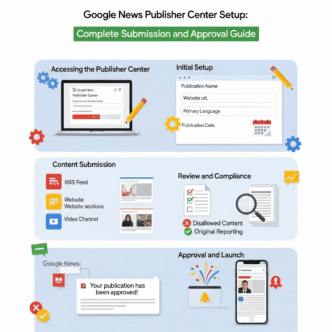
The Google News Publisher Center Application Process
Step 1: Verify site ownership
Add your site to Google Search Console first. You must be verified site owner to apply for Google News.
Step 2: Access Publisher Center
Navigate to: publishercenter.google.com
Sign in with same Google account used for Search Console.
Step 3: Add publication
Click “Add Publication”
Enter:
- Publication name (must match your site’s branding)
- Primary language
- Country of publication
- Main URL
Step 4: Verify publication details
Google requires:
- Publication location: Physical address of newsroom
- Contact information: Public-facing email, phone
- Editorial team: List of editors, reporters
- About page: Detailed information about publication
- Ethics and standards: Links to editorial policies, corrections policy
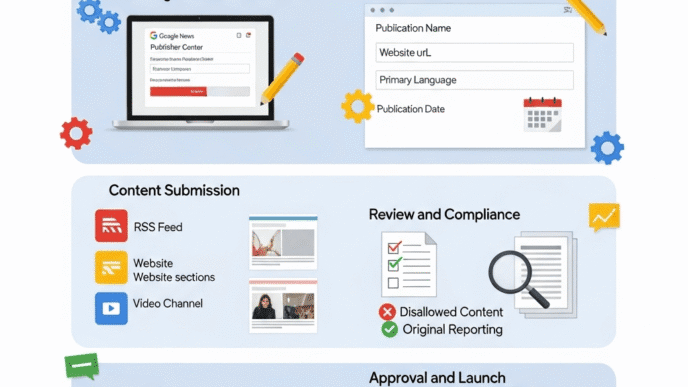
Step 5: Set up sections
Organize your content into sections:
- News (required)
- Sports
- Business
- Technology
- Entertainment
- Opinion (clearly labeled as opinion, not news)
Map each section to specific URLs or RSS feeds.
Step 6: Submit for review
Google manually reviews applications. Process takes:
- Fast track: 2-3 weeks (if clearly qualified)
- Standard: 4-8 weeks
- Rejection: Sometimes within days (if obviously not eligible)
Step 7: Wait and monitor
Check Publisher Center for status updates. Google may request additional information or clarifications.
Why Applications Get Rejected (And How to Fix It)
Common rejection reasons:
“Not enough original content”
Problem: Too much aggregated news, wire service content, or syndicated articles.
Fix: Ensure 80%+ of content is original reporting with clear bylines. Even if you use wire services, add original local angles, interviews, or analysis.
“Insufficient publication history”
Problem: New site with only 2-3 months of sporadic content.
Fix: Publish consistently for 6+ months before applying. Minimum 5-10 new articles per week showing sustained editorial operation.
“Not meeting technical requirements”
Problem: Slow site speed, not mobile-friendly, or HTTPS issues.
Fix: Run Google’s Mobile-Friendly Test and PageSpeed Insights. Fix all critical issues before reapplying.
“Lack of editorial transparency”
Problem: No clear information about who runs the publication, who writes content, or editorial standards.
Fix: Create comprehensive About page, staff directory with bios, editorial policy page, corrections/transparency policy.
“Appears to be a blog, not news publication”
Problem: First-person opinion pieces, personal blogging style, informal tone throughout.
Fix: Adopt news writing style with third-person reporting, inverted pyramid structure, and objective tone for news content. Opinion pieces fine if clearly labeled and not majority of content.
Real Example: How a Local News Site Got Approved
The Challenge: Smalltown Gazette, local news site covering city of 50,000, launched in 2024.
Initial application (rejected):
- Only 3 months old
- Publishing 2-3 articles per week
- Mix of original reporting and press releases
- Single reporter, no clear editorial team
- About page was generic template
Improvements made:
- Waited additional 3 months (total 6 months history)
- Hired part-time contributors, built editorial team of 5
- Increased publishing to 8-12 original articles per week
- Created detailed About page with staff bios, photos
- Wrote editorial standards page
- Added corrections policy prominently
- Improved site speed from 4.2s to 1.8s load time
Second application (approved in 3 weeks):
Result: Now appearing in Google News for local queries, traffic increased 340% within 2 months of approval.
Pro Tip: Before applying, search Google News for publications similar to yours. Study approved sites in your niche to understand what Google considers a legitimate news source. Mirror their transparency, structure, and publishing frequency.
How Do You Implement Technical SEO for News Publishers?
Breaking news SEO requires technical infrastructure that traditional content sites don’t need.
Site Speed Optimization for News Sites
Google News has ZERO tolerance for slow sites. If your article takes more than 2-3 seconds to load, you’re not appearing in Google News—period.
Research from Google shows that 53% of mobile users abandon sites that take longer than 3 seconds to load, and for news sites competing in real-time, even a 1-second delay can mean losing the story to faster competitors.
Critical speed optimizations:
1. Server response time under 200ms
News sites need premium hosting:
- ❌ Shared hosting ($5-$15/month) – too slow
- ❌ Standard VPS – adequate for small local news
- ✅ Cloud hosting (AWS, Google Cloud, Azure) – recommended
- ✅ Specialized news hosting (WP Engine, Kinsta for WordPress)
2. Image optimization is non-negotiable
News images are often large, high-resolution photos. Optimize EVERY image:
- Maximum 200KB per image (compress aggressively)
- WebP format (80% smaller than JPEG)
- Lazy loading for images below fold
- Responsive images (different sizes for mobile/desktop)
- CDN delivery (Cloudflare, AWS CloudFront)
3. Minimal JavaScript and CSS
Every script delays rendering. For breaking news:
- Inline critical CSS
- Defer non-critical JavaScript
- Minimize third-party scripts
- Avoid render-blocking resources
4. AMP (Accelerated Mobile Pages) – still relevant?
Controversial take: AMP is declining but still offers advantages for news publishers.
Pros:
- Nearly instant loading on mobile
- Preferred by Google for some news placements
- Better user experience in low-bandwidth situations
Cons:
- Limited design flexibility
- Complex implementation
- Google moving away from AMP requirement
- Ad revenue sometimes lower on AMP
Recommendation for 2025: Focus on making your standard pages blazing fast rather than maintaining separate AMP versions. If you can load standard pages in under 1 second, AMP offers minimal additional benefit.
Real-Time Indexing Strategies
Standard indexing (waiting for Googlebot) is too slow for breaking news. You need proactive indexing.
IndexNow Protocol (highly recommended for 2025)
What it is: Protocol that lets you ping search engines instantly when new content publishes.
Supported by: Bing, Yandex, Seznam, Naver (Google doesn’t officially support but monitors)
Implementation:
<!-- Add to your CMS publish workflow -->
POST https://api.indexnow.org/indexnow
Content-Type: application/json

{
  "host": "yournewssite.com",
  "key": "your-api-key",
  "keyLocation": "https://yournewssite.com/your-api-key.txt",
  "urlList": [
    "https://yournewssite.com/breaking-news-article-url"
  ]
}
Google Search Console Indexing API
Limited to: Job postings and streaming video content (officially)
Reality: News publishers can use Request Indexing feature in Search Console manually, but not via API at scale.
How to use:
- Go to Search Console
- Enter new article URL in top search bar
- Click “Request Indexing”
- Google prioritizes crawling this URL
Limitation: Can only request a few URLs per day manually.
RSS Feed Optimization
Google News still uses RSS feeds heavily for discovering new content.
Essential RSS setup:
<?xml version="1.0" encoding="UTF-8"?>
<rss version="2.0" xmlns:atom="http://www.w3.org/2005/Atom">
  <channel>
    <title>Your News Site - Latest News</title>
    <link>https://yournewssite.com</link>
    <description>Breaking news and updates</description>
    <atom:link href="https://yournewssite.com/feed" rel="self" type="application/rss+xml" />

    <item>
      <title>Breaking: Major News Event Headline</title>
      <link>https://yournewssite.com/breaking-news-article</link>
      <description>Brief summary of article (150-200 chars)</description>
      <pubDate>Mon, 15 Jan 2025 14:23:00 GMT</pubDate>
      <author>Reporter Name</author>
      <category>News</category>
      <guid>https://yournewssite.com/breaking-news-article</guid>
    </item>
  </channel>
</rss>
RSS best practices:
- Update feed within 5 minutes of publishing new article
- Include only last 10-20 articles (not entire archive)
- Proper publication dates in GMT
- Author names for each item
- Clear categories
Submit RSS feeds to Google News Publisher Center for each section of your site.
Mobile-First News Design
77% of news consumption happens on mobile devices according to Pew Research Center. Your mobile experience IS your news experience.
Mobile optimization checklist:
✅ Responsive design (not separate mobile site)
✅ Touch-friendly buttons (44×44 pixels minimum)
✅ Readable text (16px minimum font size)
✅ No horizontal scrolling ever
✅ Fast tap response (no 300ms delay)
✅ Minimal pop-ups (Google penalizes intrusive interstitials)
✅ Readable in sunlight (sufficient contrast)
Mobile-specific news features:
Sticky navigation bar:
- Breaking news ticker at top
- Quick links to sections
- Search functionality
- Account/login
Infinite scroll or pagination:
- Let users read multiple stories without returning to homepage
- Preload next article for seamless experience
Social sharing optimized for mobile:
- Large, tappable share buttons
- Native sharing API on mobile devices
- Pre-populated share text
Pro Tip: Test your site on real mobile devices, not just Chrome DevTools responsive mode. Buy a cheap Android phone and older iPhone to test on actual hardware. Load your site on slow 3G connection to experience what many readers experience.
What Makes News Headlines Rank in Google News?
News headline optimization is fundamentally different from blog title SEO.
The Anatomy of a Google News-Friendly Headline
Traditional blog headline: “The Ultimate Guide to Baking Perfect Sourdough Bread at Home (10 Expert Tips)”
News headline: “FDA Recalls Popular Bread Brand After Salmonella Outbreak in 12 States”
Notice the differences:
Blog headlines:
- Use power words (“Ultimate,” “Perfect”)
- Promise value (“10 Tips”)
- Target evergreen keywords
- Can be clever/punny
- Length flexible (60-80 chars)
News headlines:
- Lead with most important fact
- Who/what/where/when immediately clear
- Neutral, objective tone
- No clickbait or sensationalism
- Shorter (40-60 chars optimal for mobile)
Inverted Pyramid Structure for News Headlines
Most important information first, then details.
❌ Weak: “Local Officials Announce Changes After Months of Debate”
✅ Strong: “City Council Bans Plastic Bags Starting July 1”
The reader should understand the story from headline alone even if they don’t click.
Keyword Placement in Breaking News Headlines
News SEO keywords are different from traditional SEO keywords.
Traditional SEO:
- Long-tail keywords (“best running shoes for flat feet 2025”)
- Branded keywords (“Nike Air Zoom review”)
- How-to queries (“how to train for marathon”)
News SEO:
- Trending topics (“Hurricane Milton”)
- Named entities (people, places, organizations)
- Event keywords (“election results,” “Super Bowl”)
- Geographic specificity (“California,” “Los Angeles”)
Keyword placement examples:
Breaking political news: “President Biden Announces New Climate Policy, $500B Investment”
- Named entity: Biden
- Topic: climate policy
- Specific detail: $500B (searchable number)
Local crime news: “Suspect Arrested in Downtown Seattle Bank Robbery, $50K Stolen”
- Location: Seattle
- Crime type: bank robbery
- Specific detail: $50K
Business news: “Tesla Stock Drops 12% After Cybertruck Recall Affects 200K Vehicles”
- Company: Tesla
- Specific metric: 12%
- Product: Cybertruck
- Impact: 200K vehicles
Headline Length Optimization
Google News displays approximately:
- Desktop: 110-120 characters
- Mobile: 60-70 characters
But social media varies:
- Twitter/X: 280 chars total (headline competes with commentary)
- Facebook: ~80 chars before truncation on mobile
- LinkedIn: ~150 chars visible
Best practice: Front-load critical information in first 60 characters so headline works everywhere.
Example:
❌ Too long: “According to sources close to the investigation, federal authorities have reportedly arrested a suspect in connection with the downtown Seattle bank robbery that occurred last Tuesday, with approximately $50,000 believed to have been stolen”
✅ Optimized: “Suspect Arrested in Seattle Bank Robbery, $50K Stolen”
A/B Testing Headlines (Ethically)
The journalism ethics question: Is it acceptable to A/B test news headlines?
Controversial but common practice: Many major news organizations test headlines, but within ethical boundaries.
Acceptable:
- Testing clarity (which headline is easier to understand?)
- Testing accuracy (which better reflects story content?)
- Testing platform optimization (different headlines for web, mobile, social)
Unacceptable:
- Testing clickbait vs. accurate (never sacrifice accuracy)
- Misleading headlines to boost clicks
- Sensationalizing to game algorithms
Example of ethical headline testing:
Version A: “City Council Votes 5-4 to Approve Development Project”
Version B: “Controversial Waterfront Development Approved Despite Resident Opposition”
Both are accurate. Version A is more neutral and fact-focused. Version B emphasizes controversy and context. Testing reveals which resonates with your audience while maintaining journalistic standards.
Tools for headline testing:
- Parse.ly (used by many newsrooms)
- Chartbeat (real-time headline performance)
- Google Optimize (can test headlines ethically)
Pro Tip: The best news headlines answer the reader’s immediate question: “What happened?” Don’t bury the lede in your headline trying to be clever. Save the wit for opinion columns. Breaking news demands clarity above creativity.
How Do You Structure News Articles for SEO?
NewsArticle schema markup and proper content structure determine whether Google understands your content as news.
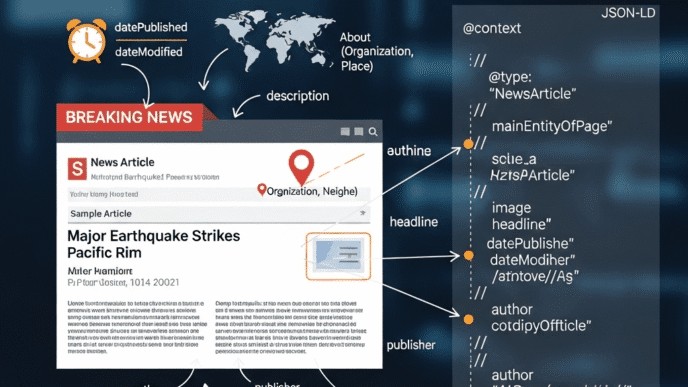
NewsArticle Schema Implementation
Schema markup is code that tells Google: “This is a news article, here are the essential details.”
Essential NewsArticle schema:
<script type="application/ld+json">
{
  "@context": "https://schema.org",
  "@type": "NewsArticle",
  "headline": "City Council Bans Plastic Bags Starting July 1",
  "alternativeHeadline": "Single-Use Plastic Bag Ban Passes 5-4 Vote",
  "image": [
    "https://yournewssite.com/images/city-council-vote-1200x800.jpg",
    "https://yournewssite.com/images/city-council-vote-1200x1200.jpg",
    "https://yournewssite.com/images/city-council-vote-1920x1080.jpg"
  ],
  "datePublished": "2025-01-15T14:23:00+00:00",
  "dateModified": "2025-01-15T16:45:00+00:00",
  "author": [{
    "@type": "Person",
    "name": "Sarah Martinez",
    "url": "https://yournewssite.com/author/sarah-martinez",
    "jobTitle": "City Hall Reporter"
  }],
  "publisher": {
    "@type": "Organization",
    "name": "Your News Site",
    "logo": {
      "@type": "ImageObject",
      "url": "https://yournewssite.com/logo-600x60.png",
      "width": 600,
      "height": 60
    }
  },
  "description": "City Council voted 5-4 to ban single-use plastic bags at retail stores, effective July 1. The new ordinance requires stores to charge 10 cents for paper bags.",
  "articleBody": "Full article text here...",
  "articleSection": "Local News",
  "keywords": ["city council", "plastic bag ban", "environmental policy", "retail regulations"],
  "mainEntityOfPage": {
    "@type": "WebPage",
    "@id": "https://yournewssite.com/city-council-plastic-bag-ban"
  }
}
</script>
Critical schema elements:
1. Multiple image sizes (required)
Google News requires images in multiple aspect ratios:
- 16×9 (1920×1080) – for Discover and news feed
- 4×3 (1200×900) – for some news placements
- 1×1 (1200×1200) – for square placements
Provide all three in schema markup.
2. Accurate publish and modified dates
"datePublished": "2025-01-15T14:23:00+00:00",
"dateModified": "2025-01-15T16:45:00+00:00"
Format: ISO 8601 with timezone (UTC preferred)
Why it matters: Google uses these dates to determine freshness. If you update article with new information, change dateModified to signal updated content.
3. Author information with credentials
"author": [{
  "@type": "Person",
  "name": "Sarah Martinez",
  "url": "https://yournewssite.com/author/sarah-martinez",
  "jobTitle": "City Hall Reporter",
  "description": "Sarah has covered local government for 8 years...",
  "sameAs": [
    "https://twitter.com/sarahmartinez",
    "https://linkedin.com/in/sarahmartinezjournalist"
  ]
}]
E-E-A-T signal: Detailed author information builds trust.
4. Publisher organization details
"publisher": {
  "@type": "Organization",
  "name": "Your News Site",
  "logo": {
    "@type": "ImageObject",
    "url": "https://yournewssite.com/logo-600x60.png",
    "width": 600,
    "height": 60
  },
  "sameAs": [
    "https://twitter.com/yournewssite",
    "https://facebook.com/yournewssite",
    "https://en.wikipedia.org/wiki/Your_News_Site"
  ]
}
Logo requirements: Exactly 600 pixels wide, 60 pixels tall (Google’s strict requirement for news)
5. Speakable schema (for voice assistants)
"speakable": {
  "@type": "SpeakableSpecification",
  "cssSelector": [".article-headline", ".article-summary"]
}
For voice search: Marks which parts of article should be read aloud by smart speakers/assistants.
Inverted Pyramid Article Structure
Traditional blog structure:
- Hook/intro
- Background
- Main content
- Details
- Conclusion
News article structure (inverted pyramid):
- Most important facts (who, what, when, where)
- Supporting details
- Background context
- Additional information
- Related details
Why this matters for SEO:
Google can extract the story from first 2-3 paragraphs and display in featured snippets, Google News summaries, and voice results.
Example structure:
Paragraph 1 (Lead): “City Council voted 5-4 Tuesday night to ban single-use plastic bags at all retail stores starting July 1, marking the city’s most significant environmental policy in a decade.”
Paragraph 2 (Key details): “The new ordinance requires stores to charge at least 10 cents for paper bags and $2 for reusable bags. Violations can result in fines up to $500.”
Paragraph 3 (Context): “The ban follows similar measures in San Francisco, Seattle, and Chicago. Supporters say it will reduce plastic waste by an estimated 2 million bags annually.”
Paragraphs 4-10 (Supporting information):
- Quotes from council members
- Opposition arguments
- Implementation timeline
- Business impact
- Exemptions and exceptions
Paragraphs 11+ (Background):
- History of the proposal
- Related environmental initiatives
- Comparison to other cities
Update Labels and Timestamps
Breaking news evolves. Your article should reflect updates without losing original publish date (which establishes your “first to report” advantage).
Best practices for updates:
Add update labels prominently:
<div class="article-update">
  <strong>Update (4:45 PM ET):</strong> Mayor's office has issued official statement opposing the ban. Story updated with response.
</div>
Maintain original timestamp:
<time datetime="2025-01-15T14:23:00+00:00">
  Published: January 15, 2025, 2:23 PM ET
</time>
<time datetime="2025-01-15T16:45:00+00:00">
  Updated: January 15, 2025, 4:45 PM ET
</time>
Update schema dateModified:
Each time you update article, change dateModified in schema to current time.
Strikethrough outdated information:
<p>Initial reports indicated <del>three arrests</del>. <ins>Police have confirmed two arrests</ins> in connection with the incident.</p>
This transparency:
- Builds trust with readers
- Shows Google your content is actively maintained
- Preserves your original publish time advantage
- Demonstrates journalistic integrity
Internal Linking Strategy for News Sites
Traditional blog linking: Link to related evergreen content
News linking: Link to related recent stories AND topic pages
Topic page strategy:
Create permanent pages for ongoing stories:
Example: /topics/city-council-plastic-bag-ban
This page:
- Lists all related articles chronologically
- Updates automatically as new stories publish
- Provides context and timeline
- Ranks for ongoing story searches
Every breaking news article about the topic links to topic page:
“This is a developing story. Read more coverage of the plastic bag ban debate.”
Benefits:
- Consolidates authority on topic
- Keeps readers on your site longer
- Provides historical context
- Ranks for broader topic searches
Pro Tip: Use rel=”nofollow” sparingly or not at all for internal links. Some news sites nofollow links to older articles thinking it preserves “link juice” for breaking news. This is outdated thinking and actually hurts your site’s overall authority. Link freely to your own quality content.
How Do You Optimize for Google Discover Feed?
Google Discover optimization is the most underrated traffic source for publishers—and the most visual.
What Makes Content Appear in Google Discover?
Google Discover shows personalized content based on user interests, NOT keyword searches.
Users never “search” for Discover content—Google proactively shows it to them based on browsing history, app usage, and stated interests.
According to Search Engine Journal, publications optimizing for Discover have seen traffic increases of 300-800%, with some viral stories receiving millions of impressions in just 48 hours.
Discover ranking factors:
1. User interest alignment
Google matches content to users who:
- Previously read similar topics
- Follow related news categories
- Engage with similar content types
- Have geographic proximity (for local news)
You can’t control individual user interests, but you can control topic specificity.
2. Content freshness
Discover heavily favors fresh content:
- Published within last 48 hours (peak visibility)
- Published within last 7 days (good visibility)
- Older than 14 days (dramatically reduced visibility)
Exception: Evergreen content can appear in Discover if trending topic relates to it.
3. Visual quality
This is the BIG difference from Google News.
Discover is visual-first. Your featured image determines whether users tap your story.
Image requirements for Discover:
✅ Minimum 1200 pixels wide (Google’s requirement)
✅ High resolution (crisp, clear, professional)
✅ Aspect ratio 16:9 or 1:1 preferred
✅ Compelling, relevant to story
✅ No overlaid text (Google penalizes text-heavy images)
✅ No logos/watermarks covering important parts
✅ Brightness/contrast optimized for mobile screens
Image quality comparison:
❌ Poor Discover performance:
- Stock photos used by 100 other sites
- Low resolution, pixelated
- Dark, hard to see on mobile
- Generic, doesn’t illustrate story
✅ Strong Discover performance:
- Original photography
- High resolution, sharp details
- Bright, high contrast
- Specific to story, visually interesting
4. Content quality and engagement
Google measures how users interact with Discover content:
- Dwell time (do they read the article or immediately bounce?)
- Read completion (do they scroll to end?)
- Engagement (do they share, comment, save?)
- Return behavior (do they come back for more content?)
Low engagement = removed from Discover
Google quickly stops showing your content if users consistently bounce or don’t engage.
Discover-Specific Technical Implementation
Enable Discover tracking in Google Search Console:
- Go to Search Console
- Navigate to “Discover” section (left sidebar)
- If you don’t see it, your site isn’t appearing in Discover yet
- Once appearing, you’ll see impressions and clicks data
Implement max-image-preview tag:
<meta name="robots" content="max-image-preview:large">
This allows Google to show large preview images in Discover instead of small thumbnails.
Without this tag: Only small image previews shown (lower CTR)
With this tag: Full-width, high-resolution images (much higher CTR)
Implement structured data for Discover:
{
  "@context": "https://schema.org",
  "@type": "NewsArticle",
  "image": {
    "@type": "ImageObject",
    "url": "https://yournewssite.com/images/article-image-1200x800.jpg",
    "width": 1200,
    "height": 800
  }
}
Note the image object with explicit width/height. This helps Google understand image dimensions without downloading the file.
Content Types That Perform Well in Discover
Analysis of top-performing Discover content:
Strong performers:
📈 Breaking news with visual elements
- Natural disasters (hurricane damage photos)
- Political events (protests, speeches)
- Celebrity news (events, appearances)
- Sports highlights (game-winning moments)
📈 How-to guides with step-by-step images
- Cooking recipes (food photos for each step)
- DIY projects (process photos)
- Beauty tutorials (transformation photos)
📈 Visual storytelling
- Photo essays
- Infographic-style articles
- Data visualizations
- Before/after comparisons
Weak performers:
📉 Text-heavy analysis without visuals 📉 Opinion pieces (unless by famous columnists)
📉 Pure text content (no images)
📉 Aggregated content (not original)
📉 Overly technical content
Case Study: How CNN Optimizes for Discover
CNN’s Discover strategy:
- Every article has custom-shot photography (not stock photos)
- Images are cinematic quality (professional photojournalists)
- Large featured images (1920×1080 minimum)
- Image captions that add context
- Video thumbnails for video stories (play button overlay)
- Testing image variations to see what drives engagement
Result: CNN consistently appears in Discover for millions of users, driving significant traffic from non-search channels.
Optimizing Images for Maximum Discover Visibility
Image optimization checklist:
Technical:
- [ ] 1200px minimum width
- [ ] WebP format for smaller file size
- [ ] Compressed to under 200KB
- [ ] Responsive (multiple sizes served based on device)
- [ ] Alt text descriptive and keyword-rich
- [ ] Correct aspect ratio (16:9 or 1:1)
Visual quality:
- [ ] High resolution (sharp, not blurry)
- [ ] Good composition (rule of thirds, visual interest)
- [ ] Proper exposure (not too dark or blown out)
- [ ] Vibrant colors (but realistic, not oversaturated)
- [ ] Clear subject focus
- [ ] No distracting elements
Content relevance:
- [ ] Directly illustrates the story
- [ ] Shows key people/places/events mentioned
- [ ] Captures emotional tone of article
- [ ] Would make user want to click
- [ ] Unique to your publication (not used by 100 other sites)
Pro Tip: Invest in photography. If budget allows, hire a professional photographer for major stories. If not, train reporters in smartphone photography basics. Original, high-quality images are the single biggest factor in Discover performance—more important than headline quality or content depth.
How Do You Build E-E-A-T Authority as a News Publisher?
News publisher authority isn’t optional—it’s the foundation Google uses to decide if your content deserves news placement.
Experience and Expertise Signals for Journalists
Google wants to know: Who wrote this story, and are they qualified to report on this topic?
Essential author credibility signals:
1. Detailed author bios on every article
<div class="author-bio">
  <img src="sarah-martinez-headshot.jpg" alt="Sarah Martinez">
  <div class="author-info">
    <h3>Sarah Martinez</h3>
    <p class="author-title">City Hall Reporter</p>
    <p class="author-description">
      Sarah has covered local government and policy for Your News Site since 2017.
      She previously worked at the Daily Chronicle and holds a degree in journalism
      from Northwestern University. Contact: sa***@**********te.com |
      <a href="https://twitter.com/sarahmartinez">@sarahmartinez</a>
    </p>
  </div>
</div>
2. Dedicated author pages
Create author archive pages showing all articles by each journalist:
/author/sarah-martinez
Include on author pages:
- Professional photo
- Full bio (300-500 words)
- Educational background
- Previous publications
- Awards and recognition
- Beat coverage areas
- Contact information
- Social media links
- Recent articles
- Total article count
3. Byline consistency
Use exact same name format across all articles:
✅ Consistent: “Sarah Martinez” on every article
❌ Inconsistent: “Sarah Martinez,” “S. Martinez,” “Sarah M.,” “By Sarah”
Google needs consistent attribution to build author authority.
4. External author validation
Link to:
- LinkedIn professional profile
- Twitter/X verification
- Previous work at established publications
- Awards and recognition pages
- Speaking engagements
- University faculty pages (if adjunct professor)
5. Topic expertise demonstration
Beat reporting builds authority:
If Sarah Martinez covers city government exclusively, her articles on city council carry more weight than a general assignment reporter who covers everything.
Google recognizes this specialization through:
- Consistent topic coverage over time
- Deep context and detail in reporting
- Sourcing quality (officials speak to her because of relationships)
- Breaking stories in her beat area
Authoritativeness: Publication-Level Trust Signals
Google evaluates the ENTIRE PUBLICATION, not just individual articles.
Essential publication authority signals:
1. Comprehensive About page
Minimum elements:
- Publication history and founding date
- Editorial mission and values
- Ownership structure
- Newsroom location and contact
- Staff directory with photos
- Editorial leadership
- Ethics and standards policy
- Corrections and transparency policy
- Awards and recognition
- Circulation/traffic metrics
2. Editorial policies prominently displayed
Create dedicated pages for:
Ethics policy: /ethics
- Conflict of interest guidelines
- Gift policies
- Sourcing standards
- Fact-checking procedures
- Photo manipulation policy
Corrections policy: /corrections
- How errors are handled
- Correction notification process
- Archive of published corrections
- Contact for reporting errors
Community guidelines: /community-guidelines
- Comment moderation standards
- User-generated content policies
- Harassment and abuse prevention
3. Contact accessibility
Make it easy to reach you:
- General news tips: ti**@**********te.com
- Specific beats: ci******@**********te.com
- Editorial questions: ed****@**********te.com
- Technical issues: su*****@**********te.com
- Advertising: ad*********@**********te.com
Phone number that’s answered during business hours
Physical address of newsroom (even if small office)
4. Transparent ownership and funding
Readers want to know: Who owns this publication and how is it funded?
Disclose:
- Parent company (if applicable)
- Ownership structure (private, nonprofit, publicly traded)
- Primary revenue sources (ads, subscriptions, grants)
- Major donors (for nonprofits)
- Political affiliations or endorsements history
Why this matters:
- Builds trust with readers
- Signals to Google you’re not hiding anything
- Differentiates from propaganda/fake news sites
5. Awards, recognition, and press mentions
Showcase credibility indicators:
- Journalism awards won by staff
- Industry recognition
- Press mentions in other media
- Speaking engagements
- Partnership with established news organizations
Create a page: /awards or /recognition
Trustworthiness: Demonstrating Accuracy and Accountability
Trust is earned through consistency, accuracy, and accountability.
1. Rigorous fact-checking and sourcing
Visible sourcing in articles:
❌ Weak: “Officials said the project will cost millions.”
✅ Strong: “The project will cost $4.2 million, according to budget documents reviewed by Your News Site.”
Attribution demonstrates:
- You have actual sources
- Claims are verifiable
- Readers can check your work
2. Corrections policy and implementation
When you make mistakes (everyone does), handle them transparently:
Correction format:
<div class="correction">
  <strong>Correction (Jan 16, 2025):</strong> An earlier version of this article
  incorrectly stated the vote was 6-3. The vote was 5-4. The article has been
  updated to reflect the correct vote count.
</div>
Place corrections:
- At top of article (most visible)
- In corrections archive
- On social media where incorrect version was shared
Never silently edit mistakes. This destroys trust.
3. Clear differentiation between news and opinion
Google penalizes sites that blur these lines.
News articles:
- Objective tone
- Third-person
- Balanced sourcing
- Labeled “News”
Opinion pieces:
- Clearly labeled “Opinion” or “Commentary”
- Author’s perspective acknowledged
- Separate section of site
- Different visual treatment
4. Advertiser and sponsor disclosure
Transparency about funding:
Sponsored content must be clearly labeled:
- “Sponsored by [Company]”
- “Paid Content”
- “Advertisement”
- Different styling from editorial content
Editorial independence statement: “Advertising and sponsorships do not influence editorial content or coverage decisions.”
5. Community engagement and accountability
Show you’re responsive:
- Comments enabled (with moderation)
- Social media interaction
- Public editor or ombudsman
- Reader surveys
- Community forums or events
Case Study: ProPublica’s Authority Building
ProPublica (nonprofit investigative journalism) exemplifies E-E-A-T:
Experience:
- Detailed bios for all journalists with expertise areas
- Many reporters have 15+ years specializing in their beats
- Previous work at NYT, WSJ, other prestigious outlets
Expertise:
- Deep investigative reporting requiring months of research
- Original document analysis
- Data journalism requiring technical skills
- Collaboration with topic experts
Authoritativeness:
- Won 6 Pulitzer Prizes
- Partners with major news organizations
- Cited by Congressional hearings
- Featured in academic research
Trustworthiness:
- Comprehensive ethics policy
- Transparent funding (lists all major donors)
- Correction policy rigorously followed
- Source materials published when possible
Result: ProPublica articles immediately rank in Google News for complex investigative topics because Google trusts their authority.
Pro Tip: If you’re a small local news startup, don’t try to compete with national publications on national stories. Build authority in your LOCAL beat. Google values geographic expertise—being THE authority on your city’s government is more valuable than being a mediocre national news aggregator.
How Do You Handle Breaking News Updates and Live Coverage?
Real-time indexing separates amateur publishers from professional newsrooms.
The Breaking News Workflow
Speed matters, but accuracy matters more.
Optimized breaking news process:
Minutes 0-5: Initial alert
Breaking news happens. Your goal: Publish basic facts within 5 minutes.
Initial article (150-200 words):
- Headline with key facts
- 2-3 paragraphs answering Who, What, When, Where
- Acknowledge if information is still developing
- Promise updates as more information becomes available
Example initial post:
BREAKING: Earthquake Strikes Los Angeles Area, Magnitude 5.8

A magnitude 5.8 earthquake struck the Los Angeles area at 2:34 PM local time
Tuesday, according to the U.S. Geological Survey.

The epicenter was located approximately 15 miles east of downtown Los Angeles.
Shaking was felt across Southern California, with early reports of damage to
buildings in the affected area.

This is a developing story. Updates will be added as more information becomes available.
Minutes 5-15: First update
Add:
- Official statements (fire department, police, mayor)
- Social media posts from witnesses (verified)
- Initial damage reports
- Safety information
Update article to 300-400 words.
Add update label:
<div class="update-label">
  <strong>Update (2:45 PM):</strong> Los Angeles Fire Department reports no
  immediate reports of major structural damage. Emergency services responding
  to multiple calls.
</div>
Minutes 15-60: Comprehensive coverage
Now you have time for:
- Reporter dispatched to scene
- Interviews with officials
- Eyewitness accounts (verified)
- Context (previous earthquakes, preparedness)
- Photos and video
- Expert analysis (seismologists)
Expand article to 800-1200 words.
Hours 1-24: Ongoing updates
As story develops:
- Damage assessments
- Casualty reports (if any)
- Response and recovery efforts
- Political reactions
- Economic impact
- Community impact
Each major update gets timestamped label.
Live Blog vs. Traditional Article Updates
Two approaches for ongoing stories:
Traditional article (recommended for most breaking news):
Pros:
- Single URL maintains SEO value
- Easier for readers to follow
- Better for social sharing
- Preserves “first to report” timestamp
Cons:
- Can become unwieldy with many updates
- Difficult to scan for latest information
Live blog format (for major ongoing events):
Pros:
- Clear chronological updates
- Easy to scan for latest
- Shows active coverage
- Good for events lasting hours/days
Cons:
- Can dilute SEO if many separate URLs
- Harder to summarize complete story
When to use live blog:
- Elections (results over several hours)
- Natural disasters (ongoing response)
- Major trials (daily coverage)
- Sporting events
- Breaking situations with frequent updates (hostage situations, etc.)
Live blog best practices:
1. Newest updates at top (reverse chronological)
<div class="live-update" id="update-1445">
  <time>2:45 PM</time>
  <h3>Mayor Holds Press Conference, Declares State of Emergency</h3>
  <p>Los Angeles Mayor Karen Bass held a press conference...</p>
</div>

<div class="live-update" id="update-1430">
  <time>2:30 PM</time>
  <h3>LAFD Reports 23 Structural Damage Calls</h3>
  <p>Los Angeles Fire Department officials said...</p>
</div>
2. Each update is a shareable anchor link
Users can link directly to specific updates: yournewssite.com/earthquake-live#update-1445
3. Prominent “Latest Update” indicator
Show timestamp of most recent update at top of page so readers know how current information is.
4. Summary section updated periodically
Every 30-60 minutes, update a “What We Know So Far” summary box at top.
Push Notifications and Social Media Updates
Multi-platform distribution strategy:
Push notifications (use sparingly):
Only for truly breaking news:
- Major disasters
- Significant political developments
- Local emergencies
- Events directly impacting users
Don’t spam:
- Maximum 2-3 push notifications per day
- Users will disable notifications if overused
Notification best practices:
❌ Clickbait: “You won’t believe what just happened…”
✅ Informative: “BREAKING: Earthquake strikes LA, magnitude 5.8”
❌ Vague: “Major news breaking now”
✅ Specific: “Governor announces statewide mask mandate”
Social media update strategy:
Twitter/X (real-time updates):
- Tweet breaking news immediately
- Thread for ongoing updates
- Quote relevant officials
- Share photos/video as available
- Pin most important tweet to top of profile
Facebook (community engagement):
- Post article with context
- Encourage respectful discussion
- Respond to questions
- Share user-submitted photos (with permission)
- Go live for press conferences
Instagram (visual storytelling):
- Stories for quick updates
- Posts for powerful images
- Reels for video highlights
- Behind-the-scenes of reporting process
TikTok (reaching younger audiences):
- 60-second explainers
- On-scene reporting
- Expert interviews
- Context and background
Pro Tip: Assign a dedicated social media editor for breaking news. Reporters should focus on reporting—not managing six social media accounts while trying to file updates. Division of labor maintains quality on all fronts.
What Are Common News SEO Mistakes to Avoid?
Even established newsrooms make these critical errors that kill their Google News visibility.
Mistake #1: Slow Publishing Workflow
The problem: Your CMS requires 15 approval steps before publishing.
Why it kills news SEO:
By the time your story publishes, five competitors have already published their versions. You’re #6 in Google News, getting 5% of the traffic the first-place story receives.
Real-world impact: According to Parse.ly data, the first publication to break a story receives 71% more traffic on average than publications that publish the same story 30 minutes later.
The fix:
Breaking news fast-track:
- Reporters can publish immediately (editor review happens post-publication)
- Simple template reduces formatting time
- Images added in second update if not ready immediately
- Fact-checking doesn’t delay basic facts (verify first, add details in updates)
Trust your journalists. If you hired professionals, let them work professionally.
Balance speed and accuracy:
- Basic facts published quickly (name of event, location, time)
- Complex analysis and implications added in updates
- If uncertain, acknowledge: “Details are still emerging…”
Mistake #2: Ignoring Mobile Experience
The problem: Your site is technically “mobile responsive” but practically unusable.
Common mobile issues:
Slow load times:
- Multiple ad scripts delay page rendering
- Unoptimized images
- Heavy JavaScript frameworks
- Result: Users bounce before article loads
Intrusive interstitials:
- Full-screen pop-ups covering content
- “Download our app” banners
- Email signup forms blocking article
- Sticky ads reducing reading space
- Result: Google penalizes you for poor UX
Unreadable text:
- Font size too small
- Low contrast
- Text flows behind ads
- Result: Users can’t read your content
The fix:
Mobile-first development:
- Design and test on mobile FIRST
- Desktop is secondary
- If something doesn’t work on mobile, it doesn’t ship
Speed budget:
- Maximum 2-second load time
- Maximum 200KB initial page weight
- Lazy load everything below fold
Minimal ads above fold:
- One ad maximum before content starts
- No pop-ups or interstitials
- Sticky ads must not reduce content space below 50%
Mistake #3: Duplicate Content from Wire Services
The problem: Publishing Associated Press, Reuters, or other wire service content without modification.
Why it hurts SEO:
Google sees 500 news sites published the exact same AP story. Only the first few get any ranking. Your site—#497 to publish it—gets zero Google News visibility.
The fix:
Add local angle:
Instead of publishing AP story verbatim:
❌ Generic AP story: “National Unemployment Rate Drops to 3.7%”
✅ Localized: “National Unemployment Rate Drops to 3.7%, But Local Numbers Tell Different Story”
Add local statistics, local expert quotes, local impact analysis.
Rewrite lead paragraph:
Even if the body is wire content, rewrite the first 2-3 paragraphs with local context or unique angle.
Supplement with original reporting:
- Interview local business owner about how national trend affects them
- Get local official’s reaction
- Add local data/statistics
- Connect to local ongoing story
Result: Google sees unique content worth ranking separately from 500 identical AP stories.
Mistake #4: Ignoring Article Updates
The problem: Publishing initial story and never updating it, even as major developments occur.
Why it hurts:
Google favors updated, current content. A competitor who updates their article with latest developments outranks your stale initial story.
Readers seeking latest information see your article is “3 hours old” with no updates and click away to find current coverage.
The fix:
Update commitment:
For major stories:
- First 2 hours: Update every 15-30 minutes
- Hours 2-6: Update hourly
- Hours 6-24: Update every 2-3 hours
- After 24 hours: Update when significant new information emerges
Each update:
- Add timestamp and label
- Update schema
dateModified - Alert on social media: “UPDATE: [headline]”
- Push notification if warranted
Keep article alive:
Major stories shouldn’t “die” after 24 hours. Continue updating:
- Follow-up developments
- New information
- Long-term impact
- Anniversary updates
Mistake #5: Poor Image Quality
The problem: Using low-resolution, generic stock photos or no images at all.
Impact on Discover:
Your articles never appear in Google Discover because image quality doesn’t meet standards.
Impact on engagement:
Readers scroll past your story in Google News because thumbnail is unappealing compared to competitors’ compelling images.
The fix:
Image quality standards:
Minimum requirements:
- 1200×800 pixels (higher for hero images)
- High resolution, sharp details
- Well-lit, properly exposed
- Relevant to story
Original photography:
- Send photographer to scene for local stories
- Use reporter smartphone if photographer unavailable
- Train reporters in mobile photography basics
When using stock photos:
- Choose specific, not generic
- High quality, professional
- Relevant to exact story (not vaguely related)
Image optimization:
- Compress to under 200KB
- WebP format
- Descriptive alt text
- Multiple sizes for responsive delivery
Mistake #6: Clickbait Headlines
The problem: Writing misleading headlines to boost clicks.
Examples of clickbait:
❌ “You Won’t Believe What Happened at City Council Last Night”
❌ “This One Simple Trick Could Save Your Life”
❌ “What She Said Next Left Everyone Speechless”
❌ “Doctors Hate Him for This One Weird Trick”
Why it backfires:
Google penalizes clickbait:
- Manual review teams identify and demote clickbait
- User engagement signals (immediate bounce) hurt rankings
- Violates Google News quality guidelines
Readers lose trust:
- Feel deceived when article doesn’t match headline promise
- Stop clicking your stories
- Negative reputation builds
The fix:
Honest, specific headlines:
✅ “City Council Approves $50M Budget Over Resident Opposition”
✅ “New Study Links Daily Coffee to 15% Lower Heart Disease Risk”
✅ “Mayor Announces Resignation Amid Ethics Investigation”
Headline integrity test:
Before publishing, ask:
- Does this headline accurately reflect the article content?
- Would reader feel deceived after clicking?
- Is most important information in headline?
- Am I creating artificial mystery to manipulate clicks?
If you’re using curiosity gap, make sure you deliver on the promise.
Mistake #7: No Clear Author Attribution
The problem: Articles bylined as “Staff” or “Admin” or no byline at all.
Why it hurts E-E-A-T:
Google can’t evaluate author expertise if author is anonymous or generic.
Articles without clear attribution appear less trustworthy.
The fix:
Every article has real author:
- Real person’s name (not “Staff”)
- Link to author bio page
- Author photo
- Author credentials
Exception: Wire service content can be attributed to “Associated Press” (clearly noted as wire service)
For collaborative articles:
List all contributors: “By Sarah Martinez and James Chen”
Or if many contributors: “By Your News Site Staff” with individual contributors listed at bottom: “Sarah Martinez reported from City Hall. James Chen contributed research. Emily Rodriguez provided photography.”
Mistake #8: Neglecting Schema Markup
The problem: No structured data or incorrectly implemented schema.
Why it matters:
Google relies heavily on schema markup to understand news articles. Without proper schema:
- Articles may not appear in Google News at all
- No rich results in search
- Can’t appear in Google Discover
- Voice assistants can’t read your content
Common schema mistakes:
❌ No schema markup at all
❌ Using generic “Article” instead of “NewsArticle” type
❌ Missing required fields (datePublished, author, publisher)
❌ Incorrect image dimensions or missing images
❌ Publisher logo wrong size (must be exactly 600×60)
❌ Inconsistent author names across articles
The fix:
Implement complete NewsArticle schema on every article (see schema section earlier).
Test your implementation:
- Use Google’s Rich Results Test
- Fix all errors before publishing
- Validate schema markup passes all checks
Mistake #9: Forgetting About Canonicalization
The problem: Publishing same article on multiple pages without proper canonical tags.
Common scenarios:
- Article appears on homepage, section page, and article page
- AMP and non-AMP versions
- Print-friendly versions
- Mobile and desktop versions
Why it hurts:
Google sees duplicate content and may:
- Choose wrong version as canonical
- Split ranking signals between versions
- Penalize site for duplicate content
The fix:
Set canonical URL on all versions:
<link rel="canonical" href="https://yournewssite.com/original-article-url">
All variations (AMP, mobile, print) should point to primary article URL as canonical.
Mistake #10: Ignoring Local SEO for Regional News
The problem: Not optimizing for local search when covering local news.
Example mistake: Headline: “Mayor Announces New Policy”
Which mayor? Which city? Google doesn’t know.
The fix:
Include location in headlines and content:
✅ “Seattle Mayor Announces New Homeless Policy”
✅ “Chicago Public Schools Face $1B Budget Deficit”
✅ “Miami Beach Bans Spring Break Events After Violent Weekend”
Local SEO elements:
- City/region name in headline
- Local landmarks and neighborhoods mentioned
- Schema markup with geographic location
- Local business structured data when relevant
- Google Business Profile for publication (with correct location)
Mistake #11: Not Optimizing for Featured Snippets
The problem: Ignoring opportunity to appear in position zero for news queries.
Featured snippets drive significant traffic, especially for “what happened” and “who is” queries related to breaking news.
The fix:
Structure content for snippet extraction:
For definitions:
<p><strong>What is [Topic]:</strong> [Concise 2-3 sentence definition]</p>
For lists: Use numbered or bulleted lists for:
- Event timelines
- Key facts
- Steps in a process
For tables: Present data in proper HTML tables:
- Election results
- Statistics
- Comparisons
Answer questions directly:
- Include question as H2 heading
- Answer immediately in next paragraph
- Keep answer concise (40-60 words)
Mistake #12: Publishing and Forgetting
The problem: No post-publication optimization or monitoring.
What publishers miss:
- Typos that readers point out in comments
- Broken links or images
- Schema markup errors Google discovers
- Competitor articles outranking yours
- Opportunities to update with new information
The fix:
Post-publication checklist (within 1 hour):
- [ ] Check article displays correctly on mobile
- [ ] Verify images load properly
- [ ] Test all links work
- [ ] Validate schema markup passes
- [ ] Monitor for immediate reader feedback
- [ ] Share on social media
- [ ] Submit to Google Search Console for indexing
Ongoing monitoring (daily for first week):
- [ ] Check Google News placement
- [ ] Monitor competitors covering same story
- [ ] Update with new developments
- [ ] Respond to reader comments
- [ ] Track social media shares and engagement
Pro Tip: The biggest news SEO mistake is treating SEO as separate from journalism. Integrate SEO best practices into your editorial workflow from day one. Reporters should understand basic SEO principles. Editors should think about headlines as both journalistic and SEO tools. It’s not journalism vs. SEO—it’s journalism enhanced by smart distribution strategy.
How Are AI and Machine Learning Transforming News SEO?
The integration of AI in news publishing and search is accelerating faster than most newsrooms realize.
AI-Generated Content and Google’s Response
The challenge: AI can write basic news articles in seconds. How do human journalists compete?
Google’s stance: Content quality matters, not how it’s created. AI-generated content isn’t inherently penalized—but low-quality content is.
According to Google’s Search Quality Guidelines update, helpful content created to inform users is acceptable regardless of whether humans or AI created it—but content created primarily to manipulate rankings is spam.
What this means for news publishers:
AI as tool, not replacement:
- Use AI for research and fact-checking
- AI-assisted writing with human oversight
- Automated data journalism (sports scores, financial reports)
- Translation and localization at scale
Where human journalists still win:
- Original investigative reporting
- On-the-ground coverage
- Interviews and relationships with sources
- Nuanced analysis and context
- Ethics and editorial judgment
Best practices for AI-assisted news:
- Always disclose when AI tools used
- Human editors review all AI-generated content
- Fact-check all AI output (AI hallucinates)
- Add human expertise and analysis
- Focus on stories AI can’t cover (investigations, enterprise)
Google’s Search Generative Experience (SGE) Impact
The threat to news publishers: Google’s AI Overviews answer questions directly in search results, reducing clicks to news sites.
Example: User searches: “What happened at the UN climate summit?”
Google’s AI Overview synthesizes information from multiple news sources and displays comprehensive answer. User gets information without clicking any articles.
How news publishers are adapting:
1. Focus on exclusive content AI can’t synthesize
- Breaking news (first to report)
- Investigative journalism
- Exclusive interviews
- Original data analysis
2. Build direct relationships with readers
- Email newsletters (owned audience)
- Push notifications
- Mobile apps
- Membership programs
3. Optimize for attribution in AI summaries
- Clear bylines and publication branding
- Structured data identifying you as source
- Original reporting clearly labeled
4. Create content formats AI struggles with
- Video journalism
- Interactive graphics
- Multimedia storytelling
- Podcast content
AI-Powered News SEO Tools
Emerging tools transforming newsroom workflows:
Headline optimization AI:
- Tools analyze which headlines will perform best
- Test multiple variations instantly
- Predict social media engagement
- Examples: Headline Studio, CoSchedule
Content performance prediction:
- AI predicts which stories will go viral
- Analyzes factors driving engagement
- Recommends story angles and formats
- Examples: Echobox, Newswhip
Automated tagging and categorization:
- AI automatically tags articles with topics
- Suggests related content links
- Categorizes by section
- Improves internal linking
Real-time trending topic identification:
- AI monitors social media for emerging stories
- Alerts newsroom to breaking trends
- Suggests story angles before competitors
- Examples: CrowdTangle (Meta), Trends24
Voice search optimization:
- AI analyzes how people ask questions verbally
- Suggests conversational content structure
- Optimizes for smart speaker news briefings
Natural Language Processing for Better Content
NLP tools help publishers optimize for how Google understands content:
Entity recognition:
- Identifies people, places, organizations in articles
- Ensures proper schema markup
- Links to knowledge graph entities
- Improves topical authority
Sentiment analysis:
- Measures emotional tone of articles
- Helps maintain objectivity in news
- Identifies opinion vs. news content
- Aids in content categorization
Readability optimization:
- Analyzes reading level
- Suggests simplifications
- Ensures accessibility
- Targets appropriate audience
Content gap analysis:
- AI identifies topics you haven’t covered
- Finds angles competitors missed
- Suggests related story ideas
Personalization vs. Filter Bubbles
The dilemma: AI personalization increases engagement but creates echo chambers.
How Google Discover personalizes:
- User browsing history
- Location
- Previously engaged topics
- Social connections
- Search history
Balancing act for publishers:
- Create niche content for specific interests (benefits from personalization)
- But also create broad-appeal content (reaches new audiences)
- Avoid extreme content that feeds polarization
- Maintain journalistic ethics while optimizing for algorithms
Best practice: Publish diverse perspectives on major stories, letting personalization algorithms serve appropriate angle to each reader while maintaining editorial integrity.
Frequently Asked Questions About News SEO
How long does it take to get approved for Google News?
Typical timeline: 2-8 weeks after submission, but this varies significantly.
Fast approval (2-3 weeks):
- Established publication with clear history
- Professional site with obvious editorial team
- All technical requirements met
- Regular publishing schedule evident
Standard approval (4-8 weeks):
- Newer publication but meeting all criteria
- May require clarification on some elements
- Google needs time to evaluate publishing consistency
Delayed or rejected:
- Missing critical elements (no About page, unclear ownership)
- Insufficient publishing history
- Technical issues
- Content quality concerns
If rejected: Address all issues mentioned, wait 30 days, and reapply. Don’t spam Google with repeated applications—this delays consideration.
Can I use syndicated content and still rank in Google News?
Short answer: Yes, but with limitations.
Best practices for syndicated content:
- Add original local angle or commentary
- Clearly attribute to original source
- Don’t republish verbatim—add value
- Primary content should be original (80%+)
- Use canonical tags pointing to original
- Publish quickly if breaking news (timing matters)
What Google prefers:
- Original reporting ranks highest
- Localized syndicated content ranks moderately
- Straight republishing rarely ranks
Exception: If you’re first to publish syndicated content in your geographic region, you may rank for local searches even with unchanged content.
How important are social signals for news SEO?
Direct impact: Social shares are NOT direct ranking factors.
Indirect impact: Social signals matter significantly:
1. Speed of discovery:
- Trending on social media signals breaking news
- Google monitors Twitter for emerging stories
- Viral content gets crawled faster
2. User engagement signals:
- Social traffic increases site visits
- Higher engagement improves rankings
- Social validation correlates with quality
3. Link building:
- Social sharing leads to links from other sites
- Journalists find stories on social media
- Links remain direct ranking factor
Bottom line: Optimize for social sharing not because shares directly help SEO, but because they trigger chain reactions that do help (traffic, engagement, links).
Should I publish on AMP or focus on standard page speed?
Current recommendation for 2025: Focus on fast standard pages rather than maintaining separate AMP versions.
Why Google moved away from AMP requirement:
- Core Web Vitals replaced AMP as speed measurement
- Non-AMP pages can be equally fast
- Maintaining two versions is burdensome
- Ad revenue often lower on AMP
When AMP still makes sense:
- You’re in country where AMP heavily used
- Your standard pages can’t achieve fast speeds
- You have resources to maintain both versions
- Your analytics show AMP drives significant traffic
Better alternative: Invest in optimizing standard page speed to under 2 seconds. This provides same user experience benefit without complexity of maintaining AMP versions.
How do I optimize for voice search in news?
Voice search for news is growing, especially for breaking news and daily briefings.
Voice optimization strategies:
1. Answer questions directly: Structure content to answer common voice queries:
- “What happened in [City] today?”
- “What’s the latest on [Topic]?”
- “Who won [Election/Game]?”
2. Use conversational language: Write how people speak, not formal news style:
- Voice: “Three people died in the accident”
- Not: “The incident resulted in three fatalities”
3. Implement speakable schema:
"speakable": {
  "@type": "SpeakableSpecification",
  "cssSelector": [".article-summary", ".key-points"]
}
4. Create daily news briefings:
- Publish audio versions of articles
- Create podcast-style news roundups
- Submit to Alexa Flash Briefing skill
- Optimize for Google Assistant news
5. Featured snippet optimization: Voice assistants often read featured snippets aloud, so optimize for position zero.
How often should I update news articles?
Depends on story type:
Breaking news (first 24 hours):
- Update every 15-30 minutes initially
- Hourly updates as story develops
- Multiple updates per hour for major events
Ongoing stories:
- Daily updates while story active
- Update when significant developments occur
- Weekly check-ins for longer-term stories
Evergreen news content:
- Quarterly reviews and updates
- Annual major refreshes
- Update when facts change
Update signals to Google:
- Change
dateModifiedin schema - Add timestamp labels to updates
- Keep original
datePublished(maintains “first to report” advantage)
Don’t update: Minor typo fixes, formatting changes, or adding internal links don’t require changing dateModified.
Can local news sites compete with national publications in Google News?
Absolutely—and you have advantages national publications don’t.
Local advantages:
1. Geographic authority:
- Google recognizes local expertise
- Local searches favor local publishers
- “News near me” queries prioritize local sources
2. Original local reporting:
- National publications often republish local reporting
- You have source relationships they don’t
- First-hand coverage beats aggregation
3. Underserved market:
- 1,300+ local newspapers closed since 2004
- Massive gaps in local news coverage
- Less competition than national news
How to compete:
✅ Own your local beat completely
✅ Break local stories others miss
✅ Build relationships with local sources
✅ Optimize for “[City] news” searches
✅ Cover hyperlocal stories nationals ignore
✅ Emphasize local angle on national stories
What you can’t compete on:
- National breaking news
- International coverage
- Stories requiring large investigative budgets
Strategic focus: Dominate local coverage rather than attempting to compete on national news.
How do I measure news SEO success?
Key metrics to track:
Google News specific:
- Impressions in Google News (Search Console)
- Click-through rate from Google News
- Average position in news results
- Number of articles appearing in Google News
Google Discover:
- Discover impressions (Search Console Discover tab)
- Discover clicks
- CTR from Discover
- Top-performing articles in Discover
Traffic and engagement:
- Organic search traffic
- Time on page (dwell time)
- Bounce rate
- Pages per session
- Scroll depth
Speed metrics:
- Time to first ranking
- Crawl frequency
- Indexing speed
- Core Web Vitals scores
Authority metrics:
- Domain authority growth
- Inbound links from quality sources
- Brand search volume
- Author authority scores
Tools for measurement:
- Google Search Console (essential)
- Google Analytics 4
- Parse.ly or Chartbeat (newsroom analytics)
- Ahrefs or SEMrush (competitive analysis)
Success benchmarks:
- Within 30 minutes: Breaking news indexed
- Within 1 hour: Appearing in Google News top 10
- 24 hours: Peak traffic achieved
- 7 days: Long-tail traffic begins
- Monthly: Authority metrics improving
Final Verdict: Is News SEO Worth the Investment?
Let’s be brutally honest about news SEO in 2025.
The good news: Implementing news SEO properly can double or triple your organic traffic within 3-6 months. Publishers approved for Google News typically see 40-300% traffic increases, with the largest gains going to local news organizations filling coverage gaps.
The challenging news: News SEO is harder than blog SEO. It requires:
- Faster publishing workflows (minutes matter)
- Technical excellence (speed is non-negotiable)
- Editorial discipline (consistent publishing, clear standards)
- Resource investment (photography, structured data, monitoring)
But here’s what most publishers miss: News SEO isn’t separate from journalism—it’s journalism distribution strategy.
Every optimization we’ve covered serves two purposes:
- Makes your content discoverable by algorithms
- Makes your content more useful for humans
Fast page speed? Helps Google AND readers.
Clear headlines? Ranks better AND informs better.
Structured data? Gets featured snippets AND helps screen readers.
Original reporting? Builds authority AND serves communities.
The publications succeeding in 2025 don’t see SEO as technical checkbox—they see it as editorial responsibility.
If you’re publishing journalism but nobody’s reading it because it’s algorithmically invisible, are you really serving your mission? The best investigative story in the world has zero impact if buried on page 5 of Google results.
The competitive reality:
Your competitors are implementing these strategies right now. The publications dominating Google News in 2025 aren’t necessarily the ones with the biggest budgets or most prestigious brands—they’re the ones who:
✅ Publish fastest when breaking news hits
✅ Build transparent authority signals
✅ Optimize technical infrastructure for speed
✅ Create visual content for Discover
✅ Update stories as they develop
✅ Build direct audience relationships
The accessibility reality:
News is essential information. When yours is algorithmically invisible, you’re not serving:
- The 26% of Americans with disabilities (if not accessible)
- The 77% consuming news on mobile (if too slow)
- The millions using voice assistants (if not structured properly)
- The communities that need your local coverage (if not optimized locally)
The financial reality:
For ad-supported publishers, traffic = revenue. News SEO directly impacts your bottom line.
For subscription-based publishers, discoverability = audience growth. You can’t convert subscribers who never find your content.
For mission-driven nonprofits, visibility = impact. Your journalism only creates change if people read it.
The ethical reality:
In an age of misinformation, making quality journalism discoverable is a moral imperative. When conspiracy theories and fake news rank higher than your verified reporting, everybody loses.
News SEO isn’t gaming the system—it’s making truth findable.
Your decision point:
You can continue publishing excellent journalism that languishes in algorithmic obscurity, hoping somehow people will find it…
Or you can implement systematic news SEO that amplifies your journalism’s reach, impact, and sustainability.
The publishers surviving and thriving in 2025’s brutal media landscape are those who recognize: Distribution is as important as creation. Publishing without optimization is like printing newspapers and storing them in your basement.
The question isn’t “Should we do news SEO?”
The question is: “How quickly can we implement it before competitors leave us behind?”
The tools are available. The guidelines are clear. The opportunity is massive.
Your move: Make your journalism count by making it discoverable.
About SEO Pro Journal
This comprehensive guide is brought to you by SEO Pro Journal (seoprojournal.com) – your complete resource for professional SEO strategies across healthcare, local business, e-commerce, and digital publishing.
Our mission: Demystify SEO with practical, implementable strategies that deliver measurable results. No fluff, no outdated tactics, no black-hat shortcuts—just honest, effective SEO guidance based on real-world testing and data.
More SEO guides:
- Healthcare SEO: The YMYL-Compliant Guide
- Local SEO: Dominating Google Maps and Local Pack
- E-commerce SEO: Optimizing Product Pages That Convert
- Technical SEO: Site Speed and Core Web Vitals Optimization
Stay updated: Follow us for weekly SEO insights, algorithm updates, and case studies from publishers and businesses successfully implementing these strategies.
News SEO continues evolving—monitor Google’s Search Central Blog and Publisher Center announcements for latest updates. The fundamentals remain constant, but tactical implementation adjusts as algorithms improve.
Last updated: January 2025
📰 News SEO Performance Dashboard 2025
Powered by SEOProJournal.com | Your Complete News Publishing & SEO Resource
News SEO Impact Calculator & Analytics
Calculate the ROI of optimizing your news content for Google News and Discover
📊 Publishing Speed vs. Traffic Share
(0-5 min)
(15 min)
(30 min)
(60+ min)
💰 Traffic Impact Calculator
📈 Your Projected Traffic Impact
⏱️ Breaking News Publishing Timeline
✅ Google News Approval Checklist
Track your progress toward Google News approval. Click items as you complete them.
🎯 News SEO Quick Wins
📉 Traffic Decline Timeline (Typical Breaking News)
(Peak Traffic)
(High Traffic)
(Declining)
(Long Tail)
📚 Master News SEO & Editorial Content Optimization
Visit SEOProJournal.com for comprehensive guides on news publishing, Google News approval strategies, breaking news workflows, Discover optimization, E-E-A-T authority building, and technical SEO for publishers.
© 2025 SEOProJournal.com | News SEO & Digital Publishing Specialists
Related posts:
- News Article Schema Markup: Structured Data for Breaking News and Updates
- Google Discover Optimization: Getting Editorial Content Featured in Feeds (Statistics)
- Breaking News SEO: Real-Time Indexing and Top Stories Placement
- News Content Strategy: Balancing Evergreen and Trending Topics for Traffic (Dashboard)