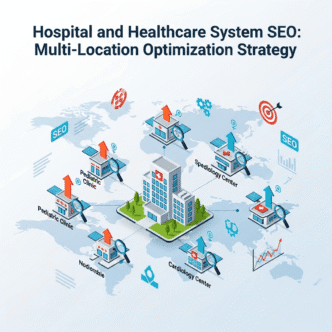
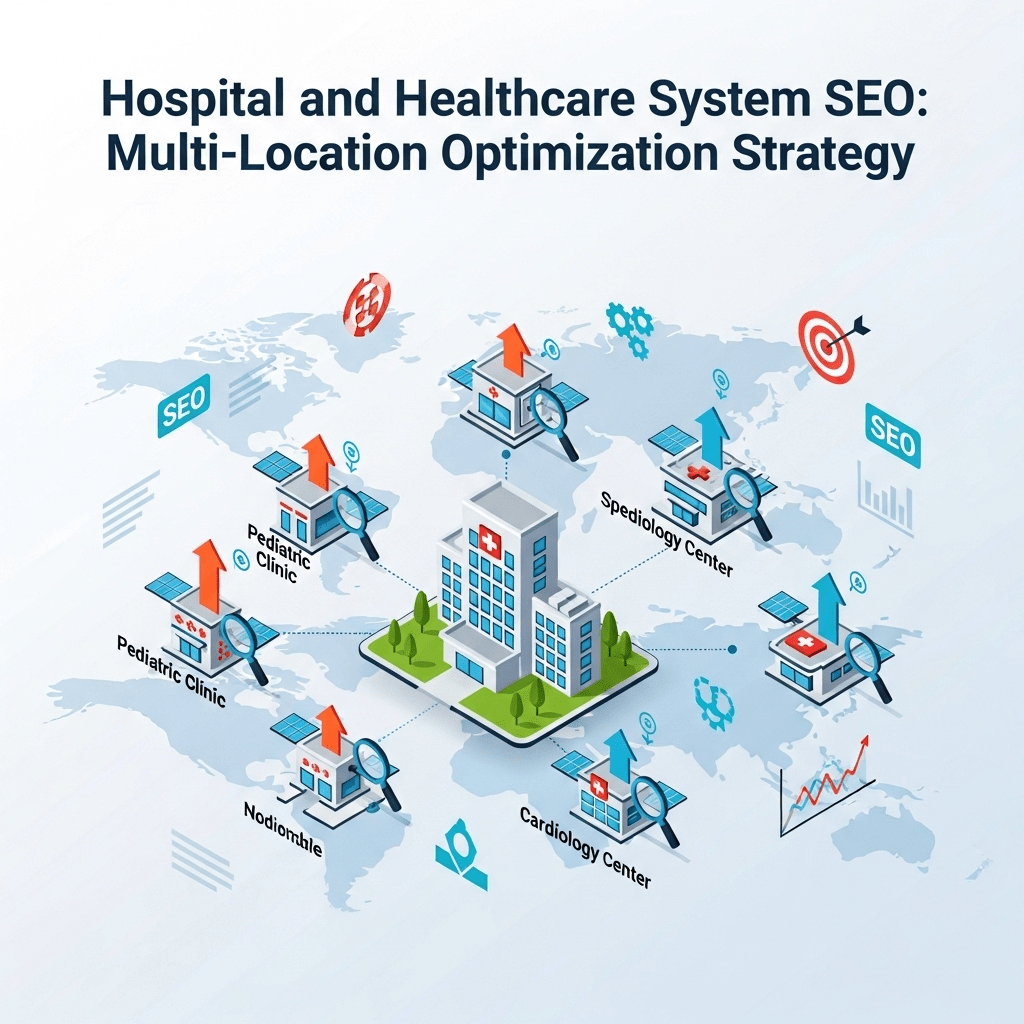
Your hospital system has 12 locations, 47 specialty departments, 340 physicians, and a $4 million marketing budget. Yet somehow, the single-location urgent care clinic down the street outranks you for “emergency care [your city].”
How is that even possible?
Welcome to the paradox of enterprise healthcare SEO: More resources don’t automatically mean better rankings. In fact, hospital SEO strategy often suffers from the opposite problem—too many pages, conflicting content, organizational silos, and technical debt that would make a developer weep.
Here’s what keeps hospital CMOs awake at night: You’re competing simultaneously against local competitors, national health systems, WebMD for informational queries, and even your own locations cannibalizing each other’s rankings.
A patient searching “orthopedic surgeon” should find your orthopedic department. Instead, they find your homepage, three different location pages, two surgeon bios, and a blog post from 2019—none of which answer their question or let them book an appointment.
The brutal truth: Healthcare system optimization is exponentially more complex than single-location medical practice SEO. You’re not just optimizing a website—you’re organizing a digital ecosystem where every location, department, service line, and provider needs strategic positioning without competing against itself.
But here’s the good news: Get it right, and you create an SEO moat competitors can’t cross. Your domain authority compounds, your content library becomes unbeatable, and your market dominance becomes self-reinforcing.
Ready to transform your hospital system into a search engine powerhouse? Let’s decode multi-location medical SEO for enterprise healthcare.
Table of Contents
ToggleWhat Makes Hospital SEO Strategy Different from Single-Practice Optimization?
Hospital SEO strategy isn’t just “regular medical SEO at scale.” It’s a fundamentally different challenge requiring enterprise-level thinking, sophisticated site architecture, and cross-departmental coordination.
The Unique Complexity of Healthcare System SEO
Scale creates exponential problems, not linear ones.
A single-location practice might have:
- 1 location page
- 5-10 service pages
- 3-8 provider bios
- 20-30 blog articles
A mid-sized hospital system has:
- 8-15 location pages
- 100+ service pages
- 200-500 provider bios
- Multiple microsites for service lines
- 500+ legacy blog articles
- Department-specific pages
- Centers of excellence
- Community health pages
This isn’t 10x more work—it’s 100x more complexity because everything must work together without cannibalizing rankings or confusing patients.
The Organizational Challenges Nobody Talks About
Marketing works in silos:
- Corporate marketing owns the main site
- Each hospital location has marketing staff with local priorities
- Service line leaders want independent microsites
- Physicians want personal websites
- Foundation has separate donor site
- HR recruiting on different domain
Result: Seven different teams optimizing for the same keywords, fragmenting your domain authority and confusing Google about which page should rank.
Sound familiar?
Decision-making is glacial:
- Website changes require 6-committee approval
- Legal reviews everything (adding 4-6 weeks)
- Compliance must sign off on all content
- IT controls technical implementation
- Each department wants “their” content prominent
Meanwhile, your nimble single-location competitor publishes 3 optimized pages and steals your patients.
The Technical Debt Inherited from Hospital Mergers
Merger and acquisition chaos: You acquired three hospitals in five years. Now you have:
- Four different CMS platforms
- Inconsistent URL structures
- Duplicate content across legacy sites
- Broken redirects from old domains
- Mixed branding (some locations still use old names)
Each acquisition adds SEO complexity:
- Do you migrate to main domain or keep separate?
- How do you preserve legacy rankings?
- Which content is worth keeping?
- How do you handle local brand loyalty?
Most hospitals opt for the path of least resistance: Keep everything running, creating a Frankenstein SEO nightmare.
For foundational healthcare SEO principles that apply regardless of organizational size, review comprehensive healthcare SEO and YMYL compliance strategies.
How Do You Structure Multi-Location Hospital Websites for Search?
Healthcare system optimization success starts with information architecture. Get the structure wrong, and no amount of content or links will save you.
The URL Structure Decision That Impacts Everything
You have three primary options for organizing multi-location hospital systems:
Option 1: Subdirectories (Recommended for Most)
mainhospital.com/locations/downtown
mainhospital.com/locations/westside
mainhospital.com/locations/eastside
mainhospital.com/services/cardiology
mainhospital.com/services/orthopedics
mainhospital.com/doctors/dr-james-chen
Advantages: ✅ Consolidates domain authority to single site ✅ Easier to manage technically ✅ Clear hierarchy and navigation ✅ Best for locations under single brand
Disadvantages: ⚠️ Harder to differentiate location-specific branding ⚠️ Can feel generic to local communities ⚠️ Some locations may resist corporate identity
Option 2: Subdomains
downtown.mainhospital.com
westside.mainhospital.com
services.mainhospital.com
doctors.mainhospital.com
Advantages: ✅ Allows distinct experiences per location ✅ Easier to implement different CMS per location ✅ Can track analytics separately
Disadvantages: ❌ Google treats subdomains somewhat separately (fragments authority) ❌ More complex to maintain ❌ Harder to create cohesive user experience ❌ Not recommended for SEO unless absolutely necessary
Option 3: Separate Domains
downtownhospital.com
westsidehospital.com
mainhospitalsystem.com (corporate)
Advantages: ✅ Preserves strong local brand identity ✅ Works when locations have different names ✅ Useful post-acquisition during transition
Disadvantages: ❌ Fragments domain authority across multiple sites ❌ Expensive to maintain multiple sites ❌ Harder to create system-wide content strategy ❌ Can confuse patients about relationship between facilities
Decision Framework:
| Scenario | Recommended Structure | Rationale |
|---|---|---|
| Single brand, multiple locations | Subdirectories | Maximize domain authority |
| Recent acquisitions with distinct brands | Separate domains temporarily, migrate to subdirectories | Preserve rankings during transition |
| Locations with completely different names | Separate domains + cross-linking | Maintains brand identity while showing relationship |
| Academic medical center + community hospitals | Subdirectories for community, main domain for academic | Balances prestige and accessibility |
Pro Tip: If you’re choosing between structures, default to subdirectories unless you have compelling reasons otherwise. Google has confirmed that consolidating content under one domain passes authority more effectively than spreading across subdomains or separate sites.
Creating Location Pages That Rank and Convert
Hospital website architecture for locations requires balancing local SEO with system cohesion.
Essential location page elements:
Above the fold:
- Location name + main hospital system name
- Full address (schema markup)
- Phone number (click-to-call on mobile)
- Hours of operation
- Emergency services indicator (if applicable)
- “Get Directions” CTA
- “Schedule Appointment” CTA
Services unique to this location: Not every location offers every service. Highlight what makes THIS location valuable:
- Emergency room (if applicable)
- Specialized services (stroke center, trauma center, birthing center)
- Unique equipment (MRI, CT, cardiac cath lab)
- Specialty clinics at this location
Provider directory for this location:
- Photos of doctors who practice at this location
- Specialties available
- Link to full provider bios
- “Find a Doctor at [Location Name]” search
Patient testimonials location-specific:
- Reviews from patients treated at THIS location
- Star ratings for this facility
- Video testimonials (with consent)
Local community information:
- Nearby landmarks for wayfinding
- Public transportation options
- Parking information
- Accessibility features
- Hospital campus map
Emergency department specific info (if applicable):
- Current ER wait time (if available)
- “When to visit ER vs. urgent care”
- Conditions treated
- Pediatric ER if available
Insurance and billing:
- Insurance plans accepted at this location
- Financial assistance programs
- Billing department contact
Pro Tip: Create a “Services at [Location Name]” section that lists ONLY services available at this specific location, linking to the full service pages. This prevents patients from assuming all locations offer all services, reducing frustrated calls and visits.
Optimizing Department and Service Line Pages
Department pages optimization is where most hospital systems fail. They create generic, duplicated content across departments because nobody owns the holistic strategy.
The department page hierarchy:
Level 1: Service Line Overview
/services/heart-and-vascular

Level 2: Specific Departments
/services/heart-and-vascular/cardiology
/services/heart-and-vascular/cardiac-surgery
/services/heart-and-vascular/vascular-surgery

Level 3: Specific Conditions/Procedures
/services/heart-and-vascular/cardiology/atrial-fibrillation
/services/heart-and-vascular/cardiac-surgery/coronary-bypass
Service line landing page components:
H1: [Service Line Name] at [Hospital System] Example: “Heart & Vascular Care at Memorial Health System”
Opening paragraph (150-200 words):
- Overview of comprehensive services
- Accreditations/certifications (Chest Pain Center, Stroke Center)
- Patient volume statistics
- Unique capabilities
- Focus keyword: hospital SEO strategy incorporated naturally
H2: Our Heart & Vascular Services
- Bulleted list of all related services with links
- Organized by sub-specialty
- Each linking to dedicated page
H3: Locations Offering Heart & Vascular Care
- Interactive map or list
- Not all locations = clear about which offer what
- Link to location-specific service information
H2: Conditions We Treat
- Comprehensive list of conditions
- Each condition links to detailed page
- Organized by frequency/importance
H2: Meet Our Heart & Vascular Specialists
- Featured cardiologists, surgeons, specialists
- Photos, brief bios, credentials
- Link to full provider directory for this service line
H2: Advanced Technology & Techniques
- Specific equipment (hybrid OR, cardiac MRI, etc.)
- Minimally invasive techniques
- Research/clinical trials available
H3: Patient Outcomes & Quality Measures
- Publicly reported quality data
- Accreditations and awards
- Patient satisfaction scores
- Better than state/national averages (if true)
H2: Patient Stories (if available)
- Video or written testimonials
- Real patients (with consent)
- Specific conditions and outcomes
H2: Insurance & Financial Information
- Plans accepted
- Financial counseling available
- Link to detailed insurance page
Call-to-action:
- Schedule consultation
- Find a doctor
- Second opinion services
- Call for more information
Pro Tip: Don’t create separate pages for services offered at multiple locations. Create ONE authoritative service page, then dynamically show which locations offer that service. This concentrates authority on one page and avoids duplicate content issues.
Solving the Provider Bio Scaling Challenge
With 200-500 physicians, how do you create optimized provider bios without overwhelming your site structure?
Provider directory architecture:
/doctors (main directory with search/filter)
/doctors/dr-james-chen-cardiologist
/doctors/dr-sarah-martinez-orthopedic-surgeon

Organized by:
- Specialty filter
- Location filter
- Accepting new patients filter
- Gender filter
- Languages spoken filter
Individual provider page structure:
Above fold:
- Professional photo (consistent style)
- Full name with credentials (MD, DO, PA, NP)
- Specialty and sub-specialties
- Star rating and review count
- “Schedule Appointment” CTA
- Phone number
- Locations where they practice
Bio section (300-500 words):
- Why they chose medicine
- Training and education
- Special interests or approaches
- Personal information (builds connection)
- SEO keyword integration: “As a board-certified cardiologist at Memorial Health System, Dr. Chen specializes in…”
Education & Training:
- Medical school
- Residency
- Fellowships
- Board certifications
- Years in practice
Clinical Interests:
- Specific conditions treated
- Procedures performed
- Research interests
- Publications (if applicable)
Locations & Availability:
- All locations where they see patients
- Link to each location page
- Days/times at each location
- “Request appointment at [location]” CTAs
Patient Reviews:
- Aggregate rating
- Recent reviews (5-10 most recent)
- Link to all reviews
Accepted Insurance:
- Plans this provider accepts
- May vary by location
Languages Spoken: Important for diverse communities
Hospital Privileges: Which facilities where they can admit patients
Schema markup for providers:
{
  "@context": "https://schema.org",
  "@type": "Physician",
  "name": "Dr. James Chen",
  "medicalSpecialty": "Cardiology",
  "affiliation": {
    "@type": "Organization",
    "name": "Memorial Health System"
  },
  "address": {
    "@type": "PostalAddress",
    "streetAddress": "123 Medical Plaza",
    "addressLocality": "Springfield",
    "addressRegion": "IL",
    "postalCode": "62701"
  },
  "availableService": [
    {
      "@type": "MedicalProcedure",
      "name": "Cardiac Catheterization"
    }
  ],
  "image": "https://memorial.com/doctors/dr-james-chen.jpg",
  "telephone": "+1-217-555-0123"
}
Scaling provider content creation:
Template approach:
- Provide questionnaire to all physicians
- Standard questions: training, interests, approach
- Marketing team formats consistently
- Physician reviews and approves
- Publish en masse
Video introductions:
- 90-second provider intro videos
- Filmed in batches (film crew visits)
- Huge differentiation from text-only competitors
- Boosts engagement and trust
Progressive enhancement:
- Launch with basic info for all providers
- Enhance high-volume specialties first
- Add patient reviews as they accumulate
- Update periodically (annual reviews)
How Do You Handle SEO for Multi-Location Healthcare Systems Without Cannibalizing Rankings?
The biggest fear in multi-location medical SEO: Your locations competing against each other in search results instead of dominating as unified force.
The Keyword Cannibalization Problem
The scenario: Patient searches “knee replacement Springfield”
Your hospital system has:
- /services/orthopedics/knee-replacement
- /locations/downtown/orthopedics
- /locations/westside/orthopedics
- /doctors/dr-chen-knee-specialist
- Blog: “Preparing for Knee Replacement Surgery”
Google’s confusion: Which page should rank?
Result: Google shows none of them prominently, or rotates between them, preventing any from dominating the #1 spot.
Strategic Keyword Mapping Across Your System
Solve cannibalization with clear keyword assignments:
| Page Type | Target Keywords | Example |
|---|---|---|
| Service line page | [Condition] [System name], [Specialty] [System name] | “knee replacement Memorial Health”, “orthopedics Memorial” |
| Department page | [Department] [System name], [Department] services | “orthopedic department Memorial”, “orthopedic surgery services” |
| Location page | [Service] near me, [Service] [City], [Location name] | “orthopedics near me”, “knee surgery Springfield”, “Downtown Hospital orthopedics” |
| Provider page | [Doctor name] [Specialty], [Specialty] doctor [City] | “Dr. Chen orthopedic surgeon”, “knee specialist Springfield” |
| Blog content | Educational long-tail, questions | “how long is knee replacement recovery”, “preparing for knee surgery” |
Internal linking strategy prevents cannibalization:
Blog article (“Knee Replacement Recovery Tips”) links to:
- Main service page (/services/orthopedics/knee-replacement)
- Provider directory (filtered for knee specialists)
- Locations offering this service
Service page links to:
- All locations offering service
- All providers performing procedure
- Related blog content
Location page links to:
- All services available at this location
- Providers at this location
- Main service pages for details
Provider page links to:
- Main service pages for procedures they perform
- Locations where they practice
- Related conditions they treat
The content differentiation strategy:
Service page focus: Comprehensive information about the condition/procedure
- What it is
- When it’s needed
- Treatment approaches
- Technology used system-wide
- Why choose our health system
- Link to find locations/providers
Location page focus: What’s unique about receiving THIS service at THIS location
- Providers at this location
- Technology at this facility
- Scheduling for this location
- Directions and parking
- Community-specific information
Provider page focus: Why THIS doctor for THIS procedure
- Physician’s specific experience with procedure
- Training and credentials
- Patient outcomes
- Appointment booking with this provider
Pro Tip: Use canonical tags strategically. If you must have location-specific service pages that duplicate main service page content, set canonical tag pointing to main service page. This tells Google “this is the definitive version” while still allowing location-specific booking CTAs.
Geographic Targeting for Hospital Locations
Local SEO for each location without fragmenting authority:
Google Business Profile strategy:
Each hospital location needs:
- Separate, verified GBP listing
- Unique business description emphasizing location differentiators
- Complete service categories
- Photos of actual facility (inside/outside)
- Regular posts (weekly minimum)
- Review generation strategy
- Accurate hours (including ER 24/7 if applicable)
Category selection nuances:
Primary category: “Hospital” or “Medical Center”
Secondary categories (choose 5-10 most relevant):
- Emergency room (if applicable)
- Urgent care center (if applicable)
- Medical clinic
- Specialized services (Maternity hospital, Children’s hospital)
- Diagnostic center
- Surgical center
Location-specific content on site:
Embed map showing service area: “Memorial Downtown Hospital serves patients throughout central Springfield, including [list 10-15 surrounding neighborhoods]”
Local community health information:
- Common health concerns in this geographic area
- Community health initiatives
- Local health statistics
- Partnerships with local organizations
Service availability by location: Clear tables showing which services at which locations:
| Service | Downtown | Westside | Eastside |
|---|---|---|---|
| Emergency Room | ✅ 24/7 | ✅ 24/7 | ❌ |
| Trauma Center (Level II) | ✅ | ❌ | ❌ |
| Birthing Center | ✅ | ✅ | ❌ |
| Orthopedic Surgery | ✅ | ✅ | ✅ |
| Cardiac Catheterization | ✅ | ❌ | ✅ |
This prevents patients from going to wrong location and reduces bounce rate from location pages.
Managing Multiple Brands After Acquisitions
Post-merger SEO strategy when hospital names differ:
Scenario: Memorial Health System acquired Riverside Hospital
Options:
Option 1: Gradual rebrand and migration (18-24 months)
Phase 1 (Months 1-6): Maintain separate sites
- Add “A Memorial Health System Facility” to Riverside branding
- Cross-link between sites prominently
- Mirror content strategies
- Generate reviews on both profiles
Phase 2 (Months 7-12): Begin co-branding
- Update Riverside site to: “Riverside Hospital | Memorial Health System”
- Subdomain: riverside.memorialhealth.com
- Unified navigation across both sites
- Consistent service line pages
Phase 3 (Months 13-18): Plan migration
- 301 redirects map from old URLs to new structure
- Announce change to patients/community
- Update all external listings
- Implement redirects
Phase 4 (Months 19-24): Complete migration
- Riverside becomes memorialhealth.com/locations/riverside
- Monitor rankings and traffic closely
- Preserve legacy brand recognition in location page content
- “Formerly Riverside Hospital, now part of Memorial Health System”
Option 2: Maintain separate brands permanently
When this makes sense:
- Acquired hospital has strong community loyalty
- Different market positioning (community hospital vs. academic medical center)
- Geographic separation (50+ miles apart)
- Distinct service line focus
Implementation:
- Keep separate domains
- Strong cross-linking: “Riverside Hospital is a proud member of Memorial Health System”
- Shared content strategy
- System-wide campaigns with local customization
- Provider bios on both sites (if they work at multiple locations)
Pro Tip: If maintaining separate brands, create a system-level “Find a Location” tool that includes all hospitals/locations regardless of brand. Host on corporate site and embed on each location site. This captures patients searching generically while preserving brand identity.
What Technical SEO Considerations Matter Most for Hospital Websites?
Healthcare service lines require technical excellence because you’re fighting both complexity and compliance requirements.
Site Speed for Resource-Heavy Hospital Sites
The challenge: Hospital sites typically have:
- High-resolution medical imagery
- Complex filtering tools (doctor search, location finder)
- Multiple CTA forms
- Third-party integrations (scheduling systems, patient portals)
- HIPAA-compliant security adding overhead
Result: Slow load times that hurt rankings and conversions.
Core Web Vitals targets:MetricTargetCommon Hospital Site RealityLCP (Largest Contentful Paint)< 2.5s4-7 secondsFID (First Input Delay)< 100ms200-400msCLS (Cumulative Layout Shift)< 0.10.15-0.3
Optimization strategies:
Image optimization:
- Compress all images (80-85% quality usually invisible to humans)
- Use next-gen formats (WebP, AVIF)
- Lazy load images below fold
- Responsive images (different sizes for mobile/desktop)
- CDN for image delivery
JavaScript/CSS optimization:
- Minimize and concatenate files
- Defer non-critical JavaScript
- Critical CSS inline, rest deferred
- Remove unused code (happens after years of developer turnover)
Third-party script management:
- Audit all third-party scripts (analytics, chatbots, scheduling widgets)
- Load non-essential scripts asynchronously
- Consider removal of rarely-used tools
Caching strategy:
- Browser caching for static assets
- Server-side caching for dynamic content
- CDN for global content delivery
Pro Tip: Hospital IT departments often resist performance changes due to security concerns. Frame optimization as patient experience improvement: “Every 1-second delay decreases conversions by 7%. That’s [X] lost patient appointments per month.” Leadership responds to business impact, not technical metrics.
HIPAA-Compliant Analytics and Tracking
Standard analytics implementation violates HIPAA for hospitals. Here’s what’s different:
What you CAN’T track: ❌ Individual patient behavior through portal ❌ Appointment booking details containing PHI ❌ Form submissions with patient information ❌ User IDs connecting to patient records
What you CAN track: ✅ Aggregate page views ✅ Traffic sources (organic, paid, referral) ✅ General form submissions (not field-level data) ✅ Scroll depth and engagement ✅ Appointment initiated (not details)
Implementation requirements:
IP anonymization: Enable in Google Analytics 4:
- Masks last octets of IP addresses
- Prevents individual identification
Disable User ID tracking: Don’t pass patient portal IDs or medical record numbers to analytics
Exclude PHI from URLs: Bad: /appointment?patient_id=12345&condition=diabetes Good: /appointment-confirmation
Use aggregate event tracking: Track “appointment requested” not “Dr. Chen cardiology appointment for John Smith”
Business Associate Agreements:
- Google Analytics 360 offers BAA (paid version only)
- Matomo with self-hosting (no BAA needed, you control data)
- Adobe Analytics offers BAA for healthcare
For comprehensive guidance on HIPAA-compliant analytics implementation, review healthcare privacy and tracking best practices.
Structured Data Implementation for Hospitals
Schema markup dramatically improves how Google understands and displays your healthcare system.
Organization schema (main hospital system):
{
  "@context": "https://schema.org",
  "@type": "Hospital",
  "name": "Memorial Health System",
  "url": "https://www.memorialhealth.com",
  "logo": "https://www.memorialhealth.com/logo.png",
  "image": "https://www.memorialhealth.com/facility-photo.jpg",
  "description": "Memorial Health System operates 12 hospitals...",
  "address": {
    "@type": "PostalAddress",
    "streetAddress": "500 Medical Center Drive",
    "addressLocality": "Springfield",
    "addressRegion": "IL",
    "postalCode": "62701",
    "addressCountry": "US"
  },
  "telephone": "+1-217-555-1000",
  "hasMap": "https://maps.google.com/...",
  "openingHoursSpecification": {
    "@type": "OpeningHoursSpecification",
    "dayOfWeek": [
      "Monday", "Tuesday", "Wednesday", "Thursday",
      "Friday", "Saturday", "Sunday"
    ],
    "opens": "00:00",
    "closes": "23:59"
  },
  "medicalSpecialty": [
    "Cardiology",
    "Orthopedics",
    "Neurology"
  ]
}
Department/Service schema:
{
  "@context": "https://schema.org",
  "@type": "MedicalBusiness",
  "name": "Heart & Vascular Center",
  "parentOrganization": {
    "@type": "Hospital",
    "name": "Memorial Health System"
  },
  "medicalSpecialty": "Cardiology",
  "availableService": [
    {
      "@type": "MedicalProcedure",
      "name": "Cardiac Catheterization"
    },
    {
      "@type": "MedicalTherapy",
      "name": "Cardiac Rehabilitation"
    }
  ]
}
FAQ schema for common questions:
{
  "@context": "https://schema.org",
  "@type": "FAQPage",
  "mainEntity": [
    {
      "@type": "Question",
      "name": "Do you accept my insurance?",
      "acceptedAnswer": {
        "@type": "Answer",
        "text": "Memorial Health System accepts most major insurance plans including..."
      }
    }
  ]
}
Video schema for patient education:
{
  "@context": "https://schema.org",
  "@type": "VideoObject",
  "name": "What to Expect During Knee Replacement Surgery",
  "description": "Dr. Chen explains...",
  "thumbnailUrl": "https://memorialhealth.com/video-thumb.jpg",
  "uploadDate": "2024-11-15",
  "duration": "PT3M42S"
}
Pro Tip: Implement Event schema for community health events, screenings, and classes. These can appear in Google’s event search results, driving community engagement and local SEO signals.
Managing URL Redirects from Retired Microsites
The common scenario: Over 15 years, your system launched microsites for:
- HeartCenterSpringfield.com
- CancerCareMemorial.com
- WomensHealthMemorial.com
- OrthopedicInstitute.com
Now consolidating to main domain. How do you preserve rankings?
Redirect strategy:
1. Audit legacy sites for valuable content:
- Which pages have backlinks?
- Which pages rank for target keywords?
- Which pages still get organic traffic?
2. Map redirects carefully:
Don’t just redirect everything to homepage: ❌ Bad: HeartCenterSpringfield.com → memorialhealth.com
Do precise page-to-page mapping: ✅ Good: HeartCenterSpringfield.com/services/bypass → memorialhealth.com/services/heart-vascular/cardiac-surgery/coronary-bypass
3. Implement 301 redirects:
- Permanent redirects pass ~90-99% of link equity
- Must remain in place indefinitely (not temporary)
4. Update external references:
- Contact sites linking to old domains
- Update social media profiles
- Update Google Business Profiles
- Update directory listings
- Update print materials, business cards
5. Monitor post-migration:
- Track 404 errors
- Watch for ranking drops
- Monitor traffic to redirected pages
- Fix any broken redirect chains
Redirect file example (Apache .htaccess):
Redirect 301 /services/cardiac-care https://memorialhealth.com/services/heart-vascular/cardiology
Redirect 301 /doctors/dr-chen https://memorialhealth.com/doctors/dr-james-chen-cardiologist
Redirect 301 /about https://memorialhealth.com/about-memorial-health-system
Pro Tip: Don’t delete old domains after redirecting. Maintain ownership and keep redirects active permanently. Competitors can acquire expired domains and use them to compete against you or for malicious purposes.
How Do You Create Content at Scale for Hospital Systems?
Healthcare service lines require massive content libraries. Creating hundreds of optimized pages without sacrificing quality is the challenge.
The Content Factory Model for Enterprise Healthcare
Establishing systematic content production:
Content tiers based on priority:
| Tier | Pages | Timeline | Investment |
|---|---|---|---|
| Tier 1: Essential | 50 pages | Months 1-3 | High-quality, custom |
| Tier 2: Important | 150 pages | Months 4-9 | Template-based, enhanced |
| Tier 3: Complete | 300+ pages | Months 10-18 | Template-based, standard |
Tier 1 content (Top 50 service/condition pages):
- Custom-written by medical writers
- 1,500-2,500 words
- Original imagery/graphics
- Video content
- Patient testimonials
- Physician expert commentary
Examples:
- Heart attack treatment
- Cancer care overview
- Joint replacement services
- Emergency department services
- Maternity services
Tier 2 content (Next 150 pages):
- Template-based with customization
- 800-1,200 words
- Stock medical imagery (properly licensed)
- Standard CTAs
- Basic physician attribution
Examples:
- Specific orthopedic procedures
- Individual cancer types
- Less common cardiac procedures
- Specialty department pages
Tier 3 content (Comprehensive coverage):
- Template-based, minimal customization
- 400-600 words
- Essential information only
- Standard formatting
Examples:
- Rare procedures
- Very specific sub-conditions
- Provider bios (standard format)
- Historical blog content updates
Content Templates That Scale Quality
Service page template structure:
H1: [Service Name] at [Hospital System Name]
[Include focus keyword naturally]

Opening paragraph (150-200 words):
- What the service/condition is
- Why patients need this care
- What makes your system qualified
- Call-to-action prompt

H2: About [Condition/Service]
- Comprehensive explanation
- Statistics/prevalence
- Risk factors
- When to seek care

H2: Symptoms and Diagnosis
- Common symptoms
- Diagnostic approaches
- When to see a doctor
- Emergency warning signs

H2: Treatment Options at [Hospital System]
- Conservative treatments
- Surgical interventions
- Advanced technologies available
- Multidisciplinary approach

H3: Why Choose [Hospital System] for [Service]
- Accreditations/certifications
- Volume statistics
- Outcomes data
- Technology advantages
- Specialized expertise

H2: Our [Service] Team
- Featured physicians with photos
- Credentials highlighted
- Link to full provider directory
- Team-based care approach

H2: Locations Offering [Service]
- List of locations (with links)
- Interactive map
- Appointment scheduling

H2: What to Expect
- Pre-procedure preparation
- Day of procedure
- Recovery timeline
- Follow-up care

H2: Insurance and Financial Information
- Plans accepted
- Financial counseling
- Payment options
- Link to detailed insurance page

H2: Frequently Asked Questions
- 8-12 common questions
- Schema markup for FAQ
- Answers from providers when possible

H3: Patient Stories [if available]
- 1-2 testimonials
- Real patient experiences
- Photos/videos with consent

CTA: Schedule a Consultation | Find a Doctor | Learn More
This template can generate 200+ pages by changing:
- Condition/service name
- Specific symptoms
- Treatment approaches
- Provider team
- Locations
- Outcomes data
Content creation workflow:
Step 1: Medical accuracy review
- Clinical staff provides procedure/condition details
- Ensures accuracy of medical information
- Reviews any statistics or outcomes data
Step 2: Writer creates draft
- Medical writer (ideally with clinical background)
- Follows template
- Optimizes for target keywords
- Includes internal linking opportunities
Step 3: SEO optimization
- SEO specialist adds:
- Meta title and description
- Header tag optimization
- Schema markup
- Alt text for images
- Internal links
Step 4: Clinical and compliance review
- Medical director approval
- Legal/compliance review if needed
- Final accuracy check
Step 5: Publication and promotion
- Publish to site
- Add to sitemap
- Social media promotion
- Email to relevant physician list
- Update location pages if needed
Pro Tip: Create a content assembly line with specialists at each step rather than expecting one person to do everything. Medical writer → SEO optimizer → Designer → Compliance → Publisher. This allows scaling without quality sacrifice.
Physician-Generated Content Without Overwhelming Busy Doctors
The challenge: Physicians are overworked and won’t write blog posts.
The solution: Make contribution ridiculously easy.
Micro-content approach:
15-minute physician contribution:
- Answer 5 common patient questions about their specialty
- Record answers on phone (voice memo or video)
- Marketing transcribes and formats
- Physician reviews final version (5 minutes)
Result: One blog post, one video, FAQ content, social media posts.
Physician interview content model:
Process:
- Marketing schedules 30-minute interview with physician
- Asks 10-15 pre-written questions about their specialty
- Records audio/video
- Transcribes interview
- Ghost-writes article in physician’s voice
- Physician reviews and approves (10-minute time investment)
- Publish with physician byline and bio
One 30-minute interview generates:
- 1,500-word blog article
- 5-8 social media posts
- 10-12 FAQ answers
- Video clips for multiple uses
- Newsletter content
- Provider bio quotes
Recognition and incentives:
What motivates physician participation:
- Professional recognition (bylined articles boost reputation)
- Patient acquisition (featured providers get more appointment requests)
- Thought leadership positioning
- Minimal time investment
- Marketing handles all heavy lifting
Physician content leaderboard:
- Track which physicians contribute content
- Recognize top contributors in internal communications
- Show correlation between content and patient volume
- Celebrate when physicians get quoted in external media
Pro Tip: Film “day in the life” content for 5-10 physicians across specialties. These authentic videos showing hospital culture, patient interactions (with consent), and physician expertise are marketing gold and require minimal physician time (follow them for 2-3 hours).
For additional strategies on creating medical content that ranks and converts, explore comprehensive healthcare content marketing approaches.
What Are the Biggest Hospital SEO Mistakes (And How to Avoid Them)?
Even well-funded hospital marketing teams make costly hospital SEO strategy errors.
Mistake #1: Prioritizing Stakeholders Over Patients
The error: Building site navigation and content hierarchy around internal org chart rather than patient needs.
What this looks like:
- Main navigation mirrors hospital departments (“Administration,” “Foundation,” “Medical Staff”)
- Service pages organized by clinical department names patients don’t understand
- Content emphasizes hospital achievements over patient problem-solving
Why it hurts SEO: Google ranks pages that satisfy user intent. Patients search “knee pain” not “Department of Orthopedics.”
The fix:
Patient-centric navigation:
❌ Hospital structure:
- About Us
- Departments
  - Orthopedics
  - Cardiology
- For Patients
- For Visitors

✅ Patient-focused:
- Find a Doctor
- Services & Conditions
  - Orthopedics & Sports Medicine
  - Heart & Vascular Care
- Locations
- Patients & Visitors
- About [Hospital Name]
Content organized by patient search behavior:
- Condition-based pages (“Knee Pain Treatment”)
- Symptom-based pages (“Chest Pain: When to Get Help”)
- Procedure-based pages (“Total Knee Replacement”)
Mistake #2: Ignoring Local SEO Because “We’re a Large System”
The error: Focusing exclusively on brand and system-level SEO while neglecting individual location optimization.
The flawed thinking: “We’re Memorial Health System—people know us. We don’t need to worry about local SEO for each location.”
Reality check:
- 46% of all Google searches have local intent
- “Hospital near me” gets 1.2 million monthly searches
- Patients prioritize convenience—they’ll choose closer hospital even if yours is “better”
The fix:
Robust local SEO for every location:
- Individual, optimized GBP for each hospital/clinic
- Location-specific content highlighting community involvement
- Local backlinks (chamber of commerce, community organizations)
- Location-specific reviews and reputation management
- Neighborhood-level content (“Serving [Neighborhood Name] since [Year]”)
Hybrid strategy:
- System-level SEO for broad awareness and specialty care
- Location-level SEO for routine care and emergency services
- Provider-level SEO for physician-specific searches
Mistake #3: Duplicate Content Across Multiple Locations
The scenario: You offer cardiology services at 8 locations. Someone creates identical “Cardiology Services” page for each location, changing only the location name.
Google’s reaction: Sees 8 nearly-identical pages, ranks none of them well, and may even penalize for duplicate content.
The fix:
Hub and spoke content model:
Hub page: Main comprehensive service page
/services/cardiology- 2,000+ words covering everything about cardiology services
- All conditions treated, procedures offered, technology used
- This becomes the authority page
Spoke pages: Location-specific pages emphasizing differentiators
/locations/downtown/services(lists all services including cardiology)- Brief description: “Our downtown location offers comprehensive cardiology services including…”
- Link to main cardiology hub page for details
- Focus on: providers at this location, unique equipment here, scheduling for this location
Alternative: Dynamic location content
- Single cardiology service page
- Dynamically shows locations offering service based on user’s location or selection
- “Cardiology services are available at: [interactive map/list]”
- Each location is clickable, showing providers and scheduling specific to that location
Mistake #4: Launching Service Line Microsites That Fragment Authority
The tempting idea: “Let’s create MemorialHeartCenter.com as a dedicated site for our prestigious cardiology program!”
Why it seems good:
- Prestigious program deserves special attention
- Service line director wants independent site
- Easier to create custom experience
- Can use different CMS/design
Why it hurts SEO:
- Fragments domain authority (new site starts from zero)
- Creates duplicate content (conditions listed on both sites)
- Confuses patients about relationship to main hospital
- Requires separate marketing budget for traffic building
- Coordination challenges (updates, consistent messaging)
The fix:
Subdirectory approach: memorialhealthsystem.com/heart-vascular
Benefits:
- Leverages existing domain authority
- Can still have custom design/branding within main site
- Easier to maintain
- Clearer relationship for patients
- Internal linking passes authority
When microsites make sense:
- Completely separate business (hospital-owned but different entity)
- Strong brand identity that predates hospital acquisition
- Significantly different target audience (research institution vs. community hospital)
Even then: Extensive cross-linking and clear relationship statements.
Mistake #5: Neglecting Mobile Experience
The stat: 68% of healthcare searches happen on mobile devices, yet 47% of hospital websites have poor mobile usability.
Common mobile issues:
Tiny tap targets:
- “Find a Doctor” button too small to tap accurately
- Phone numbers not click-to-call
- Form fields too close together (fat-finger errors)
Forms from hell:
- 15-field appointment request forms on mobile
- Dropdown menus with 200+ options (all insurance plans)
- Required fields not obvious
- No auto-complete or predictive text
Navigation nightmares:
- Desktop mega-menu that doesn’t work on mobile
- Multiple levels of hidden submenus
- No search function visible
- Back button breaks or confuses navigation
The fix:
Mobile-first design:
- Design mobile experience first, then scale up to desktop
- Large tap targets (minimum 48×48 pixels)
- Click-to-call phone numbers prominently displayed
- Simplified mobile navigation (hamburger menu with clear hierarchy)
Progressive disclosure for forms:
- Ask only essential information upfront
- Multi-step forms feel shorter even if same field count
- Save progress between steps
- Offer “call us to complete” for complex situations
Mobile-specific testing:
- Test on actual devices (iPhone, Android, various sizes)
- Use Google’s Mobile-Friendly Test tool
- Check Core Web Vitals on mobile specifically
- User testing with real patients on mobile devices
Pro Tip: Install session recording software (with HIPAA-compliant setup) and watch recordings of mobile users. You’ll immediately see frustrations: tapping wrong buttons, abandoning forms, bouncing because they can’t find information. This reveals issues analytics alone can’t show.
How Do You Measure Success for Hospital System SEO?
Multi-location hospital SEO requires sophisticated analytics beyond “more traffic.”
KPIs That Actually Matter for Healthcare Systems
Traffic metrics (vanity metrics—track but don’t obsess):
- Organic sessions
- Page views
- Bounce rate
- Time on site
Engagement metrics (more meaningful):
- Appointment requests initiated
- Provider directory searches
- Location page visits
- Service page depth (viewing multiple related pages)
- Return visitors (indicates value)
Conversion metrics (what actually matters):
📊 Appointment requests submitted (by service line, location, provider) 📊 Phone calls generated (tracked via CallRail or similar) 📊 Provider profile views leading to appointments 📊 Emergency department visits from organic search (harder to track but estimate via ED check-in surveys) 📊 Patient portal registrations (if promoted via SEO content)
Revenue metrics (the ultimate KPIs):
💰 Patient acquisition cost from SEO (total SEO investment / patients acquired) 💰 Patient lifetime value by source (SEO vs. paid vs. referral) 💰 Procedure volume from SEO-sourced patients 💰 Revenue per patient from organic search 💰 ROI calculation (revenue from SEO patients – SEO costs)
Attribution Challenges in Multi-Touch Healthcare Journeys
The complexity: Patient journey is rarely linear:
- Searches “knee pain treatment” (reads blog)
- Three days later searches “orthopedic surgeon near me” (views location page)
- Week later searches “[Hospital name] orthopedics” (direct)
- Two weeks later calls to schedule (phone)
- Appointment happens 3 weeks later (conversion)
Which source gets credit? First touch? Last touch? All touches?
Multi-touch attribution models:
| Model | How It Works | When to Use |
|---|---|---|
| First-touch | Credits first interaction (blog post) | Understand awareness drivers |
| Last-touch | Credits final interaction (branded search) | Understand direct converters |
| Linear | Equal credit to all touchpoints | Balance awareness and conversion |
| Time-decay | More credit to recent interactions | Emphasize conversion influences |
| Position-based | Credits first and last, less to middle | Emphasize awareness and conversion |
Recommended for hospitals: Position-based (40/20/40)
- 40% credit to first touch (awareness content like blog)
- 20% to middle touches (service pages, provider bios)
- 40% to last touch (appointment request, phone call)
Implementation:
Google Analytics 4:
- Set up custom events for all conversion actions
- Use built-in attribution modeling
- Create segments for organic search behavior
CRM integration:
- Pass UTM parameters to appointment booking system
- Track patient from first website visit through appointment
- Link to patient record (HIPAA-compliant setup)
- Calculate actual revenue generated
Call tracking:
- Unique phone numbers for organic search traffic
- Whisper messages identifying source (“This is from Google organic search”)
- Call recordings (with disclosure) to assess quality
- Appointment booking rate from calls
Dashboards for Hospital Marketing Teams
Executive dashboard (high-level monthly reporting):
SEO Performance Summary:
- Organic traffic trend (month-over-month, year-over-year)
- Keyword rankings for target terms (top 20)
- Domain authority score
- Backlink growth
Patient Acquisition:
- Appointments from organic search
- Phone calls from organic search
- Patient acquisition cost (SEO)
- Comparison to paid search and other channels
Revenue Impact:
- Estimated revenue from SEO-sourced patients
- ROI calculation
- Patient lifetime value by source
Competitive Positioning:
- Share of voice for target keywords
- Ranking comparisons vs. top 3 competitors
- Review count and rating vs. competitors
Service line dashboard (department-specific):
Cardiology dashboard example:
- Organic traffic to cardiology pages
- Rankings for “cardiologist [city]”, “heart care”, specific conditions
- Provider directory searches for cardiologists
- Appointment requests for cardiology
- Locations driving most cardiology traffic
- Top-performing cardiology content
- Patient reviews mentioning cardiology
Allows service line leaders to see direct impact of SEO on their department.
Location dashboard (individual hospital tracking):
Downtown Hospital example:
- Organic traffic to downtown location pages
- Google Business Profile views/actions
- Rankings for “[service] downtown [city]”
- Services most searched at this location
- Providers at this location receiving most profile views
- Appointment requests specific to downtown
- Patient reviews for downtown location
Pro Tip: Create automated monthly reports (via Google Data Studio/Looker Studio) that update in real-time. Stakeholders can access whenever they want rather than waiting for monthly email. This increases transparency and buy-in for SEO initiatives.
What’s the Future of Hospital SEO?
Healthcare system optimization is evolving rapidly with AI, voice search, and changing patient expectations.
AI Overviews Impact on Healthcare Search
Google AI Overviews (formerly SGE) synthesize answers from multiple sources before showing traditional results.
For hospitals, this means:
Informational queries: “What causes chest pain?” → AI Overview answers directly
Patient impact: May get answer without clicking any hospital site
Strategy: Focus on transactional queries AI can’t fulfill (“schedule cardiologist appointment”)
Transactional queries: “Cardiologist near me” → Still shows map pack and traditional results
Why: AI can’t schedule appointments or choose providers for patients
Strategy: Optimize for local map pack, provider profiles, appointment booking
How to adapt:
Create content AI will cite:
- Comprehensive, authoritative guides
- Original research and data
- Expert physician commentary
- Unique perspectives AI can’t synthesize from multiple sources
Structured data for AI understanding:
- Implement detailed schema markup
- Make content easily “scrapable” and attributable
- Clear source citations (AI prefers citing credible sources)
Focus on bottom-funnel content:
- High-intent keywords (“schedule,” “appointment,” “find doctor”)
- Local SEO (AI doesn’t fulfill local proximity needs)
- Specialized procedures AI can’t fully explain
Voice Search Optimization for Healthcare
The trend: 58% of consumers have used voice search to find local business information, including healthcare.
Voice search patterns differ:
Typed: “orthopedic surgeon Springfield IL”
Spoken: “OK Google, find me an orthopedic surgeon near me who accepts Blue Cross”
Voice searches are:
- Longer (conversational)
- Question-based
- Include context (insurance, location, urgency)
- Mobile-dominant
Optimization strategies:
Featured snippet optimization: Voice assistants read featured snippets as answers:
- Answer questions in first 40-60 words of content
- Use clear, concise language
- Structured format (lists, tables, definitions)
FAQ sections with schema:
- Common patient questions
- Natural, conversational answers
- FAQ schema markup for rich results
“Near me” optimization:
- Ensure Google Business Profiles complete and accurate
- Location pages optimized for mobile
- Clear service areas defined
Conversational content style: Write how people speak:
- “How do I know if my child needs urgent care?” (not “Pediatric urgent care indicators”)
- “What should I bring to my first appointment?” (not “New patient intake requirements”)
Virtual Care Integration and SEO
Telehealth adoption is permanent: 38% of Americans have used telehealth, up from 11% pre-pandemic.
Hospital systems must optimize for virtual care searches:
Keywords expanding:
- “virtual doctor [hospital name]”
- “telehealth [specialty]”
- “online appointment [hospital system]”
- “[hospital] video visit”
Content opportunities:
- Telehealth service pages by specialty
- “How to schedule virtual appointment”
- “What conditions can be treated via telehealth”
- Technology requirements and tutorials
Technical implementation:
- Book virtual appointments directly from site (don’t require phone call)
- Clear differentiation between in-person and virtual options
- Insurance coverage for telehealth clearly stated
For comprehensive telehealth SEO strategies, review virtual care optimization and telemedicine marketing best practices.
Reputation Management at Scale
The challenge: Multi-location systems generate reviews across hundreds of profiles (Google, Healthgrades, Vitals, Facebook).
Scale of challenge:
12 locations × 8 review platforms = 96 profiles to monitor
Plus 300 individual provider profiles across platforms
Total: 2,400+ potential review destinations
Systematic reputation management:
Centralized monitoring:
- Reputation management software (Birdeye, ReviewTrackers, Grade.us)
- Aggregate all reviews into single dashboard
- Alert system for negative reviews
- Track sentiment trends by location, department, provider
Response protocols:
Positive reviews:
- Thank patient within 24-48 hours
- Personalize response (mention specific compliment)
- Invite to share experience with others
- Never discuss medical details (HIPAA)
Negative reviews:
- Respond within 24 hours
- Apologize for experience without admitting fault
- Offer to discuss offline (provide direct contact)
- Never get defensive or argue
- Document for quality improvement
Review generation at scale:
Systematic requests:
- Email 24-48 hours post-appointment
- SMS if patient opted in
- Multiple platform options (Google, Healthgrades, Facebook)
- Make it ridiculously easy (direct links, mobile-optimized)
Staff training:
- Front desk staff ask satisfied patients to review
- Providers mention importance of feedback
- Discharge instructions include review request
- Signage in waiting rooms and patient rooms
Volume by location dashboard: Track which locations generate reviews and which lag:
- Set targets (e.g., 15 Google reviews/month per location)
- Identify underperforming locations
- Recognize high-performing locations
- Share best practices across system
Pro Tip: Don’t try to hide negative reviews or only promote positive ones. Respond professionally to all reviews, demonstrating accountability and patient focus. Hospitals with 4.3-4.7 star average ratings (not perfect 5.0) are actually trusted MORE because they appear authentic.
FAQs About Hospital and Healthcare System SEO
Q: Should our hospital system have one website or separate sites for each location?
A: One unified website with subdirectories for each location is recommended for most systems. This consolidates domain authority, makes management easier, and creates better user experience. Use:
mainhospital.com/locations/downtownmainhospital.com/locations/westside
Exception: If acquired hospitals have strong brand identities and distinct names, consider maintaining separate sites temporarily (1-2 years) with extensive cross-linking, then gradually migrating to unified structure.
Q: How do we avoid our locations competing against each other in search results?
A: Strategic keyword mapping prevents cannibalization:
- Service pages target condition/treatment keywords system-wide
- Location pages target location + service keywords for that specific facility
- Provider pages target doctor name + specialty keywords
- Clear internal linking hierarchy guides Google to rank appropriate page for each query type
Use canonical tags when duplicate content is necessary, pointing to the authoritative version.
Q: How long does hospital SEO take to show results?
A: Realistic timeline:
- Months 1-3: Foundation building (site structure, technical fixes, initial content)
- Months 4-6: Early ranking improvements for less competitive keywords
- Months 7-12: Meaningful traffic growth and patient acquisition from SEO
- Year 2+: Market leadership position with compounding returns
Large hospital systems see meaningful results around 9-12 months due to scale and complexity.
Q: What’s more important: organic SEO or paid search for hospitals?
A: Both serve different purposes:
Paid search (Google Ads):
- Immediate visibility
- Control over messaging
- Best for new service lines, emergency services, competitive specialties
- Higher patient acquisition cost
Organic SEO:
- Long-term investment
- Lower cost per acquisition over time
- Builds authority and trust
- Compounds in value
Recommended: 60-70% budget to paid in Year 1, gradually shifting to 30-40% paid / 60-70% organic by Year 3 as SEO matures.
Q: Do physician ratings and reviews impact SEO rankings?
A: Yes, significantly. Reviews impact SEO through:
- Direct ranking factor: Google considers review quantity, recency, rating, and sentiment
- Click-through rate: Star ratings in search results increase clicks
- User engagement: Review content creates keyword-rich text Google indexes
- Local SEO: Reviews heavily influence map pack rankings
Hospitals with 200+ Google reviews and 4.5+ star ratings significantly outrank competitors with fewer/lower reviews, even when other SEO factors are equal.
Q: How do we handle SEO when our hospital system has multiple brands?
A: Create clear brand architecture:
Parent brand (health system): MemorialHealthSystem.com – Corporate site, system-wide information
Hospital brands (if distinct): MemorialCityHospital.com – Individual hospital with distinct identityRiversideHospital.com – Acquired hospital with community loyalty
Cross-linking strategy:
- Clear statement on each site about relationship
- “Proud member of Memorial Health System”
- Link to system site for system-wide services
- Share physician directory across sites
- Unified search functionality
Content strategy:
- System site: System-wide initiatives, research, leadership
- Individual sites: Location-specific services, community involvement, local providers
Q: Should we create separate microsites for centers of excellence?
A: Generally no. Create premium sections within main site:
mainhospital.com/cancer-centermainhospital.com/heart-institute
Benefits of subdirectory approach:
- Leverages existing domain authority
- Easier to maintain
- Better user experience (integrated with main site)
- Avoids SEO fragmentation
When microsites make sense:
- Academic medical center distinctly different from community hospitals
- Acquired program with extremely strong brand (stronger than parent brand)
- Joint venture with other health system (shared ownership/branding)
Q: What’s the ROI of hospital SEO?
A: Hospital SEO typically achieves 300-800% ROI by Year 2-3, with patient acquisition costs from SEO 40-60% lower than paid advertising.
Example ROI calculation:
Year 1 Investment: $250,000
- SEO specialist salaries: $120,000
- Content creation: $80,000
- Technical improvements: $30,000
- Tools and software: $20,000
Year 2 Results:
- 5,400 monthly organic visitors to service pages
- 3.5% conversion rate = 189 appointments/month
- Average patient lifetime value: $3,200
- Monthly value: $604,800
- Annual value: $7.26 million
Year 2 ROI: ($7.26M – $250K) / $250K = 2,804% ROI
Actual results vary by market competitiveness, service mix, and execution quality, but mature hospital SEO programs consistently deliver 5:1 to 15:1 returns.
Final Thoughts: Building Your Hospital SEO Roadmap
Here’s the reality about hospital SEO strategy: You’re playing a long game with massive payoffs for winners and irrelevance for losers.
The hospitals dominating search in 2026 and beyond won’t be those with biggest budgets—they’ll be those with:
Strategic clarity: Understanding that enterprise SEO isn’t just bigger single-practice SEO; it’s different Organizational alignment: Marketing, IT, operations, and clinical leadership working together Patient-centricity: Building site structure and content around patient needs, not internal politics Technical excellence: Fast, secure, mobile-optimized experiences that work flawlessly Content at scale: Systematic content production maintaining quality across hundreds of pages Long-term commitment: Recognizing SEO is a 2-3 year journey to dominance, not a 3-month project
Your 90-day hospital SEO action plan:
Days 1-30: Audit and strategy
- [ ] Complete technical SEO audit (site speed, mobile, structure)
- [ ] Analyze current keyword rankings and competitive position
- [ ] Map existing content to patient search intent
- [ ] Identify highest-value service lines for prioritization
- [ ] Audit all Google Business Profiles for completeness
- [ ] Review cross-departmental coordination needs
Days 31-60: Foundation building
- [ ] Fix critical technical SEO issues
- [ ] Implement site structure improvements
- [ ] Create/optimize 20 highest-priority service pages
- [ ] Standardize provider bio format and begin enhancement
- [ ] Set up comprehensive analytics tracking
- [ ] Begin systematic review generation process
Days 61-90: Content and authority
- [ ] Launch Tier 1 content creation (50 priority pages)
- [ ] Earn initial backlinks from healthcare directories
- [ ] Optimize top 10 location pages
- [ ] Implement structured data across site
- [ ] Create cross-departmental content calendar
- [ ] Begin tracking KPIs and reporting
The competitive moat you’re building:
Unlike paid advertising that stops working when budget ends, SEO creates compounding advantages:
Year 1: Foundation and early wins
Year 2: Exponential growth as authority builds
Year 3: Market dominance—competitors can’t easily catch up
Year 4+: Sustained competitive advantage requiring minimal incremental investment
Your hospital system needs patients. Those patients are searching Google right now. The only question: Will they find you or your competitors?
The choice is yours. The patients are searching. Your move.
Disclaimer: This guide provides general SEO strategies for hospital and healthcare systems. Always ensure marketing practices comply with HIPAA, state healthcare regulations, medical board requirements, FTC advertising guidelines, and CMS rules. Consult with legal counsel specializing in healthcare marketing compliance before implementing new digital strategies. SEO results vary by market, competition, and execution quality.
Related posts:
- Multi-Location SEO Strategy: Rank Multiple Business Locations in 2025
- Local SEO Mastery: The Complete Guide to Dominating Local Search in 2025 (Visual guide)
- Enterprise SEO: Scaling Search Optimization for Large Organizations in 2025
- Medical E-A-T Optimization: Building Expertise, Authoritativeness, and Trust