
You’re publishing 50 articles per week. Your Google News traffic is solid. Your search rankings are climbing. But there’s this mysterious traffic source called “Google Discover” that you keep hearing about.
Your analytics show 847 monthly visitors from Discover. Meanwhile, a competitor in your niche is bragging about 127,000 monthly Discover visits—driving more traffic than their entire SEO strategy combined.
What are they doing that you’re not?
Here’s the brutal truth: Google Discover optimization is fundamentally different from everything you know about SEO. It’s not about keywords. It’s not about backlinks. It’s not even really about “ranking.”
Discover is a visual-first, engagement-driven, algorithmically personalized content feed that shows users stories Google thinks they’ll love—before they even search for them.
Your competitor isn’t “ranking” in Discover. They’re being algorithmically matched to millions of users based on visual appeal, engagement patterns, and topical relevance—while your text-heavy articles with mediocre stock photos are algorithmically invisible.
The shocking reality: A single viral article in Google Discover can drive more traffic in 48 hours than your best-performing SEO article generates in a year. Publishers report individual articles receiving 500,000-2,000,000+ impressions when Discover’s algorithm decides they’re perfect for its users.
But here’s what most publishers miss: How to optimize news content for Google Discover feed isn’t about gaming an algorithm—it’s about understanding what Discover users want (visual, engaging, fresh content) and engineering your editorial workflow to deliver it consistently.
Ready to learn the strategies to increase Google Discover traffic for publishers from dozens of impressions to hundreds of thousands? Let’s decode exactly what makes content go viral in Discover—and how to systematically produce it.
Table of Contents
ToggleWhat Is Google Discover and How Is It Different from Search?
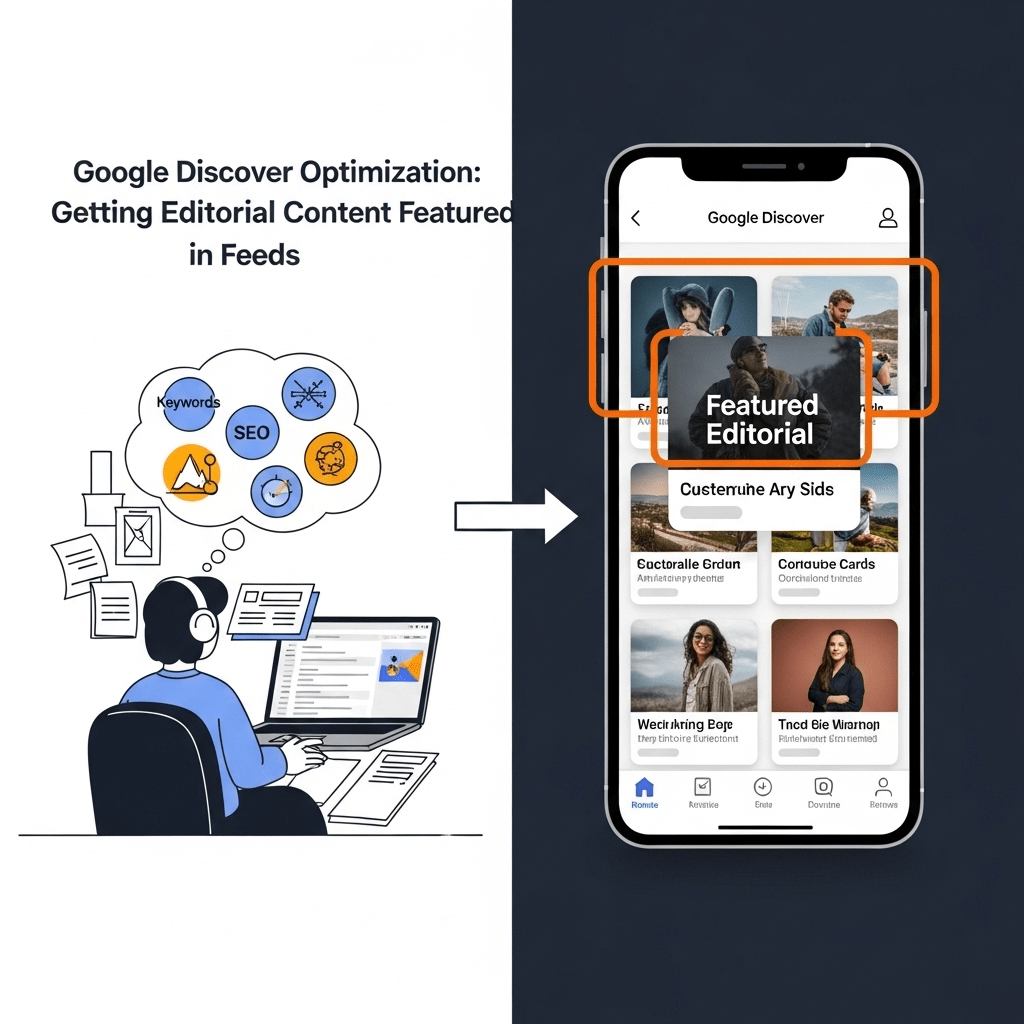
Google Discover is Google’s personalized content feed that proactively shows users articles, videos, and stories based on their interests—without them searching for anything.
Think of it as Google predicting what you want to read before you know you want to read it.
Where Users Encounter Google Discover
Primary locations:
1. Google app homepage (mobile)
- Open Google app on phone
- Discover feed appears below search bar
- Scrollable content cards
- Billions of users see this daily
2. google.com homepage (mobile)
- Visit google.com on mobile browser
- Scroll below search box
- Discover feed appears
3. Android home screen (some devices)
- Swipe right on home screen
- Google Discover feed appears
- Native integration
Not available:
- Desktop (Discover is mobile-only)
- Google News app (separate from Discover)
- Voice assistants (different system)
According to Google, over 800 million people use Google Discover monthly, making it one of the largest content distribution platforms in the world.
Search vs. Discover: Fundamental Differences
The paradigm shift:
| Characteristic | Traditional Search | Google Discover |
|---|---|---|
| User intent | User actively searches for specific info | Google proactively suggests content |
| Query-based | Keywords trigger results | No keywords—algorithmic personalization |
| Ranking factors | Backlinks, content depth, domain authority | Visual appeal, engagement, freshness, personalization |
| Success metric | Ranking position (#1, #3, page 1) | Impressions and CTR (no “ranking”) |
| Traffic pattern | Steady over time | Spike then decline (24-72 hour window) |
| Primary signal | Relevance to query | Predicted user interest |
| Optimization | Keywords, technical SEO, links | Images, engagement, freshness |
| Device | Desktop and mobile | Mobile only |
Critical insight: Everything you know about SEO doesn’t directly apply to Discover.
How Google Decides What to Show in Discover
Google’s personalization algorithm considers:
1. User’s search and browsing history
- Topics they’ve searched for
- Articles they’ve clicked
- Time spent on content
- Previous Discover engagement
2. Location and context
- Geographic location
- Time of day
- Device type
- Current events in area
3. Explicit interest signals
- Topics user followed in Google app
- Channels subscribed to
- “More like this” feedback
- “Less like this” dismissals
4. Content characteristics
- Freshness (published within 24-48 hours gets priority)
- Visual quality (high-res images essential)
- Topic relevance to user
- Engagement rates from similar users
5. Publisher authority
- Overall site quality
- E-E-A-T signals
- Historical engagement with your content
- Topic expertise
The algorithm’s goal: Show each user content they’ll click, read completely, and engage with—maximizing time in Discover feed.
For comprehensive context on how Discover fits into overall news strategy, see our complete guide to news SEO and Google News optimization.
Why Discover Matters for News Publishers
Traffic potential that exceeds traditional search:
Traditional SEO article:
- 1,000-5,000 views per month
- Traffic builds over 3-6 months
- Steady, predictable
- Ranks for specific keywords
Viral Discover article:
- 500,000-2,000,000 impressions in 48 hours
- Traffic spikes immediately
- Unpredictable but massive
- Reaches users who’d never search for topic
Case study data from publishers:
Small niche publisher (technology focus):
- Before Discover optimization: 2,300 monthly Discover visitors
- After optimization: 67,000 monthly Discover visitors (2,800% increase)
- Key changes: Upgraded to original photography, improved headline emotional appeal, focused on trending tech topics
Medium-sized news site (local news):
- Single viral article: 847,000 Discover impressions in 72 hours
- Total site traffic that month: 1.2M (70% from that one Discover article)
- Article topic: Local interest human story with compelling original photos
National news publication:
- Consistent Discover presence: 15-25% of total traffic from Discover
- Strategy: Dedicated “Discover optimization” editor reviewing all articles for visual and engagement potential
Why this matters:
Discover diversifies traffic sources beyond Google Search dependence. When algorithm updates hurt search rankings, Discover can maintain traffic. When search is saturated with competition, Discover offers blue ocean opportunity.
Pro Tip: Don’t think of Discover as “bonus traffic” or “nice to have.” For publishers willing to optimize for it, Discover can become the primary traffic driver—especially for visual storytelling, human interest, and trending topics. The publishers dominating Discover in 2025 are those who recognized it’s not a side channel—it’s a primary distribution platform that requires dedicated optimization strategy.
What Are the Ranking Factors for Google Discover?
Discover doesn’t “rank” content traditionally—it matches content to users algorithmically.
But certain factors dramatically increase likelihood of being shown to many users.
Visual Quality (The Most Important Factor)
Image quality is the single biggest determinant of Discover success.
Why images matter so much:
Discover is visually-led content feed. Users scroll through cards with:
- Large prominent image (takes up 60-70% of card)
- Small headline below
- Publisher name
Users decide to click based almost entirely on image appeal.
Image requirements for Discover:
Technical requirements:
✅ Minimum 1200 pixels wide (Google’s hard requirement)
✅ High resolution (sharp, not pixelated)
✅ Good file format (WebP, JPEG, PNG)
✅ Optimized file size (under 200KB after compression)
✅ Multiple aspect ratios (16:9, 1:1, 4:3)
Visual quality requirements:
✅ Original photography (not stock photos used by hundreds of sites)
✅ High compositional quality (rule of thirds, good lighting, clear subject)
✅ Vibrant but realistic colors (eye-catching without oversaturation)
✅ Sharp focus (professional quality, not blurry phone snapshots)
✅ Clear subject (immediately obvious what image shows)
✅ Emotional resonance (images that evoke feeling)
✅ Contextual relevance (directly illustrates story)
What kills Discover performance:
❌ Generic stock photos (Shutterstock/Getty images used by everyone)
❌ Low resolution or pixelated images
❌ Dark, poorly lit photos
❌ Text-heavy images (infographics with dense text)
❌ Busy, cluttered compositions
❌ Logos/watermarks obscuring image
❌ Dated or irrelevant imagery
Image quality comparison:
Low Discover performance:
- Stock photo of “business meeting” showing generic office scene
- 800×600 resolution
- Poor lighting
- Used by 200+ other articles
High Discover performance:
- Original photo from actual meeting/event
- 1920×1080 resolution
- Professional lighting and composition
- Specific to your story
- Visually striking
Investment in photography:
Option 1: Hire professional photographer
- Cost: $500-$2,000 per day
- Quality: Highest
- Best for: Major feature stories, investigations, special projects
Option 2: Train reporters in mobile photography
- Cost: One-time training ($1,000-$2,000)
- Quality: Good with practice
- Best for: Daily news coverage
Option 3: User-generated content (with permission)
- Cost: Free to minimal
- Quality: Varies
- Best for: Breaking news, community stories
Option 4: News photography partnerships
- Cost: Licensing fees or revenue share
- Quality: Professional
- Best for: Events, sports, hard news
The ROI calculation:
One viral Discover article with great original photo:
- 500,000 impressions
- 25,000 clicks (5% CTR)
- $2.50 CPM ad revenue = $62.50 for impressions
- Additional page views from engaged readers
- Brand awareness value
Photo investment: $500 for professional photographer
Return: Often 10-50x on a single successful article
For detailed strategies on optimizing images for news content, review our comprehensive guide to technical news SEO implementation.
Content Freshness and Timing
Discover heavily prioritizes recently published content.
Freshness timeline:
Peak Discover eligibility:
- 0-24 hours after publish: Maximum Discover exposure
- 24-48 hours: Strong Discover presence
- 48-72 hours: Declining Discover impressions
- 72+ hours: Minimal new Discover traffic (long tail)
Exceptions:
- Evergreen content can appear if topic becomes trending
- Major investigations remain eligible longer
- Visual essays and human interest stories have extended windows
Why freshness matters:
Discover users want current content. The feed is about “what’s happening now” and “what’s interesting today”—not archived content from months ago.
Publication timing strategy:
For maximum Discover exposure:
Weekdays > Weekends
- Higher user engagement weekdays
- More people checking Discover during work breaks
- Better news consumption patterns
Morning publication (6-10 AM local time)
- Users check Discover during morning routine
- Content fresh during peak engagement hours
- Full day of potential exposure
Avoid late evening publication
- Limited immediate exposure
- Peak window passes during low-engagement hours
Breaking news: Publish immediately
- Faster publication = more Discover exposure
- Breaking news gets priority boost
- Even 15-minute delay can cost tens of thousands of impressions
Update strategy:
Update articles with new information and change dateModified:
"dateModified": "2025-01-15T16:45:00+00:00"
Signals fresh content to Google, extending Discover window.
Engagement Metrics (The Self-Reinforcing Factor)
Google measures how users interact with content in Discover—and uses that to determine future distribution.
Key engagement signals:
1. Click-through rate (CTR)
- Percentage of impressions that result in clicks
- High CTR signals compelling headline and image
- Google shows content to more users if CTR high
2. Dwell time
- How long users stay on article
- Longer dwell time = more engaging content
- Google prioritizes content that keeps users engaged
3. Scroll depth
- How far users scroll through article
- Complete read-throughs signal quality
- Partial reads signal poor content or misleading headline
4. Bounce rate
- Do users immediately return to Discover?
- High bounce rate hurts future distribution
- Low bounce rate signals content delivered on promise
5. Return engagement
- Do users tap “More like this”?
- Do they follow your publication?
- Positive signals boost future articles
The reinforcement loop:
High-performing content:
- Published with great image and headline
- Google shows to small test audience
- High engagement (CTR, dwell time) observed
- Google dramatically increases distribution
- Article goes viral in Discover
- Future articles from same publisher get boost
Low-performing content:
- Published with mediocre image/headline
- Google shows to small test audience
- Low engagement observed
- Google reduces/stops distribution
- Article gets minimal Discover traffic
- Future articles face skepticism
This is why first impression matters enormously.
How to optimize for engagement:
Before publishing:
- Compelling visual (great image)
- Headline that delivers on promise
- Mobile-optimized reading experience
- Fast page load (under 2 seconds)
Article structure:
- Hook opening paragraph
- Scannable content (subheadings, short paragraphs)
- Visual elements throughout (photos, graphics)
- Compelling narrative or information
Avoid engagement killers:
- Clickbait headlines that don’t deliver
- Slow page load (users bounce immediately)
- Intrusive ads blocking content
- Auto-play videos
- Misleading images
Topical Relevance and User Interests
Discover shows content based on user’s demonstrated interests.
How Google determines user interests:
Search history:
- Topics user has searched for
- Recently searched = higher weight
- Consistent searches signal strong interest
Discover engagement history:
- Articles they’ve clicked in Discover
- Topics of those articles
- Publishers they engage with
Explicit signals:
- Topics followed in Google app
- “More like this” taps
- “Less like this” dismissals
Contextual signals:
- Location (local news relevant to user’s city)
- Current events (trending topics)
- Seasonal relevance
Content categorization:
Google categorizes content by topic:
- Technology
- Sports
- Entertainment
- Politics
- Business
- Health
- Science
- Local news
- Human interest
Your content must clearly signal topic through:
Schema markup:
"articleSection": "Technology",
"keywords": ["artificial intelligence", "machine learning", "AI regulation"]
Headline and content: Clear topical focus in headline, first paragraph, throughout article
Historical consistency: If your publication consistently covers certain topics, Google learns your topical authority
Trending topic advantage:
When topics trend, related content gets Discover boost:
Example: Major tech company announces product
- Articles about company, product, industry get increased distribution
- Even older articles (24-48 hours) may resurface
- Publishers with topical authority prioritized
Strategy: Newsjacking
- Publish quickly when trends emerge
- Connect your coverage to trending topics
- Use trending terms in headline
Evergreen content in Discover:
Can evergreen content appear in Discover?
Yes, but requires:
- Connection to current trending topic
- Exceptional visual appeal
- Strong historical engagement
- Seasonal relevance (holiday-related content)
Generally: Time-sensitive news performs much better than evergreen.
Mobile Experience and Technical Performance
Discover is mobile-only—mobile optimization is mandatory.
Core Web Vitals requirements:MetricMinimumTargetImpact on DiscoverLCP (Largest Contentful Paint)< 2.5s< 1.5sSlow = reduced distributionFID (First Input Delay)< 100ms< 50msLag = poor engagementCLS (Cumulative Layout Shift)< 0.1< 0.05Shifting = user frustration
Why speed matters for Discover:
Users tapping from Discover expect instant load:
- Slow load = immediate bounce
- Bounce signals low-quality content
- Google reduces/stops showing your content
Testing speed:
- Use PageSpeed Insights
- Test on real mobile devices
- Test on 3G connection (many users have slower connections)
- Aim for under 2 seconds on 3G
Mobile-specific optimization:
Layout:
- Responsive design (not separate mobile site)
- Readable text (16px minimum)
- Tappable buttons (44×44 pixels minimum)
- No horizontal scrolling
Images:
- Optimized for mobile (WebP format, compressed)
- Responsive images (serve appropriate size for device)
- Lazy loading below fold
Ads:
- Minimal above-fold ads (don’t obscure content)
- No intrusive interstitials
- No auto-play videos with sound
- Fast-loading ad units
Navigation:
- Simple, clean navigation
- Easy to return to article
- Related articles clearly presented
Google’s penalties for poor mobile experience:
❌ Intrusive interstitials (full-screen pop-ups blocking content)
❌ Excessive ads (more ad than content)
❌ Slow load times (over 3 seconds)
❌ Difficult to read (tiny text, low contrast)
❌ Hard to navigate (small tap targets, confusing layout)
Articles with these issues won’t succeed in Discover regardless of content quality.
Publisher Authority and E-E-A-T
Google evaluates your overall publication quality—not just individual articles.
Publication-level signals:
1. Site-wide quality:
- Professional design
- Clear ownership/editorial info
- Contact information
- Privacy policy, terms
2. Editorial standards:
- About page explaining mission
- Editorial team information
- Corrections policy
- Fact-checking standards
3. Author expertise:
- Detailed author bios
- Credentials displayed
- Consistent bylines
- Topic specialization
4. Historical performance:
- Have your articles historically engaged Discover users?
- Do users return to your content?
- What’s your overall CTR and dwell time?
5. Topical authority:
- Are you recognized expert in certain topics?
- Consistent coverage of specific beats
- Citations from other sources
Building Discover authority over time:
Months 1-2:
- Focus on visual quality (great images)
- Fast mobile experience
- Clear topical focus
Months 3-4:
- Build consistency (regular publishing)
- Engage on trending topics
- Monitor what performs well
Months 5-6:
- Authority signals accumulating
- Google trusts your content more
- Easier to get distribution for new articles
Long-term (6-12 months):
- Established Discover presence
- New articles get initial boost based on history
- Loyal audience returning to your content
The cold start problem:
New publishers face challenges:
- No historical engagement data
- Google doesn’t know your quality yet
- Initial articles get limited test distribution
Solution:
- Exceptional visual quality from day one
- Focus on trending topics (easier to get distribution)
- Build momentum article by article
- Patience—takes 3-6 months to establish presence
Pro Tip: Think of Discover authority like a trust bank account. Every article that gets high engagement deposits trust. Every article with poor engagement (clickbait, slow load, bad UX) withdraws trust. Over time, publications with consistently high engagement build massive trust—meaning even mediocre articles get significant initial distribution. But one viral article doesn’t mean permanent success—you need sustained quality to maintain Discover presence.
How Do You Optimize Images for Google Discover?
Image optimization is THE most important Discover optimization task.
Technical Image Requirements
Meeting minimum standards:
1. Dimension requirements:
Minimum width: 1200 pixels
This is Google’s hard requirement. Images under 1200px wide are ineligible for Discover.
Recommended dimensions by aspect ratio:
16:9 (horizontal):
- Minimum: 1200 x 675
- Recommended: 1920 x 1080
- Best for: Landscape photography, event coverage, wide scenes
1:1 (square):
- Minimum: 1200 x 1200
- Recommended: 1500 x 1500
- Best for: Portraits, social media-optimized content
4:3 (slightly vertical):
- Minimum: 1200 x 900
- Recommended: 1600 x 1200
- Best for: Mixed compositions
Provide multiple aspect ratios in schema:
"image": [
  "https://yournewssite.com/images/article-1920x1080.jpg",
  "https://yournewssite.com/images/article-1500x1500.jpg",
  "https://yournewssite.com/images/article-1600x1200.jpg"
]
Why multiple ratios matter:
- Discover displays different ratios in different contexts
- Providing all ratios maximizes placement opportunities
- Google chooses best ratio for each user’s display
2. File format optimization:
Best format: WebP
- 25-35% smaller than JPEG at same quality
- Modern format supported by Google
- Excellent compression with quality retention
Alternative: JPEG
- Universal support
- Good compression
- Acceptable if WebP not available
Avoid: PNG for photos
- Much larger file sizes
- Better for graphics/logos
- Slows page load for photography
File size targets:
After compression:
- Maximum: 200KB per image
- Target: 100-150KB
- Minimum quality: 85% JPEG quality or 80% WebP quality
Balance: Quality vs. speed
Too large = slow page load = bounce = no Discover success
Too compressed = low visual quality = poor CTR = no Discover success
3. Image optimization tools:
Automated optimization:
WordPress plugins:
- ShortPixel (excellent compression)
- Imagify (user-friendly)
- Smush (free option)
Online tools:
- TinyPNG/TinyJPG
- Squoosh (by Google)
- Compressor.io
Command line:
# Convert to WebP with quality 85
cwebp input.jpg -q 85 -o output.webp

# Optimize JPEG
jpegoptim --size=150k input.jpg
CDN with automatic optimization:
- Cloudflare (auto WebP conversion)
- Cloudinary (comprehensive image management)
- imgix (real-time optimization)
4. Responsive images:
Serve appropriate size for device:
<img
  srcset="
    image-400w.jpg 400w,
    image-800w.jpg 800w,
    image-1200w.jpg 1200w,
    image-1920w.jpg 1920w
  "
  sizes="(max-width: 600px) 400px, (max-width: 1000px) 800px, 1200px"
  src="image-1200w.jpg"
  alt="Descriptive alt text"
  loading="lazy"
>
Benefits:
- Mobile users get smaller files (faster load)
- Desktop users get high-res (better quality)
- Bandwidth savings
- Improved Core Web Vitals
5. Schema markup for images:
{
  "@type": "NewsArticle",
  "image": {
    "@type": "ImageObject",
    "url": "https://yournewssite.com/images/article-1920x1080.jpg",
    "width": 1920,
    "height": 1080
  }
}
Or array for multiple ratios:
"image": [
  {
    "@type": "ImageObject",
    "url": "https://yournewssite.com/images/article-1920x1080.jpg",
    "width": 1920,
    "height": 1080
  },
  {
    "@type": "ImageObject",
    "url": "https://yournewssite.com/images/article-1500x1500.jpg",
    "width": 1500,
    "height": 1500
  }
]
6. Enable large image previews:
Critical meta tag:
<meta name="robots" content="max-image-preview:large">
What this does:
- Allows Google to show large image previews in Discover
- Without this tag: Only small thumbnails shown
- With this tag: Full-width, high-impact images
Impact on CTR:
- Small images: 2-3% CTR
- Large images: 5-8% CTR
- 2-3x improvement from one meta tag
Visual Quality Best Practices
Beyond technical requirements—what makes images compelling:
1. Original photography vs. stock photos
Stock photos kill Discover performance:
❌ Generic “business meeting” stock photo
❌ Overused images (reverse image search shows 500+ uses)
❌ Obviously staged scenarios
❌ Disconnected from actual story
❌ Low emotional resonance
Original photography wins:
✅ Actual event/person/location in story
✅ Unique to your publication
✅ Specific to article content
✅ Authentic moments captured
✅ Emotional connection
Cost-benefit analysis:
Stock photo:
- Cost: $10-$50
- Discover performance: Poor (2% CTR typical)
- Traffic result: 1,000 impressions → 20 clicks
Original photography:
- Cost: $200-$500 (photographer half-day)
- Discover performance: Strong (6% CTR)
- Traffic result: 100,000 impressions → 6,000 clicks
ROI: 300x more traffic for 10x more cost
2. Compositional excellence
Rule of thirds:
- Place subject at intersections of grid
- Creates visual interest
- More engaging than centered composition
Lighting quality:
- Natural light preferred
- Avoid harsh shadows
- Proper exposure (not too dark/bright)
- Golden hour for outdoor shots (just after sunrise/before sunset)
Focus and depth:
- Sharp focus on subject
- Bokeh (blurred background) draws attention
- Clear subject separation from background
Color and vibrancy:
- Vibrant but realistic colors
- Proper white balance
- Avoid oversaturation (looks fake)
- Color correction in post-processing
Clear subject:
- Immediately obvious what image shows
- Not cluttered or busy
- Single focal point
- Guides eye naturally
3. Emotional impact
Images that perform well in Discover evoke emotion:
Human faces:
- Close-ups of faces with clear emotions
- Eye contact (looking at camera)
- Genuine expressions (not forced smiles)
- Storytelling through expression
Action and movement:
- Dynamic shots (not static poses)
- Captures moment of action
- Energy and tension visible
Unexpected perspectives:
- Unusual angles
- Drone shots
- Macro photography
- Creative framing
Before/after contrasts:
- Transformation stories
- Disaster/recovery
- Progress over time
Human interest:
- People in their element
- Community moments
- Personal stories visualized
- Relatable scenarios
4. Contextual relevance
Image must illustrate the story:
❌ Wrong: Article about local school funding crisis shows generic classroom stock photo
✅ Right: Article shows actual affected school, students, specific classroom mentioned in story
Visual storytelling principles:
Show, don’t tell:
- Image should convey key point visually
- Complements headline
- Adds information beyond text
Specificity:
- Specific to location/people/event in article
- Not generic representation
- Recognizable to local readers (for local news)
Newsworthiness:
- Captures the “news” of the story
- What makes this story important shown visually
- Moment that matters
5. Testing and iteration
What images work best for your publication:
Track Discover performance by image type:
Image Type          | Avg Impressions | Avg CTR
--------------------|-----------------|--------
Professional photos | 75,000          | 6.2%
Reporter phone pics | 12,000          | 4.1%
Stock photos        | 3,000           | 2.3%
User-generated      | 8,000           | 5.8%
Graphics/charts     | 2,000           | 1.9%
Learn from your data:
- Which image styles get most Discover distribution?
- What subjects/compositions perform best?
- Do faces or landscapes work better for you?
- Time-of-day effects (sunset vs. midday)?
Continuous improvement:
- Apply learnings to future articles
- Invest more in what works
- Train photographers on successful styles
Pro Tip: Build a “Discover image checklist” that editors review before publishing. Must check: ✓ 1200px+ width, ✓ Under 200KB file size, ✓ Original photography (not stock), ✓ High resolution/sharp focus, ✓ Emotional impact, ✓ Contextually relevant, ✓ WebP format, ✓ Multiple aspect ratios provided. Treating image quality as seriously as headline quality is the difference between 5,000 and 500,000 Discover impressions.
What Content Types Perform Best in Google Discover?
Not all content is equally suited for Discover.
High-Performing Content Categories
Based on analysis of millions of Discover impressions across publishers:
1. Human interest stories
Why they perform well:
- Emotional resonance (people connect with people)
- Visual storytelling opportunities
- Shareable/relatable
- Universal appeal beyond niche interests
Examples:
- “Single Mom Builds Tiny House for $15,000, Becomes Debt-Free”
- “95-Year-Old WWII Veteran Finally Receives High School Diploma”
- “Local Teacher Pays Off Students’ Lunch Debt with Side Business”
Discover performance characteristics:
- High CTR: 5-8% (emotional headlines + compelling photos)
- Strong dwell time: People read complete stories
- Viral potential: Often shared beyond Discover
Optimization tips:
- Focus on individual people (not abstractions)
- Compelling portrait photography
- Emotional but not manipulative headlines
- Resolution/transformation narratives
2. Visual storytelling and photo essays
Why they perform well:
- Discover is visual-first platform
- Multiple high-quality images showcase visual strength
- Unique content (can’t be replicated easily)
Examples:
- “24 Hours Inside a Busy ER: A Photo Essay”
- “Before and After: Town Rebuilds One Year After Hurricane”
- “Street Photographer Captures Changing Neighborhood Over Decade”
Format characteristics:
- 8-15 high-quality photos
- Brief captions explaining each
- Cohesive narrative arc
- Original photography essential
Discover performance:
- Very high CTR: 7-10% (visual preview compelling)
- Extended engagement: Users scroll through all photos
- Multiple Discover appearances: Can resurface multiple times
3. Trending topics and newsjacking
Why they perform well:
- Google boosts content related to trending topics
- Users seeking information on current events
- Timely relevance increases distribution
Examples when topic is trending:
- “What [New Technology] Means for Your Privacy”
- “How [Major Event] Will Affect [Local Impact]”
- “Everything We Know About [Breaking News Story]”
Timing critical:
- Publish within 2-6 hours of trend emerging
- Earlier = more Discover exposure
- After 24 hours, trend advantage diminishes
Discover performance:
- Massive impression potential: 500K-2M if you catch trend early
- Brief window: 24-48 hours peak exposure
- Dependent on visual: Even trending topics need great images
How to identify trends:
- Google Trends monitoring
- Twitter trending topics
- News aggregator hot stories
- Social media virality
4. How-to guides with visual elements
Why they perform well:
- Practical value (users save/share)
- Step-by-step photos create visual appeal
- Evergreen potential with freshness updates
Examples:
- “How to Grow Tomatoes in Small Spaces (10 Steps with Photos)”
- “DIY Home Security: Install Smart Cameras in 30 Minutes”
- “Meal Prep for Beginners: 5 Recipes, One Sunday Afternoon”
Format requirements:
- Step-by-step process photos
- Clear, actionable instructions
- Results-oriented (transformation shown)
Discover performance:
- Steady CTR: 4-6%
- Extended dwell time: Users actually follow steps
- Return visits: Users come back when doing project
Connection to news angle:
- “How to Prepare for [Upcoming Weather Event]”
- “How to Protect Your Data After [Security Breach]”
5. Local news with visual impact
Why they perform well:
- Geographic relevance to users
- Community connection
- Often exclusive/original content
- Visual documentation of local events
Examples:
- “New Downtown Development: Before and After Photos”
- “Local High School Wins State Championship in Dramatic Finish”
- “City’s Beloved Restaurant Closes After 50 Years”
Discover geographic targeting:
- Users near event location prioritized
- Local interest signals from user history
- “News near me” implicit queries
Discover performance:
- Lower total volume (geographic limitation)
- Higher engagement (personal relevance)
- Community impact: Local readers highly engaged
Requirements:
- On-scene photography (not stock)
- Local specificity (names, places, context)
- Geographic schema signals
6. Data visualization and original research
Why they perform well:
- Unique content (can’t find elsewhere)
- Visual format (charts, graphs, maps)
- Authoritative (original research)
Examples:
- “We Analyzed 10,000 Job Listings: Here’s What Employers Really Want”
- “Map: Where Your State Ranks in Education Spending”
- “Chart: How Gas Prices Changed in Every State This Year”
Visual requirements:
- High-quality data visualizations
- Clear, scannable graphics
- Mobile-optimized charts
- Original analysis (not republishing others’ data)
Discover performance:
- Strong authority signals: Original research builds trust
- Shareable: Users screenshot and share data
- Evergreen with updates: Refresh data periodically
Content Types That Struggle in Discover
What doesn’t work well:
1. Text-heavy articles without strong visuals
❌ 3,000-word deep analysis with no images
❌ Opinion pieces without visual elements
❌ Technical documentation
❌ Academic-style reporting
Why: Discover is visual-first. Without compelling image, won’t get distribution.
2. Clickbait that doesn’t deliver
❌ “You Won’t Believe What Happened Next”
❌ “This One Weird Trick”
❌ Misleading images
Why: Initial clicks but immediate bounces. Google learns content is low-quality and stops distribution.
3. Purely aggregated content
❌ Roundups of others’ content
❌ Rewritten press releases
❌ Syndicated wire service content (unchanged)
Why: Not original. Many other sites have same content. Google prioritizes original.
4. Niche B2B content
❌ Enterprise software updates
❌ Industry-specific technical content
❌ Trade publication inside baseball
Why: Small potential audience. Discover optimizes for broad appeal.
5. Old content without freshness hooks
❌ Archive articles from years ago
❌ Evergreen content never updated
❌ Historical pieces without current relevance
Why: Discover heavily favors fresh content (0-48 hours old).
Exception: Can appear if:
- Connected to trending topic
- Exceptional visual quality
- Seasonal relevance (holiday content during holiday)
Content Format Optimization
Structuring content for Discover engagement:
1. Mobile-first writing
Short paragraphs:
- 2-3 sentences maximum
- White space between paragraphs
- Easy to scan on mobile
Scannable structure:
- Descriptive subheadings
- Bullet points for lists
- Bold key facts
- Pull quotes for emphasis
Visual breaks:
- Images every 2-3 paragraphs
- Infographics
- Charts/graphs
- Video embeds
2. Hook opening
First 2-3 sentences must:
- Deliver on headline promise
- Hook reader immediately
- Provide concrete detail or emotion
- Make reader want to continue
❌ Weak opening: “Many people are concerned about climate change. It’s a complex issue with many factors.”
✅ Strong opening: “Sarah Martinez watched floodwater rise through her kitchen window for the third time in two years. ‘This never used to happen,’ she said, standing ankle-deep in water that had nowhere to go.”
3. Length optimization
Ideal length for Discover:
Sweet spot: 600-1,200 words
- Long enough for substance
- Short enough for mobile reading
- Matches typical Discover session length
Too short: Under 300 words
- Appears thin/low-value
- Not enough engagement signal
Too long: Over 2,000 words
- Users unlikely to complete on mobile
- Bounce rate increases
- Better suited for traditional search
Exceptions:
- Visual essays (image-heavy, less text)
- Investigations (can be longer if compelling)
- How-to guides (length justified by utility)
4. Headline formulas for Discover
What works:
Specific numbers:
- “7 Signs Your Home Has Hidden Water Damage”
- “How I Saved $15,000 in One Year”
Emotional hooks:
- “Teacher’s Surprise Announcement Brings Students to Tears”
- “Father and Son Reunite After 30 Years Apart”
Unexpected angles:
- “Why Successful People Wake Up at 5 AM (It’s Not What You Think)”
- “The Surprising Reason Gas Prices Vary by Neighborhood”
Local specificity:
- “Seattle’s Housing Crisis: What One Family’s Story Reveals”
- “How Austin Became America’s Fastest-Growing City”
What doesn’t work:
❌ Generic headlines
❌ Clickbait mystery
❌ All-caps sensationalism
❌ Misleading premises
❌ Keyword-stuffed for SEO
For comprehensive headline optimization strategies, see our complete guide to news SEO and headline writing.
Pro Tip: Create a “Discover content playbook” documenting what works for your publication. Track every article’s Discover performance: impressions, CTR, content type, image style, headline formula. After 3-6 months, clear patterns emerge. Maybe your human interest stories with portrait photos get 10x more impressions than policy analysis. Maybe morning publication outperforms evening. Use data to systematically produce more of what Discover’s algorithm loves—and less of what it ignores.
How Do You Track and Measure Google Discover Performance?
Can’t optimize what you can’t measure.
Setting Up Discover Tracking
1. Google Search Console (Primary tool)
Accessing Discover data:
- Go to Google Search Console
- Select your property
- Navigate to “Discover” section (left sidebar)
What you’ll see:
Performance overview:
- Total Discover impressions (last 3/6/12/16 months)
- Total clicks from Discover
- Average CTR
- Trend over time
Top articles:
- Which articles got most Discover impressions
- Clicks per article
- CTR per article
- Date range filters
Device breakdown:
- Mobile performance (Android vs. iOS)
- Tablet performance
Country breakdown:
- Geographic distribution of Discover traffic
- Which countries driving most impressions
Date filters:
- Compare date ranges
- Identify seasonal patterns
- Track growth trends
If you don’t see “Discover” section:
Reasons:
- Site not receiving Discover traffic yet
- Need minimum threshold (exact number unknown, but typically 1,000+ impressions)
- Data delayed (can take 2-3 days to appear)
How to start appearing:
- Implement all technical requirements
- Publish content with high-quality images
- Wait 7-14 days for Google to start showing content
2. Google Analytics 4
Tracking Discover as traffic source:
Setup:
In GA4:
- Go to Reports → Acquisition → Traffic acquisition
- Look for “Discover” as source/medium
Traffic will appear as:
- Source:
google - Medium:
discoverorcpc - Campaign: Various (depends on how Google tags it)
Custom report for Discover:
Create custom exploration:
- Dimension: “Session source/medium”
- Filter: Contains “discover”
- Metrics: Sessions, Users, Engagement rate, Average engagement time
Key Discover metrics in GA4:
Session quality:
- Average session duration (how long do Discover visitors stay?)
- Pages per session (do they read more articles?)
- Bounce rate (do they immediately leave?)
Engagement:
- Scroll depth (how far do they read?)
- Event tracking (video plays, image gallery views)
- Conversions (newsletter signups, subscriptions)
Comparison to other sources:
Compare Discover traffic to:
- Google Search (organic)
- Social media referrals
- Direct traffic
- Other sources
Typical patterns:
Discover traffic characteristics:
- Higher bounce rate than search (50-70% vs. 40-50%)
- Shorter session duration than search (readers browsing, not seeking specific info)
- Lower conversion rate than search (casual discovery vs. intent-driven)
- But massive volume potential compensates
3. Real-time monitoring
For breaking news and trending content:
Parse.ly (used by many newsrooms):
- Real-time traffic dashboard
- Source attribution (can identify Discover traffic)
- Article-level performance
Chartbeat:
- Real-time engagement metrics
- Traffic source identification
- Concurrent visitors tracking
Google Analytics Real-Time:
- Current active users
- Traffic sources
- Pages being viewed
Why real-time matters for Discover:
When article goes viral in Discover:
- Traffic spike happens within 1-2 hours
- Peak lasts 6-12 hours
- Quick identification allows:
- Updating article with more info
- Cross-promoting on social
- Writing follow-up articles
4. Custom tracking implementation
URL parameters for Discover attribution:
While Google handles most attribution, you can enhance tracking:
UTM parameters (if you control URL in schema):
https://yournewssite.com/article?utm_source=google&utm_medium=discover&utm_campaign=article-title
But note: Google may strip or modify parameters, so rely primarily on Search Console data.
Key Performance Indicators
What metrics matter for Discover optimization:
1. Total impressions
What it measures: How many times your content shown in Discover feed
Benchmarks by publisher size:
| Publisher Type | Good | Great | Exceptional |
|---|---|---|---|
| Small local news | 10K-50K/month | 50K-200K/month | 200K+/month |
| Medium regional | 100K-500K/month | 500K-2M/month | 2M+/month |
| Large national | 1M-5M/month | 5M-20M/month | 20M+/month |
What influences impressions:
- Content publishing frequency
- Image quality (primary factor)
- Topical relevance
- Publisher authority
- Freshness
Growth trajectory:
Typical pattern:
- Months 1-2: Low (1K-10K) as Google learns your content
- Months 3-4: Growth (10K-50K) as authority builds
- Months 5-6: Acceleration (50K-200K+) with consistency
- Beyond 6 months: Sustained or growing based on quality
2. Click-through rate (CTR)
What it measures: Percentage of impressions resulting in clicks
Formula: (Clicks ÷ Impressions) × 100
Benchmark CTRs:
| Content Quality | CTR Range |
|---|---|
| Poor (generic stock photos, weak headlines) | 1-2% |
| Average (decent images, okay headlines) | 2-4% |
| Good (quality images, compelling headlines) | 4-6% |
| Excellent (stunning images, great headlines) | 6-8% |
| Exceptional (viral-worthy visual + headline) | 8-12%+ |
What influences CTR:
- Image quality (primary factor – 60-70% of decision)
- Headline appeal (30-40% of decision)
- Publisher branding (minor factor)
Improving CTR:
Focus on:
- Upgrading image quality (biggest impact)
- Testing headline formulas
- A/B testing different images
Don’t focus on:
- Meta descriptions (not shown in Discover)
- URL structure (not visible)
- Article length (users can’t see before clicking)
3. Total clicks
What it measures: Absolute number of visitors from Discover
Relationship to impressions:
Clicks = Impressions × CTR
Example:
- 100,000 impressions × 5% CTR = 5,000 clicks
This is your actual traffic number.
Revenue calculation:
Display ads:
- 5,000 visitors × 2 pages per visit = 10,000 pageviews
- $5 CPM × 10 = $50 revenue per article from Discover
Subscriptions:
- 5,000 visitors × 1% conversion = 50 new subscribers
- $10/month value × 50 = $500/month recurring revenue
4. Engagement metrics
Average engagement time:
How long users spend on your article after arriving from Discover.
Benchmarks:
- Poor: Under 30 seconds (immediate bounce)
- Average: 30-60 seconds (skim article)
- Good: 1-2 minutes (read significant portion)
- Excellent: 2+ minutes (read completely)
What influences engagement:
- Content quality (do you deliver on promise?)
- Page speed (slow load = bounce)
- Mobile readability
- Content structure (scannable vs. wall of text)
5. Bounce rate
What it measures: Percentage of visitors who leave without interacting further
Discover-specific considerations:
Typical Discover bounce rates:
- 50-70% is normal (higher than search traffic)
- Users browsing, not seeking specific info
- May read article and leave satisfied (not negative)
When bounce rate is problem:
- Over 80%: Clickbait headlines, poor content, slow load
- Immediate bounces (under 5 seconds): Technical issues, misleading
Reducing bounce rate:
- Deliver on headline promise
- Fast page load
- Engaging opening paragraph
- Related articles prominently displayed
- Internal linking to related content
6. Pages per session
What it measures: How many pages Discover visitors view
Benchmarks:
- Poor: 1.0-1.2 (read only article, leave)
- Average: 1.2-1.5
- Good: 1.5-2.0
- Excellent: 2.0+ (reading multiple articles)
Increasing pages per session:
- Related article recommendations
- “You might also like” sections
- Clear navigation to similar topics
- Internal linking within articles
- Compelling next article suggestions
Analyzing Top-Performing Content
Learning from your successes:
In Search Console Discover report:
Filter by date range (e.g., last 3 months)
Identify top 10-20 articles by impressions
For each top article, document:
Content characteristics:
- Topic/category
- Content type (human interest, how-to, news, etc.)
- Word count
- Publication timing (day of week, time of day)
Visual characteristics:
- Image style (original photo, graphic, etc.)
- Subject of image (person, landscape, object, etc.)
- Aspect ratio used
- Photographer/source
Headline characteristics:
- Length
- Formula (number-based, emotional, surprising, etc.)
- Tone (serious, lighthearted, urgent, etc.)
Performance metrics:
- Total impressions
- CTR
- Clicks
- Date published
- When peak occurred
Pattern identification:
After analyzing 20-30 top articles:
Common patterns to look for:
Topic patterns:
- Do certain topics consistently perform better?
- Local news vs. national news performance?
- Human interest vs. policy analysis?
Visual patterns:
- Portrait photos vs. landscapes?
- Bright, vibrant images vs. darker, moody?
- People vs. places vs. objects?
Timing patterns:
- Best day of week for publishing?
- Optimal time of day?
- Seasonal trends?
Headline patterns:
- Specific formulas working repeatedly?
- Optimal length?
- Tone that resonates?
Example pattern discovery:
Hypothetical analysis results:
Pattern: Articles with original photography of local residents get
5x more impressions than articles with stock photos.

Pattern: Morning publication (6-9 AM) gets 3x more peak impressions
than afternoon publication.

Pattern: Headlines with specific numbers (7 ways, $15,000, 3 years)
perform 40% better than vague headlines.

Pattern: Bright, vibrant outdoor photos get 2x CTR of indoor photos.
Applying learnings:
Create “Discover playbook” documenting:
- Proven content types for your publication
- Visual style guidelines
- Headline formulas
- Optimal publishing times
- Topics with highest potential
Share with editorial team:
- Train reporters on what works
- Photographers learn visual styles that perform
- Editors prioritize Discover-friendly stories
Pro Tip: Set up a monthly “Discover review” meeting where you analyze previous month’s top-performing articles. Don’t just look at total impressions—look at CTR improvement over time as you refine visual quality. A publication improving from average 3% CTR to 6% CTR doubles traffic with same impression volume. The compounding effect is massive: Better engagement signals higher quality to Google, which increases future distribution, which provides more engagement data to learn from. It’s a virtuous cycle that starts with systematic performance analysis.
What Are Common Mistakes That Kill Google Discover Performance?
Avoid these pitfalls that sabotage Discover success:
Mistake #1: Using Low-Quality or Stock Images
The problem: Generic stock photos everyone uses
Why it kills performance:
Visual differentiation is critical:
- Discover users scrolling through dozens of content cards
- Stock photos look generic/uninteresting
- Same image users have seen before
- No visual reason to click
Google’s algorithms detect:
- Reverse image search (how many sites use this image?)
- Engagement patterns (do users click content with this image?)
- Visual uniqueness scores
Real comparison:
Article A: Stock photo
- Image: Generic “doctor with tablet” stock photo
- Cost: $25
- Discover impressions: 2,400
- CTR: 2.1%
- Clicks: 50
Article B: Original photography
- Image: Actual local doctor at clinic featured in story
- Cost: $300 (photographer 2 hours)
- Discover impressions: 89,000
- CTR: 5.8%
- Clicks: 5,162
Result: 100x more traffic for 12x more cost
The fix:
✅ Invest in original photography:
- Hire photographers for major stories
- Train reporters in mobile photography
- Build photo partnerships
- User-generated content (with permission)
✅ Visual quality standards:
- Minimum 1920×1080 resolution
- Professional lighting
- Clear subject
- Emotional resonance
✅ Avoid stock entirely for articles you want Discover distribution
Mistake #2: Slow Page Speed on Mobile
The problem: Article takes 5+ seconds to load on mobile
Why it kills performance:
User journey:
- User taps article in Discover
- Page loads slowly (5-8 seconds)
- User bounces before article loads
- Google records bounce
- Google reduces/stops showing your content
Even great content fails if page doesn’t load.
Core Web Vitals benchmarks:MetricPoorNeeds ImprovementGoodLCP> 4.0s2.5s – 4.0s< 2.5sFID> 300ms100ms – 300ms< 100msCLS> 0.250.1 – 0.25< 0.1
For Discover success, need “Good” across all metrics.
Common speed killers:
❌ Excessive ad scripts (15+ ad units loading)
❌ Unoptimized images (2MB hero image)
❌ Heavy JavaScript frameworks (React/Angular for simple articles)
❌ Third-party embeds (social media widgets, analytics, etc.)
❌ No caching (server generates page each time)
❌ Slow hosting (shared hosting overwhelmed)
The fix:
✅ Image optimization:
- WebP format
- Compressed to under 200KB
- Lazy loading below fold
- Responsive sizes
✅ Ad optimization:
- Limit to 3-5 ad units
- Async loading
- Fast ad networks
- No pop-ups/interstitials
✅ Technical optimization:
- Enable caching
- Minify CSS/JavaScript
- CDN delivery
- Reduce third-party scripts
✅ Hosting upgrade:
- Move off shared hosting
- Cloud hosting (AWS, Google Cloud)
- Specialized news hosting
Testing:
- PageSpeed Insights
- Test on real mobile devices
- 3G connection testing (many users have slow connections)
Mistake #3: Clickbait Headlines That Don’t Deliver
The problem: “You Won’t Believe What Happened Next” headlines with mundane content
Why it kills performance:
Short-term vs. long-term:
Short-term (initial distribution):
- High CTR (clickbait works initially)
- Google shows to more users
- Traffic spike
What happens next:
- Users immediately bounce (content doesn’t deliver)
- High bounce rate + low dwell time
- Google learns content is low-quality
- Future articles from your publication penalized
The penalty cascade:
Article 1 (clickbait):
- 100,000 impressions
- 8% CTR (misleading headline effective)
- 90% bounce rate (content doesn’t deliver)
- Google reduces distribution
Article 2 (quality, published next day):
- 5,000 impressions (penalty from Article 1)
- Even with great content, distribution throttled
Recovery takes weeks/months.
The fix:
✅ Honest headlines:
- Accurately represent content
- Deliver on promise
- Create curiosity without deception
✅ Headline testing:
❌ Bad: "What This Mom Did Next Will Shock You"
✅ Good: "Mom Builds Tiny House for $15,000, Becomes Debt-Free"

❌ Bad: "You Won't Believe What Was Found in This House"
✅ Good: "Couple Discovers 1950s Time Capsule Hidden in Home Walls"
✅ Image-headline alignment:
- Image must relate to headline
- Don’t use misleading photos
- Visual should reinforce headline promise
Mistake #4: Ignoring Mobile User Experience
The problem: Desktop-optimized site that’s frustrating on mobile
Why it kills performance:
Discover is 100% mobile traffic.
Poor mobile UX:
- Tiny text (12px font size)
- Difficult tapping (buttons too small)
- Intrusive ads (blocking content)
- Horizontal scrolling required
- Pop-ups obscuring article
- Auto-play video with sound
User behavior:
- Frustrated immediately
- Bounce quickly
- Google penalizes
The fix:
✅ Mobile-first design:
- Design for mobile, adapt to desktop (not vice versa)
- Minimum 16px font size
- Plenty of white space
- Clear visual hierarchy
✅ Tappable elements:
- Buttons minimum 44×44 pixels
- Adequate spacing between links
- Easy to tap without zooming
✅ Ad placement:
- No ads above headline
- Maximum one ad before content
- No pop-ups or interstitials
- Sticky ads don’t cover content
✅ Content layout:
- Short paragraphs (2-3 sentences)
- Subheadings every 2-3 paragraphs
- Bullet points for lists
- Images breaking up text
✅ Navigation:
- Simple, clear menu
- Easy to return to article from ads
- Related articles visible
- Search accessible
Mistake #5: Not Updating dateModified for Developing Stories
The problem: Publishing breaking news but never updating it
Why it kills performance:
For developing stories:
Hour 0: You publish first
- Discover shows to users
- You get initial traffic spike
Hour 2: Competitor publishes with updates
- They update article continuously
- Their
dateModifiedshows fresh content - Discover prioritizes their fresher version
- You lose traffic despite being first
The fix:
✅ Update workflow:
- Breaking news: Update every 15-30 minutes
- Developing stories: Update hourly
- Each update: Change dateModified
✅ Schema markup:
"datePublished": "2025-01-15T14:00:00+00:00",
"dateModified": "2025-01-15T16:30:00+00:00"
✅ Visual update indicators:
<div class="update-notice">
  <strong>Update (4:30 PM):</strong> Police have confirmed two arrests.
  Article updated with official statement.
</div>
✅ Ping Google:
- IndexNow notification
- Update RSS feed
- Social media announcement
Mistake #6: Publishing at Wrong Times
The problem: Publishing evening or overnight when engagement low
Why it matters:
Discover prioritizes fresh content during peak engagement.
Publication timing impact:
Morning publication (6-10 AM):
- Users checking Discover during morning routine
- Full day of potential exposure
- Peak engagement hours ahead
Afternoon publication (2-4 PM):
- Still good
- Half-day exposure remaining
- Decent engagement
Evening publication (7-11 PM):
- Limited immediate exposure
- Most users not actively browsing
- Peak window passes during low engagement
Overnight publication (11 PM-6 AM):
- Minimal immediate exposure
- By morning, content no longer “newest”
- Competing against morning publications
The fix:
✅ Optimal publishing schedule:
- Best: 6-9 AM local time
- Good: 9 AM-2 PM
- Avoid: After 7 PM unless breaking news
✅ Breaking news exception:
- Publish immediately regardless of time
- Speed trumps timing for breaking news
✅ Editorial workflow:
- Morning editorial meetings
- Stories completed by 9-10 AM
- Publish immediately upon completion
- Reserve afternoon for breaking news
✅ Scheduled publishing:
- Use CMS scheduling for non-urgent content
- Batch production, stagger publication
- Maintain steady morning publication flow
Mistake #7: Thin or Low-Value Content
The problem: 200-word articles with no substance
Why it kills performance:
Initial click but immediate dissatisfaction:
- User clicks expecting information
- Article provides minimal value
- User bounces disappointed
- Google learns content is thin
The fix:
✅ Minimum content standards:
- 500+ words for news articles
- 800-1,200 words for features
- Substantial information provided
- Multiple sources/perspectives
✅ Value delivery:
- Answer key questions thoroughly
- Provide context and background
- Include expert quotes
- Original reporting or analysis
✅ Content depth indicators:
- Multiple sections/subheadings
- Data/statistics included
- Visual elements (photos, charts)
- Comprehensive coverage
Pro Tip: The single biggest mistake publishers make is treating Discover as an afterthought. They optimize for Google News, for search, for social—and just hope Discover traffic magically appears. Instead, assign one editor as “Discover champion” responsible for reviewing articles pre-publication for Discover optimization. Simple checklist: ✓ Image 1200px+ and original, ✓ Fast mobile load, ✓ Honest headline, ✓ Morning publication, ✓ Engaging opening. These five checks take 60 seconds and can mean difference between 2,000 and 200,000 impressions.
Frequently Asked Questions About Google Discover Optimization
How long does it take to start getting Discover traffic?
Timeline varies significantly by publication maturity:
New publishers (< 6 months old):
Months 1-2:
- Minimal to zero Discover traffic
- Google learning your publication
- Building initial authority signals
- Focus: Technical setup, image quality
Months 3-4:
- First Discover appearances (hundreds to low thousands impressions)
- Sporadic distribution
- Testing phase by Google’s algorithm
Months 5-6:
- Consistent Discover presence
- Thousands to tens of thousands monthly impressions
- Algorithm trusts your content more
Beyond 6 months:
- Established presence
- Potential for viral articles
- Predictable baseline traffic
Established publishers (already Google News approved):
Can see Discover traffic much faster:
- Within days of implementing optimizations
- Leveraging existing authority
- Faster algorithm trust
Accelerating the process:
✅ Focus on image quality from day one
✅ Publish consistently (daily)
✅ Cover trending topics
✅ Monitor what performs, do more of it
✅ Build topical authority in specific areas
Patience required: Discover optimization is not overnight. Plan for 3-6 month investment before significant results.
Can I optimize old articles for Discover?
Short answer: Somewhat, but fresh content performs much better.
The challenge:
Discover heavily prioritizes content published within last 24-48 hours.
Older articles rarely get significant Discover distribution unless:
- Connected to suddenly trending topic
- Seasonal relevance (holiday content during holiday)
- Exceptional evergreen value
What you CAN do:
1. Update and refresh:
- Add new information
- Update statistics
- Add fresh perspective
- Change
dateModifiedto current date
2. Improve images:
- Replace stock photos with original
- Upgrade to higher resolution
- Add multiple aspect ratios
3. Republish strategically:
- If truly evergreen and valuable
- Significant updates warrant republishing
- Don’t just change date without updates (Google detects this)
Realistic expectations:
Old article updated:
- Might get small Discover boost
- Won’t perform like new article
- Better than no optimization
Better strategy:
✅ Apply learnings to NEW content:
- Use old articles to learn what worked
- Implement those insights in new publications
- Fresh content gets 10-100x more Discover exposure
Pro Tip: Instead of trying to optimize 500 old articles for Discover, pick your 10-20 best evergreen pieces, give them major updates (new research, fresh images, current relevance), change dateModified, and republish. 90% of your Discover optimization effort should focus on new daily content.
Does Discover traffic affect my overall SEO rankings?
Indirectly yes, but not directly.
Discover traffic itself is NOT a ranking factor for search.
But Discover traffic can indirectly help SEO through:
1. User engagement signals:
- More visitors = more engagement data
- If Discover visitors engage well (low bounce, high dwell time)
- Google sees content is valuable
- Can positively influence search rankings
2. Brand signals:
- More traffic = more brand awareness
- Increased brand searches
- Brand signals are ranking factor
3. Link building:
- Viral Discover articles often get linked
- Other publications cite your reporting
- Backlinks help search rankings
4. Content validation:
- If content performs well in Discover
- Signals high quality to Google
- May boost search performance
But:
❌ Discover impressions don’t directly boost search rankings
❌ High Discover CTR doesn’t transfer to search
❌ Separate algorithms, separate signals
Bottom line: Discover optimization and SEO optimization have some overlap (quality content, fast site, good UX) but are distinct strategies. Don’t expect Discover success to automatically improve search rankings, but there are indirect benefits.
How do I handle paywalls with Discover?
The challenge: Balancing monetization (subscriptions) with Discover traffic.
Google’s requirements:
For Googlebot crawling:
- Must allow Googlebot to access full content
- Cannot block Google’s crawler with hard paywall
- Use flexible sampling (allow some free access)
For Discover specifically:
Strategies:
1. Metered paywall (recommended):
- 5 free articles per month for all users
- After 5, paywall appears
- Discover users get same access as others
Benefits:
- Discover users can access content
- Conversion opportunity (subscribe after hitting limit)
- Googlebot can crawl
2. Flexible sampling:
- All users get first few paragraphs free
- "Continue reading" requires subscription
- Or: Some articles free, others premium
Benefits:
- Discover traffic can sample content
- Clear value proposition shown
- Conversion opportunity
3. Delayed paywall:
- Article free for first 24-48 hours
- After 48 hours, becomes subscriber-only
Benefits:
- Peak Discover window (24-48 hours) is free
- After Discover traffic declines, monetize via subscription
4. No paywall for Discover traffic (advanced):
- Detect traffic from Discover referrer
- Provide free access to Discover users
- Paywall remains for other traffic
Technical implementation:
if (document.referrer.includes('google.com/discover')) {
  // Don't show paywall
} else {
  // Show normal paywall logic
}
Trade-offs:
No paywall:
- ✅ Maximum Discover traffic
- ❌ Zero subscription revenue from Discover
Hard paywall:
- ✅ All engaged readers pay
- ❌ Minimal Discover distribution (users bounce at paywall)
Metered/flexible:
- ✅ Balance traffic and revenue
- ✅ Conversion opportunities
- ⚠️ More complex to implement
Recommendation: Metered paywall (5-10 free articles monthly) provides best balance for most publishers.
Should I create content specifically for Discover?
Yes—if Discover is strategic traffic priority.
Creating “Discover-optimized” content:
Characteristics:
- Visual-first (stunning original photography)
- Trending topic relevance
- Emotional hooks
- Mobile-optimized structure
- Human interest angle
Example workflow:
Daily editorial meeting:
Editor: “We have three stories today. Which is our Discover play?”
Reporter 1: “I have city council budget story—important but dry.”
Reporter 2: “I have human interest piece about teacher paying off students’ lunch debt. Great photos from photographer.”
Editor: “Story 2 is our Discover focus. Let’s:**
- Lead with strongest photo
- Emotional headline
- Publish at 7 AM for maximum exposure
- Promote on social to boost initial engagement”
Dedicated Discover strategy:
Some publishers create dedicated team:
- 1-2 reporters focused on Discover-friendly content
- Photographer paired with Discover team
- Daily goal: 1-2 articles optimized for Discover
Results:
- Consistent Discover traffic baseline
- Multiple viral hits monthly
- Significant portion of total traffic
Balance:
Don’t abandon core mission for Discover traffic:
- Still cover important local news (even if not Discover-friendly)
- Maintain journalistic integrity
- Balance “Discover plays” with essential coverage
But recognize: Some stories serve Discover goals, others serve search/news goals, others serve community information needs. All are valuable.
What’s the relationship between Discover and Google News?
They’re separate systems with different purposes:
Google News:
- News-specific search and app
- Query-driven (“breaking news,” “election results”)
- Time-sensitive news prioritized
- Requires Google News approval
- Desktop and mobile
Google Discover:
- Personalized content feed
- No query—proactive suggestions
- Visual-first, engagement-driven
- No approval needed (but quality threshold)
- Mobile only
Overlap:
Many articles appear in both:
- News article can rank in Google News for relevant searches
- Same article can appear in Discover feeds for interested users
Optimization overlap:
- Fast site speed helps both
- High-quality images help both (especially Discover)
- NewsArticle schema helps both
- Original reporting helps both
Differences:
Google News optimization:
- Focus on speed (first to publish)
- Keyword-rich headlines
- Breaking news emphasis
- Technical schema perfection
Discover optimization:
- Focus on visuals (stunning images)
- Emotional/engaging headlines
- Broader appeal content
- Visual storytelling
Strategy implications:
Ideal article performs well in both:
- Breaking news (Google News appeal)
- With compelling visual (Discover appeal)
- Fast publication (Google News priority)
- Emotional angle (Discover engagement)
Example: “Breaking: Hurricane Makes Landfall with 150 MPH Winds”
- Google News: Breaking news, timely, searchable
- Discover: Dramatic weather photos, human interest follow-ups
For comprehensive strategies on Google News optimization, see our complete guide to Google News Publisher Center setup.
Can I buy my way into Discover?
No—Discover is purely organic algorithmic distribution.
What you CANNOT do:
❌ Pay Google for Discover placement
❌ Buy sponsored Discover appearances
❌ Manipulate algorithm with artificial engagement
❌ Use services claiming to “guarantee Discover traffic”
What you CAN invest in:
✅ Professional photography (hire photographers)
✅ Technical optimization (faster hosting, better images)
✅ Content quality (better reporters, more research time)
✅ Tools and training (analytics, SEO tools, staff training)
Scam warning:
Beware services claiming:
- “Get your content in Google Discover for $X”
- “Guaranteed Discover traffic”
- We have insider access to Google’s algorithm
These are scams. Nobody can guarantee Discover placement.
Pro Tip: The question “How do I get Discover traffic?” has the same answer as “How do I create content people love?” Discover’s algorithm is optimizing for user engagement. If you create visually stunning, emotionally resonant, valuable content that people want to read—and you publish it with proper technical optimization—Discover traffic follows naturally. There’s no shortcut, hack, or trick. Just excellent visual journalism consistently executed.
Final Thoughts: Your Google Discover Success Blueprint
Here’s the reality about Google Discover optimization that most publishers don’t want to hear:
Discover rewards visual excellence and emotional resonance—not just good journalism.
You can publish the most important investigative story of the year, with meticulous research and impeccable sourcing. But if you pair it with a generic stock photo and a dry headline, Discover will show it to 847 people while your competitor’s feel-good human interest story with stunning original photography reaches 847,000.
This isn’t a bug—it’s how Discover is designed.
Google built Discover as a visual-first, engagement-driven content feed that shows users content they’ll love scrolling through on their phones. It’s optimized for the morning commute, the lunch break, the evening couch scroll. It’s about discovery, not information retrieval.
The publications dominating Discover in 2025 understand this fundamental truth:
Discover success requires:
- Visual investment (photography budgets that match writing budgets)
- Emotional intelligence (understanding what makes people tap and read)
- Technical excellence (sub-2-second mobile load times)
- Systematic optimization (reviewing every article for Discover potential)
- Patience (3-6 months to build algorithmic trust)
Meanwhile, publishers struggling with Discover are:
❌ Using generic stock photos to save $200 on photography
❌ Publishing important but visually boring content without visual elements
❌ Treating Discover as “bonus traffic” rather than strategic priority
❌ Expecting overnight results without sustained quality
❌ Optimizing for Google News/search but ignoring Discover’s unique requirements
The gap between winners and losers in Discover is widening exponentially.
Consider the compounding effect:
Month 1:
- Publisher A: Invests in image quality, gets 50K impressions
- Publisher B: Uses stock photos, gets 2K impressions
Month 3:
- Publisher A: Google trusts their content, 200K impressions
- Publisher B: Still using stock photos, 3K impressions
Month 6:
- Publisher A: Established authority, some articles go viral, 800K+ impressions
- Publisher B: Frustrated with “no Discover traffic,” 4K impressions
Month 12:
- Publisher A: Discover is primary traffic source, 2-3M monthly impressions
- Publisher B: Abandoned Discover optimization, back to stock photos
The difference? Publisher A recognized Discover as distinct platform requiring specific optimization—and committed to excellence.
Your 90-day Discover transformation roadmap:
Days 1-30: Foundation
- [ ] Audit current image quality across all articles
- [ ] Identify stock photo usage vs. original photography
- [ ] Implement image technical requirements (1200px+, WebP, schema)
- [ ] Add “max-image-preview:large” meta tag
- [ ] Test mobile page speed, optimize to under 2 seconds
- [ ] Set up Google Search Console Discover tracking
- [ ] Establish baseline: Current Discover impressions/clicks
Days 31-60: Visual transformation
- [ ] Hire photographer or train reporters in mobile photography
- [ ] Create “Discover-worthy” image standards
- [ ] Retrofit top 20 evergreen articles with better images
- [ ] Test different image styles (portraits, landscapes, action shots)
- [ ] Document what image types get best Discover performance
- [ ] Build photography budget into editorial budget
- [ ] Establish “one Discover-optimized article daily” goal
Days 61-90: Systematic optimization
- [ ] Assign “Discover champion” editor
- [ ] Create pre-publication Discover checklist
- [ ] Implement morning publication schedule
- [ ] Track and analyze top Discover performers weekly
- [ ] Create “Discover playbook” documenting what works
- [ ] Train all reporters on Discover optimization
- [ ] Measure month-over-month Discover growth
The investment vs. return calculation:
Investment required:
- Photography: $1,000-$3,000/month (mix of professional + trained reporters)
- Technical optimization: $2,000-$5,000 one-time (hosting, optimization, tools)
- Staff training: $1,000 one-time (workshop/training)
- Ongoing optimization: 5-10 hours weekly (editor review)
Total first-year investment: ~$20,000-$40,000
Potential return (based on publisher case studies):
Small local publisher:
- Baseline: 5,000 monthly Discover visits
- After optimization: 75,000 monthly Discover visits
- 15x traffic increase
- At $5 CPM display ads: $375/month → $5,625/month = $63,000/year additional revenue
Medium regional publisher:
- Baseline: 50,000 monthly Discover visits
- After optimization: 500,000 monthly Discover visits
- 10x traffic increase
- Mixed monetization (ads + subscriptions): $150,000-$300,000/year additional revenue
ROI: 3-15x in first year, compounding in subsequent years
The strategic reality:
Discover is no longer “nice to have”—it’s a primary distribution channel that many publishers now rely on for 20-40% of total traffic.
When algorithm updates hurt search rankings, Discover provides diversification. When social media changes algorithms, Discover remains stable. When news distribution becomes increasingly fragmented, Discover offers massive reach.
But here’s what publications stuck at 2,000 monthly Discover visits don’t understand:
They’re treating Discover like traditional SEO—optimizing keywords, building links, focusing on text. Meanwhile, successful Discover publishers recognized it’s a different game entirely. It’s about visual storytelling, emotional connection, and mobile user experience.
The question isn’t “Should we optimize for Discover?”
The question is: “Can we afford NOT to optimize for the platform that could 10x our traffic with the right visual strategy?”
Every article you publish with a stock photo is an opportunity lost. Every evening publication misses the morning engagement window. Every slow-loading mobile page bounces potential readers before they see your journalism.
Your Discover success begins with a single decision:
Visual quality matters as much as editorial quality.
Once you internalize this—and commit to investing in photography, mobile optimization, and systematic Discover optimization—the traffic follows.
The publishers dominating Discover in 2025 didn’t discover a secret hack or algorithm trick.
They simply recognized that in a visual-first, mobile-first, engagement-driven content feed, stunning images, fast load times, and emotional resonance are the currencies that matter.
Your comprehensive Discover optimization strategy starts today—not tomorrow, not next quarter, today.
Because every day you wait is another day your competitor with inferior journalism but superior visual strategy is reaching hundreds of thousands of readers you could have reached.
Google Discover isn’t the future of news distribution—it’s the present.
The question is whether you’ll adapt to succeed in it.
This guide provides comprehensive strategies for Google Discover optimization based on Google’s documented guidelines, publisher case studies, and real-world performance data. Discover’s algorithm continuously evolves—monitor Google Search Central Blog, track performance in Google Search Console, and test systematically to refine your approach based on actual performance data for your publication.
Related posts:
- Breaking News SEO: Real-Time Indexing and Top Stories Placement
- Google Discover Optimization: Getting Editorial Content Featured in Feeds (Statistics)
- Blog SEO: The 2025 Blueprint for High-Traffic Content Blogs (Dashboard)
- Content Calendar Planning: Mapping Your Publishing Schedule for Maximum Impact