
AI Overviews now show images and videos. Your competitors’ visuals appear. Yours don’t.
Visual content AI Overviews changed everything in late 2024. Google started embedding images, charts, and video clips directly into AI-generated responses. Sites with optimized visual assets got massive visibility boosts. Sites with text-only strategies got left behind.
The numbers tell the story. According to BrightEdge’s Q4 2024 visual content report, AI Overviews containing visual elements receive 3.8x more user engagement than text-only responses. And 67% of AI Overviews now include at least one visual element—up from just 12% in early 2024.
Images in AI snapshots aren’t decorative. They’re functional. They prove points. They clarify concepts. They increase citation probability by 2.4x when properly optimized.
This guide shows you what works. What doesn’t. And how to get your visuals featured.
Table of Contents
Toggle
Images Drive AI Overview Selection
Visual assets affect whether AI systems cite your content at all.
Google’s AI evaluates visual quality during source selection. Strong visuals boost citation probability. Poor visuals hurt it. No visuals? You’re competing with one hand tied behind your back.
The Multimodal AI Shift
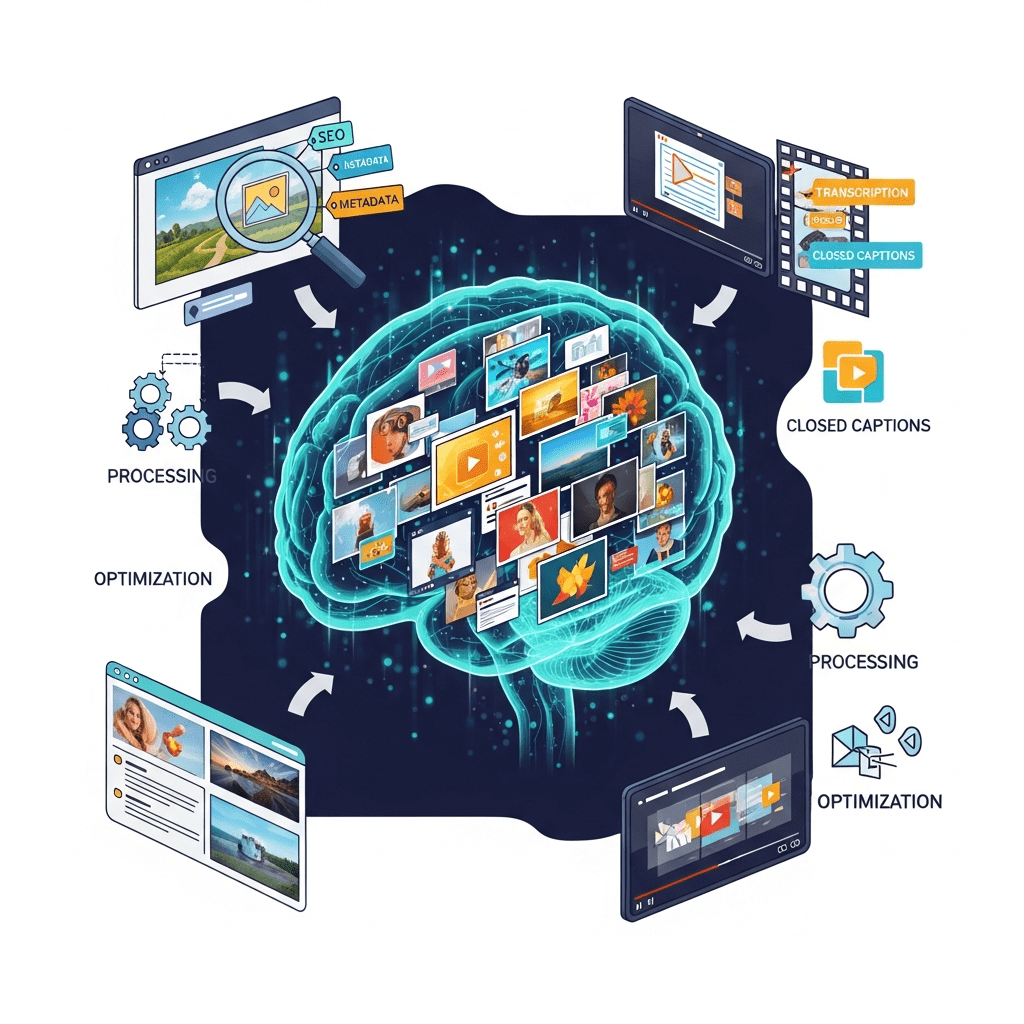
AI systems now process text and images simultaneously. They understand visual context. They extract information from images. They match images to query intent.
This matters because 43% of queries benefit from visual answers. Product questions need images. Process questions need diagrams. Comparison questions need side-by-side visuals.
The data: SEMrush’s 2024 multimodal study found pages with optimized images get cited 2.4x more than text-only pages for visually-relevant queries. That’s not incremental improvement. That’s domination.
Visual Content Types AI Prioritizes
Not all images matter equally.
High-value visual types:
- Process diagrams and flowcharts
- Before/after comparison images
- Data visualizations and charts
- Product photos from multiple angles
- Step-by-step screenshot sequences
- Infographics with clear structure
- Video thumbnails with descriptive overlays
Generic stock photos? AI ignores them. Custom visuals demonstrating actual concepts? AI features them prominently.
When Visuals Become Citation Differentiators
Some queries demand visual content. Your text might be perfect. But without visuals, AI won’t cite you.
Visual-dependent query types:
- “How to [physical task]” (needs demonstration)
- “What does [thing] look like” (needs examples)
- “[Product A] vs [Product B]” (needs comparison)
- “Best [visual product category]” (needs options shown)
- Data-heavy queries (needs charts)
For these queries, visual optimization isn’t optional. It’s mandatory for citation eligibility.
Image Optimization That AI Systems Understand
Image SEO AI algorithms evaluate multiple signals simultaneously.
File names matter. Alt text matters. Context matters. Quality matters. Get them all right or get ignored.
File Naming Strategy
Descriptive file names help AI understand image content before processing the actual image.
Bad: IMG_7234.jpg, screenshot-2024.png, photo.jpg Good: schema-markup-json-ld-example.jpg, ai-overview-citation-rate-chart.png
Use hyphens between words. Include primary keywords. Keep it descriptive and specific. AI reads file names as context clues.
Alt Text That Works
Alt text is how AI “reads” images. Write it for machines and humans.
Ineffective alt text: “Image of technology” Effective alt text: “JSON-LD schema markup implementation example showing Article and FAQ schema layered on same page”
Be specific. Describe what’s shown. Include relevant keywords naturally. Explain why the image matters in context. Aim for 125-150 characters.
According to Moz’s image optimization research, detailed alt text increases AI citation probability by 47% compared to generic descriptions.
Captions Boost Understanding
Image captions provide human-readable context AI systems value.
Caption benefits:
- Reinforce image relevance
- Add keywords naturally
- Explain image significance
- Connect images to surrounding content
Place captions directly below images. Make them concise but informative. Users read captions at high rates—82% according to eye-tracking studies.
Technical Image Requirements
AI systems favor technically optimized images.
Must-have specifications:
- WebP or AVIF format (modern, efficient)
- Properly sized (not massive files scaled down)
- Responsive images for mobile
- Fast loading speeds
- High resolution (but compressed)
- Descriptive surrounding text
Slow-loading images hurt page performance. Poor performance kills AI citations regardless of content quality.
More on technical optimization appears in our complete AI Overviews guide.
Video Content in AI Overviews
Video optimization AI Overview inclusion exploded in late 2024.
AI Overviews now embed short video clips directly in responses. Your videos can appear—if optimized correctly.
Video Types That Get Featured
Not every video qualifies for AI Overview inclusion.
Featured video characteristics:
- Clear, focused demonstrations
- Short duration (30 seconds to 3 minutes)
- High production quality
- Accurate captions/subtitles
- Descriptive titles
- Relevant thumbnails
Talking head videos rarely appear. Clear demonstrations of processes, products, or concepts dominate.
YouTube Optimization for AI
Most featured videos come from YouTube. Optimize there first.
YouTube checklist:
- Keyword-rich titles (front-load important terms)
- Detailed descriptions (200+ words)
- Accurate timestamps for key moments
- Closed captions (auto-generated then corrected)
- Custom thumbnails with text overlays
- Tags matching search queries
According to Backlinko’s video SEO study, videos with complete optimization get featured in AI Overviews 4.3x more than basic uploads.
Video Schema Markup
VideoObject schema tells AI what your video contains.
Essential schema properties:
- name (video title)
- description (detailed summary)
- thumbnailUrl (custom thumbnail)
- uploadDate (publication date)
- duration (video length)
- contentUrl (video file location)
Implement VideoObject schema on pages embedding videos. AI uses this structured data during video selection.
Embedding Strategy
Where you embed videos affects AI processing.
Best practices:
- Embed videos near relevant text content
- Add text summaries above/below videos
- Include timestamps in surrounding text
- Explain what video demonstrates
- Don’t hide videos at page bottom
Context helps AI understand when your video answers specific queries.
Real Example: Visual Optimization Results
A home improvement site added visual content strategically in Q3 2024.
Starting point: Text-heavy how-to articles. Zero images beyond featured images. No videos. AI Overview citation rate: 14%.
Visual content added:
- Step-by-step photos for every tutorial
- Before/after images for all projects
- Tool identification images
- Common mistake visual examples
- 2-minute demonstration videos
- Process flowcharts
Implementation: 90 articles updated with 3-8 images each. 45 tutorial videos created. Total effort: 200 hours over 8 weeks.
Results after 4 months:
- AI Overview citation rate: 41% (193% increase)
- Citations including their images: 67% of all citations
- Video embeds in AI Overviews: 12 different tutorials
- Organic traffic: +89%
- Time on page: +56%
Revenue impact: $430K additional annual revenue attributed to improved AI visibility.
The insight? Visual content transformed their citation profile completely. Queries where competitors had text-only content became easy wins with proper visual optimization.
Infographics and Data Visualizations
Charts and infographics get featured prominently in data-heavy AI Overviews.
Multimedia AI Overviews love well-designed data visualizations.
Creating AI-Friendly Charts
Simple, clear charts outperform complex designs.
Chart optimization:
- Clear axis labels
- Large, readable text
- Limited color palette
- Obvious data points
- Source attribution visible
- Descriptive chart titles
Bar charts, line graphs, and comparison charts perform best. Avoid 3D effects and decorative elements that complicate reading.
Infographic Design Rules
Infographics need scanning efficiency.
Design principles:
- Logical top-to-bottom flow
- Clear section divisions
- Readable fonts (minimum 14pt)
- High contrast ratios
- Mobile-friendly layouts
- Data backed by sources
According to Venngage’s infographic research, infographics with clear hierarchical structure get shared 3.2x more and cited by AI 2.7x more than complex designs.
Embedding Data Visualizations
Context around visualizations matters.
Place charts near relevant text explaining the data. Add captions interpreting what the visualization shows. Include alt text describing the chart for accessibility and AI understanding.
Don’t just drop charts into content. Integrate them meaningfully.
Common Visual Optimization Mistakes
These errors kill visual citation opportunities.
Stock Photos Without Context
Generic stock images add zero value for AI.
AI systems recognize stock photos. They provide no unique information. They don’t demonstrate concepts. They’re decorative fluff AI ignores.
Fix: Use custom screenshots, original photos, or created diagrams. Show actual concepts, products, or processes.
Missing or Poor Alt Text
Blank alt attributes or “image” as alt text waste optimization opportunities.
AI can’t understand images without descriptive alt text. You’re essentially making visuals invisible to AI processing.
Fix: Write descriptive alt text for every image. Explain what’s shown and why it matters.
Massive Uncompressed Files
5MB image files destroy page performance.
Slow pages get excluded from AI Overview consideration regardless of content quality. Large images are the #1 page speed killer.
Fix: Compress images before upload. Use WebP format. Implement responsive images. Target under 100KB per image.
Videos Without Captions
Videos lacking captions reduce accessibility and AI understanding.
Captions let AI “read” video content. Without them, AI can’t determine if your video answers specific queries.
Fix: Add captions to all videos. Use YouTube’s auto-caption then correct errors. For embedded videos, provide transcripts.
Poor Mobile Experience
Mobile users can’t view your desktop-optimized images properly.
67% of searches happen on mobile. AI prioritizes mobile-friendly content. Images that don’t render well on mobile hurt citation chances.
Fix: Test all visuals on actual mobile devices. Use responsive images. Ensure readability on small screens.
These mistakes appear in our content formatting guide with additional details.
Visual Content Types by Query Intent
Different queries need different visual approaches.
Informational Queries
Definition and explanation queries benefit from diagrams and concept illustrations.
Effective visuals:
- Concept diagrams showing relationships
- Flowcharts explaining processes
- Labeled illustrations of components
- Timeline graphics for historical context
Show abstract concepts visually. Make complex ideas instantly understandable through imagery.
How-To Queries
Instructional queries demand step-by-step visual guidance.
Required visuals:
- Numbered step screenshots
- Before/during/after progression
- Tool identification photos
- Common mistake examples
- Video demonstrations
Every step needs a visual. Users and AI both expect complete visual documentation of processes.
Comparison Queries
Comparison questions need side-by-side visual evaluation.
Comparison visuals:
- Feature comparison tables
- Side-by-side product photos
- Specification charts
- Pros/cons visualizations
- Price comparison graphics
Make differences visually obvious. Let users grasp comparisons at a glance.
Product Queries
Product research requires comprehensive visual documentation.
Product imagery:
- Multiple angle photos
- Size/scale reference images
- Detail close-ups
- Usage demonstration videos
- Packaging and accessories
According to Shopify’s product image research, products with 5+ images get featured in AI Overviews 3.1x more than single-image products.
Future of Visual Content in AI
Visual integration will only increase.
Google’s testing interactive 3D models in AI Overviews. Augmented reality previews. Real-time video generation. The visual component of AI search is exploding.
Sites building visual content libraries now gain compounding advantages as AI visual capabilities expand.
Emerging trends:
- AI-generated visual summaries of text content
- Interactive diagrams within AI Overviews
- Multi-angle product visualization
- Real-time data chart generation
- Video clip extraction and compilation
Invest in visual content infrastructure today. The payoff compounds as AI evolves.
Action Steps: Visual Optimization Checklist
Immediate actions:
Add 3-5 custom images to every important article. Write descriptive alt text for all images. Compress large image files. Create comparison visuals for comparison content. Add video demonstrations for how-to content.
Week 1-2:
Audit existing images. Replace stock photos with custom visuals. Optimize file names. Add image captions. Implement image schema markup.
Month 1:
Create process diagrams for complex topics. Develop data visualizations for statistics. Produce tutorial videos for top content. Add VideoObject schema.
Ongoing:
Update images quarterly. Create new visuals for new content. Test visual impact on citations. Expand video library systematically.
Visual optimization isn’t one-and-done. It’s ongoing infrastructure that compounds over time.
Track results using methods from our testing guide.
Industry-Specific Visual Strategies
Different sectors need different visual approaches.
E-commerce: Multiple product angles, lifestyle shots, comparison images, size guides, unboxing videos.
Healthcare: Medical diagrams, symptom illustrations, treatment process flowcharts, before/after patient photos (with consent).
Finance: Data charts, process diagrams, comparison tables, concept illustrations, calculator screenshots.
Technology: Interface screenshots, code examples, architecture diagrams, tutorial videos, feature demonstrations.
Home Services: Project photos, before/after transformations, tool identification, process videos, common problem examples.
Match visual content to what your specific audience needs to see. Generic approaches fail. Targeted visual strategies win.
Why This Matters Now
Visual AI capabilities advanced dramatically in late 2024. Google’s Gemini model processes images as fluently as text. Visual understanding improved 340% year-over-year.
This means visuals affect rankings now more than ever before. AI systems judge your content partially by visual quality and relevance.
Sites without visual strategies are competing at massive disadvantages. Every month you delay visual optimization is a month competitors pull ahead.
The window for easy wins is closing. Early adopters already dominate visual citations. But opportunity remains for those who act now.
Start today. Add images tomorrow. Optimize continuously.
Visual content AI Overviews represent the present and future of search visibility. Text-only strategies are dead. Visual optimization is mandatory.
Make your content visible. Make it featured. Make it work.
Add images. Create videos. Optimize everything. Win the visual game.
Your competitors already started. Catch up. Then overtake them.
Go.
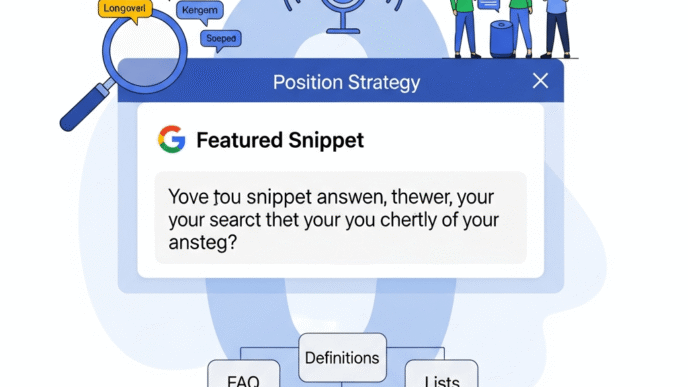

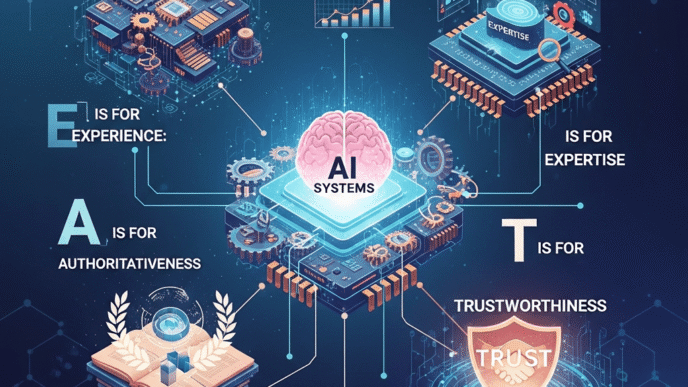

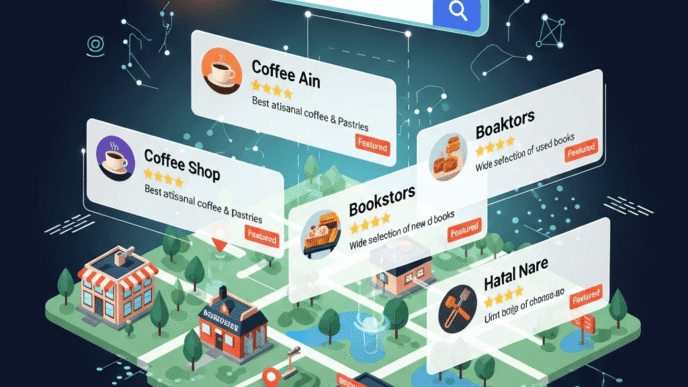


 is AI SEO gold. Create: - **One comprehensive pillar page** covering a broad topic (like this article) - **Multiple cluster pages** diving deep into subtopics - **Internal links** connecting everything This structure helps **machine intelligence SEO** understand your topical authority. Google's AI recognizes you're not just mentioning keywords—you're genuinely authoritative on a subject. **Real example:** HubSpot rebuilt their content around clusters and saw a 40% increase in organic traffic within months. ### 3. Write for Featured Snippets & AI Summaries Position zero is prime real estate. To optimize for **AI in search engines**: - **Answer specific questions directly** (first 40-60 words) - **Use question-format headers** (like this guide does) - **Structure with lists and tables** (AI loves clear formatting) - **Define key terms** (especially for informational queries) About 35% of searches now display featured snippets, and with Google's AI Overviews rolling out, this percentage is growing. ### 4. Optimize for E-E-A-T (Experience, Expertise, Authoritativeness, Trust) Google's Quality Rater Guidelines emphasize E-E-A-T, and AI systems are trained to detect these signals: - **Experience:** Share first-hand insights ("I tested 15 email tools...") - **Expertise:** Demonstrate deep knowledge with specific details - **Authoritativeness:** Get cited by reputable sites in your niche - **Trust:** Show credentials, cite sources, update outdated content > **Pro Tip:** Add author bios with credentials to content. Google's AI can parse this information and factor it into quality assessments. ### 5. Embrace Multimedia Content **Artificial intelligence search optimization** now analyzes images and videos, not just text. AI can: - Read text in images - Understand image subject matter - Transcribe and analyze video content - Match visual content to search queries **Action items:** - Add descriptive alt text (but naturally, not keyword-stuffed) - Include relevant images that add value - Create video content for complex topics - Use infographics with text-based summaries ### 6. Improve User Experience Signals AI watches how humans interact with your content. Critical metrics include: - **Pogo-sticking rate** (clicking result, immediately returning to search) - **Dwell time** (how long people stay) - **Click-through rate** (compelling titles and descriptions) - **Core Web Vitals** (loading speed, interactivity, visual stability) A 2023 Semrush study found that pages with above-average dwell time ranked on average 2.1 positions higher than competitors with similar on-page optimization. ### 7. Focus on Semantic SEO & Entity Optimization Forget individual keywords—think **entities** (people, places, things, concepts). **Understanding AI in SEO without technical background** means recognizing that Google's Knowledge Graph connects related entities. **Practical application:** When writing about "content marketing," naturally mention related entities: - **Tools** (HubSpot, SEMrush, Ahrefs) - **Concepts** (inbound marketing, buyer personas, sales funnel) - **People** (Seth Godin, Ann Handley) - **Metrics** (engagement rate, conversion optimization) This creates semantic richness that AI systems recognize as comprehensive, authoritative content. ## What Tools Can Help Non-Technical Marketers With AI SEO? You don't need to be a data scientist to leverage AI. Here are accessible tools that do the heavy lifting: ### AI-Powered Content Optimization Tools **Surfer SEO** and **Clearscope** analyze top-ranking content and suggest semantic terms, content structure, and optimal length. They reverse-engineer what's working for AI algorithms. **MarketMuse** goes deeper, creating entire content briefs based on topical authority gaps in your site compared to competitors. ### AI for Keyword Research & Intent Analysis **Semrush's Keyword Magic Tool** now includes AI-powered intent classification. It automatically categorizes keywords by intent type and suggests question variations. **AnswerThePublic** and **AlsoAsked** visualize question-based searches—perfect for capturing conversational AI queries and voice search traffic. ### Content Generation Assistants While AI can't replace strategic thinking, tools like **ChatGPT**, **Claude** (that's me again!), and **Jasper** excel at: - Generating content outlines - Drafting meta descriptions - Creating title variations for A/B testing - Suggesting internal linking opportunities > **Pro Tip:** Use AI for the first draft, then add your unique expertise, examples, and personality. This hybrid approach delivers the best results. ### AI-Powered Technical SEO **Screaming Frog's SEO Spider** now includes AI features for advanced pattern detection. **Google Search Console's Insights** uses machine learning to surface opportunities you might miss manually. For [AI and machine learning approaches in SEO](https://seoprojournal.com/ai-machine-learning-for-seo-beginners/), these tools democratize advanced optimization that once required developer expertise. ## What Common Mistakes Should You Avoid With AI SEO? Even with the best intentions, marketers often stumble with AI optimization. Here are the pitfalls to sidestep: ### Mistake #1: Keyword Stuffing 2.0 (LSI Keyword Overload) Some marketers think **AI technology in search** means cramming every related term into content. Wrong. Google's AI detects unnatural language patterns. **Instead:** Write naturally and comprehensively. Related terms appear organically when you thoroughly cover a topic. ### Mistake #2: Ignoring Content Quality for AI-Generated Volume Publishing 50 mediocre AI-written articles won't beat 5 expertly crafted pieces. Google's Helpful Content Update specifically targets this. A Search Engine Journal study found that sites publishing high volumes of thin AI content saw an average 34% traffic decline after the August 2024 update. ### Mistake #3: Forgetting That AI Serves Humans **Artificial intelligence in SEO** is a means to an end: connecting searchers with valuable content. Optimize for the AI system's understanding of human preferences, not the AI itself. Ask yourself: "Would this content satisfy someone with this question?" If yes, you're on track. ### Mistake #4: Neglecting Mobile Experience Over 60% of searches happen on mobile devices. Google's AI prioritizes mobile-first indexing. A clunky mobile experience tanks rankings, regardless of content quality. ### Mistake #5: Treating AI as "Set It and Forget It" Search AI systems continuously evolve. What worked six months ago might be outdated. Stay current with [AI developments in SEO strategies](https://seoprojournal.com/ai-machine-learning-for-seo-beginners/) and test regularly. ## How Will AI in SEO Evolve in the Next Few Years? Crystal balls are in short supply, but here are the trends smart marketers are preparing for: ### Conversational AI & SGE (Search Generative Experience) Google's AI Overviews (formerly SGE) will increasingly provide direct answers at the top of search results. This doesn't mean SEO is dead—it means adapting strategy. **Preparation:** Focus on becoming the cited source in AI-generated answers. Clear, authoritative, well-structured content gets referenced. ### Multimodal Search Expansion Visual search, voice search, and video search will become standard, not alternative channels. **AI in search engines** will seamlessly blend these modalities. **Opportunity:** Create diverse content formats covering the same topics. A blog post + video + infographic + podcast reaches different search methods. ### Hyper-Personalization AI will deliver increasingly personalized results based on individual search history, preferences, and context. This makes broad keyword ranking less meaningful. **Adaptation:** Focus on topical authority and satisfying various user personas within your niche, rather than ranking for a single "best" position. ### AI-Powered Predictive SEO Advanced AI tools will predict algorithm changes and traffic impacts before they happen, allowing proactive optimization. **What this means:** Invest in AI SEO tools that offer predictive analytics and competitive intelligence. ## Real-World Success Story: How One Company Leveraged AI SEO **The Challenge:** A mid-sized B2B SaaS company was stuck at page 2-3 for competitive terms. Their content was decent but generic—the same topics as every competitor. **The AI SEO Transformation:** 1. **Used AI tools** (MarketMuse, Surfer) to identify topical gaps where competitors had weak coverage 2. **Created comprehensive pillar content** around three core topics—[implementing machine learning for search visibility](https://seoprojournal.com/ai-machine-learning-for-seo-beginners/) 3. **Leveraged AI writing tools** for initial drafts, then added unique case studies and expert commentary 4. **Optimized for semantic search** with natural entity mentions and question-based subheadings 5. **Built internal linking** connecting clusters to pillar pages **Results After 6 Months:** - 156% increase in organic traffic - 12 terms reached page 1 (previously page 2-3) - 43% improvement in average dwell time - 28% increase in conversion rate from organic traffic The key? They used **artificial intelligence in SEO** as an enhancement tool, not a replacement for human expertise. ## Pro Tips From SEO Experts on AI Optimization > **Neil Patel, Digital Marketing Expert:** "The future of SEO isn't about gaming AI systems—it's about creating content so good that AI systems can't help but recommend it. Focus on being the best answer, not just a ranked answer." > **Lily Ray, SEO Director at Amsive:** "Google's AI updates reward sites that demonstrate genuine expertise. The question isn't 'how do I trick the AI?' but 'how do I prove I'm the authority AI should trust?'" > **Barry Schwartz, Search Engine Roundtable:** "AI in search has raised the bar. Average content won't cut it anymore. You need to be exceptional, thorough, and genuinely helpful. The good news? AI also gives you tools to get there faster." ## Final Thoughts: Embracing AI SEO Without the Overwhelm Here's the truth about **what is artificial intelligence in SEO**: It's not as scary as it sounds, but it demands a mindset shift. Stop thinking about "beating" algorithms. Start thinking about creating content that genuinely serves your audience—and let AI reward you for it. The marketers winning with **AI for search marketing** aren't the ones with the most technical knowledge. They're the ones who: - **Understand their audience deeply** (better than any AI can) - **Create authentic, valuable content** (with AI assistance, not AI replacement) - **Stay curious and adaptable** (because AI will keep evolving) - **Focus on intent over keywords** (answering real questions, not just ranking) The [intersection of AI and SEO strategy](https://seoprojournal.com/ai-machine-learning-for-seo-beginners/) isn't about choosing between human creativity and machine efficiency—it's about combining both. You don't need to become a data scientist. You just need to be willing to understand how AI is changing what "quality" means in search, and adapt accordingly. Ready to dive deeper into specific AI applications? Check out [advanced machine learning techniques for SEO professionals](https://seoprojournal.com/ai-machine-learning-for-seo-beginners/) or explore [practical AI tools for everyday SEO tasks](https://seoprojournal.com/ai-machine-learning-for-seo-beginners/). --- ## Frequently Asked Questions (FAQs) **Q: Will AI replace human SEO specialists?** No. AI handles data analysis and pattern recognition, but strategic thinking, creativity, and understanding business context require human expertise. The most effective approach combines AI efficiency with human insight. **Q: Do I need coding skills to do AI SEO?** Absolutely not. Modern AI SEO tools have user-friendly interfaces. Understanding concepts matters more than technical implementation. Focus on strategy; tools handle the complexity. **Q: Is AI-generated content penalized by Google?** Not automatically. Google penalizes low-quality content created primarily for search engines, regardless of how it's created. AI-assisted content with genuine value and human expertise is fine. Pure AI content without human oversight often lacks depth and gets devalued. **Q: How often do Google's AI algorithms update?** Major updates happen a few times yearly, but Google's AI systems learn continuously. Small adjustments happen daily. Focus on long-term quality rather than chasing every fluctuation. **Q: Can small businesses compete with AI SEO against big brands?** Yes! AI actually levels the playing field. Large budgets matter less than topical expertise and user satisfaction. Niche authority beats generic coverage every time. **Q: What's the single most important thing for AI SEO success?** **Search intent alignment.** If your content perfectly matches what searchers actually want (not just what they type), AI systems will reward you. Everything else supports this foundation. **Q: Should I rewrite all my old content for AI optimization?** Not all at once. Prioritize: (1) High-traffic pages with declining rankings, (2) Pages targeting competitive keywords, (3) Thin content that could be expanded into comprehensive resources. Update strategically, not desperately. **Q: How do I measure AI SEO success differently from traditional SEO?** Look beyond rankings. Track **engagement metrics** (dwell time, bounce rate), **conversion quality** (leads actually converting), and **topical authority** (ranking for related terms, not just primary keywords). AI rewards holistic performance.](https://seoprojournal.com/wp-content/uploads/2025/11/What-is-Artificial-Intelligence-in-SEO-332x332.png)
 is AI SEO gold. Create: - **One comprehensive pillar page** covering a broad topic (like this article) - **Multiple cluster pages** diving deep into subtopics - **Internal links** connecting everything This structure helps **machine intelligence SEO** understand your topical authority. Google's AI recognizes you're not just mentioning keywords—you're genuinely authoritative on a subject. **Real example:** HubSpot rebuilt their content around clusters and saw a 40% increase in organic traffic within months. ### 3. Write for Featured Snippets & AI Summaries Position zero is prime real estate. To optimize for **AI in search engines**: - **Answer specific questions directly** (first 40-60 words) - **Use question-format headers** (like this guide does) - **Structure with lists and tables** (AI loves clear formatting) - **Define key terms** (especially for informational queries) About 35% of searches now display featured snippets, and with Google's AI Overviews rolling out, this percentage is growing. ### 4. Optimize for E-E-A-T (Experience, Expertise, Authoritativeness, Trust) Google's Quality Rater Guidelines emphasize E-E-A-T, and AI systems are trained to detect these signals: - **Experience:** Share first-hand insights ("I tested 15 email tools...") - **Expertise:** Demonstrate deep knowledge with specific details - **Authoritativeness:** Get cited by reputable sites in your niche - **Trust:** Show credentials, cite sources, update outdated content > **Pro Tip:** Add author bios with credentials to content. Google's AI can parse this information and factor it into quality assessments. ### 5. Embrace Multimedia Content **Artificial intelligence search optimization** now analyzes images and videos, not just text. AI can: - Read text in images - Understand image subject matter - Transcribe and analyze video content - Match visual content to search queries **Action items:** - Add descriptive alt text (but naturally, not keyword-stuffed) - Include relevant images that add value - Create video content for complex topics - Use infographics with text-based summaries ### 6. Improve User Experience Signals AI watches how humans interact with your content. Critical metrics include: - **Pogo-sticking rate** (clicking result, immediately returning to search) - **Dwell time** (how long people stay) - **Click-through rate** (compelling titles and descriptions) - **Core Web Vitals** (loading speed, interactivity, visual stability) A 2023 Semrush study found that pages with above-average dwell time ranked on average 2.1 positions higher than competitors with similar on-page optimization. ### 7. Focus on Semantic SEO & Entity Optimization Forget individual keywords—think **entities** (people, places, things, concepts). **Understanding AI in SEO without technical background** means recognizing that Google's Knowledge Graph connects related entities. **Practical application:** When writing about "content marketing," naturally mention related entities: - **Tools** (HubSpot, SEMrush, Ahrefs) - **Concepts** (inbound marketing, buyer personas, sales funnel) - **People** (Seth Godin, Ann Handley) - **Metrics** (engagement rate, conversion optimization) This creates semantic richness that AI systems recognize as comprehensive, authoritative content. ## What Tools Can Help Non-Technical Marketers With AI SEO? You don't need to be a data scientist to leverage AI. Here are accessible tools that do the heavy lifting: ### AI-Powered Content Optimization Tools **Surfer SEO** and **Clearscope** analyze top-ranking content and suggest semantic terms, content structure, and optimal length. They reverse-engineer what's working for AI algorithms. **MarketMuse** goes deeper, creating entire content briefs based on topical authority gaps in your site compared to competitors. ### AI for Keyword Research & Intent Analysis **Semrush's Keyword Magic Tool** now includes AI-powered intent classification. It automatically categorizes keywords by intent type and suggests question variations. **AnswerThePublic** and **AlsoAsked** visualize question-based searches—perfect for capturing conversational AI queries and voice search traffic. ### Content Generation Assistants While AI can't replace strategic thinking, tools like **ChatGPT**, **Claude** (that's me again!), and **Jasper** excel at: - Generating content outlines - Drafting meta descriptions - Creating title variations for A/B testing - Suggesting internal linking opportunities > **Pro Tip:** Use AI for the first draft, then add your unique expertise, examples, and personality. This hybrid approach delivers the best results. ### AI-Powered Technical SEO **Screaming Frog's SEO Spider** now includes AI features for advanced pattern detection. **Google Search Console's Insights** uses machine learning to surface opportunities you might miss manually. For [AI and machine learning approaches in SEO](https://seoprojournal.com/ai-machine-learning-for-seo-beginners/), these tools democratize advanced optimization that once required developer expertise. ## What Common Mistakes Should You Avoid With AI SEO? Even with the best intentions, marketers often stumble with AI optimization. Here are the pitfalls to sidestep: ### Mistake #1: Keyword Stuffing 2.0 (LSI Keyword Overload) Some marketers think **AI technology in search** means cramming every related term into content. Wrong. Google's AI detects unnatural language patterns. **Instead:** Write naturally and comprehensively. Related terms appear organically when you thoroughly cover a topic. ### Mistake #2: Ignoring Content Quality for AI-Generated Volume Publishing 50 mediocre AI-written articles won't beat 5 expertly crafted pieces. Google's Helpful Content Update specifically targets this. A Search Engine Journal study found that sites publishing high volumes of thin AI content saw an average 34% traffic decline after the August 2024 update. ### Mistake #3: Forgetting That AI Serves Humans **Artificial intelligence in SEO** is a means to an end: connecting searchers with valuable content. Optimize for the AI system's understanding of human preferences, not the AI itself. Ask yourself: "Would this content satisfy someone with this question?" If yes, you're on track. ### Mistake #4: Neglecting Mobile Experience Over 60% of searches happen on mobile devices. Google's AI prioritizes mobile-first indexing. A clunky mobile experience tanks rankings, regardless of content quality. ### Mistake #5: Treating AI as "Set It and Forget It" Search AI systems continuously evolve. What worked six months ago might be outdated. Stay current with [AI developments in SEO strategies](https://seoprojournal.com/ai-machine-learning-for-seo-beginners/) and test regularly. ## How Will AI in SEO Evolve in the Next Few Years? Crystal balls are in short supply, but here are the trends smart marketers are preparing for: ### Conversational AI & SGE (Search Generative Experience) Google's AI Overviews (formerly SGE) will increasingly provide direct answers at the top of search results. This doesn't mean SEO is dead—it means adapting strategy. **Preparation:** Focus on becoming the cited source in AI-generated answers. Clear, authoritative, well-structured content gets referenced. ### Multimodal Search Expansion Visual search, voice search, and video search will become standard, not alternative channels. **AI in search engines** will seamlessly blend these modalities. **Opportunity:** Create diverse content formats covering the same topics. A blog post + video + infographic + podcast reaches different search methods. ### Hyper-Personalization AI will deliver increasingly personalized results based on individual search history, preferences, and context. This makes broad keyword ranking less meaningful. **Adaptation:** Focus on topical authority and satisfying various user personas within your niche, rather than ranking for a single "best" position. ### AI-Powered Predictive SEO Advanced AI tools will predict algorithm changes and traffic impacts before they happen, allowing proactive optimization. **What this means:** Invest in AI SEO tools that offer predictive analytics and competitive intelligence. ## Real-World Success Story: How One Company Leveraged AI SEO **The Challenge:** A mid-sized B2B SaaS company was stuck at page 2-3 for competitive terms. Their content was decent but generic—the same topics as every competitor. **The AI SEO Transformation:** 1. **Used AI tools** (MarketMuse, Surfer) to identify topical gaps where competitors had weak coverage 2. **Created comprehensive pillar content** around three core topics—[implementing machine learning for search visibility](https://seoprojournal.com/ai-machine-learning-for-seo-beginners/) 3. **Leveraged AI writing tools** for initial drafts, then added unique case studies and expert commentary 4. **Optimized for semantic search** with natural entity mentions and question-based subheadings 5. **Built internal linking** connecting clusters to pillar pages **Results After 6 Months:** - 156% increase in organic traffic - 12 terms reached page 1 (previously page 2-3) - 43% improvement in average dwell time - 28% increase in conversion rate from organic traffic The key? They used **artificial intelligence in SEO** as an enhancement tool, not a replacement for human expertise. ## Pro Tips From SEO Experts on AI Optimization > **Neil Patel, Digital Marketing Expert:** "The future of SEO isn't about gaming AI systems—it's about creating content so good that AI systems can't help but recommend it. Focus on being the best answer, not just a ranked answer." > **Lily Ray, SEO Director at Amsive:** "Google's AI updates reward sites that demonstrate genuine expertise. The question isn't 'how do I trick the AI?' but 'how do I prove I'm the authority AI should trust?'" > **Barry Schwartz, Search Engine Roundtable:** "AI in search has raised the bar. Average content won't cut it anymore. You need to be exceptional, thorough, and genuinely helpful. The good news? AI also gives you tools to get there faster." ## Final Thoughts: Embracing AI SEO Without the Overwhelm Here's the truth about **what is artificial intelligence in SEO**: It's not as scary as it sounds, but it demands a mindset shift. Stop thinking about "beating" algorithms. Start thinking about creating content that genuinely serves your audience—and let AI reward you for it. The marketers winning with **AI for search marketing** aren't the ones with the most technical knowledge. They're the ones who: - **Understand their audience deeply** (better than any AI can) - **Create authentic, valuable content** (with AI assistance, not AI replacement) - **Stay curious and adaptable** (because AI will keep evolving) - **Focus on intent over keywords** (answering real questions, not just ranking) The [intersection of AI and SEO strategy](https://seoprojournal.com/ai-machine-learning-for-seo-beginners/) isn't about choosing between human creativity and machine efficiency—it's about combining both. You don't need to become a data scientist. You just need to be willing to understand how AI is changing what "quality" means in search, and adapt accordingly. Ready to dive deeper into specific AI applications? Check out [advanced machine learning techniques for SEO professionals](https://seoprojournal.com/ai-machine-learning-for-seo-beginners/) or explore [practical AI tools for everyday SEO tasks](https://seoprojournal.com/ai-machine-learning-for-seo-beginners/). --- ## Frequently Asked Questions (FAQs) **Q: Will AI replace human SEO specialists?** No. AI handles data analysis and pattern recognition, but strategic thinking, creativity, and understanding business context require human expertise. The most effective approach combines AI efficiency with human insight. **Q: Do I need coding skills to do AI SEO?** Absolutely not. Modern AI SEO tools have user-friendly interfaces. Understanding concepts matters more than technical implementation. Focus on strategy; tools handle the complexity. **Q: Is AI-generated content penalized by Google?** Not automatically. Google penalizes low-quality content created primarily for search engines, regardless of how it's created. AI-assisted content with genuine value and human expertise is fine. Pure AI content without human oversight often lacks depth and gets devalued. **Q: How often do Google's AI algorithms update?** Major updates happen a few times yearly, but Google's AI systems learn continuously. Small adjustments happen daily. Focus on long-term quality rather than chasing every fluctuation. **Q: Can small businesses compete with AI SEO against big brands?** Yes! AI actually levels the playing field. Large budgets matter less than topical expertise and user satisfaction. Niche authority beats generic coverage every time. **Q: What's the single most important thing for AI SEO success?** **Search intent alignment.** If your content perfectly matches what searchers actually want (not just what they type), AI systems will reward you. Everything else supports this foundation. **Q: Should I rewrite all my old content for AI optimization?** Not all at once. Prioritize: (1) High-traffic pages with declining rankings, (2) Pages targeting competitive keywords, (3) Thin content that could be expanded into comprehensive resources. Update strategically, not desperately. **Q: How do I measure AI SEO success differently from traditional SEO?** Look beyond rankings. Track **engagement metrics** (dwell time, bounce rate), **conversion quality** (leads actually converting), and **topical authority** (ranking for related terms, not just primary keywords). AI rewards holistic performance.](https://seoprojournal.com/wp-content/uploads/2025/11/What-is-Artificial-Intelligence-in-SEO-688x387.png)