
Your iPhone sits in 500 million pockets worldwide, and every single one has Siri ready to answer questions. Yet most businesses optimize exclusively for Google, completely ignoring Apple’s voice assistant and its affluent, loyal user base.
Siri optimization isn’t just another SEO channel—it’s access to the premium segment of voice search users. Apple device owners spend more, engage longer, and convert faster than average internet users. This guide shows you exactly how to capture that high-value traffic.
Table of Contents
ToggleWhy Does Siri Optimization Matter for Your Business?
Siri processes over 25 billion requests monthly across 500 million active users, according to Apple’s latest metrics. That’s massive search volume your competitors are probably ignoring.
The Apple voice search ecosystem differs fundamentally from Google and Alexa. Siri users skew affluent, educated, and brand-loyal—demographics that convert exceptionally well for premium products and professional services.
Apple’s privacy-first approach means Siri processes many queries on-device rather than sending data to servers. This creates unique optimization challenges and opportunities that demand platform-specific strategies.
How Does Siri’s Search Algorithm Actually Work?
Unlike Google’s massive web index, Siri pulls from multiple curated sources. Understanding this multi-source architecture is essential for effective Siri SEO.
Siri’s Primary Data Sources
Bing Search Index: Powers general web queries and information searches. Yes, Microsoft’s Bing—which means Bing optimization directly impacts Siri visibility.
Apple Maps: Default source for location-based queries, directions, and “near me” searches. Google Maps doesn’t factor into Siri results at all.
Yelp: Primary review and business information source. Yelp ratings appear in Siri responses for restaurants, services, and local businesses.
Wolfram Alpha: Handles computational queries, conversions, definitions, and factual data lookups.
Wikipedia: Provides encyclopedia-style answers to knowledge queries about people, places, and concepts.
Domain-Specific Providers: Sports scores from ESPN, weather from Weather.com, stocks from Yahoo Finance, and other specialized sources.
This fragmented approach means optimize for Siri requires presence across multiple platforms, not just one dominant search engine.
How Siri Ranks and Selects Results
Siri uses natural language understanding to interpret queries, determine intent, and select the single best answer from its data sources.
Ranking factors include:
- Source authority within specific verticals (Yelp for restaurants, Apple Maps for directions)
- Geographic relevance for local queries
- Business listing completeness across Apple Maps and partner platforms
- User engagement signals from iOS devices
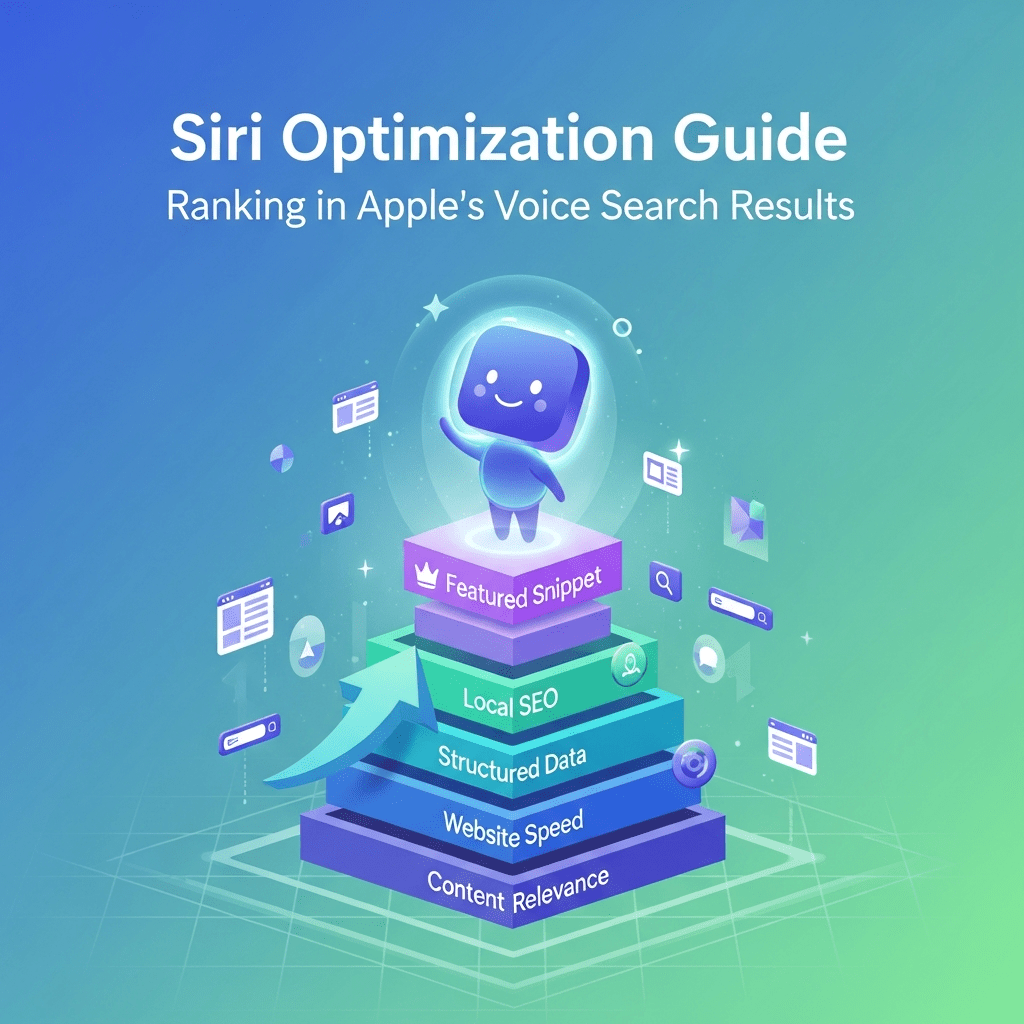
- Website mobile optimization and load speed
- Structured data implementation helping Siri parse content
According to Backlinko’s voice search study, Siri favors concise answers averaging 29 words and written at a 9th-grade reading level—simpler than typical web content.
What Are the Essential Components of Siri SEO?
Successful how to optimize for Siri voice search queries requires mastering several interconnected elements. Skip one, and your visibility suffers.
Apple Maps Optimization
This is ground zero for Siri local search. Without a complete Apple Maps listing, you’re invisible for location-based queries—the majority of mobile voice searches.
Claim your Apple Maps listing through Apple Business Connect. It’s free and criminally underutilized by most businesses.
Complete every field:
- Accurate business name, address, phone (NAP)
- Primary and secondary categories
- Business hours including holiday variations
- High-quality photos (minimum 5, ideally 10+)
- Detailed business description
- Website URL and social media links
- Service areas for businesses without physical locations
Apple Maps verification typically takes 1-3 business days. The platform doesn’t have the review volume of Google Business Profile, but completion signals matter enormously for Siri.
Yelp Profile Optimization
Siri defaults to Yelp for business reviews, ratings, and detailed information. Your Yelp presence directly impacts iOS voice search results.
Claim and verify your Yelp business page if you haven’t already. Free accounts provide sufficient features for most businesses.
Optimization priorities:
- Maintain 4+ star average rating
- Earn regular, recent reviews (recency matters)
- Respond to all reviews within 48 hours
- Add comprehensive business information
- Upload high-quality photos showcasing your offerings
- Complete all profile sections including attributes and amenities
BrightLocal’s research shows 77% of consumers read reviews before choosing local businesses. Siri amplifies this by reading ratings aloud in voice responses.
Bing SEO for Siri Web Results
When Siri can’t answer from specialized sources, it pulls from Bing’s search index. This makes Bing optimization critical for general information queries.
Register with Bing Webmaster Tools and submit your sitemap. Bing’s algorithm differs from Google—backlink quality matters less, while exact keyword matching and on-page optimization matter more.
Key Bing ranking factors:
- Keyword placement in titles, headings, and first paragraph
- Social signals from shares and engagement
- Domain age and authority (Bing favors established domains)
- Page load speed and mobile optimization
- Clear site structure with logical navigation
According to SparkToro data, Bing powers roughly 3% of desktop searches but nearly 30% of voice queries through Siri and Alexa combined.
For comprehensive cross-platform strategies, explore our complete voice search optimization guide.
How Do You Optimize Content for Siri’s Voice Queries?
Getting featured in Apple Siri results requires content structured specifically for voice extraction and natural language responses.
Writing Siri-Friendly Content
Siri prefers conversational, straightforward answers without marketing fluff or complex jargon. Write like you’re explaining something to a friend.
Poor: “Our revolutionary paradigm-shifting solutions leverage cutting-edge methodologies”
Better: “We help small businesses automate their bookkeeping in under 10 minutes daily”
Use question-format headings matching common Siri queries:
- “How does [your service] work?”
- “What are the benefits of [your product]?”
- “Where can I find [your business]?”
- “When should I [perform your service]?”
Place direct answers in the first 100 words after each question heading. Siri extracts content from page beginnings more reliably than buried information.
Structured Data for Siri
Implement schema markup helping Siri understand your content’s meaning and context. Apple doesn’t publicize specific schema preferences, but standard Schema.org types work well.
Priority schema types for Siri optimization:
- LocalBusiness: Essential for location-based queries
- FAQ: Helps Siri extract question-answer pairs
- HowTo: Perfect for instructional content
- Article: News and blog content classification
- Product: E-commerce item details
- Event: Upcoming happenings and activities
Use Google’s Rich Results Test to validate implementation. While Google-branded, the tool tests standard Schema.org markup that Siri also uses.
Mobile Optimization for iOS
Siri queries happen primarily on iPhones and iPads. Your site must perform flawlessly on iOS devices.
Test on actual Apple devices, not just emulators. Safari rendering can differ from Chrome-based browsers.
iOS-specific optimization checklist:
- Page loads under 3 seconds on cellular connections
- Touch targets minimum 44×44 pixels (Apple’s guideline)
- Readable text without zooming (minimum 16px font)
- No intrusive interstitials blocking content
- Works perfectly in Safari (WebKit engine)
- Supports iOS dark mode if possible
According to Portent’s speed research, sites loading in 1 second convert 3x better than those loading in 5 seconds. Speed matters exponentially for voice traffic.
What Makes Siri Different from Google Assistant and Alexa?
Understanding platform differences informs smarter Siri search ranking strategies. One-size-fits-all voice optimization wastes resources.
| Feature | Apple Siri | Google Assistant | Amazon Alexa |
|---|---|---|---|
| Primary Data Source | Bing + Multiple | Google Search | Bing + Amazon |
| Local Business Data | Apple Maps + Yelp | Google Business Profile | Yext/Yelp |
| Monthly Active Users | 500M+ | 4.2B+ devices | 500M+ |
| Device Ecosystem | iPhone, iPad, Mac, Watch, HomePod | Android, Google Home | Echo devices, Fire tablets |
| Privacy Approach | On-device processing | Cloud-based | Cloud-based |
| Shopping Integration | Apple Pay, limited | Google Shopping | Amazon Prime dominant |
| App Integration | SiriKit, Shortcuts | Actions on Google | Alexa Skills (130K+) |
| Best Use Case | Apple ecosystem tasks | General search & local | Shopping & smart home |
This comparison reveals why multi-platform optimization requires different tactics. Siri’s reliance on Bing and Yelp creates unique opportunities competitors overlook.
Learn platform-specific strategies in our main voice search optimization resource.
How Do iOS Apps Integrate with Siri Search?
SiriKit and Shortcuts let iOS apps create native Siri experiences. This matters for businesses with mobile apps seeking deeper user engagement.
Understanding SiriKit Integration
SiriKit provides pre-built domains for common app functions:
- Messaging: Send messages through your app via Siri
- Lists and Notes: Add items to task management apps
- Payments: Process transactions through voice
- Ride Booking: Request services like Uber or Lyft
- Workouts: Start fitness tracking sessions
- Restaurant Reservations: Book tables through OpenTable
Apps implementing SiriKit appear in Siri’s suggestions and respond to voice commands naturally integrated into iOS.
According to Apple’s developer documentation, SiriKit integration can increase app engagement by 40% among users who enable voice commands.
Leveraging Siri Shortcuts
Shortcuts let users create custom voice commands triggering app actions. Unlike SiriKit’s pre-defined domains, Shortcuts offer unlimited flexibility.
Businesses can:
- Create pre-made Shortcuts for common tasks
- Promote Shortcuts through app onboarding
- Share Shortcuts in marketing materials
- Track Shortcut usage in app analytics
Starbucks uses Shortcuts brilliantly—users create “order my usual” commands that trigger their standard order for mobile pickup. This reduces friction and increases purchase frequency.
For apps without custom Siri integration, suggest Shortcuts users can build themselves. Provide step-by-step guides making setup effortless.
What Local SEO Strategies Work Best for Siri?
Local queries dominate Siri usage. “Near me” searches, directions, business hours—these practical queries drive the majority of Siri optimization value.
Apple Maps Citation Building
Unlike Google’s ecosystem dominance, Apple Maps pulls from distributed data sources. Build citations across:
- Apple Maps Connect: Primary source (claim first)
- Yelp: Siri’s default review provider
- Foursquare: Contributes business data to Apple
- TomTom: Location data provider for Apple Maps
- HERE Technologies: Another Apple Maps data source
Ensure NAP consistency across all platforms. Even minor variations confuse matching algorithms and hurt visibility.
Optimizing for “Near Me” Voice Queries
These high-intent searches drive immediate action. Siri prioritizes proximity, ratings, and hours when responding.
Optimization tactics:
- Update business hours weekly (especially during holidays)
- Add “open now” status through Apple Maps Connect
- Maintain 4+ star ratings on Yelp
- Respond to customer reviews promptly
- Use location-specific keywords naturally in content
- Create neighborhood-level landing pages
According to Search Engine Land data, “near me” searches grew 500% over two years and show no signs of slowing.
Multi-Location Siri Optimization
Businesses with multiple locations require systematic approaches. Each location needs individual optimization.
Create unique landing pages for every location:
- Location-specific content (not duplicated)
- Embedded Apple Maps with that location
- Individual LocalBusiness schema
- Unique Yelp pages for each location
- Local testimonials and reviews
- Area-specific service offerings
Link between location pages logically. Create a location finder page helping users and search engines discover all locations.
Our comprehensive location-based optimization guide covers advanced multi-location tactics.
What Content Types Rank Best in Siri Results?
Different query types trigger different Siri responses. Understanding these patterns optimizes content creation priorities.
Informational Queries
“What is [topic]?” or “How does [thing] work?” trigger Wikipedia, Wolfram Alpha, or Bing results.
Optimization approach:
- Create comprehensive definition-style content
- Answer questions in the first paragraph
- Use simple, clear language (9th-grade level)
- Include relevant images and diagrams
- Implement Article or FAQ schema
Siri often reads Wikipedia summaries for entity queries. While you can’t directly edit Wikipedia, you can create authoritative content that Wikipedia references.
Computational Queries
“Convert 50 euros to dollars” or “What’s 15% of 200?” trigger Wolfram Alpha.
Most businesses can’t compete here. Focus energy elsewhere unless you’re providing calculation tools or conversion services.
Local/Navigation Queries
“Find coffee shops near me” or “Directions to [business]” pull from Apple Maps and Yelp.
Optimization approach:
- Complete Apple Maps listing perfectly
- Maintain excellent Yelp ratings
- Add specific directions in business description
- Include parking information
- Note accessibility features
- Specify entrance locations for large buildings
Shopping Queries
“Where can I buy [product]?” trigger maps results for local retailers or Bing results for online shopping.
Optimization approach:
- List products in Apple Maps business description
- Optimize e-commerce site for Bing
- Implement Product schema on product pages
- Include “buy online” links in Apple Maps
- Add Apple Pay support for iOS users
Apple doesn’t prioritize its own products in Siri results the way Amazon does with Alexa. This creates fairer competition.
How Do You Measure Siri Optimization Success?
Traditional analytics struggle to identify Siri-driven traffic. Apple’s privacy focus makes attribution challenging but not impossible.
Tracking Siri Referral Traffic
Most Siri clicks appear as direct traffic in analytics. Sophisticated tracking requires inference.
Indicators of Siri traffic:
- iOS device traffic spikes
- Direct traffic increases correlating with voice optimization
- Mobile traffic from Safari browser
- Traffic during common voice search hours (morning, evening)
- Queries matching voice-friendly question formats
Set up custom segments in Google Analytics filtering for:
- iOS operating system
- Mobile devices
- Safari browser
- Direct traffic source
Monitor this segment before and after optimization to measure impact.
Apple Maps Insights
Apple Maps Connect provides basic analytics:
- Impressions: How often your listing appeared
- Actions: Taps on phone, directions, website
- Photos viewed: Engagement with your imagery
- Popular times: When customers visit
These metrics indicate local search performance but don’t separate voice from manual searches.
Yelp Analytics
Yelp business accounts show:
- User views: Total profile visits
- User actions: Website clicks, calls, direction requests
- Search appearances: How often you appeared in searches
Cross-reference Yelp analytics with your website traffic. Increases in both suggest successful Siri optimization since Yelp feeds Siri responses.
For comprehensive measurement strategies across all platforms, check our voice search analytics guide.
What Are the Biggest Siri SEO Mistakes?
Even experienced optimizers stumble with Apple’s ecosystem. Avoid these common pitfalls.
Ignoring Apple Maps Entirely
Many businesses claim Google Business Profile but completely skip Apple Maps. This is leaving money on the table.
Apple device users skew affluent—exactly the demographic most businesses want. Ignoring Apple Maps means ignoring your most valuable potential customers.
Optimizing Only for Google
Google dominance creates tunnel vision. Businesses optimize obsessively for Google while Siri uses Bing and specialized sources.
Diversify your voice search strategy. Bing optimization takes minimal extra effort with significant Siri visibility upside.
Neglecting Yelp Optimization
“We don’t care about Yelp” is a costly mistake for Siri visibility. Like it or not, Yelp powers Siri’s business information.
Claim your Yelp listing, respond to reviews professionally, and maintain excellent ratings. You don’t need to love Yelp to leverage it strategically.
Poor Mobile Experience on iOS
Sites optimized for Android or desktop often have iOS quirks. Safari handles CSS differently than Chrome. Touch targets might be too small.
Test extensively on actual iPhones and iPads before considering mobile optimization complete.
Inconsistent Business Information
Different NAP data across Apple Maps, Yelp, Bing, and your website confuses matching algorithms.
Audit all platforms monthly. Update consistently when business information changes.
Pro Tip: According to Moz’s local search research, NAP consistency accounts for 25% of local search ranking factors. One inconsistent listing can sink your entire local Siri visibility.
Advanced Siri Optimization Tactics
Beyond basics, these advanced strategies separate leaders from competitors.
Leveraging iOS Spotlight Search
iOS Spotlight (swipe down on home screen) integrates with Siri’s knowledge base. Apps and websites can optimize for Spotlight appearance.
For iOS apps: Implement Core Spotlight framework indexing app content For websites: Optimize for mobile Safari with proper meta tags and schema
Spotlight searches often lead to Siri queries. Strong Spotlight presence builds Siri visibility.
Optimizing for Apple News
Content published through Apple News feeds Siri’s news results. Publishers can reach Apple’s 125+ million News readers.
Apple News requires:
- RSS feed submission or direct publishing
- Apple News Format compliance
- Quality journalism standards
- Regular publishing schedule
News content optimized for Siri should answer timely questions in straightforward language.
Building Apple Wallet Integration
Apple Wallet passes (loyalty cards, tickets, coupons) integrate with Siri. Users can ask “Siri, show my [brand] loyalty card.”
Businesses can create Wallet passes for:
- Loyalty programs: Digital membership cards
- Event tickets: Concerts, sports, conferences
- Boarding passes: Transportation services
- Store cards: Gift cards and credit
PassKit documentation provides implementation guidance for developers.
Privacy-First Optimization
Apple’s privacy stance affects Siri optimization. On-device processing means less tracking but also less personalization.
Privacy-conscious optimization:
- Focus on intent, not behavioral tracking
- Create genuinely helpful content
- Avoid invasive tracking scripts
- Support privacy features like Sign in with Apple
- Be transparent about data usage
Privacy-respecting businesses align with Apple’s values, potentially gaining algorithmic favorability.
Real-World Siri Optimization Success Stories
Domino’s Pizza implemented Siri ordering through iOS integration. Users can say “Hey Siri, order my usual from Domino’s” and complete purchases through voice.
The result: Voice orders account for 10% of Domino’s digital sales, with Siri being the fastest-growing voice platform for the chain.
OpenTable optimized heavily for Siri with SiriKit integration. Users ask Siri for restaurant recommendations and book tables without leaving the voice interface.
Their strategy: Complete Apple Maps and Yelp optimization plus native Siri booking. Voice reservations grew 45% year-over-year according to Restaurant Business Online.
How Does Apple Intelligence Affect Siri Optimization?
Apple’s 2024 introduction of Apple Intelligence brings generative AI to Siri. This fundamentally changes optimization strategies going forward.
Understanding Apple Intelligence Integration
Apple Intelligence uses on-device AI models to:
- Better understand context and intent
- Provide more natural conversation flows
- Generate answers synthesizing multiple sources
- Personalize results based on device usage
According to Apple’s announcement, these AI features roll out gradually across iOS 18 and later versions.
Optimizing for AI-Enhanced Siri
Generative AI integration means content needs to:
- Answer follow-up questions naturally
- Handle multi-turn conversations
- Provide complete, contextual information
- Support entity-based rather than keyword-based matching
This mirrors Google’s evolution with BERT and MUM. The future favors comprehensive, authoritative content over keyword optimization.
Our main voice optimization guide covers AI integration across all platforms.
Frequently Asked Questions About Siri Optimization
What’s the fastest way to improve Siri search visibility?
Claim and complete your Apple Maps listing through Apple Business Connect, then optimize your Yelp profile with 4+ star ratings. These two actions deliver the fastest Siri visibility improvements for local businesses—often within 1-2 weeks. For non-local businesses, focus on Bing SEO with conversational content targeting question keywords.
Do I need an iOS app to optimize for Siri?
No, most Siri optimization happens through web presence (Apple Maps, Yelp, Bing-indexed content). Apps provide additional opportunities through SiriKit and Shortcuts, but they’re optional. Start with foundational web optimization before investing in app development.
How is Siri optimization different from Google voice search optimization?
Siri uses Bing for web results instead of Google, relies on Apple Maps and Yelp instead of Google Business Profile, and processes many queries on-device for privacy. This means Bing SEO, Apple Maps, and Yelp optimization matter for Siri while being less important for Google Assistant.
Can small businesses compete in Siri search results?
Absolutely—Siri’s reliance on local signals (proximity, ratings, completeness) often favors small businesses over larger competitors. Focus on excellent Apple Maps and Yelp profiles, local reviews, and area-specific content. Voice search’s conversational nature helps specialized businesses rank for long-tail queries.
How long does Siri SEO take to show results?
Apple Maps and Yelp optimizations can show results within 1-3 weeks as platforms update their data. Bing SEO for informational queries typically takes 30-60 days. Building comprehensive Siri visibility across all query types requires 3-6 months of consistent optimization and content creation.
Does Apple favor its own services in Siri results?
Apple doesn’t systematically favor its own products the way Amazon does with Alexa. Siri pulls from third-party sources like Yelp and Bing, creating relatively fair competition. Focus on optimizing for Siri’s actual data sources rather than trying to game Apple-specific preferences.
Final Thoughts on Siri Search Optimization
Apple’s voice assistant reaches 500 million premium users who spend more and convert better than average internet users. Ignoring this audience means leaving high-value customers for competitors.
Siri optimization strategies differ fundamentally from Google-focused voice SEO. Success requires presence across Bing, Apple Maps, Yelp, and other Apple-preferred sources—not just Google dominance.
Start with high-impact fundamentals: claim Apple Maps, optimize Yelp, improve Bing rankings, and ensure flawless iOS mobile experience. These basics deliver results before you invest in advanced tactics like SiriKit integration.
The businesses winning with Siri share common traits: excellent multi-platform presence, conversational content, and deep understanding of Apple’s ecosystem values.
Your customers are already asking Siri for services like yours. Make sure she’s recommending your business.
For comprehensive strategies covering Google Assistant and Alexa alongside Siri optimization, explore our complete voice search optimization framework.
Citations & Sources
- Apple Newsroom – “New Features Come to Apple Services” (2024) – https://www.apple.com/newsroom/2024/06/new-features-come-to-apple-services/
- Backlinko – “Voice Search SEO Study” – https://backlinko.com/voice-search-seo-study
- Apple Business Connect – Registration Portal – https://register.apple.com/business
- BrightLocal – “Local Consumer Review Survey” (2024) – https://www.brightlocal.com/research/local-consumer-review-survey/
- Bing Webmaster Tools – https://www.bing.com/webmasters/
- SparkToro – “Zero-Click Searches Analysis” (2024) – https://sparktoro.com/blog/in-2024-zero-click-searches-make-up-nearly-60-of-all-searches/
- Portent – “Site Speed and Revenue Research” – https://www.portent.com/blog/analytics/research-site-speed-hurting-everyones-revenue.htm
- Apple Developer – SiriKit Documentation – https://developer.apple.com/documentation/sirikit
- Search Engine Land – “Near Me Search Growth” – https://searchengineland.com/near-me-searches-grew-500-over-2-years-262666
- Apple Newsroom – “Introducing Apple Intelligence” (2024) – https://www.apple.com/newsroom/2024/06/introducing-apple-intelligence-for-iphone-ipad-and-mac/
Related posts:
- Voice Search Optimization: Rank for “Near Me” Searches in 2025 (visual guide)
- Voice Search Optimization for Smart Assistants: Alexa, Siri, Google Assistant Strategy
- What is Voice Search SEO? Understanding Voice Search Optimization Fundamentals
- How Alexa Search Works: Optimizing Content for Amazon’s Voice Assistant