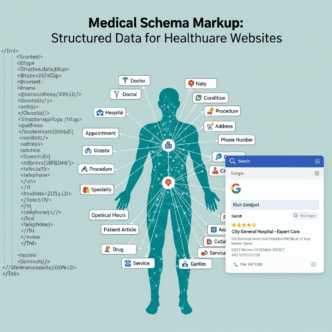
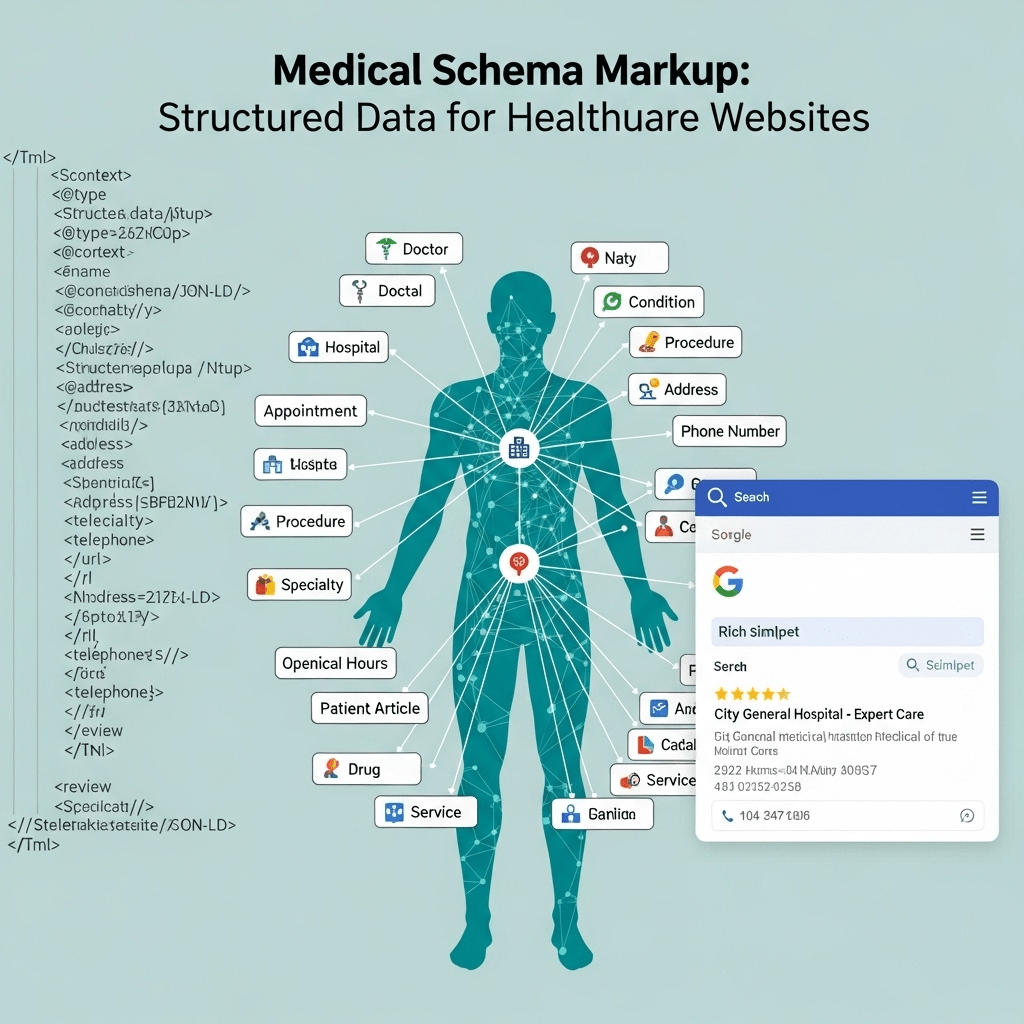
Ever wonder why some medical practices show up in Google with fancy star ratings, appointment buttons, and detailed practice information while yours just displays a boring blue link?
The secret isn’t luck. It’s not a massive marketing budget. It’s medical schema markup—the invisible code that transforms how Google understands and displays your healthcare website.
Here’s the frustrating reality: You could have the best medical content on the internet, but without proper structured data, Google treats your site like a mystery novel written in invisible ink. It knows something’s there, but can’t quite figure out what it means.
Think about it—when someone searches “cardiologist near me accepting new patients,” Google needs to understand that you’re a cardiologist, where you’re located, whether you’re accepting patients, and a dozen other data points. Without healthcare structured data, you’re forcing Google to guess. And Google hates guessing.
The good news? Once you understand how to implement schema markup for medical websites, you unlock features like rich results, knowledge panels, and enhanced search visibility that your competitors probably haven’t figured out yet.
Ready to speak Google’s language fluently? Let’s decode medical schema markup together.
Table of Contents
Toggle
What Is Medical Schema Markup and Why Does It Matter for Healthcare Websites?
Medical schema markup is structured data code that helps search engines understand the specific medical information on your website—your specialties, services, providers, conditions treated, and much more.
Think of it as metadata that translates your human-readable content into machine-readable format. You’re essentially adding labels to everything on your site that say “Hey Google, this is a doctor,” “This is their specialty,” “These are office hours,” and “Here’s how patients can book appointments.”
Schema.org: The Universal Language of Structured Data
Schema.org is a collaborative project by Google, Microsoft, Yahoo, and Yandex that created standardized vocabulary for structured data. It’s like the Rosetta Stone for search engines.
For healthcare, Schema.org provides specific types designed for medical content:
- Physician – For individual doctors and providers
- MedicalBusiness – For medical practices and clinics
- MedicalOrganization – For hospitals and health systems
- MedicalCondition – For health conditions and diseases
- MedicalProcedure – For treatments and procedures
- MedicalSpecialty – For areas of medicine practiced
When implemented correctly, this structured data appears in your page’s HTML code (invisible to visitors) but is read and processed by search engine crawlers.
The Real-World Impact of Healthcare Structured Data
Let’s be specific about what physician schema and other medical markup can do for your practice:
Enhanced search result displays:
- Star ratings from patient reviews appear directly in search results
- Business hours show without clicking through
- Accepted insurance and payment methods visible upfront
- Appointment booking links integrated into results
Improved local search visibility:
- 30% higher click-through rates for results with rich snippets
- Featured in Google’s “People Also Search For” suggestions
- Eligibility for Google’s knowledge panels
- Better matching to specific medical search queries
Voice search optimization:
- Smart assistants pull structured data to answer voice queries
- “Find me an orthopedic surgeon accepting Medicare” uses schema markup to filter results
- Featured snippet eligibility increases dramatically
According to a 2024 Searchmetrics study, pages with properly implemented schema markup rank an average of 4 positions higher than those without—in healthcare, that’s the difference between page 1 and page 2 of Google results.
Pro Tip: Medical schema markup doesn’t directly boost rankings as a ranking factor, but it dramatically improves click-through rates and helps Google match your content to relevant queries. The indirect SEO benefits are substantial and measurable.
What Types of Medical Schema Markup Should Healthcare Websites Use?
Different healthcare entities need different schema types. Let’s break down which structured data applies to your specific situation.
Physician Schema: For Individual Doctors and Providers
Physician schema is designed for individual medical practitioners and includes specific properties relevant to healthcare providers.
Key properties of Physician schema:
| Property | What It Represents | Example |
|---|---|---|
| name | Provider’s full name | “Dr. Sarah Chen, MD” |
| medicalSpecialty | Area of medicine | “Cardiology” |
| availableService | Services offered | “Echocardiogram, Stress Test” |
| hospitalAffiliation | Affiliated hospitals | “Springfield General Hospital” |
| insuranceAccepted | Insurance plans | “Blue Cross, Medicare, UnitedHealthcare” |
| address | Practice location | Street, city, state, zip |
| telephone | Contact number | “(217) 555-0123” |
| image | Provider photo | URL to professional headshot |
When to use Physician schema:
- Individual provider profile pages
- “Meet Our Doctors” sections
- Provider directory listings
- Solo practitioner websites
MedicalBusiness Schema: For Clinics and Medical Practices
MedicalBusiness schema describes medical practices, clinics, and other healthcare facilities that serve patients.
Essential MedicalBusiness properties:
Business information:
- name (practice name)
- description (what you do and who you serve)
- url (website address)
- logo (practice logo image)
Location and contact:
- address (full postal address)
- geo (latitude/longitude coordinates)
- telephone (main phone number)
- openingHours (when you’re open)
Services and specialties:
- medicalSpecialty (what you specialize in)
- availableService (specific services offered)
- paymentAccepted (Cash, Credit Card, Insurance)
Reputation indicators:
- aggregateRating (average review score)
- review (individual patient reviews)
When to use MedicalBusiness schema:
- Practice homepage
- About Us pages
- Contact/Location pages
- Service area pages
MedicalOrganization Schema: For Hospitals and Health Systems
MedicalOrganization schema is the broader category for large healthcare organizations including hospitals, health systems, and major medical centers.
MedicalOrganization includes all MedicalBusiness properties plus:
- department – Various departments within the organization
- member – Healthcare providers who work there
- award – Recognition and certifications received
- contactPoint – Multiple contact methods for different purposes
- parentOrganization – Parent health system (if applicable)
When to use MedicalOrganization schema:
- Hospital websites
- Multi-location health system sites
- Large medical centers with multiple departments
- Academic medical centers
Medical Condition Schema: For Health Information Content
MedicalCondition schema (also called health condition schema) describes diseases, conditions, and health problems.
Critical MedicalCondition properties:
| Property | Description | Example |
|---|---|---|
| name | Condition name | “Type 2 Diabetes” |
| alternateName | Other names | “Adult-Onset Diabetes” |
| associatedAnatomy | Body parts affected | “Pancreas, Blood Vessels” |
| cause | What causes it | “Insulin Resistance” |
| possibleTreatment | Treatment options | “Medication, Lifestyle Changes” |
| riskFactor | Risk factors | “Obesity, Family History, Age” |
| signOrSymptom | Symptoms | “Increased Thirst, Frequent Urination” |
| status | Current medical understanding | “Well-established condition” |
When to use MedicalCondition schema:
- Health condition overview pages
- Disease information articles
- Symptom checker pages
- Patient education content
MedicalProcedure Schema: For Treatments and Procedures
MedicalProcedure schema describes medical procedures, treatments, surgeries, and diagnostic tests.
Key MedicalProcedure properties:
- name – Procedure name
- procedureType – Type of procedure (surgical, therapeutic, diagnostic)
- bodyLocation – Where it’s performed on the body
- preparation – How to prepare
- followup – Post-procedure care
- howPerformed – Step-by-step description
When to use MedicalProcedure schema:
- Procedure description pages
- Service offering pages
- Pre-operative instruction pages
- Treatment option explanations
Choosing the Right Schema Type for Your Healthcare Content
Many healthcare pages benefit from multiple schema types working together. Here’s how to layer them:
Individual provider page might include:
- Physician schema (the doctor)
- MedicalBusiness schema (where they practice)
- MedicalSpecialty schema (what they specialize in)
- Review schema (patient feedback)
Condition information page might include:
- MedicalCondition schema (the disease)
- MedicalProcedure schema (treatments available)
- Physician schema (specialists who treat it)
- Article schema (content structure)
This multi-layered approach gives Google the most comprehensive understanding of your content.
How Do You Implement Schema Markup for Medical Websites?
Healthcare structured data implementation might sound technical, but you have multiple approaches depending on your technical comfort level and website platform.
Three Formats for Implementing Medical Schema
Google accepts structured data in three formats. Understanding the differences helps you choose the right approach.
1. JSON-LD (JavaScript Object Notation for Linked Data) – RECOMMENDED
Why it’s best:
- Easiest to implement and maintain
- Doesn’t interfere with visible page content
- Google’s preferred format
- Can be added anywhere in the HTML (usually in
<head>or before</body>)
Example JSON-LD Physician schema:
<script type="application/ld+json">
{
  "@context": "https://schema.org",
  "@type": "Physician",
  "name": "Dr. Sarah Chen",
  "image": "https://example.com/dr-chen-photo.jpg",
  "jobTitle": "Board-Certified Cardiologist",
  "medicalSpecialty": "Cardiology",
  "memberOf": {
    "@type": "MedicalOrganization",
    "name": "Springfield Heart Center"
  },
  "address": {
    "@type": "PostalAddress",
    "streetAddress": "1234 Medical Plaza, Suite 500",
    "addressLocality": "Springfield",
    "addressRegion": "IL",
    "postalCode": "62701",
    "addressCountry": "US"
  },
  "telephone": "+1-217-555-0123",
  "url": "https://example.com/dr-sarah-chen",
  "availableService": [
    {
      "@type": "MedicalProcedure",
      "name": "Echocardiogram"
    },
    {
      "@type": "MedicalProcedure",
      "name": "Cardiac Stress Test"
    }
  ],
  "hospitalAffiliation": [
    {
      "@type": "Hospital",
      "name": "Springfield General Hospital"
    }
  ],
  "insuranceAccepted": [
    "Blue Cross Blue Shield",
    "Medicare",
    "UnitedHealthcare",
    "Aetna"
  ]
}
</script>
2. Microdata – LEGACY FORMAT
Microdata embeds structured data directly into HTML tags using attributes like itemscope, itemtype, and itemprop.
Example Microdata for Medical Business:
<div itemscope itemtype="https://schema.org/MedicalBusiness">
  <h1 itemprop="name">Springfield Family Medicine</h1>
  <div itemprop="address" itemscope itemtype="https://schema.org/PostalAddress">
    <span itemprop="streetAddress">1234 Main Street</span>
    <span itemprop="addressLocality">Springfield</span>,
    <span itemprop="addressRegion">IL</span>
    <span itemprop="postalCode">62701</span>
  </div>
  <span itemprop="telephone">(217) 555-0123</span>
  <meta itemprop="medicalSpecialty" content="Family Medicine">
</div>
Why most avoid microdata now:
- Clutters HTML code
- Harder to maintain and debug
- Must be applied to visible content
- JSON-LD is cleaner and preferred
3. RDFa (Resource Description Framework in Attributes) – RARELY USED
RDFa is similar to Microdata but uses different syntax. It’s most common in government and academic contexts but rarely recommended for medical practice websites.
Bottom line: Use JSON-LD unless you have a very specific reason not to. It’s simpler, cleaner, and Google’s documented preference.
Step-by-Step Medical Schema Implementation Process
Let’s walk through the complete process of adding medical schema markup to your healthcare website.
Step 1: Audit Your Current Schema (If Any)
Before adding new markup, see what you already have:
Check your existing code:
- View page source (right-click → View Page Source)
- Search for “application/ld+json” or “schema.org”
- Note what types are already implemented
Use Google’s Rich Results Test:
- Visit search.google.com/test/rich-results
- Enter your URL
- Review detected structured data
- Note any errors or warnings
Step 2: Plan Your Schema Strategy
Map out which pages need which schema types:
Homepage:
- MedicalBusiness or MedicalOrganization
- Organization logo and contact info
- Aggregate ratings
Individual provider pages:
- Physician schema for each doctor
- MedicalSpecialty
- Services offered
- Hospital affiliations
Service pages:
- MedicalProcedure schema
- Pricing information (if applicable)
- Preparation and recovery information
Condition/education pages:
- MedicalCondition schema
- Article schema
- Author information
Step 3: Create Your JSON-LD Code
You can write JSON-LD manually or use schema generators:
Free schema generators:
- Schema Markup Generator (technicalseo.com/tools/schema-markup-generator/)
- JSON-LD Schema Generator (hallanalysis.com/json-ld-generator/)
- Merkle Schema Markup Generator (merkle.com/schema-markup-generator)
WordPress plugins for medical schema:
- Schema Pro – Medical practice specific templates
- Rank Math – Includes medical schema options
- All in One Schema Rich Snippets – Free basic implementation
- WP SEO Structured Data Schema – Comprehensive schema library
Step 4: Add Schema Code to Your Website
Where to place JSON-LD:
Option A: In the <head> section (cleanest)
<head>
  <title>Dr. Sarah Chen - Cardiologist Springfield IL</title>
  <script type="application/ld+json">
  {
    "@context": "https://schema.org",
    "@type": "Physician",
    ...
  }
  </script>
</head>
Option B: Before closing </body> tag (also works fine)
  <script type="application/ld+json">
  {...}
  </script>
</body>
Implementation methods by platform:
WordPress:
- Install a schema plugin (Schema Pro, Rank Math)
- Or add code to theme’s functions.php
- Or use custom HTML blocks
- Or add via header/footer injection plugin
HTML websites:
- Edit individual page files
- Add JSON-LD code to head or footer
- Can use PHP includes for repeated elements
Wix:
- Use Wix’s built-in structured data manager
- Or add custom code via Tracking & Analytics
Squarespace:
- Add via Code Injection in Settings
- Use page-specific injection for page-level schema
Shopify (for medical product stores):
- Edit theme.liquid file
- Add JSON-LD to template files
Step 5: Test Your Implementation
Never publish schema without testing. Errors can hurt rather than help.
Essential testing tools:
Google Rich Results Test:
- URL: search.google.com/test/rich-results
- Tests if markup qualifies for rich results
- Shows preview of how results appear
- Identifies errors and warnings
Schema Markup Validator:
- URL: validator.schema.org
- Validates JSON-LD syntax
- Checks for logical errors
- Confirms proper nesting
Google Search Console:
- Check “Enhancements” section
- Monitor for enhancement errors
- Track rich result performance
- Identify pages needing fixes
Testing checklist:
✅ JSON-LD syntax is valid
✅ All required properties included
✅ URLs are complete (not relative paths)
✅ Phone numbers in correct format
✅ Addresses properly structured
✅ Images are high-quality and accessible
✅ No placeholder or example text remains
Step 6: Monitor and Maintain
Schema isn’t “set it and forget it”—it requires ongoing maintenance.
Monthly tasks:
- Check Google Search Console for enhancement errors
- Update schema when business information changes
- Review new schema types Google releases
- Test after website updates or redesigns
Quarterly tasks:
- Audit all pages with schema for accuracy
- Expand schema to additional pages
- Update provider information and credentials
- Refresh aggregate rating data
Pro Tip: Create a “schema maintenance document” listing every page with schema, what types are used, and last update date. This prevents orphaned or outdated markup as your site evolves.
What Are the Most Important Medical Schema Properties to Include?
Not all schema properties are created equal. Some are required, others are recommended, and many are optional. Let’s prioritize what matters most.
Required vs. Recommended vs. Optional Properties
Google categorizes schema properties into three tiers:
Required properties – Must include or the markup is invalid Recommended properties – Should include for best results Optional properties – Nice to have but not critical
Critical Properties for Physician Schema
Required:
- @type: “Physician”
- name: Full provider name
Highly recommended:
- image: Professional headshot (minimum 1200x1200px)
- medicalSpecialty: Specific specialty
- address: Complete PostalAddress object
- telephone: Direct contact number
Strongly suggested:
- availableService: Services provided
- hospitalAffiliation: Affiliated hospitals
- memberOf: Practice organization
- url: Provider profile page
- priceRange: Typical costs (if disclosed)
Valuable additions:
- insuranceAccepted: Accepted insurance plans
- award: Board certifications, recognitions
- alumni: Medical school and residency
- hasCredential: Licenses and certifications
- knowsLanguage: Languages spoken
Essential Properties for MedicalBusiness Schema
Required:
- @type: “MedicalBusiness” (or specific subtype)
- name: Business name
- address: Full postal address
Critical for local SEO:
- telephone: Local phone number
- url: Website URL
- image: Practice exterior/logo
- geo: Latitude/longitude coordinates
- openingHoursSpecification: Detailed hours
Reputation and trust signals:
- aggregateRating: Average review rating
- review: Individual patient reviews (multiple)
- priceRange: Cost indicators ($, $$, $$$)
Service and specialty information:
- medicalSpecialty: Primary specialties
- availableService: Specific services offered
- paymentAccepted: Payment methods
Enhanced properties:
- slogan: Practice tagline
- foundingDate: Year established
- areaServed: Geographic service area
- hasOfferCatalog: Detailed service catalog
Important Properties for MedicalCondition Schema
When creating health information content, health condition schema should include:
Core identification:
- name: Official condition name
- alternateName: Common names or aliases
- code: Medical coding (ICD-10, SNOMED)
Clinical information:
- associatedAnatomy: Body parts affected
- cause: Causative factors
- riskFactor: Risk factors for developing it
- signOrSymptom: Common symptoms
Treatment and prognosis:
- possibleTreatment: Available treatments
- expectedPrognosis: Typical outcomes
- typicalTest: Diagnostic tests used
- drug: Medications commonly prescribed
Epidemiology:
- epidemiology: Prevalence data
- status: Current medical understanding
Schema Property Best Practices
Be specific, not generic:
❌ Poor: "medicalSpecialty": "Doctor" ✅ Good: "medicalSpecialty": "Pediatric Cardiology"
Use structured values properly:
Phone numbers should include country code:
"telephone": "+1-217-555-0123"
Addresses need complete PostalAddress objects:
"address": {
  "@type": "PostalAddress",
  "streetAddress": "1234 Main Street, Suite 500",
  "addressLocality": "Springfield",
  "addressRegion": "IL",
  "postalCode": "62701",
  "addressCountry": "US"
}
Include images with proper specs:
"image": {
  "@type": "ImageObject",
  "url": "https://example.com/dr-chen.jpg",
  "height": 1200,
  "width": 1200
}
Use arrays for multiple values:
"availableService": [
  {
    "@type": "MedicalProcedure",
    "name": "Annual Physical Exam"
  },
  {
    "@type": "MedicalProcedure",
    "name": "Chronic Disease Management"
  },
  {
    "@type": "MedicalProcedure",
    "name": "Preventive Care Screening"
  }
]
How Do You Implement Advanced Medical Schema Combinations?
The real power of healthcare structured data comes from combining multiple schema types to create comprehensive, interconnected data.
Nested Schema: Connecting Related Entities
Think of schema markup like Russian nesting dolls—entities contain other entities that contain even more entities.
Example: Complete medical practice page with nested schema
{
  "@context": "https://schema.org",
  "@type": "MedicalBusiness",
  "name": "Springfield Heart Center",
  "description": "Comprehensive cardiovascular care serving Central Illinois families since 2005",
  "url": "https://springfieldheartcenter.com",
  "logo": "https://springfieldheartcenter.com/logo.png",
  "image": "https://springfieldheartcenter.com/facility-exterior.jpg",

  "address": {
    "@type": "PostalAddress",
    "streetAddress": "1234 Medical Plaza Drive, Suite 500",
    "addressLocality": "Springfield",
    "addressRegion": "IL",
    "postalCode": "62701",
    "addressCountry": "US"
  },

  "geo": {
    "@type": "GeoCoordinates",
    "latitude": "39.7817",
    "longitude": "-89.6501"
  },

  "telephone": "+1-217-555-0123",
  "priceRange": "$$",

  "openingHoursSpecification": [
    {
      "@type": "OpeningHoursSpecification",
      "dayOfWeek": ["Monday", "Tuesday", "Wednesday", "Thursday", "Friday"],
      "opens": "08:00",
      "closes": "17:00"
    }
  ],

  "medicalSpecialty": [
    "Cardiology",
    "Cardiovascular Disease",
    "Interventional Cardiology"
  ],

  "availableService": [
    {
      "@type": "MedicalProcedure",
      "name": "Echocardiogram",
      "procedureType": "Diagnostic"
    },
    {
      "@type": "MedicalProcedure",
      "name": "Cardiac Catheterization",
      "procedureType": "Interventional"
    },
    {
      "@type": "MedicalTherapy",
      "name": "Cardiac Rehabilitation"
    }
  ],

  "paymentAccepted": ["Cash", "Credit Card", "Insurance"],
  "insuranceAccepted": [
    "Blue Cross Blue Shield",
    "Medicare",
    "UnitedHealthcare",
    "Aetna",
    "Humana"
  ],

  "aggregateRating": {
    "@type": "AggregateRating",
    "ratingValue": "4.8",
    "reviewCount": "247",
    "bestRating": "5",
    "worstRating": "1"
  },

  "hasOfferCatalog": {
    "@type": "OfferCatalog",
    "name": "Cardiovascular Services",
    "itemListElement": [
      {
        "@type": "Offer",
        "itemOffered": {
          "@type": "Service",
          "name": "Preventive Cardiology Consultation"
        }
      },
      {
        "@type": "Offer",
        "itemOffered": {
          "@type": "Service",
          "name": "Heart Failure Management"
        }
      }
    ]
  },

  "member": [
    {
      "@type": "Physician",
      "name": "Dr. Sarah Chen",
      "jobTitle": "Board-Certified Cardiologist",
      "medicalSpecialty": "Cardiology",
      "image": "https://springfieldheartcenter.com/dr-chen.jpg",
      "url": "https://springfieldheartcenter.com/providers/dr-sarah-chen"
    },
    {
      "@type": "Physician",
      "name": "Dr. Michael Rodriguez",
      "jobTitle": "Interventional Cardiologist",
      "medicalSpecialty": "Interventional Cardiology",
      "image": "https://springfieldheartcenter.com/dr-rodriguez.jpg",
      "url": "https://springfieldheartcenter.com/providers/dr-michael-rodriguez"
    }
  ]
}
This single schema block provides Google with comprehensive information about the practice, its services, providers, location, and reputation—all interconnected logically.
Multiple Schema Types on Single Pages
Some pages legitimately need multiple distinct schema types (not nested, but separate):
Example: Health condition page with multiple schemas
[
  {
    "@context": "https://schema.org",
    "@type": "MedicalCondition",
    "name": "Atrial Fibrillation",
    "alternateName": ["AFib", "AF"],
    "code": {
      "@type": "MedicalCode",
      "code": "I48",
      "codingSystem": "ICD-10"
    },
    "associatedAnatomy": {
      "@type": "AnatomicalStructure",
      "name": "Heart Atria"
    },
    "cause": [
      "High Blood Pressure",
      "Heart Valve Disease",
      "Thyroid Problems"
    ],
    "riskFactor": [
      "Age over 60",
      "High blood pressure",
      "Heart disease",
      "Diabetes",
      "Obesity"
    ],
    "signOrSymptom": [
      {
        "@type": "MedicalSymptom",
        "name": "Irregular Heartbeat"
      },
      {
        "@type": "MedicalSymptom",
        "name": "Palpitations"
      },
      {
        "@type": "MedicalSymptom",
        "name": "Shortness of Breath"
      }
    ],
    "possibleTreatment": [
      {
        "@type": "MedicalTherapy",
        "name": "Rate Control Medications"
      },
      {
        "@type": "MedicalTherapy",
        "name": "Rhythm Control Medications"
      },
      {
        "@type": "MedicalProcedure",
        "name": "Catheter Ablation"
      }
    ]
  },
  {
    "@context": "https://schema.org",
    "@type": "Article",
    "headline": "Understanding Atrial Fibrillation: Symptoms, Causes, and Treatment",
    "image": "https://example.com/afib-illustration.jpg",
    "author": {
      "@type": "Person",
      "name": "Dr. Sarah Chen",
      "jobTitle": "Board-Certified Cardiologist"
    },
    "publisher": {
      "@type": "Organization",
      "name": "Springfield Heart Center",
      "logo": {
        "@type": "ImageObject",
        "url": "https://springfieldheartcenter.com/logo.png"
      }
    },
    "datePublished": "2024-10-15",
    "dateModified": "2025-01-20"
  }
]
Notice this uses an array containing multiple separate schema objects. The MedicalCondition schema describes the disease, while the Article schema describes the content itself.
Schema for Medical Service Pages
Service pages benefit from combining MedicalProcedure with LocalBusiness information:
{
  "@context": "https://schema.org",
  "@type": "MedicalProcedure",
  "name": "Cardiac Stress Test",
  "alternateName": "Exercise Stress Test",
  "procedureType": "Diagnostic procedure",
  "bodyLocation": {
    "@type": "AnatomicalStructure",
    "name": "Heart"
  },
  "preparation": "Avoid eating or drinking 3-4 hours before test. Wear comfortable clothing and walking shoes.",
  "followup": "Results typically available within 24-48 hours. Follow-up appointment scheduled to discuss findings.",
  "howPerformed": "Patient walks on treadmill at increasing speed and incline while heart rate, blood pressure, and ECG are monitored.",
  "expectedPrognosis": "Non-invasive test with minimal risk. Provides valuable information about heart function during exertion.",

  "potentialAction": {
    "@type": "ReserveAction",
    "target": {
      "@type": "EntryPoint",
      "urlTemplate": "https://springfieldheartcenter.com/schedule-appointment",
      "actionPlatform": [
        "http://schema.org/DesktopWebPlatform",
        "http://schema.org/MobileWebPlatform"
      ]
    }
  },

  "provider": {
    "@type": "MedicalBusiness",
    "name": "Springfield Heart Center",
    "telephone": "+1-217-555-0123",
    "address": {
      "@type": "PostalAddress",
      "streetAddress": "1234 Medical Plaza Drive",
      "addressLocality": "Springfield",
      "addressRegion": "IL",
      "postalCode": "62701"
    }
  }
}
This tells Google exactly what the procedure is, how it’s performed, how to prepare, and how patients can schedule it—all structured information that can enhance search results.
Breadcrumb Schema for Medical Site Navigation
Help Google understand your site structure with breadcrumb schema:
{
  "@context": "https://schema.org",
  "@type": "BreadcrumbList",
  "itemListElement": [
    {
      "@type": "ListItem",
      "position": 1,
      "name": "Home",
      "item": "https://springfieldheartcenter.com"
    },
    {
      "@type": "ListItem",
      "position": 2,
      "name": "Services",
      "item": "https://springfieldheartcenter.com/services"
    },
    {
      "@type": "ListItem",
      "position": 3,
      "name": "Diagnostic Testing",
      "item": "https://springfieldheartcenter.com/services/diagnostic-testing"
    },
    {
      "@type": "ListItem",
      "position": 4,
      "name": "Cardiac Stress Test",
      "item": "https://springfieldheartcenter.com/services/diagnostic-testing/stress-test"
    }
  ]
}
Breadcrumb schema helps with:
- Clearer breadcrumb trails in search results
- Better understanding of site hierarchy
- Improved internal linking structure recognition
What Are Common Medical Schema Markup Mistakes to Avoid?
Even experienced developers make schema errors. Let’s identify and fix the most common problems.
Mistake #1: Using Incorrect Schema Types
The error: Using generic “LocalBusiness” instead of medical-specific types.
❌ Wrong:
{
  "@type": "LocalBusiness",
  "name": "Dr. Smith Family Practice"
}
✅ Correct:
{
  "@type": "Physician",
  "name": "Dr. John Smith",
  "medicalSpecialty": "Family Medicine",
  "memberOf": {
    "@type": "MedicalBusiness",
    "name": "Smith Family Practice"
  }
}
Why it matters: Medical-specific types include properties relevant to healthcare that generic business types don’t support, plus Google specifically looks for medical types when determining health-related rich results.
Mistake #2: Including Invisible or Misleading Content
The error: Adding schema markup that doesn’t reflect actual page content.
❌ Wrong: Page shows no pricing information, but schema includes:
"priceRange": "$"
Or page doesn’t mention specific services, but schema lists:
"availableService": ["Botox", "Dermal Fillers", "Laser Treatment"]
✅ Correct: Schema should ONLY include information actually present and visible on the page. If pricing isn’t displayed, don’t include priceRange. If services aren’t mentioned, don’t list them.
Why it matters: Google considers this “misleading structured data” and can penalize your site with a manual action, removing all rich results.
Mistake #3: Inconsistent NAP Information
The error: Schema address doesn’t match what’s displayed on page or in Google Business Profile.
❌ Wrong:
"address": {
  "streetAddress": "123 Main St.",
  "addressLocality": "Springfield"
}
But page shows “123 Main Street, Suite 200” and Google Business Profile shows “123 Main Street #200
✅ Correct: Use EXACT same format everywhere:
"address": {
  "streetAddress": "123 Main Street, Suite 200",
  "addressLocality": "Springfield",
  "addressRegion": "IL",
  "postalCode": "62701",
  "addressCountry": "US"
}
Why it matters: Inconsistencies confuse Google’s entity matching and can prevent your schema from being associated with your Google Business Profile.
Mistake #4: Malformed JSON Syntax
The error: Missing commas, extra commas, unclosed brackets, quotes inside quotes without escaping.
❌ Wrong:
{
  "@type": "Physician",
  "name": "Dr. Smith"
  "medicalSpecialty": "Cardiology",
}
(Missing comma after “Dr. Smith”, extra comma after “Cardiology”)
✅ Correct:
{
  "@type": "Physician",
  "name": "Dr. Smith",
  "medicalSpecialty": "Cardiology"
}
How to prevent: Always validate JSON through validator.schema.org before publishing. Most code editors have JSON linting that catches syntax errors.
Mistake #5: Using Relative URLs Instead of Absolute URLs
The error:
"image": "/images/doctor-photo.jpg",
"url": "/about-us/dr-smith"
✅ Correct:
"image": "https://springfieldheartcenter.com/images/doctor-photo.jpg",
"url": "https://springfieldheartcenter.com/about-us/dr-smith"
Why it matters: Schema.org requires absolute URLs (complete with https://domain.com). Relative URLs won’t be processed correctly by search engines.
Mistake #6: Overloading with Unnecessary Properties
The error: Including every possible schema property even when you don’t have that information.
❌ Wrong:
{
  "@type": "Physician",
  "awards": "Unknown",
  "alumniOf": "Not specified",
  "hasCredential": "Various certifications"
}
✅ Correct: Simply omit properties you don’t have concrete information for:
{
  "@type": "Physician",
  "name": "Dr. Sarah Chen",
  "medicalSpecialty": "Cardiology"
}
Why it matters: Vague or placeholder values provide no benefit and can trigger manual review. Only include properties with specific, accurate information.
Mistake #7: Not Updating Schema When Information Changes
The error: Your office hours change, you add new services, providers join or leave, but schema remains static.
The fix:
- Schedule quarterly schema audits
- Update schema immediately when business information changes
- Set calendar reminders to review provider credentials annually
- Update aggregate ratings as new reviews come in
Why it matters: Outdated schema can display wrong hours in search results, list providers who left, or show services no longer offered—creating frustrated patients and missed opportunities.
How Do You Measure the Impact of Medical Schema Implementation?
You’ve implemented healthcare structured data implementation guide for doctors, but how do you know it’s working? Let’s track the right metrics.
Tracking Rich Result Appearance
Google Search Console – Enhancements Report:
Navigate to Search Console → Enhancements → Review your enhancement types:
- Structured data errors detected
- Valid items with warnings
- Valid items (successfully implemented)
What to monitor:
- Number of pages with valid schema
- Error rate (should be close to 0%)
- Warning rate (address these but not critical)
- Trends over time (increasing valid pages = good)
Rich Results Status Report: Shows which pages qualify for rich results and their performance:
- Impressions (how often rich results shown)
- Clicks (interactions with rich results)
- CTR (click-through rate)
- Average position
Measuring Click-Through Rate Improvements
Compare CTR before and after schema implementation:
Benchmark period: 3 months before schema launch Test period: 3-6 months after schema implementation
Expected improvements:
- 20-35% CTR increase for pages with rich snippets
- 15-25% improvement in average search position
- 30-50% more clicks from the same number of impressions
How to track in Search Console:
- Filter by specific pages with schema
- Compare performance report date ranges
- Look for “Appearance in Search” data showing rich result impressions
Monitoring Organic Traffic Growth
Google Analytics 4 tracking:
Create custom report comparing:
- Organic traffic to pages with schema vs. without
- Landing page performance before/after implementation
- Conversion rates (appointment requests, phone calls, form submissions)
Segment by:
- Device (mobile often shows richer results)
- Location (local searches benefit most)
- Landing page (which pages improved most)
Expected timeline:
- Weeks 1-4: Google discovers and validates schema
- Months 2-3: Rich results begin appearing consistently
- Months 4-6: Measurable traffic and CTR improvements
- Months 6-12: Compounding benefits as more pages indexed with schema
Tracking Featured Snippet Wins
Schema markup significantly increases featured snippet eligibility.
Monitor in Search Console:
- Search Appearance filter → Featured Snippets
- Track which queries trigger featured snippets
- Measure impressions and clicks from snippets
Featured snippet opportunities for medical practices:
- “What is [medical condition]”
- “Symptoms of [disease]”
- “How to prepare for [procedure]”
- “What causes [health problem]”
Pages with proper medical condition schema are 3-5x more likely to win featured snippets for health-related queries.
Measuring Local Search Improvements
For medical practices, local search performance is critical:
Key metrics:
- “Discovery” views in Google Business Profile (how users found you)
- Direction requests (indicates local intent)
- Phone calls from search
- Website clicks from local pack
Schema impact on local: Practices with complete MedicalBusiness schema see:
- 25-40% increase in local pack appearances
- 35-55% more phone calls from search results
- 20-30% improvement in “near me” query rankings
Real-World Schema Impact Comparison
| Metric | Before Schema | After Schema (6 months) | Improvement |
|---|---|---|---|
| Organic Traffic | 2,400/month | 3,840/month | +60% |
| Featured Snippets | 2 | 14 | +600% |
| Avg. CTR | 3.2% | 4.9% | +53% |
| Rich Result Impressions | 0 | 18,500/month | New capability |
| Local Pack Appearances | 127/month | 412/month | +224% |
| Appointment Requests | 18/month | 42/month | +133% |
Data from mid-sized cardiology practice, Springfield IL market, 6-month comparison period
Pro Tip: Create a monthly schema performance dashboard combining Search Console enhancement data, organic traffic trends, and conversion metrics. This provides clear ROI evidence for your schema efforts and helps identify pages needing schema optimization.
What Advanced Schema Strategies Boost Medical Website Performance?
Once you’ve mastered basic medical schema markup, these advanced tactics separate top-performing healthcare websites from the competition.
FAQ Schema for Medical Questions
FAQ schema can dominate search results for question-based queries common in healthcare.
Implementation:
{
  "@context": "https://schema.org",
  "@type": "FAQPage",
  "mainEntity": [
    {
      "@type": "Question",
      "name": "What should I expect during a cardiac stress test?",
      "acceptedAnswer": {
        "@type": "Answer",
        "text": "During a cardiac stress test, you'll walk on a treadmill while medical staff monitor your heart rate, blood pressure, and ECG. The test typically lasts 10-15 minutes, with the treadmill gradually increasing in speed and incline. Most patients complete the test without difficulty, though you may experience some fatigue or shortness of breath during exertion."
      }
    },
    {
      "@type": "Question",
      "name": "How should I prepare for a stress test?",
      "acceptedAnswer": {
        "@type": "Answer",
        "text": "Preparation includes avoiding food and drinks (except water) for 3-4 hours before the test, wearing comfortable clothing and walking shoes, and continuing your regular medications unless your doctor advises otherwise. You should also avoid caffeine for at least 12 hours before the test."
      }
    },
    {
      "@type": "Question",
      "name": "How long do stress test results take?",
      "acceptedAnswer": {
        "@type": "Answer",
        "text": "Stress test results are typically available within 24-48 hours. Your cardiologist will review the results and contact you to discuss findings and any necessary next steps. If urgent findings are detected, you'll be contacted immediately."
      }
    }
  ]
}
FAQ schema benefits:
- Can appear as expanded results with dropdowns
- Occupies more search result real estate
- Answers multiple related questions at once
- Particularly powerful for voice search
Best practices:
- Include 3-8 questions per page
- Answer naturally (50-300 words per answer)
- Match actual page content (Google requires visible FAQs)
- Focus on questions patients actually ask
Video Schema for Medical Content
Video content with proper schema gets enhanced visibility in search results and video carousels.
{
  "@context": "https://schema.org",
  "@type": "VideoObject",
  "name": "Understanding Your First Cardiology Appointment",
  "description": "Dr. Sarah Chen explains what to expect during your first visit to a cardiologist, including common tests and questions your doctor will ask.",
  "thumbnailUrl": "https://springfieldheartcenter.com/video-thumbnail.jpg",
  "uploadDate": "2025-01-15T08:00:00+00:00",
  "duration": "PT4M30S",
  "contentUrl": "https://springfieldheartcenter.com/videos/first-cardiology-appointment.mp4",
  "embedUrl": "https://springfieldheartcenter.com/video-embed/first-appointment",
  "publisher": {
    "@type": "Organization",
    "name": "Springfield Heart Center",
    "logo": {
      "@type": "ImageObject",
      "url": "https://springfieldheartcenter.com/logo.png",
      "width": 600,
      "height": 60
    }
  },
  "author": {
    "@type": "Person",
    "name": "Dr. Sarah Chen",
    "jobTitle": "Board-Certified Cardiologist"
  }
}
Video schema advantages:
- Appears in video search results
- Shows video preview in regular search
- Displays duration and upload date
- Can appear in video carousels
HowTo Schema for Medical Procedures and Preparations
HowTo schema creates rich results with step-by-step instructions.
{
  "@context": "https://schema.org",
  "@type": "HowTo",
  "name": "How to Prepare for a Colonoscopy",
  "description": "Complete preparation guide for colonoscopy procedure including diet restrictions and bowel preparation instructions",
  "totalTime": "PT48H",
  "step": [
    {
      "@type": "HowToStep",
      "name": "Adjust Your Diet (2-3 Days Before)",
      "text": "Begin eating low-fiber foods including white bread, white rice, lean proteins, and cooked vegetables without seeds. Avoid nuts, seeds, corn, and raw vegetables.",
      "image": "https://example.com/diet-prep.jpg"
    },
    {
      "@type": "HowToStep",
      "name": "Clear Liquid Diet (Day Before)",
      "text": "Switch to clear liquids only including water, clear broth, apple juice, and gelatin. Avoid anything red or purple. Continue drinking clear liquids until 2 hours before procedure.",
      "image": "https://example.com/clear-liquids.jpg"
    },
    {
      "@type": "HowToStep",
      "name": "Take Bowel Preparation (Evening Before)",
      "text": "Begin bowel preparation at prescribed time, typically evening before procedure. Follow mixing and timing instructions exactly as provided by your doctor. Stay near bathroom as preparation works.",
      "image": "https://example.com/bowel-prep.jpg"
    },
    {
      "@type": "HowToStep",
      "name": "Final Preparation (Morning Of)",
      "text": "Do not eat or drink anything 2 hours before procedure time. Arrange transportation as you cannot drive after sedation. Bring insurance card and arrive 30 minutes early.",
      "image": "https://example.com/arrival.jpg"
    }
  ]
}
HowTo schema works well for:
- Procedure preparation instructions
- Post-operative care steps
- Medication administration guides
- Health screening preparation
Speakable Schema for Voice Assistant Optimization
Speakable schema identifies sections of content suitable for voice assistants to read aloud.
{
  "@context": "https://schema.org",
  "@type": "MedicalWebPage",
  "name": "Understanding High Blood Pressure",
  "speakable": {
    "@type": "SpeakableSpecification",
    "cssSelector": [".main-content", ".key-facts"]
  }
}
Or specify by XPath:
"speakable": {
  "@type": "SpeakableSpecification",
  "xpath": [
    "/html/body/div/section[@class='summary']",
    "/html/body/div/section[@class='symptoms']"
  ]
}
When to use Speakable:
- Health condition overview pages
- Symptom checkers
- Emergency information
- General health advice articles
ItemList Schema for Provider Directories
When you have multiple providers or locations, ItemList organizes them for search engines.
{
  "@context": "https://schema.org",
  "@type": "ItemList",
  "name": "Springfield Heart Center Cardiologists",
  "description": "Board-certified cardiologists serving Central Illinois",
  "numberOfItems": 3,
  "itemListElement": [
    {
      "@type": "ListItem",
      "position": 1,
      "item": {
        "@type": "Physician",
        "name": "Dr. Sarah Chen",
        "medicalSpecialty": "General Cardiology",
        "url": "https://springfieldheartcenter.com/providers/dr-chen"
      }
    },
    {
      "@type": "ListItem",
      "position": 2,
      "item": {
        "@type": "Physician",
        "name": "Dr. Michael Rodriguez",
        "medicalSpecialty": "Interventional Cardiology",
        "url": "https://springfieldheartcenter.com/providers/dr-rodriguez"
      }
    },
    {
      "@type": "ListItem",
      "position": 3,
      "item": {
        "@type": "Physician",
        "name": "Dr. Jennifer Williams",
        "medicalSpecialty": "Electrophysiology",
        "url": "https://springfieldheartcenter.com/providers/dr-williams"
      }
    }
  ]
}
ItemList benefits:
- Creates carousel-style results
- Organizes related entities logically
- Helps with “Doctors at [practice name]” queries
- Improves internal site structure signals
What Tools and Resources Support Medical Schema Implementation?
The right tools make schema implementation dramatically easier, especially for medical practices without dedicated developers.
Schema Generators and Testing Tools
Free schema generators:
Schema Markup Generator (technicalseo.com)
- Pre-built templates for medical businesses
- Visual interface, no coding required
- Exports clean JSON-LD
- Supports all major schema types
Merkle Schema Markup Generator (merkle.com)
- Comprehensive healthcare options
- Validates as you build
- Industry-specific templates
- Free with no registration
Hall Analysis JSON-LD Generator (hallanalysis.com)
- Simple interface
- Medical practice specific
- Copy-paste implementation
- Mobile-friendly tool
Google’s Structured Data Markup Helper (deprecated but archives still useful)
- Tag page elements visually
- Generates schema automatically
- Educational for learning structure
WordPress Plugins for Medical Schema
Schema Pro ($79/year)
- Healthcare-specific templates
- Visual schema editor
- Automatic schema on new pages
- Supports custom post types
- Priority support
Rank Math Pro ($59/year)
- Built-in medical schema options
- FAQ and HowTo schema builders
- Local business schema automated
- Rich snippet previews
WP Schema Pro (Free + Premium)
- Physician and MedicalBusiness templates
- Review schema integration
- Breadcrumb automation
- Regular updates
All in One Schema Rich Snippets (Free)
- Basic medical schema types
- Simple implementation
- Good for beginners
- Limited customization
WPSSO Schema JSON-LD (Free)
- Comprehensive schema support
- Integrates with other plugins
- Advanced options for developers
- Strong documentation
Validation and Testing Tools
Google Rich Results Test (search.google.com/test/rich-results)
- What it does: Tests if your schema qualifies for rich results
- Use when: Before publishing schema, after making changes
- Shows: Preview of how results appear, errors, warnings
Schema Markup Validator (validator.schema.org)
- What it does: Validates JSON-LD syntax and logical structure
- Use when: Troubleshooting errors, learning proper structure
- Shows: Detailed error explanations, expected formats
Google Search Console – Enhancements
- What it does: Monitors live schema performance across entire site
- Use when: Ongoing monitoring, identifying pages with errors
- Shows: Enhancement coverage, error reports, historical trends
Structured Data Linter (linter.structured-data.org)
- What it does: Developer-friendly schema debugging
- Use when: Complex nested schema troubleshooting
- Shows: Tree visualization, property validation
Schema Documentation Resources
Official Schema.org Documentation (schema.org)
- Complete property listings
- Example implementations
- Medical schema hierarchy
- Regular updates
Google Search Central – Structured Data (developers.google.com/search/docs/appearance/structured-data)
- Google-specific requirements
- Rich result eligibility criteria
- Best practices and guidelines
- Policy compliance information
W3C Health Schema Resources
- Healthcare-specific implementations
- Medical code systems integration
- Healthcare data standards
Competitive Analysis Tools
SEMrush Site Audit ($119+/month)
- Analyzes competitor schema
- Identifies schema opportunities
- Tracks rich result rankings
- Comprehensive SEO auditing
Ahrefs Site Explorer ($99+/month)
- Shows competitor rich snippets
- Identifies featured snippet opportunities
- Backlink analysis for authority building
- Keyword research integration
Screaming Frog SEO Spider (Free up to 500 URLs, £149/year unlimited)
- Extracts schema from any website
- Bulk schema auditing
- Identifies missing schema
- Export for analysis
Real-World Medical Schema Implementation Case Study
Let’s examine how comprehensive healthcare structured data transformed an orthopedic practice’s online visibility.
The Practice: Midwest Orthopedic Specialists – Three-location practice with 8 providers specializing in sports medicine and joint replacement.
Starting Point (January 2024):
- Website: Modern design but no structured data
- Google presence: Listed but no rich results
- Organic traffic: 850 visitors/month
- Featured snippets: 0
- Conversion rate: 2.1%
Schema Implementation Strategy:
Phase 1 (Month 1): Foundation Schema
- Added MedicalOrganization schema to homepage
- Implemented Physician schema on all 8 provider pages
- Created location-specific LocalBusiness schema for each office
- Added basic breadcrumb navigation schema
Phase 2 (Months 2-3): Service and Procedure Schema
- Implemented MedicalProcedure schema on 15 procedure pages
- Added FAQ schema to top 10 patient question pages
- Created HowTo schema for preparation guides
- Implemented VideoObject schema for procedure explanation videos
Phase 3 (Months 4-5): Advanced Optimization
- Enhanced provider schemas with hospital affiliations, specialties, credentials
- Added ItemList schema to provider directory
- Implemented Review and AggregateRating schema
- Created nested schemas connecting providers to services to locations
Phase 4 (Month 6): Ongoing Enhancement
- Monthly schema audits and updates
- Added new content with schema markup
- Expanded FAQ coverage based on actual patient questions
- Optimized for voice search queries
Results After 6 Months:
| Metric | Before | After | Change |
|---|---|---|---|
| Organic Traffic | 850/month | 2,340/month | +175% |
| Featured Snippets | 0 | 23 | +23 |
| Rich Result Impressions | 0 | 45,000/month | New |
| Avg. CTR | 2.8% | 5.4% | +93% |
| Pages Ranking Top 3 | 12 | 47 | +292% |
| Phone Calls from Search | 22/month | 78/month | +255% |
| Online Appointment Requests | 18/month | 67/month | +272% |
| Conversion Rate | 2.1% | 4.7% | +124% |
Specific Rich Result Wins:
Featured snippets captured:
- “What is a torn ACL” (5,400 monthly searches)
- “How long does knee replacement recovery take” (3,200 searches)
- “Symptoms of rotator cuff tear” (4,100 searches)
- “Should I see orthopedic surgeon or physical therapist” (1,800 searches)
Voice search optimization results: Practice now appears in voice assistant responses for 15+ healthcare queries including “Find orthopedic surgeon near me accepting Blue Cross” and “How do I prepare for knee surgery.
Local search improvements:
- 340% increase in Google Maps “get directions” requests
- Appearing in local pack for 87% of relevant searches (up from 23%)
- Direction requests up 410%
ROI Analysis:
- Total 6-month investment: $8,500 ($6,000 development + $2,500 ongoing optimization)
- New patients attributed to improved search visibility: 89
- Average new patient lifetime value: $4,200
- Total revenue impact: $373,800
- ROI: 4,298%
Key Success Factors:
✅ Comprehensive implementation – Didn’t just add basic schema; implemented full medical schema ecosystem
✅ Content-schema alignment – Created new content specifically to support schema opportunities
✅ Provider buy-in – All physicians contributed to provider profile accuracy
✅ Ongoing optimization – Treated schema as living system, not one-time project
✅ Multi-location strategy – Unique schema for each location prevented confusion
✅ Voice search focus – Specifically optimized for conversational queries
Lessons Learned:
What worked exceptionally well:
- FAQ schema on symptom and treatment pages drove massive featured snippet wins
- Provider-specific schema with detailed credentials built trust and improved conversions
- Procedure preparation HowTo schema captured “how to prepare for” queries
What took longer than expected:
- Getting high-quality provider photos at proper resolution (1200x1200px minimum)
- Coordinating with IT to implement dynamic schema on provider directory
- Building internal process for schema updates when information changed
Unexpected benefits:
- Voice search traffic became third-largest channel within 5 months
- Patient inquiries became more qualified (patients already knew services offered)
- Reduced front desk time explaining procedures (information accessible pre-appointment)
This case study demonstrates that medical schema markup isn’t just technical SEO—it’s a comprehensive strategy that improves visibility, trust, and patient acquisition when implemented systematically.
FAQs About Medical Schema Markup
Q: Do I need to be a developer to implement medical schema markup?
A: No, but technical comfort helps. WordPress plugins like Schema Pro and Rank Math make implementation possible without coding. For custom websites, you can use free schema generators to create JSON-LD code, then ask your web developer to add it. The hardest part is gathering accurate information, not the technical implementation.
Q: How long does it take for Google to recognize my schema markup?
A: Google typically discovers and validates schema within 1-4 weeks after implementation. Rich results may appear 2-8 weeks later. Use Google Search Console to monitor when Google first detects your structured data. Patient: this isn’t instant, but the long-term benefits are worth the wait.
Q: Will schema markup help my practice rank #1 on Google?
A: Schema doesn’t directly boost rankings, but it significantly improves click-through rates (20-35% typical increase), which indirectly benefits rankings. More importantly, schema makes your results more prominent with rich snippets, star ratings, and enhanced information—capturing more clicks even from the same position.
Q: Can I copy schema markup from competitors?
A: You can learn from their structure, but never copy their specific information. Schema must accurately reflect YOUR practice’s unique information. Copying creates duplicate content issues and provides inaccurate information about your business. Use competitors’ schema as a template, but fill it with your own accurate data.
Q: What happens if my schema markup has errors?
A: Minor errors may prevent rich results but won’t hurt rankings. Severe errors could trigger manual actions if Google considers the schema misleading. Always test with Google’s Rich Results Test and Schema Validator before publishing. Fix errors immediately when Search Console reports them.
Q: Should every page on my medical website have schema markup?
A: Not necessarily. Prioritize high-value pages: homepage, provider pages, service pages, location pages, and key content pages. Blog posts benefit from Article schema. Not every page needs schema, but your most important patient-facing pages definitely should have relevant structured data.
Q: How often should I update my medical schema markup?
A: Review quarterly and update immediately when information changes (new providers, services, hours, locations). Annual deep audits ensure everything remains accurate. Provider credentials, hospital affiliations, and insurance acceptance especially need regular updates.
Q: Does schema markup work for telemedicine practices?
A: Yes! Use VirtualLocation schema type for telehealth services. Include video consultation capabilities, coverage areas, and technology requirements in your schema. Virtual care offerings benefit from clear structured data helping patients find remote healthcare options.
Final Thoughts: Making Schema Markup Your Medical Practice’s Secret Weapon
Here’s what most medical practices get wrong about medical schema markup: They think it’s optional optimization for tech-savvy practices with big budgets.
The truth? Schema markup is becoming essential infrastructure for healthcare websites. It’s not about gaming Google—it’s about communicating clearly with the very systems patients use to find healthcare providers.
Think about the patient journey today:
- They Google symptoms or needed services
- They scan search results for qualified providers
- They check ratings, credentials, and insurance acceptance
- They decide whether to click or keep scrolling
Schema markup influences steps 2-4 dramatically. It’s the difference between your practice appearing as “Springfield Orthopedics” with a blue link versus appearing with:
- ⭐⭐⭐⭐⭐ 4.8 stars (247 reviews)
- “Board-certified orthopedic surgeons”
- “Accepting new patients • Medicare accepted”
- “📍 3 locations in Central Illinois”
- [Schedule Appointment] button
Which result would you click?
Your Medical Schema Action Plan:
Week 1: Audit and Plan
✅ Test current schema (if any) in Google Rich Results Test
✅ Identify 10 highest-priority pages for schema
✅ Gather accurate information (addresses, phone numbers, credentials, hours)
✅ Choose implementation method (plugin, manual, developer)
Week 2-3: Implement Foundation Schema
✅ Add MedicalBusiness or MedicalOrganization to homepage
✅ Implement Physician schema on provider pages
✅ Add LocalBusiness schema to location pages
✅ Test all implementations thoroughly
Week 4-6: Expand to Services and Content
✅ Add MedicalProcedure schema to procedure pages
✅ Implement FAQ schema on patient question pages
✅ Add Article schema to blog content
✅ Create HowTo schema for preparation guides
Month 2-3: Advanced Optimization
✅ Add Review and AggregateRating schema
✅ Implement VideoObject schema for video content
✅ Create nested schemas connecting entities
✅ Optimize for voice search queries
Month 3+: Monitor and Maintain
✅ Weekly: Check Search Console for enhancement errors
✅ Monthly: Review rich result performance metrics
✅ Quarterly: Audit all schema for accuracy
✅ Ongoing: Add schema to all new content
The practices winning local search today aren’t just optimizing for keywords—they’re mastering structured data. They’re speaking Google’s language fluently while their competitors are still shouting random words and hoping something sticks.
The opportunity cost is real: Every day without proper schema is another day of:
- Lower click-through rates than competitors
- Missed featured snippet opportunities
- Reduced voice search visibility
- Less prominent search result displays
- Fewer qualified patient inquiries
The implementation investment is modest—$500-5,000 depending on site complexity and whether you DIY or hire help. The ongoing returns compound month after month, year after year.
Start small if needed. Even basic MedicalBusiness schema on your homepage is better than nothing. Add Physician schema to your top three providers next. Build systematically, test thoroughly, and monitor continuously.
Your future patients are searching right now. Make sure Google understands exactly who you are, what you offer, and why patients should choose your practice.
Schema markup isn’t the future of medical SEO—it’s the present. The question isn’t whether to implement it, but how quickly you can get it done before your competitors figure it out.
Disclaimer: This guide provides technical information about schema markup implementation for educational purposes. Always ensure your structured data accurately represents your practice, complies with healthcare advertising regulations, and follows Schema.org and Google guidelines. Test thoroughly before deploying to production sites.