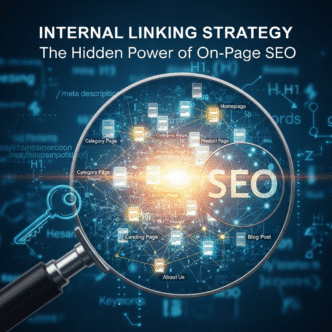
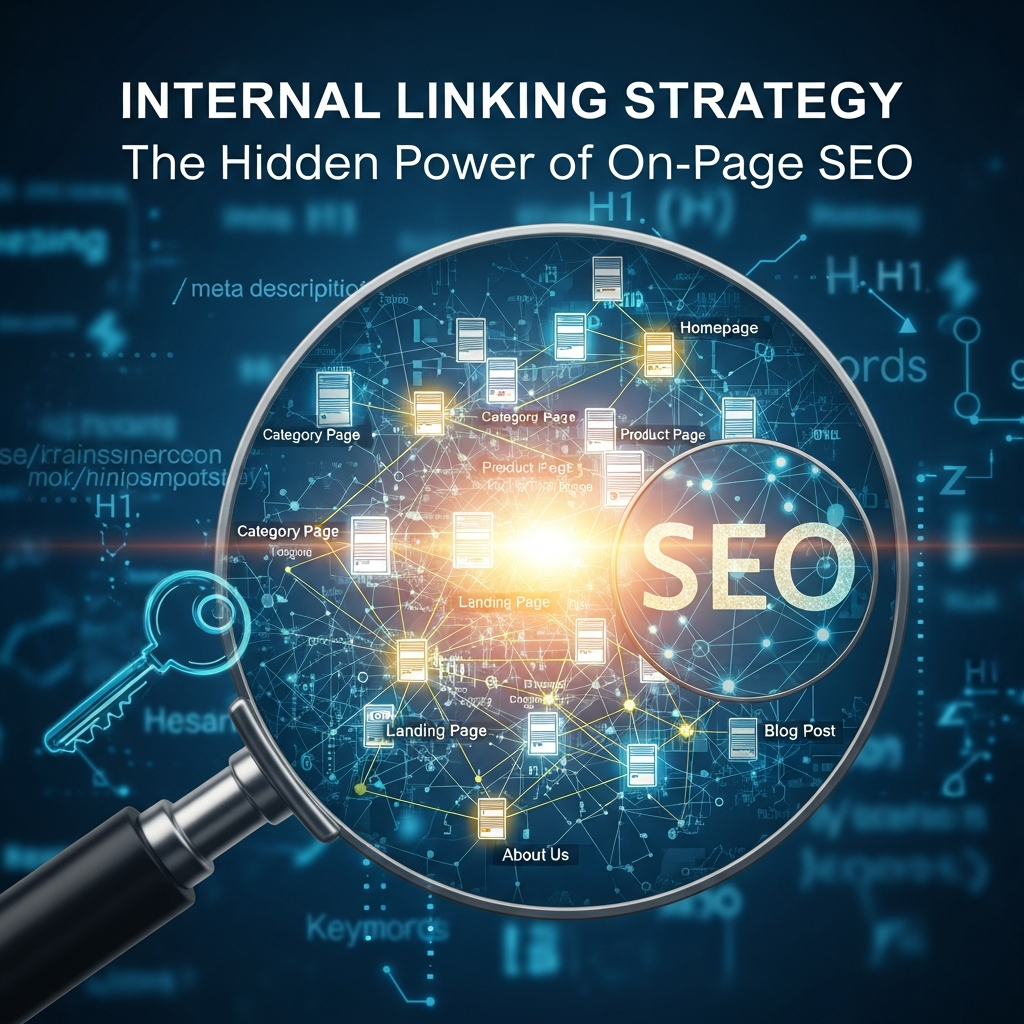
Your website has 150 published blog posts. Traffic’s okay, but conversions? Crickets.
Here’s the plot twist: Your internal linking strategy might be the villain. Most sites treat internal links like an afterthought—slapping them in randomly or skipping them entirely. Big mistake. A strategic internal linking approach can boost your rankings, keep visitors glued to your site, and guide them straight to your money pages. According to a 2024 SEMrush study, websites with optimized internal link structures see up to 40% improvement in organic traffic within six months.
This pillar post reveals everything you need to know about internal linking for SEO. We’re talking architecture, anchor text strategies, common pitfalls, and real-world wins. No fluff, just actionable insights.
Table of Contents
ToggleWhat Is Internal Linking and Why Does It Matter for SEO?
Internal linking connects one page on your website to another page on the same domain. Think of it as building hallways between rooms in a house—except these hallways tell Google which rooms matter most.
Search engines use internal links to discover new content, understand your site’s hierarchy, and distribute link equity (also called link juice). When you link from a high-authority page to a newer post, you’re essentially vouching for that content. Google notices.
But it’s not just about SEO rankings. Internal links improve user experience by guiding visitors deeper into your site. More pages visited means lower bounce rates and higher conversion opportunities.
How Do Internal Links Help Search Engine Crawlers?
Google’s crawlers are like tourists exploring a new city. Without a map (your internal links), they’ll miss half the attractions.
When Googlebot lands on your homepage, it follows links to discover other pages. No links pointing to a page? It might never get indexed. According to Ahrefs research, pages with zero internal links receive 95% less organic traffic than well-linked pages.
Crawl budget matters too, especially for larger sites. Google allocates limited resources to crawl your site. Strategic internal linking ensures crawlers spend time on your most valuable pages instead of wasting it on low-priority content like ancient blog posts from 2012.
Pro Tip: Use internal links to guide crawlers to new content within 24-48 hours of publishing. This speeds up indexing and can give you a ranking boost while the content is still fresh.
What’s the Difference Between Internal Links and External Links?
Simple distinction here. Internal links point to pages within your own domain. External links (or outbound links) point to other websites.
Both serve different purposes. Internal links keep users on your site and distribute authority across your pages. External links build credibility by citing authoritative sources and can even improve your SEO when you link to relevant, high-quality sites.
The 2024 Backlinko SEO study found that pages with 3-5 relevant external links to authoritative sources rank higher on average. But don’t go link-crazy—balance is key.
How Does Internal Linking Distribute Page Authority Across Your Site?
Every page on your site has authority (often measured as PageRank internally, though Google doesn’t publish this metric anymore). When you link from Page A to Page B, you transfer some of that authority.
Think of it like a voting system. Your homepage typically has the most authority because it gets the most backlinks. When you link from your homepage to a product page, you’re saying “this page is important.” Google listens.
But here’s where it gets interesting: The more internal links pointing to a page, the more authority it accumulates. This is why your contact page often ranks well—it’s linked from every page via your navigation menu.
Link equity dilution is real though. If you link to 100 pages from one article, each link passes less value. Quality over quantity wins every time.
What Are the Main Types of Internal Links?
Not all internal links are created equal. Understanding the types helps you build a smarter strategy.
Navigational links live in your header, footer, and sidebar. These appear on every page and help users move around your site. Examples: main menu, category pages, “About Us.”
Contextual links are embedded within your content. These are the most powerful for SEO because they’re surrounded by relevant text that provides context to search engines. When you naturally link to a related blog post mid-paragraph, that’s contextual.
Footer links sit at the bottom of your pages. They’re convenient for legal pages, social profiles, and secondary navigation. But Google gives them less weight than contextual links because they’re often boilerplate.
Image links use clickable images instead of text. The alt text acts as anchor text here. Less common for SEO purposes but useful for visual navigation.

How Do You Build an Effective Internal Linking Structure?
Your site architecture matters more than you think. The best internal linking strategy follows a pyramid structure: homepage at the top, category pages in the middle, individual posts at the bottom.
Start with your pillar content—comprehensive guides covering broad topics. These should sit high in your hierarchy and link down to cluster content (specific subtopics). Each cluster post should link back to the pillar.
For example, if you run a fitness site:
- Pillar: “Complete Guide to Weight Loss”
- Clusters: “Intermittent Fasting for Beginners,” “HIIT Workouts at Home,” “Calorie Counting vs. Intuitive Eating”
The pillar links to all clusters. Each cluster links back to the pillar and to related clusters. This creates a topic cluster model that Google loves because it demonstrates topical authority.
Pro Tip: Keep your most important pages within three clicks of your homepage. Pages buried deeper tend to receive less authority and may not rank as well.
What Role Does Anchor Text Play in Internal Linking?
Anchor text is the clickable text in a hyperlink. It tells both users and search engines what the linked page is about.
Using descriptive, keyword-rich anchor text helps Google understand the target page’s topic. If you’re linking to an article about “technical SEO audits,” don’t use anchor text like “click here” or “read more.” Instead, use “technical SEO audit checklist” or “how to perform a technical SEO audit.
But avoid over-optimization. Stuffing exact-match keywords into every internal link looks spammy. Mix it up with:
- Exact match: “keyword research tools
- Partial match: “best tools for keyword research”
- Branded: “SEMrush keyword tool”
- Generic (sparingly): “learn more about this topic”
According to Moz’s anchor text guide, natural variation in anchor text reduces the risk of penalties and creates a more authentic link profile.
How Many Internal Links Should Each Page Have?
There’s no magic number, but Google’s John Mueller has said they can handle hundreds of links per page. That said, user experience should guide your decision more than technical limits.
Most blog posts work well with 5-10 internal links. Too few and you’re missing opportunities. Too many and you dilute link equity while overwhelming readers.
Your homepage and pillar pages can handle more—maybe 20-30 links—because they serve as hubs. Category pages naturally have more links to individual posts.
Balance matters. If you’re linking to 50 different pages in a 1,000-word article, you’re doing it wrong. Each link should add value, not distract.
What Are Orphan Pages and Why Are They Bad for SEO?
An orphan page has zero internal links pointing to it. It exists on your server, but there’s no path for users or crawlers to find it unless they type the URL directly.
Orphan pages are SEO poison. Google might never discover them, meaning they won’t rank. Even if they do get indexed (maybe through your sitemap), they receive no link equity from other pages.
Common causes:
- Deleting a blog post that linked to another page
- Publishing new content without linking to it from existing pages
- Restructuring your site without updating internal links
Use Screaming Frog or Sitebulb to audit your site and identify orphan pages. Then add contextual links from relevant content to rescue them.
How Do You Fix Broken Internal Links?
Broken internal links point to pages that no longer exist (404 errors) or have been redirected. They frustrate users and waste crawl budget.
Regular audits catch these issues. Tools like Google Search Console, Ahrefs, or Screaming Frog flag broken links. Once identified, you have three options:
- Update the link to point to the correct page
- Restore the deleted page if it was removed by mistake
- Implement a 301 redirect if the page moved permanently
Broken links happen naturally as sites evolve. The key is catching them before they pile up. Monthly audits keep your internal linking structure clean.
Pro Tip: When deleting a page, always check which pages link to it first. Update those links before hitting delete to avoid creating broken links.
What’s the Difference Between Dofollow and Nofollow Internal Links?
By default, all internal links are dofollow, meaning they pass link equity. This is what you want 99% of the time.
Nofollow internal links include a rel=”nofollow” attribute that tells search engines not to pass authority. You might use nofollow for:
- Login/register pages
- Shopping cart pages
- Filtered or sorted product pages that create duplicate content
- User-generated content sections
But here’s the reality: Most sites never need nofollow internal links. Google is smart enough to handle your site architecture without micromanagement. Focus your energy on building smart contextual links instead of worrying about nofollow tags.
How Does Site Navigation Impact Internal Linking?
Your main navigation is an internal linking powerhouse. It appears on every page, creating strong signals about your most important content.
Flat architecture beats deep nesting every time. Users and crawlers should reach any page within 3-4 clicks from the homepage. This distributes authority more evenly and improves user experience.
Mega menus work for large sites but can overwhelm smaller ones. Stick to 5-7 top-level menu items and use dropdown submenus sparingly. Every additional layer makes content harder to find.
Breadcrumbs are underrated. These navigational aids (Home > Blog > SEO > Internal Linking) create automatic internal links while helping users understand site hierarchy. They’re pure SEO gold with zero downside.
What Are Sitewide Links and Should You Use Them?
Sitewide links appear on every page of your site—think header navigation, sidebar widgets, or footer links. They’re powerful but risky if misused.
Google knows these links are templates, not editorial recommendations. They carry less weight than contextual links but still distribute authority across your site.
Use sitewide links for:
- Main navigation (obviously)
- Important legal pages (Privacy Policy, Terms of Service)
- Top-performing content you want to promote
- Newsletter signup or lead magnets
Avoid sitewide links for:
- Affiliate links (looks spammy)
- Low-value pages that don’t need extra authority
- Keyword-stuffed anchor text that screams manipulation
How Do You Create a Content Hub Using Internal Links?
The content hub model (also called topic clusters) organizes content around central themes. It’s the internal linking strategy that delivers massive SEO wins.
Here’s the framework:
- Create a comprehensive pillar page (3,000+ words) covering a broad topic
- Develop 8-15 cluster posts that dive deep into specific subtopics
- Link from the pillar to all clusters
- Link from each cluster back to the pillar
- Add relevant links between related clusters
Example for an e-commerce SEO site:
- Pillar: “Complete E-commerce SEO Guide”
- Clusters: “Product Page Optimization,” “Category Page SEO,” “E-commerce Schema Markup,” “Shopify SEO Tips,” “Amazon SEO vs. Google SEO
This structure signals topical authority to Google. When all your content interconnects logically, search engines understand you’re an expert on that topic. HubSpot research shows topic clusters can increase organic traffic by 40-50% compared to scattered blog strategies.
What Tools Help You Audit and Optimize Internal Links?
You can’t improve what you don’t measure. These tools make internal link audits painless:
Screaming Frog SEO Spider crawls your site and maps every internal link. It identifies orphan pages, broken links, and pages with too few/too many links. The free version handles up to 500 URLs.
Ahrefs Site Audit provides a visual internal link map and highlights opportunities. The “Internal Link Opportunities” report suggests where to add links based on relevance and authority flow.
Google Search Console shows internal linking data under “Links” in the sidebar. You can see which pages have the most internal links and which are underlinked.
Link Whisper is a WordPress plugin that suggests internal link opportunities as you write. It scans your existing content and recommends relevant posts to link to. Great for scaling internal linking across hundreds of posts.
Sitebulb offers advanced visualizations of your internal link structure. The “Internal Link Flow” report shows how authority distributes across your site.
What Are the Most Common Internal Linking Mistakes?
Even experienced SEOs mess this up. Avoid these traps:
Using generic anchor text (“click here,” “read more”) wastes opportunities. Descriptive anchor text helps both users and search engines understand the destination page.
Over-linking to the homepage is a rookie move. Your homepage doesn’t need 500 internal links—distribute that authority to pages that actually need ranking help.
Ignoring relevance kills effectiveness. Linking to a random blog post just because you hit your “5 internal links per post” quota? That’s worse than no link at all. Context matters.
Creating reciprocal link loops (Page A links to Page B, Page B links back to Page A, and nowhere else) looks unnatural. Add variety to your linking patterns.
Forgetting to link to new content leaves it orphaned. Every new post should receive links from at least 2-3 existing relevant articles within the first week.
Using the same anchor text repeatedly for one target page triggers over-optimization alarms. If you’re linking to your “SEO audit” page from 20 different posts, vary the anchor text naturally.
How Do You Scale Internal Linking for Large Websites?
Enterprise sites with 10,000+ pages face unique challenges. Manual internal linking becomes impossible. Here’s how to scale:
Automated related posts plugins work for blogs. WordPress options like YARPP (Yet Another Related Posts Plugin) or Contextual Related Posts use algorithms to suggest relevant content. Not perfect, but better than nothing.
Programmatic internal linking uses rules-based systems. For example, automatically link from product pages to related category pages, or link from city-specific landing pages to your main service page.
Editorial calendar integration helps content teams. When publishing new content, assign writers to update 3-5 existing posts with links to the new piece. This keeps your internal link graph fresh.
Regular content audits identify underlinking. Use Ahrefs or Screaming Frog to find pages with fewer than 3 internal links pointing to them, then add contextual links from relevant content.
Template-based linking works for e-commerce. Product templates can automatically link to related products, category pages, and buying guides using dynamic content.
What’s the Relationship Between Internal Linking and Page Speed?
Heavy internal linking doesn’t directly slow your site, but poorly implemented links can cause issues. Each link is an HTML element that adds a few bytes to your page size—negligible unless you’re running hundreds of links.
The real risk comes from link-heavy navigation menus and sidebar widgets that load on every page. Mega menus with 100+ links increase HTML size and rendering time. Consider lazy-loading or using dropdown menus that only load when clicked.
JavaScript-based internal links can create crawling issues if not implemented properly. Google renders JavaScript, but it’s slower than native HTML links. Stick to standard <a> tags whenever possible.
According to Google’s Core Web Vitals data, pages that load in under 2.5 seconds get 50% more conversions. Don’t let bloated navigation ruin your performance.
How Does Internal Linking Affect User Engagement Metrics?
Smart internal linking keeps visitors around longer. When someone reads your blog post and clicks a relevant internal link, that’s a win for:
Time on site: More pages visited = longer session duration. Google interprets this as a quality signal.
Bounce rate: If users land on a page and immediately leave, that’s a bounce. Internal links give them reasons to explore further.
Pages per session: The average number of pages viewed in one visit. Strategic internal links can double or triple this metric.
A 2024 Contentsquare study found that visitors who click internal links are 3x more likely to convert than those who don’t. They’re more engaged and further along the buyer’s journey.
Pro Tip: Add internal links near the top of your content (above the fold) and within the first 200 words. These get clicked most often because users see them before scrolling.
Should You Link to Competitors in Your Content?
Wait, we’re talking about internal linking, right? But external links deserve a mention because they complement your internal strategy.
Linking to authoritative external sources builds trust. Google wants to see that you’re citing credible information. But yes, you can link to competitors if they have the best resource on a specific topic.
The trick? Link out to competitors for informational content, but keep transactional links (buying guides, product comparisons) on your own site. You’re building authority, not sending customers away.
Balance internal and external links at about 70/30. Most links should keep users on your site, but strategic external links to .gov, .edu, and industry authorities boost your credibility.
FAQ: Your Internal Linking Questions Answered
How many internal links should I add per blog post?
Aim for 5-10 internal links in a standard 1,500-2,000 word blog post. Longer pillar content (3,000+ words) can handle 10-20 links naturally. Focus on relevance over hitting a specific number—every link should genuinely help the reader explore related topics.
Do internal links help new pages rank faster?
Absolutely. When you link to a new page from existing high-authority pages, you transfer link equity and help search engines discover and index the content faster. Add 3-5 internal links from relevant older posts within 48 hours of publishing new content for best results.
What’s better: sidebar links or in-content links?
In-content contextual links win every time. They carry more SEO weight because they’re surrounded by relevant text that gives search engines context. Sidebar links work for navigation but don’t pass as much authority. Prioritize contextual links within your actual content.
Can too many internal links hurt SEO?
Not really, but excessive linking dilutes authority and confuses users. Google can handle hundreds of links per page technically, but from a UX perspective, 10-30 is optimal for most pages. More importantly, make sure every link serves a purpose—random linking for the sake of hitting a quota does more harm than good.
Should I update old blog posts with new internal links?
Yes! This is one of the easiest SEO wins. Regularly audit your top-performing content and add links to newer relevant posts. This distributes authority to new content and keeps your internal link structure fresh. Aim to update your top 20 pages quarterly with new internal links.
How do I know if my internal linking strategy is working?
Track these metrics in Google Analytics and Search Console: pages per session, average time on site, bounce rate, and organic traffic to underlinking pages. Use tools like Ahrefs to monitor changes in internal link counts over time. If pages that previously had 2 internal links now have 8, and their traffic doubled, you’re on the right track.
Final Thoughts: Your Internal Linking Action Plan
Internal linking isn’t rocket science, but it requires intentional effort. Most sites leave massive SEO potential on the table by treating it as an afterthought.
Here’s your roadmap:
- Audit your site for orphan pages and broken links this week
- Identify your top 5-10 pillar pages and build topic clusters around them
- Add 5-10 contextual internal links to every piece of new content
- Update your best-performing posts quarterly with links to newer content
- Use descriptive anchor text that tells readers and search engines what to expect
The compound effect of consistent internal linking is real. Sites that implement strategic internal linking see traffic improvements within 3-6 months—and those gains stick around because you’re building a stronger foundation for all your content.
Stop ignoring the SEO power hiding in your own website. Your internal links are the secret weapon you’ve been overlooking.
Average Internal Links by Page Type
| Link Type | SEO Value | User Experience | Best Use Case |
|---|---|---|---|
| Contextual Links | ★★★★★ | Excellent | Within blog content, naturally embedded |
| Navigation Links | ★★★★☆ | Very Good | Main menu, category navigation |
| Breadcrumb Links | ★★★★☆ | Excellent | Site hierarchy navigation |
| Footer Links | ★★★☆☆ | Moderate | Legal pages, secondary navigation |
| Sidebar Links | ★★☆☆☆ | Fair | Related posts, popular content |
Authority: High
Authority: Medium
Authority: Medium
Authority: Medium
Authority: Medium
Authority: Medium
Related posts:
- How to Create an Internal Linking Strategy (Step-by-Step)
- Internal Linking for Different Content Types: A Guide for Blog Posts vs. Pages
- Blog Internal Linking Strategy: Boosting Rankings with Smart Link Structure
- Mastering On-Page SEO Elements: Meta Tags, HTML, and Image Optimization Explained (Visual guide)