Ever walked into a massive department store with no signs, no maps, and products scattered randomly across floors? That’s exactly what a poorly structured website feels like to both users and search engines. And just like that chaotic store, visitors leave frustrated—except on the web, they’re gone in 3 seconds flat.
Building an SEO site architecture isn’t just about organizing pages. It’s about creating a logical, scalable structure that helps search engines crawl efficiently while guiding users exactly where they need to go. According to a 2024 study by Backlinko, websites with clear hierarchical structures rank 53% better than those with flat, disorganized architectures.
Let’s dive into how you can build a site structure that grows with your business without collapsing under its own weight.
Table of Contents
ToggleWhat Is SEO Site Architecture and Why Does It Matter?
SEO site architecture refers to how you organize and link your website’s pages to create a logical hierarchy. Think of it as your website’s blueprint—the foundation that determines how easily search engines can discover content and how intuitively users can navigate.
Information architecture and website structure SEO work hand-in-hand. Google’s crawlers follow links to discover pages, and a well-organized site hierarchy ensures no valuable content gets buried too deep. According to Search Engine Journal, pages more than three clicks from the homepage receive 90% less organic traffic.
Here’s the kicker: as your site grows from 50 pages to 5,000 pages, a scalable structure prevents chaos. Without proper planning, you’ll end up with orphaned pages, duplicate content, and a navigation nightmare.
The Four Pillars of Scalable Site Architecture
1. Logical Site Hierarchy
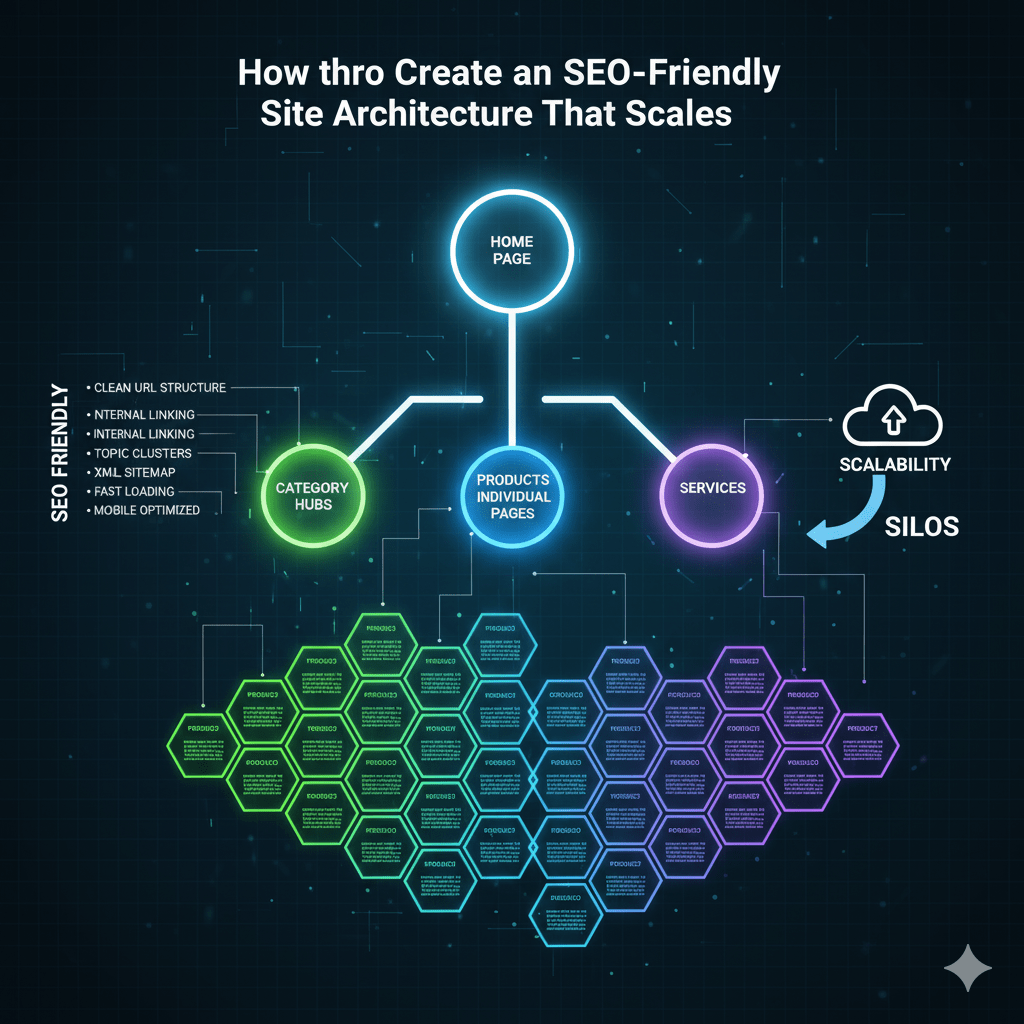
Your site hierarchy should follow a pyramid structure. Homepage at the top, main category pages below, subcategories next, and individual content pages at the bottom.
Keep it simple: Homepage → Category → Subcategory → Individual Page. This creates clear parent-child relationships that both users and search engines understand instantly.
The golden rule? Keep important pages within three clicks of your homepage. Anything deeper becomes harder to crawl and less valuable in Google’s eyes.
Pro Tip: Draw your site structure on paper first. If you can’t explain it to your grandmother, it’s too complex.
2. SEO-Friendly URL Structure
Your URL structure should mirror your site hierarchy exactly. Clean, descriptive URLs tell users and search engines what to expect before clicking.
Good example: yoursite.com/category/subcategory/page-title
Bad example: yoursite.com/p?id=12345&ref=xyz
Keep URLs short (under 60 characters when possible), use hyphens instead of underscores, and include your target keyword naturally. According to a 2024 Ahrefs study, URLs with clear keyword placement rank 45% higher on average.
3. Internal Linking Strategy
Internal links are the highways connecting your content. They distribute link equity (ranking power) throughout your site and help establish topical authority.
Create contextual internal links by linking related content naturally within paragraphs. Your pillar content on technical SEO fundamentals should connect to all related cluster posts, and vice versa.
Use descriptive anchor text that tells readers what they’ll find. “Click here” is terrible; “learn about XML sitemaps” is perfect.
Pro Tip: Every new piece of content should have at least 3-5 internal links pointing TO it from existing pages, and link OUT to 3-5 relevant internal pages.
4. Navigation That Scales
Your main navigation should include only your most important categories—typically 5-7 maximum. As you add content, use mega menus, dropdown navigation, or sidebar menus for subcategories.
Breadcrumb navigation is non-negotiable for larger sites. It shows users their location (Homepage > Category > Current Page) and creates additional internal linking opportunities. Google also uses breadcrumbs to understand your site structure better, as outlined in their documentation on navigation.

How to Structure a Website for SEO: Step-by-Step
Step 1: Map Your Content Silos
Content silos group related topics together. If you’re running an e-commerce site selling outdoor gear, your silos might be: Camping, Hiking, Climbing, and Water Sports.
Each silo becomes a main category with its own hierarchy. This creates topical authority by showing search engines you have comprehensive coverage of specific subjects. Research from Moz shows siloed sites rank 32% better for competitive keywords.
Start by listing all your existing content, then group related pieces into logical categories. Look for gaps—if you have 50 camping articles but only 3 about tents, you’ve found your next content opportunity.
Step 2: Design Your URL Naming Convention
Establish rules for creating URLs before you build anything. Consistency matters more than perfection here.
Include category in the URL path: /camping/tents/best-4-season-tents
Use lowercase only and avoid special characters except hyphens. Remove stop words (a, the, and) unless they’re critical for clarity.
Once you set a convention, stick to it religiously. Changing URL structures later causes redirect headaches and can tank your rankings temporarily.
Step 3: Create Your Site’s Foundation
Build your homepage to clearly showcase your main categories. Each category page should summarize its topic and link to key subcategories and top-performing content.
Category pages aren’t just navigation hubs—they’re SEO landing pages. Add 300-500 words of unique, valuable content explaining what visitors will find. Include your target keywords naturally and link to your technical SEO fundamentals guide where relevant.
Subcategory pages follow the same pattern. They should acknowledge their parent category and introduce their child pages.
Step 4: Implement a Scalable Tagging System
Tags and categories serve different purposes. Categories are broad hierarchical classifications; tags are specific descriptors that create lateral connections.
Use categories sparingly (5-10 max), but tags can be more numerous. A blog post about “waterproof hiking boots” might live in the Hiking category but have tags like “waterproof,” “boots,” “winter,” and “Gore-Tex.”
Warning: Don’t create tag pages for every single tag. Too many thin, similar pages cause duplicate content issues. Either add substantial content to tag pages or noindex them.
Step 5: Plan for Pagination and Faceted Navigation
Large e-commerce sites and blogs need pagination strategies. When you have 500 products in a category, showing all on one page kills load speed.
Use rel="next" and rel="prev" tags to tell Google your paginated series is connected. Better yet, implement infinite scroll with URL parameter handling to maintain crawlability, as recommended by Google’s guidelines on pagination.
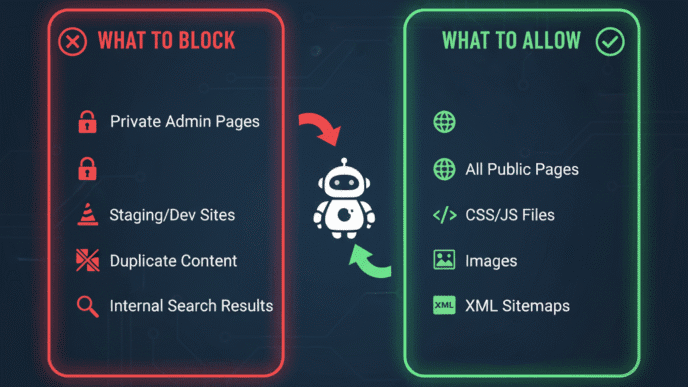
Faceted navigation (filtering by size, color, price) creates thousands of potential URLs. Use canonical tags to point filter combinations back to main category pages, or use robots.txt to prevent crawling parameter URLs.
Best Site Architecture for Large Websites
The Hub-and-Spoke Model
This model works brilliantly for scaling. Create comprehensive pillar pages (hubs) covering broad topics, then link to detailed cluster content (spokes) covering specific subtopics.
Your pillar on technical SEO fundamentals becomes the authoritative hub. Cluster posts about crawling, indexing, site speed, and mobile optimization all link back to it.
Search engines understand this creates topic clusters, demonstrating expertise and authority. HubSpot reported a 40% increase in organic traffic after implementing hub-and-spoke architecture.
Database-Driven Dynamic Architecture
For truly massive sites (think Amazon with millions of products), static HTML hierarchies become unmanageable. Database-driven structures generate pages dynamically based on user queries.
The key is maintaining crawlable URLs and logical categorization even when content is generated on-the-fly. Every product still needs a category path, logical URL, and internal links.
Implement faceted navigation carefully—let users filter extensively, but use canonical tags and parameter handling to prevent crawl budget waste. Learn more about managing large-scale sites from Search Engine Land’s guide.
Multi-Language and Multi-Regional Sites
Scaling globally requires hreflang implementation and regional site structure decisions. You have three options: subdomains (uk.yoursite.com), subdirectories (yoursite.com/uk/), or separate domains (yoursite.co.uk).
Subdirectories are best for SEO—they consolidate authority to one domain. Subdomains split authority and are harder to manage. Separate domains work for distinct regional businesses but require separate SEO efforts.
Always implement proper hreflang tags and maintain consistent structure across language versions. Your technical SEO fundamentals guide should explain these technical elements in detail.
SEO-Friendly Navigation Structure Best Practices
Horizontal vs. Vertical Navigation
Horizontal navigation (wide and shallow) puts many categories in the main menu but limits depth. Vertical navigation (narrow and deep) has fewer top-level categories but more subcategory layers.
For SEO, horizontal navigation wins for smaller sites (under 1,000 pages). It keeps content closer to the homepage, distributing link equity more evenly. Vertical navigation works for enterprise sites where deep specialization matters.
The optimal structure? Hybrid. Keep main navigation horizontal with 5-7 categories, then use in-page navigation, sidebars, and footers to go vertical within each silo.
Footer Navigation Strategy
Your footer is prime real estate for secondary navigation and internal linking. Include links to important pages that don’t fit in main navigation: About, Contact, Privacy Policy, and key category pages.
Many large sites add a “mega footer” with links to top subcategories and popular content. This helps with crawling and distributes link juice, but don’t go overboard—500 footer links looks spammy.
Balance user experience with SEO value. Footer links should genuinely help visitors, not just manipulate crawlers.
Mobile Navigation Considerations
With mobile-first indexing, your responsive navigation directly impacts rankings. Google crawls the mobile version of your site first, so hamburger menus and collapsible navigation must render properly.
Test using Google Search Console’s Mobile Usability report. Ensure all links in collapsed menus are crawlable (not hidden via JavaScript). Your technical SEO guide should cover mobile optimization extensively.
Keep mobile navigation thumb-friendly—buttons should be 44×44 pixels minimum. Simplified mobile menus are fine as long as all pages remain accessible.
Common Site Architecture Mistakes That Kill Rankings
Orphaned Pages
Orphaned pages have no internal links pointing to them. Search engines can’t find them through crawling (though they might discover them via sitemaps).
Run regular site audits using Screaming Frog or Sitebulb to identify orphans. Every page should have at least one internal link from another page. According to a 2024 Ahrefs study, pages with zero internal links receive 94% less organic traffic.
Fix orphans by adding contextual links from related content or including them in relevant category pages.
Excessive Subdirectory Depth
Going too deep (yoursite.com/cat1/cat2/cat3/cat4/page) buries content and dilutes page authority. Each level away from the homepage weakens the link equity passed.
Flatten your structure when possible. Could that fourth-level page become a second-level page? Sometimes category consolidation improves both user experience and SEO.
Pro Tip: If a page requires more than 4 clicks from your homepage, restructure or delete it. It’s probably not that important.
Inconsistent URL Patterns
Mixing URL structures confuses both users and search engines. Don’t do this:
yoursite.com/category/post-titleyoursite.com/blog/post-titleyoursite.com/p/post-title
Pick one pattern and enforce it across your entire site. Inconsistency makes your site look unprofessional and harder to manage as it scales.
Navigation Bloat
Adding every page to your main navigation creates decision paralysis and weakens the importance of priority pages. Studies by NNGroup show users scan navigation menus for 2.6 seconds before giving up.
Ruthlessly prioritize. Your main navigation should include only your most important 5-7 destinations. Everything else goes in dropdowns, footers, or contextual internal links.
Ignoring XML Sitemaps
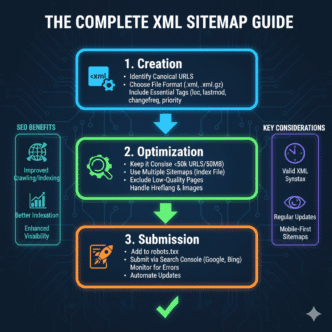
Your XML sitemap tells search engines about your site structure explicitly. It’s especially critical for large sites where some content might not have many internal links yet.
Submit your sitemap to Google Search Console and Bing Webmaster Tools. Update it automatically when you publish new content. According to Google’s guidelines, sitemaps help discover pages faster, though they don’t guarantee indexing.
Include your most important pages in the sitemap and set proper priority values. Link to your technical SEO fundamentals from your sitemap for maximum crawl efficiency.
Tools for Planning and Auditing Site Architecture
Screaming Frog SEO Spider
This crawl tool maps your entire site structure, showing visual representations of your hierarchy. It identifies broken links, orphaned pages, redirect chains, and crawl depth issues.
Use it to audit before and after restructuring. The visual sitemap feature helps spot structural problems instantly. Free version handles up to 500 URLs; paid version is unlimited.
Google Search Console
GSC’s Coverage report shows which pages Google can and cannot crawl. The URL Inspection tool reveals how Google sees individual pages and their linking structure.
Check your Internal Links report to see which pages receive the most links. Pages with few internal links might be underperforming due to poor integration into your site architecture.
Sitebulb
Sitebulb provides deeper architectural analysis than Screaming Frog, including interactive visualizations of your site’s link graph and crawl path analysis.
Its reports highlight architectural inefficiencies and suggest specific fixes. Particularly useful for large sites where manual analysis becomes impossible. Learn more from the Sitebulb documentation.
Comparison: Site Architecture Tools
| Tool | Best For | Price | Key Feature |
|---|---|---|---|
| Screaming Frog | Quick audits | $259/year | Visual sitemap generation |
| Sitebulb | Deep analysis | $35/month | Prioritized recommendations |
| Google Search Console | Crawl monitoring | Free | Direct Google insights |
| Ahrefs Site Audit | Ongoing monitoring | $129/month | Automated alerts |
Real-World Example: Restructuring for Scale
A SaaS company came to me with 800 blog posts published over 5 years. Their structure was flat—everything dumped in /blog/post-title with no categorization. Organic traffic had plateaued at 50,000 monthly visitors.
We implemented a hub-and-spoke model, creating 8 topic pillars with 4-6 subtopic hubs each. Every existing post was recategorized and URLs were updated (with proper 301 redirects). Internal linking was completely overhauled to support the new structure.
Within 6 months, organic traffic increased to 125,000 monthly visitors—a 150% jump. More importantly, the structure could now accommodate their aggressive content calendar without becoming messy. This mirrors findings from a HubSpot case study showing properly structured sites scale content efforts 3x more efficiently.
Trending: AI and Automated Site Architecture
AI-powered site structure tools are emerging that analyze your content and suggest optimal hierarchies automatically. Tools like MarketMuse and Clearscope now include architecture recommendations based on semantic analysis.
The technology analyzes topical relationships between your content pieces and suggests clustering strategies. While not perfect, these tools save hours of manual planning, especially for complex sites.
However, don’t blindly trust AI recommendations. They lack business context and user behavior insights. Use AI for initial suggestions, then refine based on your analytics data and business goals.
Implementing Your New Architecture: Migration Checklist
Restructuring an existing site requires careful planning to avoid traffic disasters:
- Document current structure – Export your full URL list and traffic data
- Plan new architecture – Map every old URL to its new location
- Create 301 redirects – Implement server-side redirects for every changed URL
- Update internal links – Change links throughout your site to point to new URLs
- Update XML sitemap – Submit the new sitemap to search engines
- Update canonical tags – Ensure they point to the correct new URLs
- Monitor crawl errors – Watch Search Console for any issues
- Track rankings and traffic – Expect temporary fluctuations during the transition
Pro Tip: Implement changes in stages if possible. Restructuring everything at once makes it impossible to identify what caused problems if rankings drop.
Your technical SEO fundamentals guide should include a detailed migration checklist to prevent common mistakes during site restructures.
FAQ: SEO Site Architecture
How deep should my site structure go?
Ideally, keep important pages within 3 clicks of your homepage. You can go 4-5 levels deep for less critical content, but anything beyond that gets minimal SEO value. Shallow, wide structures typically outperform deep, narrow ones.
Should I use categories or tags for organization?
Use categories for hierarchical organization (parent-child relationships) and tags for lateral connections (related topics across categories). Limit categories to 5-10 and use tags more liberally, but add substantial content to tag pages or noindex them to avoid thin content issues.
How do I handle duplicate content in faceted navigation?
Use canonical tags to point filter combinations back to the main category page. Alternatively, use robots.txt to prevent crawling of parameter URLs, or implement hash fragments (#) for filters so different filter combinations don’t create new URLs.
What’s the difference between site architecture and information architecture?
Site architecture refers specifically to how your website’s pages are organized and linked—the technical structure. Information architecture is broader, encompassing how information is categorized, labeled, and presented across all touchpoints. For SEO purposes, they’re closely related and often used interchangeably.
How often should I audit my site structure?
Audit quarterly for small sites (under 500 pages) and monthly for large sites (5,000+ pages). Run audits immediately after major content additions or restructuring. Use tools like Screaming Frog to identify new orphaned pages, broken links, or crawl depth issues.
Can I change my URL structure without losing rankings?
Yes, but careful planning is essential. Implement proper 301 redirects for every changed URL, update all internal links, submit an updated sitemap, and monitor Search Console closely for errors. Expect temporary ranking fluctuations for 2-4 weeks as Google processes the changes. Traffic should recover if redirects are implemented correctly.
Final Thoughts: Building Architecture That Lasts
Creating an SEO-friendly site architecture isn’t a one-time task—it’s an ongoing strategy that evolves as your site grows. The key is building flexibility into your foundation so adding 1,000 new pages doesn’t require a complete rebuild.
Start with clear categories and logical hierarchies. Keep URLs clean and consistent. Implement robust internal linking from day one. And most importantly, design with both users and search engines in mind—their needs align more often than you’d think.
Remember: good architecture is invisible. Users find what they need effortlessly, and search engines crawl efficiently. If you’re constantly explaining your navigation or creating custom sitemaps to help Google find content, your structure needs work.
Invest time in planning now, and your future self will thank you when you’re scaling from 100 pages to 10,000 without breaking a sweat. Your site structure isn’t just technical SEO—it’s the foundation for sustainable organic growth.
📊 Site Architecture Performance Stats
🌳 Interactive Site Hierarchy Builder
💡 Pro Tip: Click on any node to highlight it. Keep important pages within 3 clicks of homepage for best SEO results.
Adjust Click Depth from Homepage:
Traffic Impact by Click Depth:
URL Structure Generator
Generated SEO-Friendly URL:
- Lowercase letters only
- Hyphens instead of spaces
- No special characters
- Keywords included naturally
- Clear hierarchy structure
Site Architecture Migration Checklist
Click each item to mark as complete:
- Document current structure and export URL list
- Plan new architecture and map old URLs to new locations
- Create 301 redirects for all changed URLs
- Update all internal links throughout the site
- Update and submit new XML sitemap
- Update canonical tags to point to new URLs
- Monitor Google Search Console for crawl errors
- Track rankings and traffic during transition
- Verify mobile navigation renders correctly
- Run site audit to identify orphaned pages
⚖️ URL Structure Comparison
| URL Type | Example | SEO Impact | User Friendliness |
|---|---|---|---|
| SEO-Friendly | yoursite.com/camping/tents/best-4-season |
Excellent ✓ | High ✓ |
| Clean but No Hierarchy | yoursite.com/best-4-season-tents |
Good ✓ | Medium ✓ |
| Parameter-Based | yoursite.com/p?id=12345&cat=2 |
Poor ✗ | Low ✗ |
| Excessive Depth | yoursite.com/cat1/cat2/cat3/cat4/page |
Poor ✗ | Low ✗ |