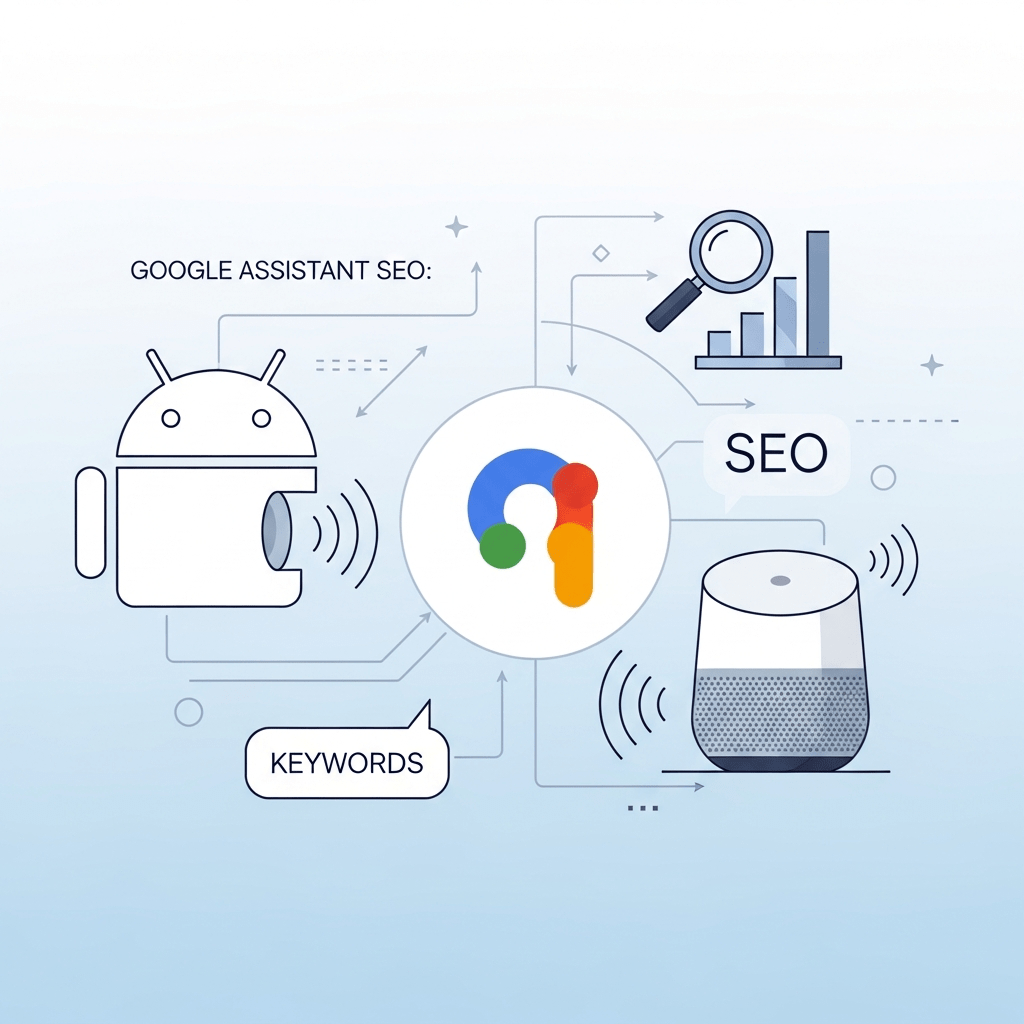
Google Assistant lives on 4.2 billion devices worldwide—more than any other voice platform. Every Android phone, every Google Home speaker, every smart display running Google’s ecosystem represents a customer potentially asking about businesses like yours right now.
Google Assistant SEO isn’t optional anymore. With 81% mobile search market share and voice queries growing 35% year-over-year according to Google’s internal data, ignoring this channel means conceding billions in potential revenue to competitors who’ve figured it out.
This guide reveals exactly how Google’s voice algorithm works and the specific tactics that dominate Assistant results in 2025.
Table of Contents
ToggleWhy Google Assistant Dominates Voice Search
The numbers tell a compelling story. Google Assistant reaches more devices than Alexa and Siri combined. Android’s global smartphone dominance (72% market share per Statista) puts Google’s voice assistant in billions of pockets.
Google voice search processes fundamentally different queries than text search. People ask complete questions: “Hey Google, what’s the best Italian restaurant open right now near me?” The conversational nature demands optimization strategies radically different from traditional SEO.
Google’s Knowledge Graph integration gives Assistant unprecedented context. The platform understands entities, relationships, and intent better than competitors. This sophistication creates both challenges and opportunities for savvy optimizers.
According to Search Engine Journal research, 70% of Assistant requests use natural language rather than search keywords. Your content must match how humans actually speak.
How Does Google Assistant Search Work?
Understanding the Assistant optimization algorithm starts with recognizing Google’s unique architecture. Unlike Alexa’s Amazon-first or Siri’s fragmented sources, Assistant pulls directly from Google Search—but prioritizes different result types.
Google Assistant’s Data Sources
Google Search Index: Primary source for web content, news, and general information queries
Knowledge Graph: Powers entity-based answers about people, places, things, and concepts
Google Business Profile: Default source for local businesses, “near me” queries, and map results
Featured Snippets: Position zero results get read aloud for 40.7% of voice queries (Stone Temple study)
Google Shopping: Product searches trigger shopping results with pricing and availability
YouTube: Video content appears for how-to queries and visual demonstrations
Google My Business Posts: Recent posts appear in local voice search results
This integrated ecosystem means optimize for Google Assistant requires excellence across multiple Google properties simultaneously.
How Google Assistant Ranks Results
The algorithm prioritizes several key signals:
- Featured snippet ownership: Critical—most Assistant answers come from position zero
- Mobile page speed: Under 3 seconds is mandatory for voice selection
- Schema markup: Structured data helps Assistant extract and understand content
- HTTPS security: Encrypted sites rank higher in voice results
- Content quality: E-E-A-T (Experience, Expertise, Authoritativeness, Trust) matters enormously
- Local signals: Proximity, reviews, and Google Business Profile completeness
- User engagement: Click-through rates and dwell time from voice searches
According to Backlinko’s voice search analysis, the average Google Assistant result loads in 4.6 seconds, is 2,312 words long, and uses HTTPS. Speed and depth both matter.
What Are the Essential Elements of Google Assistant SEO?
Successful Google Home SEO requires mastering interconnected optimization pillars. Weakness in one area undermines everything else.
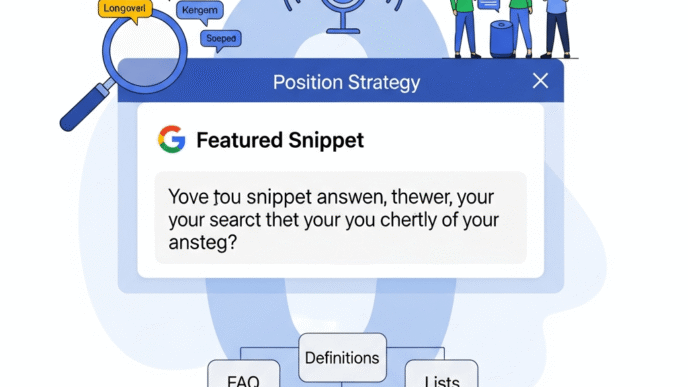
Featured Snippet Optimization
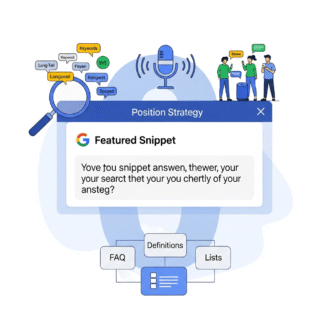
Position zero is everything. Google Assistant reads featured snippets for the vast majority of informational queries.
Winning featured snippets requires:
- Direct answers in 40-60 words immediately after question headings
- Clear formatting (paragraphs, lists, or tables depending on query type)
- Content structured to answer specific questions
- Relevant images supporting the answer
- Strong domain authority and topical expertise
Create dedicated sections for common questions with H2/H3 headings in question format: “How does [topic] work?” “What are the benefits of [subject]?” “When should you [action]?”
Use SEMrush’s Position Tracking to monitor featured snippet ownership and opportunities. The tool identifies keywords where you rank top 5 but don’t own the snippet—your biggest quick wins.
Google Business Profile Mastery
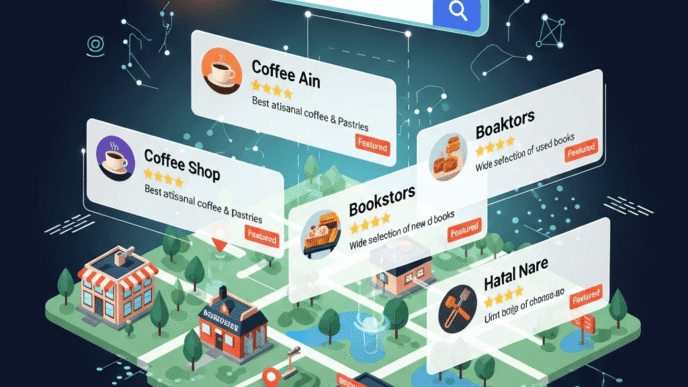
For local queries, Google Business Profile is non-negotiable. “Near me” voice searches pull directly from Business Profile data.
Complete optimization checklist:
- Accurate NAP (Name, Address, Phone) information
- Primary and secondary business categories
- Complete business description with keywords
- Business hours including special holiday hours
- High-quality photos (minimum 10, updated monthly)
- Regular Google Posts (2-3 weekly minimum)
- Products and services with detailed descriptions
- Booking buttons and appointment links
- Attributes (wheelchair accessible, outdoor seating, etc.)
- Prompt responses to all reviews (within 24 hours ideal)
According to BrightLocal’s research, businesses with complete Business Profiles get 7x more clicks than incomplete profiles. Voice amplifies this advantage.
For comprehensive local optimization tactics, see our complete voice search strategy guide.
Schema Markup Implementation
Structured data tells Google exactly what your content means. Android voice search relies heavily on schema for accurate answer extraction.
Priority schema types for Assistant:
FAQ Schema: Marks up question-answer content for direct voice responses Speakable Schema: Google’s proprietary markup identifying voice-friendly sections HowTo Schema: Step-by-step instructions read aloud by Assistant LocalBusiness Schema: Critical for “near me” and business information queries Product Schema: Essential for shopping queries with pricing and availability Article Schema: News and blog content classification Event Schema: Upcoming activities and dates
Implement using JSON-LD format in page <head> sections. Validate with Google’s Rich Results Test before publishing.
Google doesn’t guarantee schema markup produces rich results, but data shows 70% correlation between proper schema and voice search appearance.
Mobile-First Optimization
Google Assistant queries happen predominantly on mobile. Your site must perform flawlessly on smartphones.
Mobile optimization essentials:
- Page loads under 3 seconds on 4G connections
- Mobile-friendly design (responsive or adaptive)
- Touch targets minimum 48×48 pixels
- Readable text without zooming (16px minimum)
- No intrusive interstitials blocking content
- Accelerated Mobile Pages (AMP) for content-heavy pages
- Progressive Web App (PWA) capabilities where relevant
Use Google PageSpeed Insights to test mobile performance. Aim for green scores (90+) on both mobile and desktop.
According to Google’s own research, 53% of mobile users abandon sites taking over 3 seconds to load. Voice users are even less patient.
How Do You Optimize Content for Google Assistant Voice Queries?
How to rank in Google Assistant voice search results centers on creating conversational, question-focused content that matches spoken queries.
Writing in Conversational Language
Ditch corporate speak. Write like you’re explaining something to a friend over coffee.
Poor: “Our proprietary solutions leverage synergistic methodologies to optimize operational paradigms” Better: “We help small businesses save time by automating their daily tasks”
Use contractions naturally (we’re, you’ll, it’s). Ask rhetorical questions. Vary sentence length to create rhythm. Read content aloud—if it sounds robotic when spoken, rewrite it.
Target long-tail conversational keywords matching actual speech patterns:
- How do I optimize my website for Google Assistant?
- What’s the best way to rank in voice search?”
- “Where can I find a plumber near me that’s open now?”
Tools like AnswerThePublic reveal real questions people ask. These become your content roadmap.
Question-Based Content Structure
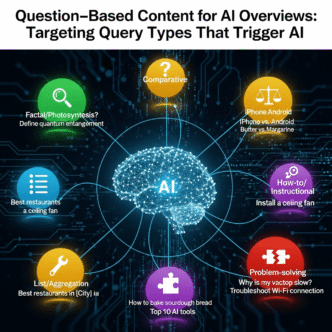
Organize content around specific questions users ask Google Assistant. Each question becomes an H2 or H3 heading.
Example structure:
- H2: “What is Google Assistant SEO?”
- H2: “How does Google Assistant rank results?
- H2: “Why does voice search optimization matter?
- H2: “When should you optimize for Google Assistant?”
Place direct answers in the first paragraph after each heading. Aim for 40-60 words—the sweet spot for featured snippets and voice responses.
Expand with supporting details in subsequent paragraphs. Balance concise answers with comprehensive depth. Google rewards thorough content even while extracting brief responses.
Leveraging “People Also Ask” Boxes
Google’s “People Also Ask” (PAA) sections reveal questions people are actively searching. These questions feed directly into Assistant responses.
Mine PAA boxes for content ideas:
- Search your target keyword
- Expand each PAA question to reveal more
- Document 20-30 related questions
- Create content answering each question comprehensively
Questions appearing in PAA have proven search volume. Answering them strategically positions you for voice search visibility.
According to Ahrefs research, 84.1% of search results include PAA boxes. This data source is sitting in plain sight for every search you perform.
Our pillar content on voice optimization includes advanced PAA mining techniques.
What Makes Google Assistant Different from Alexa and Siri?
Platform differences dictate optimization priorities. One-size-fits-all voice SEO wastes resources on irrelevant tactics.
| Feature | Google Assistant | Amazon Alexa | Apple Siri |
|---|---|---|---|
| Device Reach | 4.2B+ devices | 500M users | 500M users |
| Primary Data | Google Search & Knowledge Graph | Bing + Amazon catalog | Bing + Yelp + Apple Maps |
| Local Business | Google Business Profile | Yext/Yelp | Apple Maps + Yelp |
| Shopping | Google Shopping | Amazon (dominant) | Limited |
| Smart Home | Growing fast | Market leader | Apple HomeKit |
| Accuracy | 93.9% (Loup Ventures) | 90.7% | 91.4% |
| Best For | General search & local | Shopping & smart home | Apple ecosystem |
Google’s search dominance translates directly to voice. Optimizing for Google Assistant often improves general SEO as a bonus.
Learn platform-specific tactics in our comprehensive voice search guide.
How Do You Optimize for “Near Me” Google Assistant Queries?
Local intent dominates voice search. Google reports that “near me” searches grew 900% over two years—and Assistant magnifies this trend.
Google Business Profile Deep Optimization
Beyond basic completion, advanced optimization drives Assistant visibility:
Post regularly: Create Google Posts 2-3 times weekly with offers, updates, news, and events. Posts appear in voice results for 7 days.
Add products/services: List every offering with detailed descriptions and pricing. Assistant reads these when answering “what services does [business] offer?”
Enable messaging: Let customers contact you directly through Business Profile. Quick responses boost engagement signals.
Use Q&A section: Answer common questions proactively. Assistant pulls from this section when users ask business-specific questions.
Upload videos: Short videos (under 30 seconds) showcasing your business, products, or services increase engagement.
According to Search Engine Land data, businesses posting weekly on Google Business Profile see 50% more customer actions than those posting monthly.
Local Schema Markup
Implement comprehensive LocalBusiness schema with every available property:
{
  "@context": "https://schema.org",
  "@type": "LocalBusiness",
  "name": "Your Business Name",
  "address": {
    "@type": "PostalAddress",
    "streetAddress": "123 Main St",
    "addressLocality": "Your City",
    "addressRegion": "ST",
    "postalCode": "12345"
  },
  "geo": {
    "@type": "GeoCoordinates",
    "latitude": "40.7128",
    "longitude": "-74.0060"
  },
  "telephone": "+1-555-123-4567",
  "openingHours": "Mo-Fr 09:00-17:00",
  "priceRange": "$$"
}
Include geo-coordinates, service areas, payment methods, and all relevant business details.
Multi-Location Strategy
Businesses with multiple locations need systematic approaches:
- Create unique landing pages for each location
- Implement individual LocalBusiness schema per location
- Maintain separate Google Business Profiles
- Build location-specific content (not duplicated)
- Earn local backlinks to each location page
- Target neighborhood-level keywords
Never duplicate content across location pages. Google penalizes thin, repetitive content heavily.
How Does Google’s Knowledge Graph Impact Assistant Results?
The Knowledge Graph powers entity-based understanding—Google’s secret weapon over competitors. Becoming a recognized entity dramatically improves Assistant visibility.
Building Entity Recognition
Google recognizes entities (people, places, organizations, things) and their relationships. Establishing your business as an entity requires:
Wikipedia presence: Create or update Wikipedia entries with proper citations. Wikipedia feeds the Knowledge Graph directly.
Wikidata profile: Add your business to Wikidata with structured information and relationships.
Consistent NAP: Maintain identical business information across the web. Inconsistency confuses entity matching.
Brand mentions: Earn unlinked brand mentions across authoritative sites. Google uses these for entity validation.
Schema markup: Use Organization schema with sameAs properties linking to official social profiles.
According to Kalicube research, 30% of branded searches trigger Knowledge Panels—and these feed directly into Assistant responses.
Optimizing Your Knowledge Panel
If you have a Knowledge Panel, optimize it:
- Claim through Google Search
- Add business description
- Include official website and social links
- Upload high-quality logo and images
- Suggest edits for incorrect information
- Monitor and update regularly
Knowledge Panel ownership signals entity authority to Google’s algorithm.
What Are the Most Common Google Assistant SEO Mistakes?
Even experienced SEOs stumble with Google’s voice platform. Avoid these costly errors.
Ignoring Page Speed
Slow sites rarely win voice results. Period. Google prioritizes fast-loading pages for Assistant responses because users demand immediate answers.
If your site loads in 5+ seconds on mobile, you’re essentially invisible to voice search regardless of content quality.
Test obsessively. Optimize images, enable compression, minimize JavaScript, use CDNs, implement browser caching. Speed is non-negotiable.
Skipping Featured Snippet Optimization
Many sites rank well in traditional results but never capture position zero. Without featured snippets, you’re missing 40%+ of voice search opportunities.
Audit your top-ranking keywords. Identify pages ranking 2-10 without featured snippets. Restructure content to target snippet formats—paragraphs, lists, or tables depending on query type.
Neglecting Mobile UX
Desktop-optimized sites with poor mobile experiences fail in voice. Test your site on actual smartphones, not just responsive design views.
Check font sizes, button spacing, form usability, and navigation on mobile. Assistant users who click through to your site from voice results need flawless mobile experiences.
Generic Content
Thin, generic content gets ignored. Google rewards comprehensive, authoritative answers demonstrating expertise.
Every piece of content should definitively answer its target question. If your content could apply to any business in your industry, it’s too generic.
Inconsistent Business Information
Different addresses, phone numbers, or hours across platforms confuses Google’s entity matching. This kills local voice search visibility.
Audit NAP across Google Business Profile, your website, social media, and directory listings. Fix every inconsistency immediately.
Pro Tip: According to Moz’s Local Search Ranking Factors study, NAP consistency impacts 25% of local ranking signals. For voice search, this percentage is likely higher given Assistant’s reliance on confident entity matching.
How Do Google Actions Extend Assistant SEO?
Google Actions (formerly Actions on Google) let you build custom voice apps extending Assistant functionality. Think Alexa Skills for Google’s ecosystem.
When Actions Make Business Sense
Actions work best for:
- High-frequency interactions: Banking, food delivery, transit information
- Complex processes: Multi-step tasks requiring guidance
- Content publishers: News briefings, podcast players
- E-commerce: Product browsing and purchasing
- Service booking: Appointments, reservations, scheduling
Starbucks built an Action for voice ordering. Customers can order through Google Assistant and pick up without waiting. The convenience drives usage and brand loyalty.
Actions Discovery and Ranking
Unlike Alexa’s overcrowded Skills store, Google Actions integrate more seamlessly into Assistant. Discovery happens through:
- Direct invocation: “Talk to [your Action name]”
- Implicit discovery: Assistant suggests relevant Actions for queries
- Google Search: Actions appear in search results
- Assistant directory: Browsable but secondary to contextual suggestions
Optimize Action names with clear, descriptive keywords. “Pizza Ordering from [Brand]” works better than clever but vague names.
According to Voicebot.ai data, there are fewer Google Actions than Alexa Skills, creating less competition for quality implementations.
What Role Does YouTube Play in Google Assistant Results?
YouTube integration gives Google Assistant video-based answers—a unique advantage over competitors.
Optimizing Videos for Voice Discovery
How-to queries often trigger video results. “How do I change a tire?” might return a YouTube video through Assistant.
Video optimization for voice:
- Descriptive titles matching question queries
- Detailed descriptions with timestamps
- Accurate closed captions and transcripts
- Schema markup on hosting pages
- Engaging thumbnails for screen-enabled devices
- Clear, concise answers in first 30 seconds
Videos appearing in featured snippets get read aloud by Assistant with an option to “watch on YouTube.
Creating Speakable Video Content
Structure videos so Assistant can extract audio clips naturally:
- Clear verbal explanations without relying on visuals
- Timestamped sections for specific questions
- Downloadable transcripts linked in description
- Companion blog posts embedding videos
For businesses creating video content anyway, voice optimization adds minimal effort with significant upside.
Explore video strategies in our main voice optimization resource.
How Does Google’s AI Integration Affect Assistant SEO?
Google’s Gemini AI integration transforms Assistant capabilities. Understanding these changes future-proofs your optimization.
Generative AI in Voice Responses
Google is integrating large language models into Assistant, enabling:
- More natural conversation flows
- Multi-turn context understanding
- Answer synthesis from multiple sources
- Personalized responses based on user history
This means content must support follow-up questions and conversational depth beyond simple one-off answers.
Optimizing for AI-Enhanced Search
Create comprehensive content covering topics exhaustively. AI models pull from thorough sources when generating responses.
Answer related questions users might ask as follow-ups. Anticipate conversation branches.
Demonstrate expertise through detailed, accurate information. AI systems increasingly weight authoritative sources.
According to Google’s Search Generative Experience documentation, AI-powered search will prioritize E-E-A-T signals even more heavily than traditional search.
Real-World Google Assistant SEO Success Examples
Nestlé created a Google Action called “Nestlé Très Bien” helping users with cooking questions and recipe suggestions. The Action maintains 4.3 stars and drives measurable brand engagement.
Their strategy: Genuinely helpful content (cooking tips) naturally leading to Nestlé product usage in suggested recipes.
The Home Depot optimized heavily for local voice search with complete Google Business Profiles, detailed product schema, and how-to content. Voice search traffic to their site increased 35% year-over-year according to Retail Dive reporting.
Their approach: Answer practical questions (“how do I install a ceiling fan?”) with clear instructions and product recommendations shoppable through Google Assistant.
Advanced Google Assistant SEO Tactics
Beyond fundamentals, these strategies separate leaders from competitors.
Optimizing for Multi-Modal Experiences
Google Assistant increasingly combines voice with visual displays on smartphones and smart displays.
Multi-modal content includes:
- Clear images supporting text answers
- Comparison tables for screen display
- Interactive elements for touch screens
- Video demonstrations for “show me” queries
Design content assuming users might see and hear responses simultaneously.
Leveraging Google Lens Integration
Google Lens voice queries combine visual and spoken input: “Hey Google, what kind of plant is this?” while pointing camera.
Optimization opportunities:
- High-quality product images with descriptive alt text
- Image schema markup
- Visual search optimization
- Logo and brand recognition
This emerging search modality creates new visibility channels for visual brands.
Building Routine Integration
Google Assistant Routines let users chain commands. Businesses can suggest Routines featuring their services.
Example: Morning routine including news briefing, weather, traffic to work, and coffee order through your voice app.
Promote suggested Routines in email marketing and app onboarding. Make setup effortless with step-by-step guides.
Frequently Asked Questions About Google Assistant SEO
What’s the fastest way to improve Google Assistant search rankings?
Optimize for featured snippets by restructuring existing top-ranking content to answer questions in 40-60 words immediately after question-format headings. This delivers results within 2-4 weeks for pages already ranking top 5. Combine with mobile speed improvements and proper schema markup for maximum impact.
Do I need a Google Action to rank in Assistant results?
No, most Google Assistant optimization happens through traditional web presence—Google Business Profile, featured snippets, schema markup, and quality content. Actions provide additional brand engagement opportunities but aren’t required for basic voice search visibility.
How is Google Assistant SEO different from regular Google SEO?
Google Assistant prioritizes featured snippets over traditional #1 rankings, requires conversational content matching spoken queries, demands faster mobile load speeds, relies more heavily on structured data, and favors local signals for “near me” queries. Traditional SEO still matters but with voice-specific modifications.
What schema markup matters most for Google Assistant?
FAQ schema, Speakable schema (Google’s voice-specific markup), and LocalBusiness schema deliver the highest voice search impact. HowTo schema and Product schema follow closely for instructional and e-commerce content respectively. Implement multiple relevant schema types rather than focusing on just one.
How long does Google Assistant optimization take to show results?
Featured snippet acquisition for existing top-5 rankings can happen within 2-4 weeks. Completely new content ranking from scratch typically requires 60-90 days. Local Google Business Profile optimizations show results faster (1-3 weeks) while building domain authority for competitive voice queries takes 6-12 months of consistent effort.
Can I track Google Assistant traffic in Google Analytics?
Direct attribution is difficult because most voice clicks appear as organic search or direct traffic. Create custom segments filtering for mobile + organic traffic, monitor increases in question-format keywords, and track featured snippet acquisition rates. Google Search Console provides better voice-friendly keyword data than Analytics.
Final Thoughts on Google Assistant SEO
Google Assistant reaches more devices than any competing voice platform. The 4.2 billion device ecosystem represents the largest voice search opportunity available to businesses today.
Optimizing content for Google Home queries and Android voice search isn’t radically different from solid SEO fundamentals—it’s those fundamentals optimized for conversational queries and voice delivery.
Start with quick wins: optimize your best-performing content for featured snippets, complete your Google Business Profile, implement FAQ schema, and improve mobile page speed. These tactics deliver measurable results within weeks.
The businesses dominating Google Assistant share common traits: featured snippet ownership, excellent local presence, comprehensive content, and relentless focus on mobile user experience.
Your customers are asking Google Assistant about businesses like yours right now. Make sure Assistant is recommending you.
For comprehensive strategies covering Alexa and Siri alongside Google Assistant optimization, explore our complete voice search optimization framework.
Citations & Sources
- Statista – “Global Mobile Operating System Market Share” – https://www.statista.com/statistics/272698/global-market-share-held-by-mobile-operating-systems-since-2009/
- Search Engine Journal – “Google Assistant Statistics & Usage” – https://www.searchenginejournal.com/google-assistant-statistics/
- Stone Temple (Perficient Digital) – “Digital Assistant Voice Search Study” – https://www.stonetemple.com/digital-assistant-study/
- Backlinko – “Voice Search SEO Study” – https://backlinko.com/voice-search-seo-study
- BrightLocal – “Local Consumer Review Survey” (2024) – https://www.brightlocal.com/research/local-consumer-review-survey/
- Google – “Think with Google Mobile Speed Benchmarks” – https://www.thinkwithgoogle.com/marketing-strategies/app-and-mobile/mobile-page-speed-new-industry-benchmarks/
- Ahrefs – “People Also Ask Analysis” – https://ahrefs.com/blog/people-also-ask/
- Loup Ventures – “Voice Assistant IQ Test” – https://loupventures.com/google-assistant-leads-siri-and-alexa-in-iq-test/
- Moz – “Local SEO Ranking Factors” – https://moz.com/learn/seo/local-seo
- Google Search Central Blog – “Generative AI in Search” – https://blog.google/products/search/generative-ai-search/
Related posts:
- What is Voice Search SEO? Understanding Voice Search Optimization Fundamentals
- Voice Search Optimization: Rank for “Near Me” Searches in 2025 (visual guide)
- Voice Search Optimization for Smart Assistants: Alexa, Siri, Google Assistant Strategy
- What Are Google AI Overviews? Understanding Google’s Generative Search Feature