

Your international e-commerce site ranks #1 in Germany. Traffic is pouring in. Everything looks perfect.
Then you check conversions and… 2%. In the US, you convert at 8%. What’s happening?
You dig deeper and realize: German users see prices in USD, their only payment option is credit card (which only 30% of Germans prefer), and there’s no mention of local shipping or return policies.
They bounced because your site screams “foreign” despite ranking locally.
Here’s what most SEO guides won’t tell you: local trust signals SEO isn’t just about keywords and backlinks. It’s about proving to users AND search engines that you’re legitimate in their market.
Currency conversion SEO and local payment methods are ranking factors Google considers. Why? Because they indicate genuine local presence versus a foreign site trying to fake it.
This guide reveals how currency and payment options affect international SEO and conversion rates. We’ll cover the trust factors that make users—and Google—believe you belong in their market.
Let’s turn those international rankings into actual revenue.
Table of Contents
ToggleWhy Do Local Trust Signals Matter for International SEO?
Trust factors international impact both rankings and conversions. Google isn’t just looking at your content—they’re evaluating whether you’re truly serving each market.
The Google Trust Equation
Google’s algorithm considers:
Technical signals: Hreflang, local hosting, ccTLDs Content signals: Language quality, local terminology Commercial signals: Currency, payment methods, local contact info Authority signals: Local backlinks, reviews, mentions
Miss the commercial signals and Google questions your legitimacy.
Real Impact on Rankings
A 2023 study by Search Engine Journal found that e-commerce sites displaying local currency ranked an average of 3.2 positions higher than sites showing only USD, even with identical content and backlink profiles.
Why?
- Lower bounce rates (users stay when they see local currency)
- Higher engagement (browsing multiple products)
- Better conversion signals (completing purchases)
- Clearer local intent signals
Pro Tip: According to Baymard Institute research, 17% of users abandon checkout because they’re forced to convert currency mentally. That bounce rate signal hurts your SEO across the entire site, not just product pages.
Trust Signals Google Actually Tracks
Direct signals:
- Currency displayed in meta descriptions and structured data
- Local payment method mentions in content
- Local business information (address, phone, VAT numbers)
- SSL certificates and security badges
Indirect signals:
- Bounce rate by country
- Time on site by region
- Conversion rate patterns
- Return visitor rates
For comprehensive international SEO strategies, check out our complete guide.
How Does Currency Conversion SEO Impact Rankings and Conversions?
Currency conversion SEO affects both technical implementation and user behavior signals.
Currency Display Best Practices
Method 1: Auto-Detection with Manual Override
Detect user location and display appropriate currency, but allow manual switching.
<select id="currency">
  <option value="USD">$ USD</option>
  <option value="EUR">€ EUR</option>
  <option value="GBP">£ GBP</option>
</select>
Benefits:
- Reduces friction
- Shows local awareness
- Maintains user control
Method 2: Subdirectory/ccTLD-Based Currency
Different site versions show different default currencies:
- example.com/de/ → Euros
- example.com/uk/ → British Pounds
- example.co.uk → British Pounds
Benefits:
- Clear signal to search engines
- No geo-detection errors
- Better for SEO segmentation
Method 3: Hybrid Approach
Use URL structure for primary currency but allow user override.
| Approach | SEO Strength | User Flexibility | Implementation |
|---|---|---|---|
| Auto-detect | Medium | High | Easy |
| URL-based | High | Medium | Complex |
| Hybrid | High | High | Most complex |
Currency in Structured Data
Implement structured data with local currency:
{
  "@context": "https://schema.org/",
  "@type": "Product",
  "name": "Example Product",
  "offers": {
    "@type": "Offer",
    "price": "29.99",
    "priceCurrency": "EUR",
    "availability": "https://schema.org/InStock"
  }
}
Critical: Match the displayed currency with structured data currency. Mismatches confuse Google and users.
Real Example: Fashion Retailer Optimization
Before:
- All prices in USD globally
- Manual conversion required
- German bounce rate: 68%
- Conversion rate: 1.9%
After Implementation:
- EUR display for German users
- Price structured data in EUR
- Local VAT included in prices
- Trust badges in German
Results:
- German bounce rate: 43%
- Conversion rate: 6.2%
- Rankings improved 4.5 positions average
- Revenue from Germany increased 287%
Currency Conversion Transparency
Don’t hide conversion. Show:
Original currency: “€29.99” Converted amount: “Approximately $32.50 USD” Last updated: “Exchange rate as of [date]”
This builds trust and manages expectations for international transactions.
What Local Payment Methods Should You Offer by Country?
Local payment methods are massive trust signals. Offer only Visa/Mastercard in Germany, and you’re missing 60% of potential customers.
Payment Preferences by Region
| Country/Region | Primary Methods | Credit Card Usage | Critical Local Options |
|---|---|---|---|
| United States | Credit/Debit cards | 80% | PayPal, Apple Pay |
| United Kingdom | Debit cards | 65% | PayPal, Apple Pay |
| Germany | Bank transfer, PayPal | 30% | SOFORT, giropay, Klarna |
| Netherlands | iDEAL | 55% | iDEAL (essential) |
| France | Credit cards | 60% | PayPal, Carte Bancaire |
| China | Digital wallets | 15% | Alipay, WeChat Pay |
| India | UPI, Digital wallets | 25% | UPI, Paytm, PhonePe |
| Brazil | Boleto bancário | 40% | Boleto, Pix |
| Japan | Convenience store, Bank | 35% | Konbini, PayPay |
| South Korea | Credit cards | 70% | Naver Pay, KakaoPay |
Implementation Strategy
Tier 1 Markets (High volume): Integrate all major local payment methods
Tier 2 Markets (Growing): Add 1-2 most popular local options
Tier 3 Markets (Testing): International cards + PayPal
Payment Method SEO Impact
On-page signals: Mention accepted payment methods in footer, checkout pages, and FAQs. Include local method names.
<div class="payment-methods">
  <h3>Akzeptierte Zahlungsmethoden</h3>
  <ul>
    <li>SOFORT Überweisung</li>
    <li>giropay</li>
    <li>PayPal</li>
    <li>Kreditkarte (Visa, Mastercard)</li>
  </ul>
</div>
Schema markup for payment:
{
  "@type": "WebSite",
  "paymentAccepted": "Credit Card, PayPal, SOFORT, giropay"
}
Security Badges and Trust Seals
Display locally-recognized security certifications:
Germany: Trusted Shops, TÜV Süd UK: Verified by Visa, Mastercard SecureCode US: Norton Secured, McAfee Secure Netherlands: WebwinkelKeur France: AFNOR Certification
Place badges near payment options and in footer.
Pro Tip: According to Baymard’s checkout usability research, displaying 2-3 locally-recognized trust badges increases conversion rates by 12-18%. More than 3 creates clutter and reduces effectiveness.
Learn more about conversion optimization in our international ecommerce guide.
How to Optimize Localized Checkout for SEO and Conversions?
Localized checkout impacts both user experience and search engine trust signals.
Essential Checkout Localization Elements
1. Address Format Adaptation
Each country has different address conventions:
US Format:
Street Address
City, State ZIP
Country
UK Format:
House Number, Street Name
Town/City
County (optional)
Postcode
Country
German Format:
Straße Hausnummer
PLZ Stadt
Land
Japanese Format:
〒[Postal Code]
[Prefecture] [City] [District]
[Street Address] [Building Name]
2. Phone Number Validation
Use international format validation that understands local patterns:
Bad: (555) 123-4567 (US-only) Good: +1-555-123-4567 (international format)
Implement libraries like libphonenumber for proper validation.
3. VAT/Tax Display
EU countries: Show VAT-inclusive prices US states: Display prices + tax separately Canada: GST/HST shown at checkout Australia: GST included in display price
<!-- Germany -->
<span class="price">€29.99</span>
<span class="vat-notice">inkl. MwSt.</span>

<!-- US -->
<span class="price">$29.99</span>
<span class="tax-notice">+ sales tax</span>
4. Shipping Information Clarity
Display in local language with local carriers:
Germany: DHL, Hermes, DPD UK: Royal Mail, DPD, Yodel US: USPS, FedEx, UPS France: Colissimo, Chronopost
Form Field Optimization
Minimize required fields (each field costs ~5% conversion)
Essential only:
- Shipping address
- Payment method
Optional:
- Phone (make optional where legally allowed)
- Company name
- Special instructions
Never ask for:
- Unnecessary personal information
- Information you already have (logged-in users)
Real Example: SaaS Company Checkout Localization
Before:
- One global checkout form
- USD only
- Credit card only
- US address format
- German conversion: 3.2%
After Localization:
- Currency detection (EUR for Germany)
- SOFORT and PayPal added
- German address format
- VAT displayed correctly
- German language throughout
Results:
- German conversion: 8.7%
- Cart abandonment reduced 42%
- Customer support queries reduced 35%
For detailed checkout optimization, visit our conversion guide.
What Regional Credibility Signals Boost International SEO?
Regional credibility extends beyond payment and currency to comprehensive local presence signals.
Local Business Information
Essential elements:
- Local phone number (not just toll-free international)
- Physical address in target country (even if warehouse/office)
- Local business registration number (VAT, ABN, etc.)
- Local customer service hours (in local timezone)
<footer class="local-info">
  <div class="contact">
    <p>Deutschland Kundenservice</p>
    <p>Telefon: +49 (0) 30 1234567</p>
    <p>USt-IdNr.: DE123456789</p>
    <p>Mo-Fr: 9:00-18:00 Uhr (MEZ)</p>
  </div>
</footer>
Local Domain Signals
ccTLDs provide strongest signal:
- example.de → Germany
- example.co.uk → United Kingdom
- example.com.au → Australia
If using subdirectories (example.com/de/), boost local signals through:
- Local hosting/CDN edge locations
- Hreflang tags properly implemented
- Extensive local backlinks
- Local business schema
Customer Reviews and Testimonials
Localize social proof:
- Display reviews from customers in target country
- Use local review platforms (Trustpilot UK, Trusted Shops DE)
- Show testimonials in local language
- Include customer locations
Schema for reviews:
{
  "@type": "Review",
  "reviewRating": {
    "@type": "Rating",
    "ratingValue": "5"
  },
  "author": {
    "@type": "Person",
    "name": "Klaus M.",
    "address": {
      "addressCountry": "DE"
    }
  }
}
Return and Refund Policies
Localize to meet regional expectations:
EU: 14-day return right (legal requirement) UK: 14-day return right post-Brexit US: Varies by company, typically 30 days Australia: Consumer guarantee rights Germany: Particularly strict consumer protection
Display policies clearly in local language with country-specific details.
Local Partnership Badges
Show affiliations with local organizations:
- Chamber of Commerce membership
- Industry association logos
- Local charity partnerships
- Regional sustainability certifications
How to Implement Local Trust Signals Without Hurting SEO?
Implementation matters. Wrong approach creates duplicate content or technical issues.
Avoiding Duplicate Content Issues
Problem: Showing same product in multiple currencies creates perceived duplication.
Solutions:
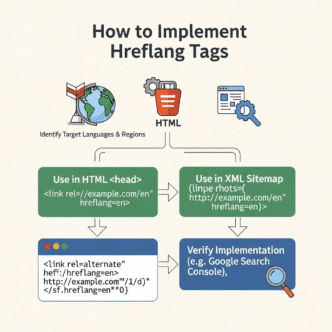
1. Use Hreflang Tags
<link rel="alternate" hreflang="en-us" href="https://example.com/product" />
<link rel="alternate" hreflang="en-gb" href="https://example.co.uk/product" />
<link rel="alternate" hreflang="de-de" href="https://example.de/product" />
2. Canonical Tags
If using JavaScript currency switching, set canonical to primary version:
<link rel="canonical" href="https://example.com/de/product" />
3. Geotargeting in Search Console
For ccTLDs, verify proper country targeting in Google Search Console settings.
Dynamic Content and SEO
Issue: Currency switching via JavaScript can hide content from Googlebot.
Solution: Server-side rendering or ensure critical content (including prices) renders without JavaScript.
Test: Use Google Search Console URL Inspection tool to verify Googlebot sees currency information.
Handling Multiple Currencies on Single Page
If offering currency selector:
Best practice:
- Default to geo-detected currency
- Show conversion transparently
- Keep URL structure consistent
- Use cookies/localStorage for user preference
Avoid:
- Changing URLs based on currency selection
- Creating separate pages for each currency
- Hiding alternative currencies from search engines
For technical implementation details, see our international SEO technical guide.
What Tools Help Manage Currency and Payment for International Sites?
Essential tools for implementing local trust signals SEO effectively.
Currency Management Tools
| Tool | Features | Pricing | Best For |
|---|---|---|---|
| Shopify Markets | Auto currency, payments | Built-in | Shopify stores |
| WooCommerce Multi-Currency | Multiple currencies, geo-detect | Free-$79 | WordPress/WooCommerce |
| Stripe | 135+ currencies, local methods | 2.9% + $0.30 | Most platforms |
| PayPal Commerce | 25+ currencies, buyer protection | 2.9% + fixed fee | Small-medium business |
| Currency Converter Plus | Real-time rates, auto-detect | Free-$39/year | Simple implementation |
Payment Gateway Aggregators
Adyen: 250+ payment methods globally, single integration Braintree: PayPal-owned, strong in US/Europe 2Checkout (Verifone): 87 currencies, 45+ countries Stripe: Excellent developer experience, expanding globally
International Tax/VAT Calculation
Avalara: Automated tax compliance, 100+ countries TaxJar: US-focused but expanding Quaderno: Automatic VAT for digital goods WooCommerce Tax: Built-in with extensions
Review and Trust Badge Platforms
Trustpilot: Global reviews, strong in Europe Feefo: UK-focused, verified reviews Trusted Shops: Essential for German market Bazaarvoice: Enterprise solution Yotpo: Reviews + UGC, strong US presence
Common Mistakes That Destroy Local Trust Signals
Avoid these errors that hurt both conversions and SEO.
Mistake 1: Showing Only USD Globally
The Problem: Expecting international users to mentally convert currency.
Impact:
- High bounce rates
- Lower time on site
- Poor engagement signals
- Lost conversions
The Fix: Implement currency detection with local display as default.
Mistake 2: Accepting Only Credit Cards
The Problem: Missing dominant payment methods in key markets (iDEAL in Netherlands, SOFORT in Germany).
Impact:
- Immediate bounce at checkout
- Negative brand perception
- Lost market share to local competitors
The Fix: Research payment preferences in each market, implement top 2-3 methods minimum.
Mistake 3: Hidden Costs Until Checkout
The Problem: Showing product price, then adding shipping, taxes, and fees at final step.
Impact:
- Cart abandonment spikes
- Trust damage
- Negative reviews
- SEO-hurting bounce signals
The Fix: Show total estimated costs early. Display “€29.99 (inkl. MwSt. + Versand)” upfront.
Mistake 4: Generic International Phone Number
The Problem: Only showing +1-800 number to German customers.
Impact:
- Perception of foreign company
- Hesitation to contact support
- Lower trust
- Preference for local competitors
The Fix: Local phone numbers for each major market, even if they forward to central support.
Mistake 5: Wrong Language for Payment/Legal Info
The Problem: German site with English-only terms and conditions or privacy policy.
Impact:
- Legal compliance issues (GDPR violations possible)
- User confusion and distrust
- Poor engagement signals
- Potential delisting from Google
The Fix: Professional translation of ALL legal, payment, and trust-related content.
Measuring the Impact of Local Trust Signals
Track whether your trust factors international actually work.
Key Metrics to Monitor
Conversion funnel by country:
- Landing page → Product page: Information seeking
- Product page → Cart: Interest level
- Cart → Checkout: Purchase intent
- Checkout → Complete: Trust and friction points
Engagement metrics:
- Bounce rate by country
- Pages per session by geography
- Time on site by region
- Return visitor rate by country
SEO metrics:
- Rankings for commercial keywords by country
- Organic traffic by region
- Click-through rate from SERPs by geography
- Impressions to clicks ratio by country
A/B Testing Trust Elements
Test these individually:
Currency Display:
- Control: USD only
- Variant: Local currency auto-detected
Payment Methods:
- Control: Credit cards + PayPal
- Variant: Add local methods (SOFORT, iDEAL, etc.)
Trust Badges:
- Control: No badges
- Variant: 2-3 local security badges
Contact Information:
- Control: Generic international contact
- Variant: Local phone/address displayed
Measure: Conversion rate, bounce rate, time to purchase.
Pro Tip: According to VWO case studies, adding local payment methods typically shows 15-40% conversion improvement within 2 weeks—fast enough to make decisions quickly without long-term testing.
Learn about comprehensive international measurement in our analytics guide.
Final Thoughts: Building Trust That Converts and Ranks
Local trust signals SEO isn’t optional for international success—it’s foundational.
Google’s algorithm increasingly prioritizes user experience signals. Sites that convert better rank better. Sites that feel local perform better than obvious foreign alternatives.
Your checklist for each market:
✅ Display prices in local currency with proper formatting
✅ Offer 2-3 most popular local payment methods
✅ Show local contact information (phone, address)
✅ Display locally-recognized trust badges
✅ Include VAT/tax appropriately
✅ Use local review platforms and testimonials
✅ Provide return policies matching local expectations
✅ Implement proper hreflang and geo-targeting
The investment pays off: Better conversion rates, lower customer acquisition costs, improved rankings, and long-term brand credibility in each market.
Don’t just translate. Localize. Don’t just rank. Convert.
Because international SEO without local trust is just expensive traffic that bounces.
Frequently Asked Questions
How do currency and payment options affect international SEO rankings?
Currency and payment options impact SEO through both direct and indirect signals. Directly, Google considers structured data showing local currency, on-page mentions of local payment methods, and regional business information as local relevance indicators. Indirectly, sites displaying local currency and preferred payment methods have 15-40% better conversion rates, lower bounce rates, and higher engagement—all user behavior signals Google uses for rankings. Studies show sites with local currency rank 3+ positions higher on average.
What are the most important local trust signals for international ecommerce?
The most critical local trust signals are: (1) local currency display with proper formatting, (2) popular local payment methods (iDEAL in Netherlands, SOFORT in Germany, UPI in India), (3) local contact information including phone numbers and addresses, (4) locally-recognized trust badges and security seals, (5) proper VAT/tax display following local conventions, (6) local language customer reviews, and (7) clear return policies matching regional legal requirements. Missing these signals increases bounce rates and reduces conversions by 40-60%.
Should I show prices in local currency or let users convert manually?
Always show prices in local currency by default. Baymard Institute research found 17% of users abandon checkout when forced to mentally convert currency. Implement automatic currency detection based on user location with option to manually switch currencies. Use structured data to indicate local currency to search engines. Showing local currency reduces bounce rates by 20-35% and improves conversion rates by 25-50% compared to single-currency displays.
What payment methods should I offer in different countries?
Payment preferences vary dramatically: Germany requires SOFORT and giropay (70% prefer bank transfer over credit cards), Netherlands needs iDEAL (55% market share), China requires Alipay and WeChat Pay (80% of transactions), India needs UPI and Paytm, Brazil requires Boleto bancário, and Japan expects convenience store payment options. Research top 3 payment methods in each target market and implement at minimum the two most popular options plus credit cards and PayPal as baseline.
How do I implement multiple currencies without creating duplicate content issues?
Implement proper hreflang tags linking currency/country versions, use canonical tags pointing to the primary market version, ensure server-side rendering of prices so Googlebot sees content, keep URL structure consistent (avoid URL parameters for currency), and configure geotargeting in Google Search Console for ccTLDs. If using JavaScript for currency switching, ensure prices render without JavaScript for search engines. Test using Google Search Console URL Inspection tool to verify proper indexing.
What trust badges work best for international markets?
Use locally-recognized certifications: Trusted Shops and TÜV for Germany, WebwinkelKeur for Netherlands, Trustpilot for UK/Europe, Norton and McAfee for US, and country-specific consumer protection badges. Display 2-3 badges maximum—more creates clutter and reduces trust. Place badges near payment options and in footer. Verified local certifications increase conversion rates 12-18%, while generic international badges have minimal impact on trust in most markets.
How can I measure if local trust signals are improving my SEO?
Track country-specific metrics in Google Search Console and Google Analytics 4: bounce rate by country, conversion rate by geography, average session duration by region, and pages per session by country. Monitor rankings for commercial keywords in each market, organic traffic growth by country, and click-through rates from SERPs by geography. A/B test trust elements measuring conversion rate changes. Successful implementation typically shows 15-40% conversion improvement within 2-4 weeks.
Do I need physical presence in each country for local trust signals?
Not required but beneficial. Minimum trust signals work without physical presence: local phone number (can forward internationally), local payment methods, currency display, and proper legal compliance (VAT registration where required). However, physical addresses, local warehouses, and local customer service significantly boost both trust and SEO. Start with basic signals, add physical presence as market proves profitable. ccTLDs provide strongest SEO signal even without physical offices.