Ever watched your perfectly good content sit on page one while some other website steals the spotlight at position zero? Yeah, that stings like a paper cut on your SEO ego.
Here’s the thing about content formatting for featured snippets: Google’s not playing favorites based on domain authority or backlink counts. It’s hunting for content that answers questions faster than a caffeinated librarian. And the formatting you choose? That’s your golden ticket or your “thanks for playing” consolation prize.
Let’s crack the code on snippet content structure that makes Google’s algorithms do a little happy dance.
Table of Contents
ToggleWhat Makes Featured Snippet Content Actually Work?
Featured snippets are Google’s way of saying “I found the answer for you, no clicking required.” They grab somewhere between 40-60 words from your page and display them above organic results.
According to Ahrefs’ research, featured snippets appear in about 12.3% of search queries. That’s millions of opportunities just sitting there, waiting for properly formatted content.
The secret sauce? Google prefers content that’s structured like a well-organized filing cabinet, not a junk drawer.
How Does Content Formatting Featured Snippets Actually Work?
Think of Google’s snippet selection like a job interview. Your content needs to show up dressed right, speak clearly, and answer the question without rambling about your college years.
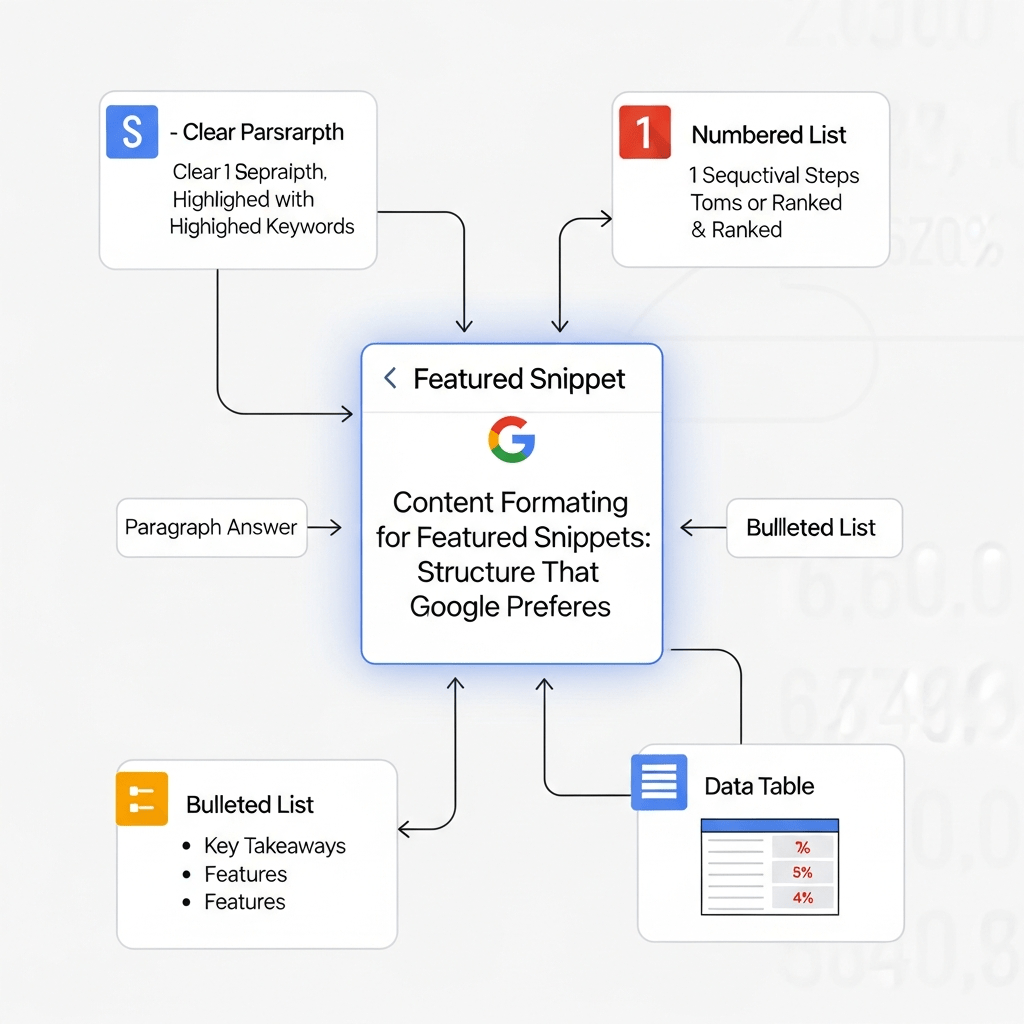
Snippet-friendly formatting follows three non-negotiable rules: clarity beats cleverness, structure trumps style, and directness destroys fluff. Google’s crawlers scan for specific patterns that signal “Hey, this content answers the question efficiently.”
The algorithm looks for question-answer pairs, definitions that start strong, lists that break down complexity, and tables that compare options side-by-side. It’s not rocket science, but most content creators still miss the mark.
Why Does Snippet Content Structure Matter More Than Ever?
Position zero real estate is shrinking with AI Overviews eating up screen space. According to BrightEdge, featured snippets now drive up to 8% of all clicks in competitive niches.
Your content organization for snippets either opens doors or closes them. Poorly structured content gets ignored even if it contains the right answer buried in paragraph seven.
Google’s getting pickier, not lazier. The rise of Generative Engine Optimization means your formatting needs to work for both traditional snippets AND AI summaries. Double the pressure, double the rewards for getting it right.
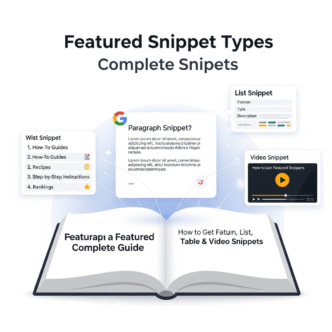
What Are The Core Types of Snippet Formats Google Loves?
Paragraph Snippets
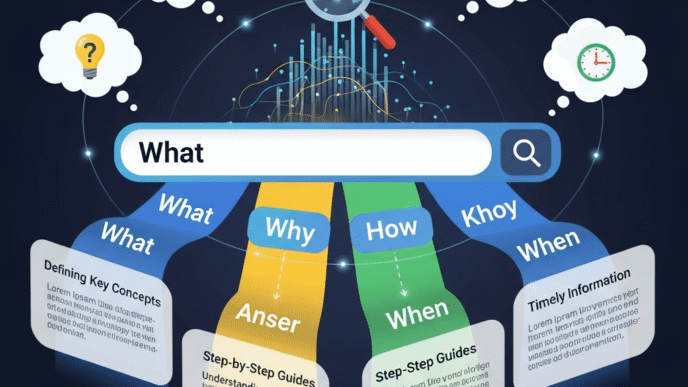
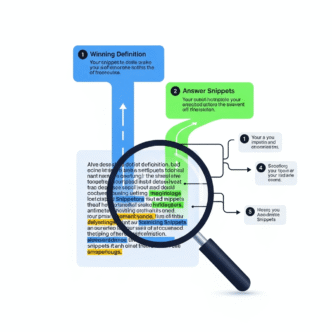
These answer “what is,” “who is,” or “why” questions in 40-60 words. Start with a direct definition or answer in your first paragraph.
Google pulls paragraph snippets from content that defines terms upfront without preamble. Skip the throat-clearing intro sentences and deliver value immediately.
List Snippets
Perfect for “how to,” “best,” or step-by-step content. Google displays ordered lists for processes and unordered lists for collections or options.
Formatting best practices for snippets include using actual HTML list tags (not just visual bullet points). Each list item should be concise—think tweet-length, not essay-length.
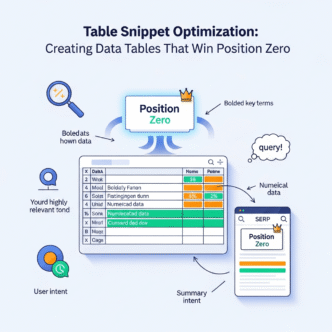
Table Snippets
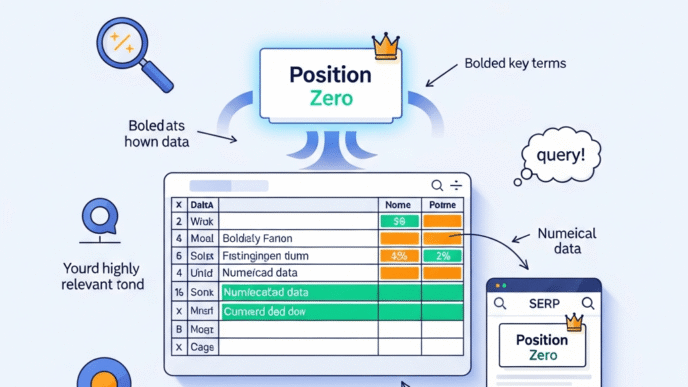
Comparison queries trigger table snippets about 30% of the time. Google loves tables for “vs” searches, pricing comparisons, or feature matrices.
Your tables need clear headers, consistent data types per column, and mobile-friendly sizing. HTML tables win over image-based comparison charts every single time.
How to Format Content for Featured Snippet Optimization?
Start by reverse-engineering existing snippets in your niche. Type your target query into Google and screenshot what wins position zero.
Notice the word count, heading structure, and formatting patterns. Then build your content to match that blueprint while adding better information.
The Paragraph Format Strategy
Lead with your answer in a tight 2-3 sentence block immediately after the H2 heading that matches search intent. No fluff, no build-up, just pure answer juice.
According to SEMrush’s snippet analysis, paragraph snippets average 42 words. Stay within 35-50 words for optimal snippet capture rates.
Follow your answer paragraph with supporting details, examples, or elaboration. Google grabs the concise answer while readers get depth if they click through.
The List Format Blueprint
Use H2 or H3 headings that mirror common question patterns: “How to,” “Ways to,” “Steps for,” “Best,” “Top.”
Structure your lists with 5-8 items maximum for best snippet performance. Each item gets its own subheading (H3 or H4) with 1-2 sentences of explanation underneath.
Content structure that wins position zero always uses proper HTML markup. Ordered lists (numbered) signal sequential steps while unordered lists (bullets) suggest equal-weight options.
The Table Format Method
Create tables with 2-5 columns and 3-8 rows. First column should list items being compared, subsequent columns detail attributes or features.
Keep cell content brief—under 20 words per cell. Google’s snippet extraction struggles with wordy tables that don’t display cleanly on mobile screens.
Add a descriptive caption above your table using an H3 heading that includes question keywords. Something like “What are the main differences between X and Y?” works beautifully.
What Content Organization Snippets Require for Different Query Types?
Definition Queries
Format: Term + “is” + concise definition in first 2 sentences. Then expand with context, examples, or use cases.
Example structure: “Featured snippets are selected search results displayed above organic listings. They provide direct answers to user queries without requiring clicks.”
Process Queries
Use numbered lists with strong action verbs. Each step should start with a command verb (Click, Enter, Select, Choose).
Add brief clarification under each numbered item if needed. The heading should match question format: “How to [achieve desired outcome]?”
Comparison Queries
Tables dominate here, but structured paragraphs work too. Use parallel structure: “Option A offers X, while Option B provides Y.”
Call out key differences in bold within your comparison text. Google loves when you make contrast points visually obvious.
Timeline or Historical Queries
Ordered lists or tables with dates in the first column work best. Keep entries chronological and consistent in detail level.
Each timeline entry needs a date, event name, and 1-2 sentence description maximum.
What Are Real-World Examples of Winning Snippet Formatting?
Let’s look at actual snippet winners without the usual “check out this amazing example from a Fortune 500 company” nonsense.
A small cooking blog captured the snippet for “how to caramelize onions” by using a 7-step numbered list with time indicators (5 minutes, 15 minutes, etc.) in each step heading. Simple, scannable, specific.
A local HVAC company won “what causes ac to freeze” with a 3-item bulleted list under a direct question heading. Each bullet point had a bold symptom name followed by a brief explanation. Total content? Maybe 75 words.
An indie SaaS tool grabbed “best time to send cold emails” using a simple 3-row table showing time slots, open rates, and best industries. No fancy graphics, just clean HTML table formatting.
How Does Snippet Content Layout Affect Mobile Performance?
Mobile screens display featured snippets differently than desktop. Your content organization for snippets must work on a 375px wide viewport without horizontal scrolling.
Tables wider than 3 columns often break on mobile, killing your snippet chances. Lists display better than paragraphs on small screens because white space improves readability.
According to Statista, 59% of web traffic comes from mobile devices. If your snippet-targeted content doesn’t render cleanly on phones, you’re optimizing for the wrong audience.
Test your formatted content on actual mobile devices, not just desktop browser tools. Screenshot how lists, tables, and paragraphs appear at different screen sizes.
What Are Common Formatting Mistakes That Kill Snippet Chances?
The Wall-of-Text Trap
Huge paragraph blocks scare away both readers and Google’s snippet algorithm. If your answer paragraph exceeds 4 lines on desktop, you’ve already lost.
Break up density with line breaks, shorter sentences, and visual breathing room. White space is your snippet-winning friend.
The Buried Answer Problem
Starting with context, background, or throat-clearing before answering the main question torpedoes snippet potential. Google won’t dig through three paragraphs to find your answer.
Front-load your content with the direct answer first, then provide context afterward for readers who want more depth.
Inconsistent List Formatting
Mixing list formats (some items with subheadings, some without) confuses Google’s extraction logic. Pick one structure and stick with it throughout.
Your list items need parallel grammatical structure too. Don’t mix full sentences with sentence fragments—choose one style.
Tables Without Clear Headers
Tables that lack descriptive column headers or use vague labels (“Info,” “Details”) perform poorly. Google needs semantic clarity to extract table data properly.
Every column header should clearly indicate what data appears below it. “Price,” “Features,” “Best For” beats “Column A,” “Column B,” “Column C.”
Image-Based Lists or Tables
Google can’t extract text from images for snippets. If your comparison table is a screenshot or infographic, you’ve eliminated snippet eligibility.
Always use HTML tables and lists. Add images for visual appeal AFTER your HTML-formatted content, not instead of it.
What Tools Help Optimize Content Formatting for Snippets?
SEMrush’s Keyword Magic Tool
Identifies which keywords trigger specific snippet types. Filter by question-based queries to find snippet opportunities in your niche.
Ahrefs’ Site Explorer
Shows which competitors hold featured snippets for your target keywords. Analyze their formatting patterns to identify what works.
AnswerThePublic
Generates question-format queries perfect for snippet-optimized content. Use the visualization to spot trending question patterns.
Schema Markup Validator
While schema doesn’t directly trigger snippets, structured data helps Google understand content context. Test your markup for errors that might hurt snippet eligibility.
How Do Formatting Best Practices for Snippets Evolve?
Google’s snippet selection criteria shift as AI Overview expands. Currently seeing increased preference for content that includes both overview answers AND detailed elaboration.
The rise of Generative Engine Optimization means your snippet-optimized content might also feed AI summaries. Format with both traditional snippets and LLM extraction in mind.
Multi-modal content (text + relevant images + structured data) performs increasingly well. Don’t just optimize text—consider how visual elements complement your formatted answers.
What Schema Markup Supports Snippet-Friendly Formatting?
HowTo schema enhances step-by-step content with structured data that Google understands. Add it to process-based content targeting list snippets.
FAQ schema pairs perfectly with question-answer content. While it generates its own rich result type, it can boost snippet eligibility for individual Q&A pairs.
Table schema isn’t official, but properly marked up HTML tables with good semantic structure signal Google about comparison content organization.
Comparison Table: Snippet Format Types
| Format Type | Best For | Avg Word Count | Mobile-Friendly |
|---|---|---|---|
| Paragraph | Definitions, explanations | 40-60 | Excellent |
| Numbered List | Step-by-step processes | 5-8 items | Excellent |
| Bulleted List | Features, benefits, options | 5-8 items | Excellent |
| Table | Comparisons, specifications | 3-8 rows | Good (2-3 columns) |
What Role Does Content Hierarchy Play in Snippet Selection?
Your H1 should match or closely mirror the search query. H2 headings need to contain question formats or clear topic indicators that Google recognizes.
Proper heading hierarchy (H1 → H2 → H3, no skipping levels) helps Google understand content structure and relationship between sections.
According to Moz’s analysis, pages with clear heading hierarchies capture snippets 36% more often than pages with flat or inconsistent heading structures.
Each H2 section should function as a potential answer unit. Structure content so any individual H2 section could theoretically stand alone as a snippet candidate.
How to Optimize Formatting for Position Zero Long-Term?
Featured snippet holdings aren’t permanent. Monitor your snippet performance monthly and update content when competitors capture your position zero.
Refresh statistics, add newer examples, and improve formatting based on what’s currently winning snippets. Stale content loses snippets even with perfect formatting.
Build comprehensive content that could potentially win multiple snippet types. A well-structured guide might capture paragraph snippets for definitions AND list snippets for processes.
Create content clusters around snippet opportunities. Your main featured snippets guide can link to focused pages targeting specific snippet types or query patterns.
Pro Tips from Snippet Optimization Experts
“Featured snippets favor content that answers questions before explaining why the question matters. Flip your typical content structure.” — Rand Fishkin, SparkToro
“Tables with consistent data types in each column outperform tables with mixed content types by 3x for snippet capture.” — Aleyda Soli, International SEO Consultant
“Mobile-first snippet optimization isn’t optional anymore—59% of snippet impressions happen on mobile devices.” — Lily Ray, Amsive Digital
What Content Formatting Works for AI Overview Optimization?
AI Overviews pull from similar content structures as traditional snippets but prioritize authoritative, comprehensive sources with proper citation formatting.
Your formatting for position zero strategy now needs to work for both traditional snippets AND AI-generated summaries. Focus on clear, structured content with embedded context.
Include inline citations or attribution when stating facts or statistics. AI Overviews favor content that shows its sources transparently.
How to Test Your Snippet Content Structure?
Use Google Search Console to identify queries where you rank positions 1-10 but don’t hold the snippet. These are your immediate opportunities.
Analyze the current snippet holder’s formatting. Match their structure but improve the answer quality, recency, or comprehensiveness.
Wait 2-4 weeks after formatting changes before evaluating results. Google needs time to recrawl and reassess snippet eligibility.
Track snippet volatility in your niche. High volatility means more opportunity but requires consistent content updates to maintain position zero.
Common Pitfalls That Sabotage Snippet Formatting
Over-optimization: Stuffing keywords into every list item or forcing unnatural question formats tanks user experience and snippet eligibility.
Ignoring SERP context: Formatting for paragraph snippets when Google exclusively shows list snippets for your query wastes effort. Match the current snippet type.
Neglecting content depth: Winning a snippet with thin content causes high bounce rates. Google notices and often strips snippets from low-engagement pages.
Format-first, answer-second mentality: Perfect formatting means nothing if your answer is incomplete, outdated, or wrong. Accuracy always beats pretty formatting.
Frequently Asked Questions
What is the ideal length for featured snippet content?
Featured snippet paragraph answers typically range from 40-60 words or 2-3 sentences. List snippets perform best with 5-8 items, each containing 10-25 words. Going shorter risks insufficient context while longer formats reduce snippet capture probability because Google truncates overly detailed content.
Can the same page rank for multiple featured snippets?
Yes, comprehensive pages with strong snippet content structure can capture multiple featured snippets for different related queries. Each H2 section targeting a specific question can potentially win its own snippet. Focus on creating distinct, well-formatted answer units throughout your content rather than optimizing for just one snippet opportunity.
Do featured snippets hurt click-through rates?
Research shows mixed results. While some users get answers without clicking, HubSpot’s data indicates pages with featured snippets see an average 114% increase in CTR for that query compared to typical position-one results. The visibility boost often outweighs zero-click concerns, especially for commercial intent keywords.
How often should I update snippet-optimized content?
Update snippet-targeted content quarterly at minimum, monthly for competitive queries. Featured snippets often go to the most recently updated content when multiple pages have similar formatting quality. Add new statistics, refresh examples, and improve formatting based on current SERP patterns to maintain position zero.
Does page speed affect featured snippet eligibility?
While page speed isn’t a direct snippet ranking factor, Google favors pages that deliver good user experience. Slow-loading pages may rank lower overall, reducing snippet eligibility. Core Web Vitals compliance ensures your well-formatted content gets full consideration for position zero opportunities.
Can I optimize for featured snippets and AI Overviews simultaneously?
Absolutely. Both prefer clear, structured, authoritative content with proper formatting. Focus on question-based headings, concise answers, proper HTML markup, and inline citations. This dual optimization approach future-proofs your content formatting for featured snippets as search evolves toward more AI-generated results.
Final Thoughts
Content formatting for featured snippets isn’t mysterious, it’s methodical. Google tells you exactly what it wants through the snippets it already displays.
Match the format type, nail the structure, answer directly, and support with depth. That’s the formula that wins position zero consistently.
The featured snippet landscape keeps shifting with AI Overviews and Generative Engine Optimization changing how search results appear. But the core principle stays constant: organized, clear, direct content wins the visibility game.
Start auditing your top-performing pages today. Which ones rank page one but miss the snippet? Those are your low-hanging fruit—improve the formatting, capture position zero, and watch your click-through rates climb.