You’ve got 47 half-finished blog posts in your drafts folder. Three more brilliant ideas scribbled on sticky notes. And absolutely no clue what you’re publishing next Tuesday.
Sound familiar? Welcome to the chaos of unplanned content creation – where inspiration strikes randomly, deadlines whoosh past, and your content publishing calendar is basically “whenever I feel like it.”
Here’s the brutal reality: inconsistent publishing kills SEO momentum faster than anything else. Google rewards sites that publish consistently and strategically. Your competitors with rigid publishing schedules are eating your lunch while you’re waiting for creative inspiration to strike.
But here’s the good news: you don’t need a massive team or expensive tools. You need a system. Today, I’m showing you exactly how to build a content publishing calendar that turns chaos into strategic consistency – and random posts into rankings that actually matter.
Table of Contents
ToggleWhat Exactly Is A Content Publishing Calendar And Why Do You Need One?
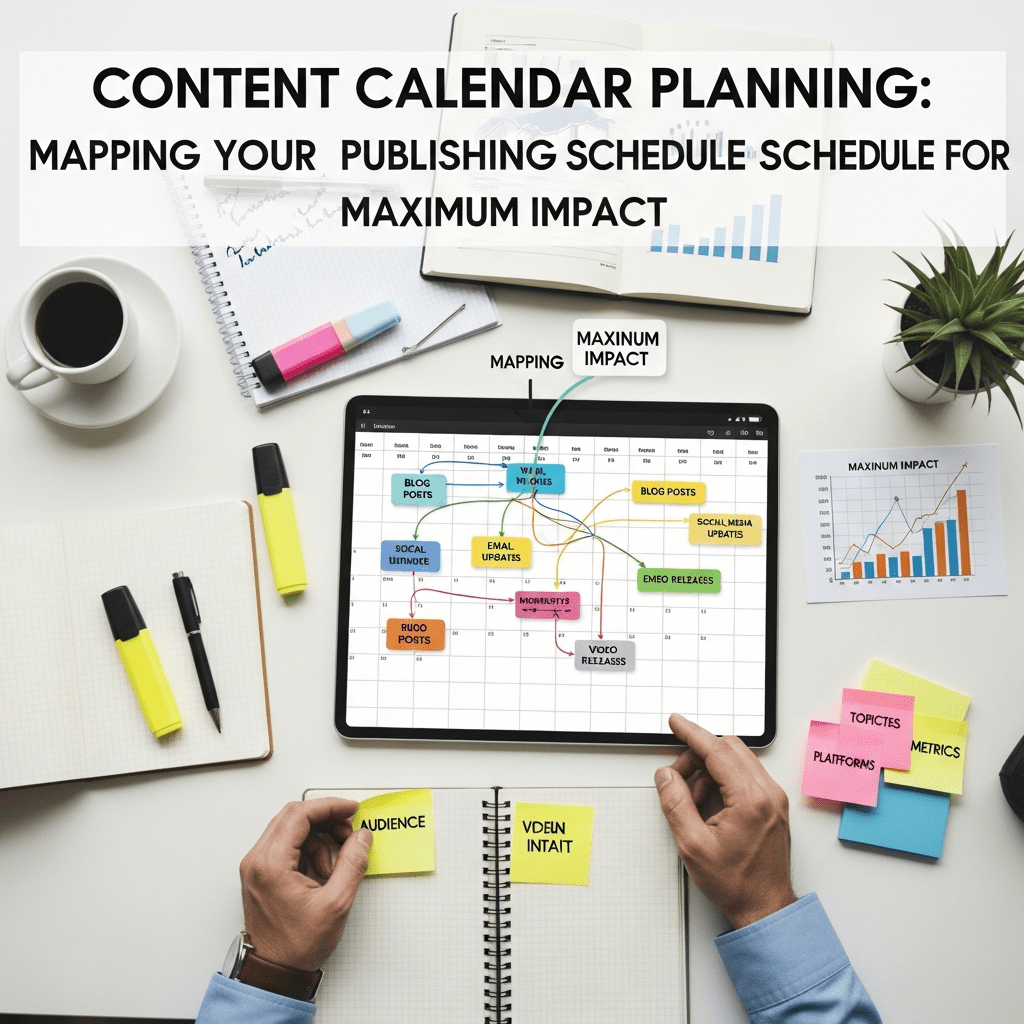
Let’s start simple. A content publishing calendar is your strategic roadmap showing what content you’ll publish, when you’ll publish it, and how each piece connects to your bigger SEO goals.
Think of it as your blog’s GPS. Without it, you’re driving around aimlessly hoping to stumble upon your destination. With it, you know exactly where you’re going and the fastest route to get there.
But here’s what most bloggers get wrong: they think content calendars are just fancy spreadsheets tracking publish dates. That’s like saying a recipe is just a grocery list.
A real strategic calendar includes:
- Publication dates and times
- Target keywords and search intent
- Content type and format
- Topic clusters and pillar relationships
- Promotional plans for each piece
- Author assignments and deadlines
- Performance tracking metrics
According to the Content Marketing Institute, 63% of the most successful content marketers have a documented content strategy, compared to just 16% of the least successful ones. That’s not coincidence – that’s causation.
How Does An Editorial Calendar SEO Strategy Improve Rankings?
Here’s where it gets interesting. An editorial calendar SEO approach doesn’t just organize your publishing – it dramatically improves how Google perceives your site.
Consistency signals authority. When you publish regularly (weekly, bi-weekly, whatever schedule you choose), Google crawls your site more frequently. More frequent crawling means faster indexing and quicker ranking improvements.
Strategic topic sequencing builds momentum. Publishing a pillar page followed by supporting cluster posts in logical order creates topical authority faster than scattering related content across months.
Keyword targeting avoids cannibalization. Planning prevents accidentally publishing three posts targeting the same keyword – a rookie mistake that destroys rankings by splitting authority across competing pages.
Seasonal optimization captures trending search volume. A calendar lets you publish content 4-6 weeks before seasonal peaks, giving Google time to rank you when search volume spikes.
Real-world impact: When HubSpot implemented rigorous editorial calendar planning, they saw their organic traffic grow 127% year-over-year. The content quality didn’t change dramatically – the strategic timing and sequencing did.
Pro Tip: Your content calendar is an SEO multiplier, not just an organizational tool. Every publishing decision should answer: “How does this help us rank better?”
What’s The Difference Between Content Calendars And Editorial Calendars?
People use these terms interchangeably, but there’s a subtle difference worth understanding.
Content calendars are broader. They include all content across all channels: blog posts, social media, email newsletters, videos, podcasts, infographics, webinars – everything.
Editorial calendars focus specifically on published written content: blog posts, articles, guides, ebooks. They’re more detailed about the writing, editing, and publishing workflow.
For most bloggers, you’re really building a hybrid: an editorial calendar for your blog that connects to your broader content strategy.
Here’s the practical breakdown:
| Aspect | Content Calendar | Editorial Calendar |
|---|---|---|
| Scope | All content types | Written content focus |
| Detail Level | High-level overview | Deep workflow details |
| Channels | Multi-channel | Single channel (blog) |
| Timeline | Monthly/Quarterly | Weekly/Daily |
| Team Use | Entire marketing team | Writers/editors |
| Strategic Focus | Brand messaging | SEO & topic authority |
For your blog SEO strategy, you need editorial calendar specificity with content calendar strategic thinking. The best approach combines both perspectives.
How Do You Build A Content Planning Strategy From Scratch?
Alright, let’s get practical. Building a content planning strategy that actually works requires systematic thinking, not random brainstorming.
Step 1: Define Your Publishing Goals
What are you actually trying to achieve? Specific goals create better calendars than vague aspirations.
Good goals:
- “Rank top 3 for 15 target keywords by Q4”
- “Generate 50 qualified leads per month from organic traffic”
- “Establish topical authority in email marketing by publishing 25 interconnected posts”
- “Increase organic traffic 75% year-over-year”
Bad goals:
- “Publish more content”
- “Get better at SEO”
- “Rank higher”
Your goals determine everything else: how often you publish, what topics you cover, and how you measure success.
Step 2: Audit Your Existing Content
Before planning new content, understand what you already have. Export all existing posts with:
- URLs and titles
- Publish dates
- Word counts
- Current traffic and rankings
- Topic/category
- Target keywords
Identify gaps where you’re missing content in important topic areas. These gaps become calendar priorities.
Step 3: Research Your Content Opportunities
Use keyword research to identify:
- High-volume keywords you could realistically rank for
- Question-based keywords showing clear search intent
- Competitor content gaps you can fill
- Seasonal trends in your niche
- Trending topics with staying power
Tools like Ahrefs, Semrush, or AnswerThePublic reveal what your audience actively searches for.
Step 4: Map Content Clusters
Organize topics into strategic clusters (pillar + supporting posts). Planning an entire cluster at once ensures logical publishing sequence and comprehensive coverage.
Step 5: Determine Optimal Publishing Frequency
How often should you publish? Depends on:
- Your content creation capacity (realistic assessment)
- Your competition’s publishing frequency
- Your topic’s search demand
- Your current domain authority
Start conservative: weekly is better than sporadic. Consistency beats volume every time.
Step 6: Create Your Calendar Framework
Choose your tool (more on this later) and map out 3-6 months of content. Include:
- Publish dates
- Topic/working title
- Target keyword
- Content type/format
- Cluster association
- Writer assignment
- Key deadlines
Step 7: Build In Flexibility
Reserve 20-30% of your calendar for opportunistic content: trending topics, news reactions, or unexpected opportunities. Rigid calendars break when reality hits.
This systematic content planning strategy transforms scattered publishing into strategic execution.
What’s The Ideal Publication Frequency Optimization For SEO?
The million-dollar question: how often should you actually publish? Let’s cut through the myths with data.
The frequency myth: More content always equals better rankings. This is demonstrably false. Quality + consistency beats pure volume every single time.
The reality: Publishing frequency depends on your specific situation. Here’s the strategic framework:
For new blogs (0-6 months old):
- Minimum: 2 posts per week
- Optimal: 3-4 posts per week
- Rationale: You need content volume to establish topical coverage and give Google enough pages to understand your focus
For established blogs (6-24 months):
- Minimum: 1 post per week
- Optimal: 2-3 posts per week
- Rationale: Balance new content with updating existing posts that are gaining traction
For authority sites (24+ months):
- Minimum: 1-2 posts per week
- Optimal: Focus on comprehensive, definitive content
- Rationale: Quality and depth matter more than frequency once you’ve established authority
Publication frequency optimization research from Orbit Media shows:
- 38% of top-performing bloggers publish weekly
- Bloggers who publish multiple times per week report stronger results (60% say very successful vs 39% for less frequent)
- BUT only if maintaining quality
The sweet spot for most bloggers: 2 posts per week minimum, with room to scale up as capacity allows.
Pro Tip: Consistency beats frequency. Publishing 1 post weekly every single week for a year beats publishing 4 posts weekly for two months then going silent. Google rewards reliability.
How Do Content Scheduling Tools Actually Help Your Workflow?
Let’s talk tools. The right content scheduling tools don’t just organize your calendar – they transform how your entire team works.
Spreadsheet-Based Tools (Google Sheets, Excel, Airtable)
Pros:
- Free or cheap
- Infinitely customizable
- Easy collaboration
- No learning curve
Cons:
- Manual updates required
- No automation
- Limited visualization
- Doesn’t integrate with publishing platforms
Best for: Solo bloggers or small teams just starting out
Project Management Tools (Notion, Asana, Monday.com, Trello)
Pros:
- Visual workflow management
- Task assignments and deadlines
- Progress tracking
- Team collaboration features
- Template libraries
Cons:
- Monthly subscription costs
- Can be overkill for simple needs
- Requires team adoption
Best for: Teams with 3+ people managing content creation
Dedicated Editorial Tools (CoSchedule, DivvyHQ, Semrush Content Calendar)
Pros:
- Built specifically for content planning
- SEO integration
- Social media scheduling
- Analytics connections
- Workflow automation
Cons:
- Expensive ($29-300+/month)
- Learning curve
- May include features you don’t need
Best for: Serious content operations with budget
WordPress Editorial Plugins (Editorial Calendar, PublishPress, CoSchedule)
Pros:
- Native WordPress integration
- Drag-and-drop publishing
- Free or affordable options
- Simple interface
Cons:
- Limited to WordPress
- Basic features compared to dedicated tools
- Planning happens in WordPress admin
Best for: WordPress users wanting simple native solutions
Here’s a quick comparison:
| Tool | Best For | Monthly Cost | Key Feature | Learning Curve |
|---|---|---|---|---|
| Google Sheets | Solopreneurs | Free | Customization | Very Low |
| Notion | Small teams | $0-15/user | Flexibility | Low |
| Trello | Visual planners | $0-17.50/user | Kanban boards | Very Low |
| Asana | Task management | $0-24.99/user | Workflow automation | Medium |
| CoSchedule | Marketing teams | $29-499 | Marketing integration | Medium |
| Semrush | SEO-focused | $139.95+ | Keyword integration | High |
Pro Tip: Start simple. Most bloggers need nothing more than a Google Sheet with tabs for planning, draft tracking, and publishing schedule. Graduate to complex tools only when simple solutions create bottlenecks.
How Do You Create A Strategic Content Roadmap For 90 Days?
Let’s get tactical. I’ll walk you through building a 90-day strategic content roadmap that actually drives results.
Week 1: Research & Strategy
- Conduct keyword research for 50-100 target keywords
- Identify 2-3 content clusters to develop
- Analyze competitor publishing strategies
- Define success metrics and goals
- Choose your calendar tool
Week 2-4: Pillar Content (Month 1)
- Create 1-2 comprehensive pillar pages (3,000-5,000 words)
- Publish pillar content early to establish cluster foundation
- Optimize pillar pages for broad topic keywords
- Begin building backlinks to pillar content
- Plan 8-12 cluster posts for each pillar
Week 5-8: Cluster Building (Month 2)
- Publish 8 cluster posts (2 per week)
- Each links back to relevant pillar
- Target specific long-tail keywords
- Vary content formats (how-to, listicles, comparisons)
- Update pillar pages with links to new clusters
Week 9-12: Completion & Expansion (Month 3)
- Publish final 4-6 cluster posts
- Create 1-2 opportunistic trend posts
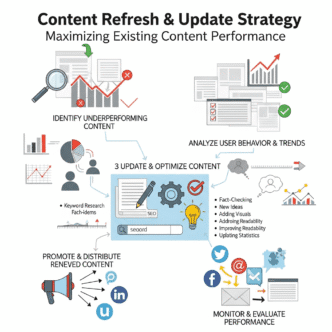
- Update 2-3 older posts with fresh content
- Promote cluster content across channels
- Analyze performance and plan next quarter
This 90-day cycle gives you:
- 2 comprehensive pillar pages
- 12-16 cluster posts
- 2-3 bonus/trending posts
- Several updated existing posts
- Total: 16-22 published pieces
At 2-3 posts per week, this is sustainable for small teams while building substantial topical authority.
Real-world example: When implementing this 90-day cluster-focused approach, one B2B SaaS blog grew organic traffic 89% quarter-over-quarter – compared to just 15% in the previous quarter with scattered content publishing.
What Should Your Content Calendar Template For Building Topical Authority Include?
A content calendar template for building topical authority requires specific fields that generic calendars miss. Here’s the framework that actually works.
Essential Fields:
1. Publish Date/Time – Exact date and optimal publishing time for your audience
2. Content Title – Working title (can change, but needs direction)
3. Focus Keyword – Primary keyword target for the piece
4. Search Intent – Informational, commercial, transactional, or navigational
5. Content Cluster – Which pillar/cluster does this belong to?
6. Content Type – Blog post, pillar page, guide, tutorial, listicle, comparison, etc.
7. Word Count Target – Based on competition and depth needed
8. Author/Owner – Who’s responsible for this piece?
9. Status – Idea → Research → Outline → Draft → Edit → Scheduled → Published
10. Internal Links – Which existing posts should this link to?
11. Promotional Plan – How you’ll promote this after publishing
12. Success Metrics – What specific results you’re targeting
Advanced Fields for sophisticated operations:
- Competitor Gap Analysis – What competitors lack that you’ll include
- Unique Angle – Your differentiated approach
- Content Brief Link – Detailed outline/requirements
- SEO Score Target – Surfer/Clearscope optimization goal
- Related Social Content – Coordinated social posts
- Email Campaign – Newsletter featuring this content
- Content Refresh Date – When to update this piece
Pro Tip: Color-code your calendar by content cluster. This visual organization helps you see at a glance whether you’re building complete clusters or scattering effort across too many topics.
Your template should connect to your overall blog SEO strategy, ensuring every published piece serves strategic goals.
How Do You Balance Evergreen Content With Trending Topics?
The eternal content planning dilemma: do you focus on timeless evergreen content or jump on trending topics? The answer: both, strategically allocated.
The 70/20/10 Rule for content calendar allocation:
70% Evergreen Cluster Content
- Core pillar pages and cluster posts
- Timeless value that ranks for years
- Strategic keyword targeting
- Foundation of topical authority
- Steady, compound traffic growth
20% Trending Opportunities
- Industry news and developments
- Seasonal content (published 4-6 weeks early)
- Emerging topics in your niche
- Quick traffic spikes
- Demonstrate currency and relevance
10% Experimental/Creative
- New formats or approaches
- Adjacent topics exploring niche expansion
- Data-driven original research
- Content that might fail but could breakthrough
- Innovation that differentiates your blog
Practical implementation:
If you publish 2 posts per week (8 per month):
- 6 posts on strategic cluster content
- 1-2 posts on trends or seasonal topics
- 1 experimental piece
This balance maintains strategic progress while staying relevant and testing new approaches.
How to identify worthy trending topics:
✅ Do pursue if:
- Aligns with your core topics
- Has lasting search value beyond the trend
- You can add unique expertise
- Competition isn’t overwhelming yet
❌ Skip if:
- Pure news with no lasting value
- Outside your expertise area
- Massive competition already dominating
- No connection to your strategic clusters
Real-world example: Neil Patel’s blog publishes 4-5 posts weekly. Roughly 70% covers evergreen SEO, marketing, and business growth topics. 20% tackles trending tools, platform updates, and timely strategies. 10% experiments with new formats like interactive tools or case studies. This balance keeps them relevant while building authority.
How Do You Plan Content Around The Customer Journey?
Your content publishing calendar should map to where prospects are in their journey. Publishing random content means missing opportunities at critical decision points.
Awareness Stage Content (40% of calendar)
Target audience: People recognizing they have a problem Content types: Educational posts, problem-focused content, definitional guides Keywords: “What is…”, “How to…”, question-based queries Example: “What is Email Marketing?” or “Why Email Open Rates Are Declining”
Consideration Stage Content (40% of calendar)
Target audience: People evaluating solutions to their problem Content types: Comparison guides, strategy posts, how-to tutorials, tool roundups Keywords: “Best…”, “How to choose…”, “X vs Y”, alternative searches Example: “Best Email Marketing Platforms” or “Mailchimp vs ConvertKit”
Decision Stage Content (20% of calendar)
Target audience: People ready to purchase Content types: Product reviews, case studies, ROI calculators, free trials Keywords: “[Brand] review”, “[Product] pricing”, “Is [tool] worth it” Example: “ConvertKit Review: Is It Right for Small Businesses?”
Strategic calendar mapping:
Week 1: Publish 1 awareness content Week 2: Publish 1 consideration content Week 3: Publish 1 awareness content Week 4: Publish 1 decision content
This rhythm ensures you’re feeding prospects at every stage rather than focusing disproportionately on one phase.
Pro Tip: Track which stage content performs best for your audience. B2B blogs often see better engagement with consideration content, while B2C blogs may see more traffic from awareness content. Adjust your 40/40/20 split based on your data.
What Role Does Seasonal Content Play In Your Publishing Schedule?
Seasonal content is the secret weapon most bloggers completely botch. Here’s how to optimize publication frequency around seasonal opportunities.
The cardinal rule: Publish seasonal content 6-8 weeks BEFORE the season peaks. Google needs time to crawl, index, and rank your content before search volume spikes.
Seasonal planning framework:
January-February:
- Publish April/Spring seasonal content
- Plan summer content
- Tax season content (finance blogs)
March-April:
- Publish summer seasonal content (May-August)
- Plan back-to-school content
- Spring cleaning, gardening content
May-June:
- Publish fall seasonal content (September-November)
- Plan holiday shopping content
- Summer vacation content peaks
July-August:
- Publish holiday content (October-December)
- Plan New Year content
- Back-to-school content peaks
September-October:
- Publish winter seasonal content (December-February)
- Plan next year’s spring content
- Holiday content peaks
November-December:
- Publish early spring content (March-May)
- Plan summer content
- Holiday content peaks, New Year content publishes
Seasonal content types:
- Recurring seasonal – Same topic every year (updated): “Best Gifts for Marketers 2025”
- Perennial seasonal – Evergreen seasonal content: “How to Prepare Your Garden for Spring”
- Event-based – Specific to annual events: “Black Friday Marketing Strategies”
Seasonal success metrics:
Track year-over-year performance. Good seasonal content should:
- Rank higher each year as it ages
- Generate increasing traffic during season
- Earn backlinks over multiple seasons
- Require minimal updates year-to-year
Pro Tip: Create a “seasonal content library” tab in your calendar tracking all seasonal pieces with their optimal update and re-promotion dates. Set calendar reminders 8 weeks before each season to refresh and republish.
How Do You Coordinate Content Across Multiple Team Members?
Solo blogger? Skip this section. Managing a team? This is where your calendar becomes crucial workflow infrastructure.
The role-based calendar approach:
Content Strategist – Owns the overall calendar, decides what gets published when, ensures strategic alignment
Writers – See assignments, deadlines, and content briefs. Update status as they progress.
Editors – Review calendar for upcoming edits, provide feedback, approve for publishing
SEO Specialist – Ensures keyword targeting, optimization, and internal linking strategy
Designer – Creates visuals, graphics, and featured images on schedule
Project Manager – Tracks deadlines, removes blockers, ensures workflow moves smoothly
Calendar workflow stages:
- Idea – Concept identified, awaiting approval
- Approved – Greenlit for development, brief created
- Assigned – Writer assigned with deadline
- In Progress – Writer actively drafting
- Draft Complete – Ready for editor review
- In Edit – Editor providing feedback
- Revisions – Writer implementing feedback
- Final Review – Last check before scheduling
- Scheduled – Queued for publishing
- Published – Live and being promoted
Communication protocols:
- Daily standups (async via Slack/Teams): What’s publishing today? Any blockers?
- Weekly planning (30-min meeting): Review next 2 weeks, adjust as needed
- Monthly retrospective (1-hour meeting): What worked? What needs adjustment?
Calendar best practices for teams:
- Clear ownership – every piece has ONE person responsible
- Realistic timelines – factor in review cycles and revisions
- Buffer time – don’t schedule back-to-back without breathing room
- Backup plans – identify what publishes if something falls through
- Transparent access – everyone sees the full calendar
Pro Tip: Use automation to reduce manual coordination. Tools like Asana, Monday.com, or Notion can automatically notify team members when their tasks are ready, send deadline reminders, and update statuses based on triggers.
How Often Should You Update And Adjust Your Content Calendar?
Your calendar isn’t set in stone – it’s a living document. But how much flexibility is too much?
Review frequencies:
Daily Reviews (5 minutes)
- Check what’s publishing today/tomorrow
- Verify everything’s on track
- Address immediate blockers
Weekly Reviews (30 minutes)
- Review upcoming 2 weeks
- Make tactical adjustments to timing
- Reassign if someone’s overloaded
- Add trending opportunities if compelling
Monthly Reviews (1-2 hours)
- Analyze previous month’s performance
- Adjust next month’s plan based on data
- Ensure cluster development is on track
- Reallocate resources to what’s working
Quarterly Reviews (Half day)
- Deep strategic assessment
- Major calendar overhaul if needed
- Set next quarter’s priorities
- Review goal progress and adjust
When to adjust your calendar:
✅ Make changes when:
- Better opportunities emerge (trending topics)
- Performance data suggests different priorities
- Resource constraints require scaling back
- Market conditions shift your strategy
- Seasonal opportunities appear
❌ Don’t change when:
- You’re bored with the plan (stick to strategy)
- One piece underperforms (too early to judge)
- Someone suggests a random idea (evaluate properly first)
- You feel like mixing things up (feelings aren’t strategy)
The 80/20 rule for calendar flexibility:
- 80% of your calendar should execute the strategic plan
- 20% remains flexible for adjustments and opportunities
This balance maintains strategic consistency while allowing tactical nimbleness.
Pro Tip: Create a “parking lot” tab in your calendar for ideas that don’t fit current strategy. Review it quarterly – some might become next quarter’s priorities. This prevents good ideas from disrupting current execution.
What Metrics Should You Track To Optimize Your Publishing Schedule?
Data should drive calendar decisions. Here are the publication frequency optimization metrics that actually matter.
Content Production Metrics:
Publishing consistency – Are you hitting your target frequency?
- Target: 95%+ on-time publishing
- Track: Actual vs. planned publish dates
- Action: Identify bottlenecks causing delays
Time to publish – How long from idea to published?
- Target: 2-4 weeks for standard posts
- Track: Days in each workflow stage
- Action: Streamline slow stages
Writer productivity – How much quality content per writer?
- Target: 2-4 posts per writer per month
- Track: Published pieces per person
- Action: Adjust workload or expectations
Content Performance Metrics:
Traffic by publish date – Do certain days perform better?
- Track: 30-day traffic by weekday published
- Action: Publish high-priority content on best days
Rankings trajectory – How fast does content rank?
- Track: Time to page 1 for target keywords
- Action: Identify what helps content rank faster
Engagement by content type – Which formats resonate?
- Track: Time on page, scroll depth, bounce rate by type
- Action: Publish more of what engages
Cluster performance – Are complete clusters outperforming standalone posts?
- Track: Traffic to cluster vs. standalone content
- Action: Prioritize cluster completion over scattered posts
Strategic Metrics:
Keyword portfolio growth – Are you ranking for more terms?
- Track: Total ranking keywords month-over-month
- Target: 10-20% monthly growth
Topical authority scores – Are clusters establishing authority?
- Track: Rankings for pillar terms + cluster term averages
- Target: Page 1 rankings for 60%+ of cluster keywords
Content ROI – Revenue/leads per published piece
- Track: Conversions attributed to each post
- Action: Double down on high-ROI content types
Dashboard setup:
Create a simple Google Data Studio or Sheets dashboard showing:
- Publishing consistency (planned vs. actual)
- Top 10 performing posts (last 30 days)
- Cluster performance overview
- Keyword ranking trends
- Traffic growth trajectory
Review this dashboard weekly for tactical decisions, monthly for strategic adjustments.
How Do You Create An SEO Content Calendar For Consistent Publishing?
Let’s put it all together. Here’s your step-by-step guide to how to create SEO content calendar for consistent publishing that actually drives results.
Phase 1: Foundation Setup (Week 1)
Day 1-2: Define Your Publishing Parameters
- Decide realistic frequency (1-4 posts per week)
- Set publishing days/times
- Establish word count targets by content type
- Choose your calendar tool
Day 3-4: Conduct Comprehensive Keyword Research
- Identify 50-100 target keywords across difficulty levels
- Group keywords into potential clusters
- Note search volume and difficulty for each
- Flag seasonal opportunities
Day 5: Audit Existing Content
- Export all published posts with metrics
- Identify topic gaps
- Flag posts needing updates
- Map existing posts to potential clusters
Phase 2: Strategic Planning (Week 2)
Day 1-2: Design Your Content Clusters
- Choose 2-3 clusters to develop over next 90 days
- Map pillar topics and cluster subtopics
- Sequence publishing order for logical flow
- Assign rough target keywords
Day 3-4: Map Content to Journey Stages
- Allocate awareness/consideration/decision content
- Ensure balanced coverage
- Identify conversion-focused decision content
Day 5: Build Your 90-Day Calendar
- Plot specific topics to specific dates
- Maintain your 70/20/10 balance (evergreen/trending/experimental)
- Include 20% buffer for flexibility
- Color-code by cluster for visual organization
Phase 3: Execution Setup (Week 3)
Day 1-2: Create Content Briefs
- Develop detailed briefs for next month’s content
- Include keyword targets, structure, competitor analysis
- Define word count and depth expectations
Day 3: Establish Workflow Systems
- Set up status tracking
- Assign responsibilities
- Create deadline alerts
- Test collaboration processes
Day 4-5: Schedule First Month
- Queue first 4-8 posts based on frequency
- Prepare promotional plans
- Set up analytics tracking
- Begin content creation
Phase 4: Ongoing Management
- Daily: Check workflow status, address blockers
- Weekly: Review performance, adjust next 2 weeks
- Monthly: Deep analysis, plan next month
- Quarterly: Strategic review, major adjustments
This systematic approach to building an SEO content calendar transforms chaotic publishing into consistent execution.
Pro Tip: Start conservative on frequency. It’s better to consistently hit 1 post per week than sporadically hit 3. Build consistency first, scale volume second.
What Are The Biggest Content Calendar Mistakes That Kill Consistency?
After working with hundreds of blogs, I’ve seen the same calendar mistakes repeatedly. Here’s what actually breaks systems.
Mistake 1: Overambitious Publishing Frequency
Planning to publish daily when you’ve been publishing monthly is pure fantasy. Start realistic, scale up gradually.
Fix: Cut your ideal frequency in half. That’s your starting point. Scale up after 3 months of consistency.
Mistake 2: No Buffer Content
Life happens. Writers get sick. Reviews take longer than expected. With zero buffer, one delay cascades into calendar chaos.
Fix: Maintain 2-4 weeks of queued content ahead of schedule. This buffer absorbs disruptions without breaking consistency.
Mistake 3: Planning Too Far Ahead
Mapping out 12 months sounds strategic. In reality, market conditions change, priorities shift, and that content becomes irrelevant.
Fix: Detailed planning for 90 days, rough planning for the next 90, and strategic themes beyond that. Adjust quarterly.
Mistake 4: Ignoring Performance Data
Publishing according to plan without analyzing what’s working wastes resources on underperforming content types.
Fix: Monthly performance reviews that adjust future plans. Double down on what works, cut what doesn’t.
Mistake 5: Rigid Adherence Despite Reality
Stubbornly sticking to your calendar when better opportunities emerge or resources change is strategy killing flexibility.
Fix: Build 20% flexibility into your calendar explicitly. This isn’t planning failure – it’s strategic agility.
Mistake 6: No Clear Ownership
“The team” isn’t responsible for anything. Without individual accountability, deadlines slip and content doesn’t publish.
Fix: Every calendar item has ONE person’s name attached. They own it from idea to publishing.
Mistake 7: Calendar As Afterthought
Creating amazing content then figuring out when to publish it means missed seasonal opportunities and poor strategic sequencing.
Fix: Calendar planning happens BEFORE content creation. Strategy drives production, not vice versa.
Mistake 8: Skipping Content Briefs
“Just write about keyword research” isn’t a brief. Without clear direction, writers produce unfocused content requiring massive revisions.
Fix: Create detailed briefs including target keyword, search intent, key points to cover, competitor analysis, and success criteria.
Expert Insight: “The #1 calendar mistake I see is bloggers treating it like a deadline tracker instead of a strategic tool. Your calendar should be driving topical authority development, not just organizing existing random ideas.” – Andy Crestodina, Orbit Media
How Do Different Blog Types Approach Content Calendar Planning?
Calendar strategies vary by blog type and goals. Here’s what actually works for different models.
Personal Blogs / Thought Leadership
Publishing frequency: 1-2 posts per week Calendar focus: Consistency over volume, authentic voice Planning horizon: 4-6 weeks detailed, quarterly themes Key elements: Personal stories, unique perspectives, trending commentary
Strategy: 60% evergreen expertise, 30% trending reactions, 10% personal stories
Publishing frequency: 2-4 posts per week Calendar focus: Cluster completion, conversion funnel coverage Planning horizon: 90 days detailed, annual themes Key elements: Product-related content, industry thought leadership, case studies
Strategy: 70% strategic clusters, 20% product marketing, 10% thought leadership
E-commerce Content
Publishing frequency: 2-3 posts per week Calendar focus: Seasonal optimization, product launches Planning horizon: 6 months (seasonal planning critical) Key elements: Buying guides, product comparisons, seasonal content
Strategy: 50% seasonal/trending, 30% evergreen buying guides, 20% product-focused
News/Magazine Sites
Publishing frequency: 5-15+ posts per day Calendar focus: Breaking news coverage, trending topics Planning horizon: 1-2 weeks detailed, monthly themes Key elements: Timely news, evergreen explainers, analysis pieces
Strategy: 60% timely content, 30% evergreen analysis, 10% investigative deep-dives
Affiliate Marketing Blogs
Publishing frequency: 2-4 posts per week Calendar focus: Product review cycles, seasonal buying patterns Planning horizon: 90 days with seasonal adjustments Key elements: Product reviews, comparisons, buying guides, tutorials
Strategy: 50% product-focused, 30% educational how-to, 20% seasonal buying guides
Niche Authority Sites
Publishing frequency: 1-2 posts per week Calendar focus: Complete topical coverage, becoming the definitive resource Planning horizon: 12 months topical roadmap, quarterly execution Key elements: Comprehensive guides, all subtopic coverage, data-driven posts
Strategy: 80% strategic cluster building, 10% trending topics, 10% original research
Adapt these frameworks to your specific situation rather than copying blindly. Your blog SEO goals should drive calendar structure.
What Content Calendar Templates And Resources Actually Work?
Enough theory – let’s look at actual templates and resources you can use today.
Free Content Calendar Templates:
Google Sheets Template (Best for: Solo bloggers and small teams)
- Create tabs: Planning, Q1, Q2, Q3, Q4, Performance
- Columns: Publish Date, Title, Keyword, Cluster, Status, Author, Traffic
- Use conditional formatting for status colors
- Share with team for collaboration
Notion Content Calendar (Best for: Teams wanting flexibility)
- Use Notion’s built-in templates
- Create database views: Calendar, Table, Kanban board
- Add properties: Status, Cluster, Author, Keywords
- Link to related content briefs and assets
Trello Board (Best for: Visual workflow management)
- Lists: Ideas, Planned, In Progress, Editing, Scheduled, Published
- Cards for each content piece
- Labels for content type and cluster
- Due dates and assignments
Airtable Base (Best for: Advanced users wanting automation)
- Table view for detailed tracking
- Calendar view for publishing schedule
- Gallery view for visual content overview
- Automations for deadline reminders
WordPress Editorial Calendar Plugin (Best for: WordPress native workflow)
- Drag-and-drop post scheduling
- Visual calendar in WordPress
- Quick post creation
- Multiple author support
Premium Tools Worth Considering:
CoSchedule ($29-399/month)
- Marketing calendar integrating all channels
- Social media scheduling
- Analytics dashboard
- Team collaboration features
- Best for: Marketing teams managing multiple channels
Semrush Content Calendar (Included with subscription)
- SEO-integrated calendar
- Keyword research connection
- Performance tracking
- Competitor content analysis
- Best for: SEO-focused operations
Notion Template Gallery (Free-$15/month)
- Hundreds of content calendar templates
- Customizable to your needs
- Database relationships
- Multiple views
- Best for: Teams wanting flexibility without complexity
Resources for calendar planning:
- CoSchedule Headline Analyzer – Optimize titles before planning
- Google Trends – Identify seasonal planning needs
- AnswerThePublic – Find question-based content ideas
- BuzzSumo – Identify trending topics worth calendar space
Pro Tip: Start with a free Google Sheets template. Graduate to sophisticated tools only when your simple sheet creates bottlenecks. Most blogs never need expensive calendar software.
How Do You Align Your Content Calendar With Business Goals?
Here’s where strategy meets execution. Your calendar should directly support business objectives, not just organize publishing.
The alignment framework:
Business Goal: Generate 50 qualified leads per month
Calendar Translation:
- 40% consideration content (comparison guides, tool reviews)
- 30% decision content (case studies, ROI calculators)
- 30% awareness content (to build top-of-funnel traffic)
- Lead magnets integrated into high-intent posts
- Publish 2-3 high-conversion pieces per week
Business Goal: Establish thought leadership in industry
Calendar Translation:
- 50% original research and data-driven posts
- 30% expert opinion and analysis pieces
- 20% reaction to industry trends
- Guest post opportunities planned quarterly
- Speaking engagement topics pulled from calendar themes
Business Goal: Rank top 3 for 20 target keywords
Calendar Translation:
- 2-3 content clusters covering target keyword themes
- Pillar pages published first
- 8-12 cluster posts per pillar over 90 days
- All content optimized for semantic relevance
- Regular updates to maintain rankings
Business Goal: Grow organic traffic 100% year-over-year
Calendar Translation:
- Consistent 2-3 posts per week (no gaps)
- 70% high-volume keyword targeting
- 30% long-tail quick wins
- Quarterly content refreshes of top performers
- Backlink outreach for all pillar content
Mapping exercise:
For each calendar quarter:
- Define top 3 business priorities
- Identify what content types support each priority
- Allocate calendar slots proportionally
- Set specific KPIs per content piece
- Review quarterly whether content achieved goals
Pro Tip: Create a “Business Impact” column in your calendar. For each piece, note which business goal it supports. This forces strategic thinking before adding content and makes it obvious when your calendar drifts from priorities.
How Do AI Tools Change Content Calendar Planning?
AI is transforming how we plan and execute calendars. Here’s what’s actually useful versus what’s hype.
AI-Powered Calendar Planning:
Idea Generation (High Value)
- AI analyzes your niche and suggests trending topics
- Identifies content gaps competitors aren’t covering
- Generates 50-100 content ideas in minutes
- Tools: ChatGPT, Claude, Jasper, MarketMuse
Keyword Clustering (High Value)
- AI groups related keywords into logical clusters
- Suggests pillar topics and cluster relationships
- Identifies semantic connections humans miss
- Tools: Semrush, Ahrefs, MarketMuse
Content Brief Creation (Medium Value)
- AI analyzes top-ranking content for keywords
- Generates comprehensive content briefs
- Suggests structure, headings, and key points
- Tools: Frase, Surfer SEO, Clearscope
Predictive Analytics (Medium Value)
- AI predicts which topics will gain search volume
- Identifies seasonal trends before they peak
- Suggests optimal publishing timing
- Tools: Google Trends + AI analysis, MarketMuse
Automated Scheduling (Low Value Currently)
- AI suggests optimal publish dates/times
- Reality: Consistency matters more than perfect timing
- Better handled with human strategic judgment
The AI calendar workflow:
- AI generates 100 content ideas
- Human evaluates and selects strategic 20
- AI creates detailed briefs for each
- Human refines with unique angle and expertise requirements
- AI drafts first version
- Human adds 40-60% unique value (expertise, examples, data)
- AI optimizes for SEO and readability
- Human finalizes and schedules strategically
What AI can’t replace:
- Strategic decision-making about priorities
- Understanding your specific audience needs
- Adding unique expertise and experience
- Making judgment calls about trade-offs
- Building authentic voice and perspective
Pro Tip: Use AI to generate 10x more calendar ideas than you need, then apply strategic filters to select the best 10%. This combines AI’s breadth with human strategic judgment.
FAQs
How far in advance should I plan my content calendar?
Plan 90 days in detail, the next 90 days in rough outline, and beyond that in strategic themes only. This balances strategic planning with tactical flexibility. Update quarterly as you learn what works.
What’s the minimum publishing frequency for SEO results?
One quality post per week minimum. Consistency matters more than volume. One post weekly for 52 weeks beats four posts weekly for 13 weeks then silence. Google rewards reliability.
Should I schedule content for specific times of day?
If you have data showing your audience engages more at certain times, yes. Otherwise, just maintain consistent publish days (e.g., every Tuesday and Thursday). Consistency of day matters more than time.
How do I handle writer’s block with a strict calendar?
Build a 2-4 week content buffer so you’re never scrambling. Create detailed content briefs that make writing easier. Consider breaking larger pieces into series. Have 5-10 “emergency” topic ideas ready for tough weeks.
Can I reuse content from my calendar?
Absolutely. Update and republish evergreen content annually. Repurpose blog posts into videos, infographics, social content, and newsletters. Your calendar should note content refresh cycles alongside new publication.
What if I can’t maintain my planned publishing frequency?
Reduce frequency immediately rather than publishing sporadically. Better to consistently hit 1 post per week than attempt 3 and only publish every two weeks. Rebuild consistency, then scale frequency.
Final Thoughts: Building Your Publishing System For Long-Term Success
Here’s the truth about content publishing calendars: they’re not sexy. They’re not the exciting part of blogging. But they’re the difference between blogs that scale and blogs that plateau.
Your competitors are either publishing randomly (easy to beat with consistency) or publishing strategically (you need a calendar to compete). There’s no middle ground where inconsistent, unplanned publishing wins.
The blogs dominating search results in 2025 all share one thing: disciplined, strategic publishing systems. They know what they’re publishing six weeks from now. They’ve mapped their content clusters. They publish whether they feel inspired or not.
That’s not because they’re more talented or have better ideas. It’s because they’ve built systems that work regardless of motivation, inspiration, or circumstances.
Your content calendar is that system. It transforms good intentions into consistent execution. It turns scattered effort into strategic momentum. It makes topical authority building inevitable rather than hopeful.
Start simple. Pick your frequency. Choose your tool. Plan your next 90 days. Then execute relentlessly.
The first 90 days will feel rigid. The second 90 days will feel routine. By day 180, you won’t remember how you functioned without a calendar – and your traffic will reflect the transformation.
Your future traffic is built today through the publishing calendar decisions you make right now. So stop reading and start planning.
Build your system. Trust your calendar. Publish consistently.
Your rankings depend on it.
📅 Content Calendar Planning Dashboard
Strategic Publishing Schedule Optimizer
📅 Your Publishing Calendar (This Month)
📊 Content Mix Distribution
📈 Expected Traffic Growth Timeline
Based on consistent publishing schedule with your current settings
📋 Publishing Strategy Comparison
| Strategy | Frequency | Time Investment | Difficulty | 6-Month Growth |
|---|---|---|---|---|
| Conservative | 1 post/week | 6-8 hours/week | Easy | +50-80% |
| Balanced | 2-3 posts/week | 12-18 hours/week | Medium | +100-150% |
| Aggressive | 4-5 posts/week | 24-30 hours/week | Hard | +180-250% |
🎯 90-Day Planning Milestones
💡 Strategic Recommendations
- Your publishing frequency of 2 posts per week is sustainable for long-term growth
- Focus 70% of content on evergreen cluster development for compound SEO gains
- Allocate 20% to trending topics to capture timely search opportunities
- Building 2 content clusters simultaneously provides optimal topical authority development
- Expected time investment: 12 hours per week for content creation and optimization
Interactive Content Calendar Planning Tool - Strategic Publishing for Maximum SEO Impact
Related posts:
- Blog Content Strategy and Planning: Editorial Calendar for SEO Success (Dashboard)
- Google Discover Optimization: Getting Editorial Content Featured in Feeds
- Blog SEO: The 2025 Blueprint for High-Traffic Content Blogs (Dashboard)
- Content Cluster Strategy: Building Topical Authority with Hub and Spoke Model