

You spent three hours writing what you thought was the perfect blog post. Your content is helpful, well-researched, and genuinely solves problems. You hit publish feeling proud.
Two weeks later? Crickets. Zero traffic from Google. Your masterpiece is buried on page 47 of search results, and you’re wondering what went wrong.
Here’s the brutal truth: great content without proper blog post SEO optimization is like throwing a party and forgetting to send invitations. The party might be amazing, but nobody shows up.
The good news? On-page SEO for blog posts isn’t rocket science. It’s a systematic process—a checklist you can follow every single time you publish. Master this, and you’ll stop wondering why competitors with mediocre content outrank your brilliant articles.
This complete on-page SEO checklist for blog articles 2025 covers everything from title tags to internal linking, keyword placement to user experience signals. Follow this framework, and you’ll give every blog post the best possible chance to rank, drive traffic, and actually get read by real humans.
Let’s turn your invisible content into a traffic-generating machine.
Table of Contents
ToggleWhat Exactly is Blog Post SEO Optimization and Why Does It Matter?
Blog post SEO optimization is the practice of strategically structuring and formatting your content to maximize its visibility in search engines while providing genuine value to readers.
Think of it as the difference between writing a diary entry (just for you) and writing a letter that needs to reach a specific person (your target audience via Google). Both might contain great content, but only one is optimized for its intended destination.
Here’s what makes blog content optimization different from just “writing good content”: it combines human-focused value with search engine-readable signals that help algorithms understand what your content is about and who should see it.
The core components of blog post optimization:
- Technical elements – Title tags, meta descriptions, URL structure, schema markup
- Content elements – Keyword usage, header hierarchy, content depth, readability
- User experience – Page speed, mobile optimization, visual elements, engagement
- Strategic elements – Internal linking, external citations, topic coverage, freshness
Publishers who master on-page SEO blog optimization don’t just get more traffic—they get better traffic. People who actually want to read their content, engage with it, and take action.
The difference between ranking #11 (page 2) and #5 (page 1) can mean going from 50 monthly visitors to 5,000. That’s the power of proper optimization.
For comprehensive strategies on building a high-traffic blog, check out Blog SEO: The 2025 Blueprint for High-Traffic Content Blogs.
How Do You Optimize Your Blog Post Title for SEO and Clicks?
Your title tag is the single most important on-page SEO element. It’s both a ranking signal for Google and the first impression for potential readers scrolling through search results.
Crafting Search-Optimized Title Tags
Title tag optimization requires balancing two competing priorities: ranking in search engines and convincing humans to actually click.
The optimal title tag formula:
Primary Keyword + Value Proposition + Modifier = Powerful Title
Examples of effective title tags:
- “Blog Post SEO Optimization: 17-Point Checklist That Boosted My Traffic 340%”
- How to Optimize Blog Posts for SEO: Complete Guide (2025 Edition)
- On-Page SEO Blog Checklist: 23 Steps to Rank #1 on Google”
Title tag optimization rules that actually work:
✓ Include your primary keyword near the beginning – Ideally within the first 5 words for maximum SEO impact
✓ Keep total length under 60 characters – Google truncates longer titles in search results, cutting off your message
✓ Add power words that boost CTR – Words like “Complete,” “Ultimate,” “Proven,” “Essential,” “Simple” increase click-through rates by 18-35%
✓ Include numbers when relevant – “17 Tips” performs better than “Tips” because specificity signals comprehensive coverage
✓ Use current year for time-sensitive topics – Adding “2025” signals freshness and relevance
✓ Make it compelling for humans first – If your title reads like robot-written keyword spam, people won’t click even if you rank
✗ Don’t keyword stuff – “SEO Blog Post SEO Optimization Blog SEO” is terrible for both users and rankings
✗ Avoid clickbait that doesn’t deliver – “You Won’t BELIEVE This SEO Trick!” damages trust and increases bounce rates
✗ Skip vague titles – “Thoughts on SEO” tells neither Google nor readers what to expect
Pro Tip: Write 5-10 title variations before publishing. Test them using CoSchedule’s Headline Analyzer or Sharethrough’s Headline Analyzer. Pick the version that scores highest on both emotional impact and SEO clarity. The extra 10 minutes can double your organic CTR.
Creating Meta Descriptions That Drive Click-Through Rate
Meta descriptions don’t directly impact rankings, but they dramatically affect CTR—which does influence rankings through user behavior signals.
The meta description best practices formula:
Hook (Problem/Question) + Solution Preview + Call to Action = Click-Worthy Description
Example meta descriptions:
“Struggling with blog traffic? This blog post SEO optimization checklist reveals 23 proven tactics that increased rankings by 8 positions in 6 weeks. Learn the exact on-page SEO framework successful bloggers use.”
Learn how to optimize blog posts for SEO with this complete 2025 checklist. Covers title tags, keywords, content structure, and technical optimization. Start ranking higher today.”
Meta description optimization guidelines:
- Length: 150-160 characters for optimal mobile display
- Include primary keyword naturally – Google bolds matching search terms
- Address searcher’s intent directly – Answer “What will I learn?”
- Use action verbs – Discover, Learn, Master, Get, Find out
- Add specificity – Numbers, timeframes, specific benefits
- Create urgency or curiosity – Without being clickbaity
- Match the actual content – False promises increase bounce rate
Common meta description mistakes:
✗ Using generic descriptions – “This post talks about SEO” adds zero value
✗ Leaving it blank – Google creates one automatically, but it’s usually poor quality
✗ Making it too short – Under 120 characters wastes valuable persuasion space
✗ Keyword stuffing – “SEO blog post blog SEO on-page blog optimization” sounds robotic
Real-world example: A tech blog changed their meta descriptions from generic summaries to benefit-focused hooks with specific numbers. CTR increased from 2.3% to 4.7% over 60 days—doubling their organic traffic without improving rankings at all.
What’s the Perfect URL Structure for Blog Post SEO?
Your URL structure is a small but mighty ranking factor that also impacts user trust and click-through rates.
Creating SEO-Friendly URL Slugs
The optimal URL structure for blogs:
yourdomain.com/keyword-rich-slug
Good URL examples:
- seoprojournal.com/blog-post-seo-optimization
- seoprojournal.com/on-page-seo-checklist
- seoprojournal.com/optimize-blog-posts-seo
Bad URL examples:
- seoprojournal.com/2025/03/15/post-12847564
- seoprojournal.com/category/blog/archive/p=3847
- seoprojournal.com/this-is-an-extremely-long-url-that-contains-every-keyword-i-could-think-of
URL optimization best practices:
✓ Include primary keyword – Google considers keywords in URLs as relevance signals
✓ Keep it short and descriptive – 3-5 words is ideal, under 60 characters maximum
✓ Use hyphens to separate words – Not underscores, spaces, or other characters
✓ Use lowercase letters – Avoid capitalization inconsistencies
✓ Remove stop words – Articles like “a,” “the,” “and” add clutter
✓ Make it readable – Humans should understand what the page is about from the URL alone
✗ Don’t use dates – “/2025/03/” makes content seem outdated quickly
✗ Avoid parameters and numbers – “?id=1234” or “post-47382” look untrustworthy
✗ Never change URLs – If you must, implement 301 redirects from old to new
Pro Tip: Set your permalink structure correctly BEFORE you start blogging. WordPress defaults to “yourdomain.com/?p=123” which is terrible for SEO. Change Settings → Permalinks to “Post name” structure immediately. This one-time fix improves SEO for every future post.
How Should You Structure Content Headers for SEO?
Header tag optimization serves two critical purposes: organizing content for human readers and providing hierarchical structure for search engines.
The Proper Header Tag Hierarchy
Think of headers like an outline. Your H1 is the title, H2s are main chapters, H3s are subsections within chapters, and so on.
Correct header structure:
H1: Blog Post SEO Optimization Checklist (Only ONE per page)
  H2: How Do You Optimize Title Tags? (Main section)
    H3: Writing Click-Worthy Titles (Subsection)
    H3: Testing Title Variations (Subsection)
  H2: What's the Best Keyword Strategy? (Main section)
    H3: Keyword Placement Guidelines (Subsection)
      H4: Primary Keyword Usage (Detail)
      H4: Secondary Keyword Usage (Detail)
Header tag optimization guidelines:
H1 (Page Title):
- Only ONE per page
- Should match or closely mirror your title tag
- Include primary keyword naturally
- Most important header for SEO
H2 (Major Sections):
- Use for main topic divisions
- Include primary and secondary keywords naturally across H2s
- Make descriptive and scannable
- Question-based H2s often work well (“How do you…?”)
H3 (Subsections):
- Break down H2 sections into smaller topics
- Include long-tail keyword variations
- Keep specific and actionable
H4-H6 (Further Details):
- Use sparingly for additional breakdown
- Focus on readability over keyword optimization
Real-world header example for an SEO post:
✓ Good:
- H2: “How Do You Optimize Title Tags for Higher Rankings?”
- H3: “Title Tag Length and Character Limits”
- H3: “Keyword Placement in Title Tags”
✗ Poor:
- H2: “Title Tags”
- H3: “More About Titles”
- H3: “Title Things”
Pro Tip: Install the “SEO Squirrly” or “Yoast SEO” WordPress plugin to see your header hierarchy visually. These plugins flag header structure problems like skipping levels (H2 to H4) or using multiple H1 tags—both SEO mistakes that hurt rankings.
Question-Based Headers for Featured Snippets
Question-based headers do double duty: they match natural search queries and position your content for featured snippet opportunities.
Google increasingly shows “People Also Ask” results and featured snippets—both pulled from content with clear question-and-answer structure.
How to optimize headers for featured snippets:
Use actual search queries as H2/H3 headers – “What is blog post SEO optimization?” not just “Blog Post SEO
Answer directly below the question – First 40-60 words should provide a clear, concise answer
Use definition format for “what is” queries – Clear explanatory paragraph immediately after header
Use lists for “how to” queries – Numbered or bulleted steps after question headers
Include comparison tables for “vs” queries – Structured data helps Google extract answers
Example question-based header structure:
H2: What Are the Most Important On-Page SEO Factors?
The most important on-page SEO factors are title tag optimization, content quality and depth, keyword placement in strategic locations, internal linking structure, page speed, and mobile optimization. These elements signal relevance to search engines while providing value to users.
[Rest of detailed section content…]
This structure gives you a shot at the featured snippet while organizing content naturally for readers.
Where Should You Place Keywords for Maximum SEO Impact?
Keyword placement in 2025 isn’t about hitting a specific density percentage—it’s about strategic positioning that signals relevance without sacrificing readability.
Primary Keyword Placement Strategy
Your primary keyword should appear in specific high-value locations that carry the most SEO weight.
Critical keyword placement locations:
1. Title Tag (H1) – Include primary keyword near the beginning
- Example: “Blog Post SEO Optimization: Complete Checklist”
2. First 100 Words – Signal topic relevance immediately to readers and search engines
- Example: “Blog post SEO optimization is the process of…”
3. URL Slug – Reinforces topical focus
- Example: /blog-post-seo-optimization
4. At Least One H2 Subheading – Shows topic depth and organization
- Example: “Why Blog Post SEO Optimization Matters”
5. Image Alt Text – When naturally relevant
- Example: alt=”blog post SEO optimization checklist infographic”
6. Meta Description – Helps with CTR and relevance
- Example: “Learn blog post SEO optimization with this…”
7. Naturally Throughout Content – 2-5 times per 1,000 words in a blog post
How often should you use your primary keyword?
General guideline: 0.5-1% keyword density (once per 100-200 words), but focus on natural usage rather than hitting a specific number.
✓ Natural keyword usage: “This blog post SEO optimization checklist covers everything from title tags to internal linking. Follow these optimization steps, and you’ll improve your rankings.”
✗ Unnatural keyword stuffing: “For blog post SEO optimization, use blog post SEO optimization techniques. Our blog post SEO optimization guide teaches blog post SEO optimization.”
Secondary and LSI Keyword Integration
LSI (Latent Semantic Indexing) keywords are related terms that help Google understand your content’s context and comprehensiveness.
LSI keywords for “blog post SEO optimization”:
- On-page SEO
- Content optimization
- Search engine rankings
- Keyword strategy
- Meta tags
- Blog traffic
- Organic search visibility
How to integrate LSI keywords:
Use semantic variations naturally: Instead of repeating “blog post SEO optimization” constantly, alternate with:
- “optimizing blog content for search”
- “on-page blog SEO”
- “blog article optimization”
- “search engine optimization for blogs
Cover related subtopics: Google’s algorithms understand topical relationships. A comprehensive post about blog SEO should naturally cover:
- Title tag optimization
- Meta descriptions
- Header tags
- Keyword research
- Internal linking
- Image optimization
Use “People Also Ask” queries: Google your primary keyword and note the questions in the PAA box. These are semantically related topics to address in your content.
Pro Tip: Use tools like LSIGraph, Surfer SEO, or Clearscope to identify LSI keywords and related topics. These tools analyze top-ranking pages and show you terms and topics you should include for comprehensive coverage. Don’t force every suggested keyword, but use them as a content depth checklist.
For more on comprehensive keyword strategies, see Blog SEO: The 2025 Blueprint for High-Traffic Content Blogs.
How Long Should Your Blog Post Be for Optimal SEO?
Content length isn’t about hitting a magic word count—it’s about matching or exceeding the depth of current top-ranking content for your target keyword.
Finding the Optimal Content Length
Average optimal blog post lengths by intent:
| Search Intent | Optimal Length | Focus | Example Query |
|---|---|---|---|
| Quick Answer | 500-800 words | Direct answer with minimal context | “What is blog SEO” |
| How-To Tutorial | 1,500-2,500 words | Step-by-step process with examples | “How to optimize blog posts” |
| Comprehensive Guide | 2,500-4,000+ words | Complete topic coverage | “Complete SEO checklist” |
| Listicle | 1,200-2,000 words | Multiple items with details | “23 SEO tips for bloggers” |
| Product Review | 1,500-2,500 words | Detailed analysis and testing | “Ahrefs review 2025” |
How to determine ideal length for YOUR post:
1. Analyze current top 10 rankings – Google your target keyword and check word counts of positions 1-10
2. Calculate the average – If top 10 average 2,300 words, that’s your benchmark
3. Aim to match or exceed – Write 2,500+ words, but only if you’re adding genuine value
4. Cover topics competitors miss – Look for gaps in top-ranking content you can fill
The depth principle: Quality beats quantity, but comprehensive beats superficial. A well-structured 1,500-word post outranks a rambling 5,000-word post—but a comprehensive 3,000-word post with unique insights beats both.
Pro Tip: Don’t pad content just to hit a word count. Use the “Skyscraper Technique”—analyze what’s ranking, identify weaknesses in their coverage, then create something demonstrably better. Add more examples, better explanations, updated data, or unique insights competitors lack.
Content Depth vs Content Fluff
Content depth means thoroughly covering all aspects of a topic with valuable information, examples, and actionable advice.
Content fluff means adding words without adding value—repetition, obvious statements, unnecessary backstory, and filler paragraphs.
Signs your content has depth:
- ✓ Answers multiple related questions readers have
- ✓ Includes specific examples, data, or case studies
- ✓ Provides actionable steps, not just theory
- ✓ Addresses objections and edge cases
- ✓ Links to authoritative sources
- ✓ Offers unique insights from experience
Signs your content is fluff:
- ✗ Repeats the same points in different words
- ✗ Includes obvious statements everyone knows
- ✗ Long introductions that delay the actual content
- ✗ Vague advice without specifics
- ✗ Padding sentences just to increase length
Example of fluff: “SEO is very important for blogs. Blogs need SEO because SEO helps blogs rank. When you use SEO on your blog, your blog will perform better in search engines. This is why blog SEO is important.”
Example of depth: “According to a 2024 HubSpot study, blogs that implement strategic on-page SEO see 126% more organic growth compared to blogs without optimization. Specifically, the highest-impact factors are comprehensive title tag optimization (13% ranking improvement), strategic internal linking (9% improvement), and content depth matching search intent (18% improvement).
What’s the Perfect Internal Linking Strategy for Blog Posts?
Internal linking is one of the most underutilized on-page SEO tactics. It distributes page authority, helps search engines understand site structure, and keeps readers engaged.
Strategic Internal Link Placement
How many internal links per blog post?
General guideline: 3-8 internal links per 1,000 words, depending on relevance and opportunity.
Where to place internal links:
1. Within context, not in lists – Links in natural sentence flow carry more SEO weight than “Related Posts” lists
2. Link to high-value content – Pillar posts, cornerstone content, and conversion-focused pages
3. Link to related topic clusters – Connect topically related content to build subject authority
4. Link early in content – Don’t save all links for the conclusion
5. Link to both newer and older content – Help new posts get discovered, boost old posts with fresh links
Effective internal link examples:
✓ Contextual and valuable: “Before optimizing individual blog posts, you need a solid keyword research foundation. Learn the complete process in our Blog SEO guide that covers strategic keyword targeting.”
✗ Forced and spammy: “Click here for more. Also check out this post. Here’s another link. Don’t forget to read this too.”
Anchor text optimization for internal links:
✓ Good anchor text:
- Descriptive: “blog SEO optimization guide”
- Specific: “title tag optimization best practices”
- Natural: “our comprehensive SEO checklist”
✗ Poor anchor text:
- Generic: “click here” or “read more”
- Exact match only: “blog post SEO optimization” for every link
- Vague: “this article” or “this post”
Pro Tip: Create a spreadsheet tracking your most important content (pillar posts, high-traffic posts, conversion pages). When publishing new content, intentionally link to 2-3 items from this list where contextually relevant. This systematically builds internal link equity to your most valuable pages.
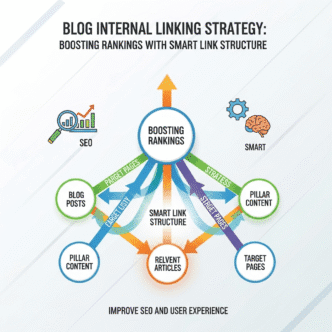
Building Topic Clusters with Internal Links
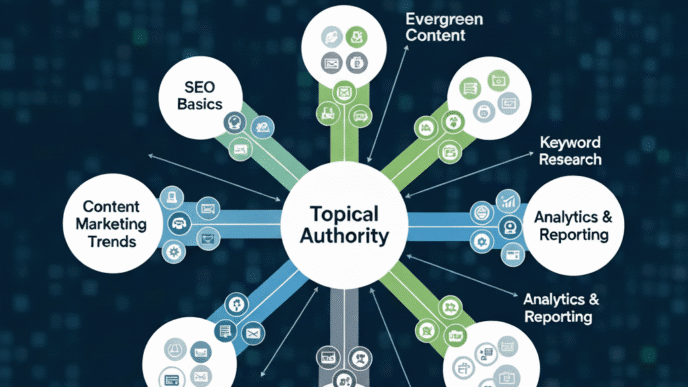
Topic clusters organize your content around pillar pages with supporting cluster content all interconnected through strategic internal linking.
Topic cluster structure:
Pillar Content: Comprehensive guide covering topic broadly
- Example: “Complete Blog SEO Guide”
Cluster Content: Specific subtopics linking back to pillar and to each other
- “Blog Post SEO Optimization Checklist” (this post)
- “Keyword Research for Bloggers”
- “Technical SEO for Blogs”
- “Link Building for Blog Content”
Benefits of topic cluster linking:
- Builds topical authority – Google recognizes comprehensive coverage
- Improves crawlability – Search engines find all related content
- Increases time on site – Readers explore related topics
- Distributes page authority – High-authority pillar posts boost cluster content
- Ranks for more keywords – Each piece targets different search queries
How to implement topic clusters:
- Identify your main topics (3-7 core subjects)
- Create comprehensive pillar content for each topic
- Build 8-12 cluster posts around each pillar
- Link every cluster post to its pillar
- Link cluster posts to each other when relevant
- Update pillar content with links to new cluster posts
For comprehensive strategies on building blog traffic through topic authority, explore Blog SEO: The 2025 Blueprint.
How Do You Optimize Images for Blog Post SEO?
Image optimization improves page speed, accessibility, and gives you opportunities to rank in Google Image Search—a often-overlooked traffic source.
Complete Image SEO Checklist
File naming optimization:
✓ Good file names:
- blog-post-seo-optimization-checklist.jpg
- on-page-seo-workflow-diagram.png
- title-tag-optimization-example.jpg
✗ Bad file names:
- IMG_3847.jpg
- screenshot-2025-03-15.png
- image-1-final-v2.jpg
Alt text best practices:
Alt text serves two purposes: accessibility for screen readers and SEO relevance signals.
✓ Good alt text:
- “Blog post SEO optimization checklist showing 23 on-page ranking factors”
- “Example of properly optimized title tag with keyword at beginning”
- “WordPress Yoast SEO plugin interface showing content analysis
✗ Bad alt text:
- “image” or “photo”
- Keyword stuffing: “blog SEO blog post SEO optimization blog SEO checklist”
- Empty alt text on important images
Pro Tip: Write alt text that describes what’s in the image to someone who can’t see it. Include your keyword when it naturally fits the description, but prioritize accuracy and helpfulness over keyword insertion.
Image compression and format:
File size targets:
- Hero/featured images: Under 200KB
- In-content images: Under 100KB
- Icons and small graphics: Under 50KB
Format selection:
- WebP: Best compression, modern browsers (use this when possible)
- JPEG: Photographs and complex images
- PNG: Graphics with transparency or text
- SVG: Logos and icons (infinitely scalable)
Compression tools:
- TinyPNG – Free online compression
- ShortPixel – WordPress plugin with good free tier
- ImageOptim – Mac app for batch compression
- Squoosh – Google’s web-based image optimizer
Image lazy loading:
Implement lazy loading so images load only when users scroll to them, dramatically improving initial page load speed.
Most modern WordPress themes include lazy loading by default. If yours doesn’t, use a plugin like “Lazy Load by WP Rocket” or add this to your functions.php:
add_filter( 'wp_lazy_loading_enabled', '__return_true' );
Responsive images:
Use responsive images that serve appropriate sizes for different devices.
WordPress does this automatically with the srcset attribute. Verify by inspecting your images in browser dev tools.
What Technical SEO Elements Impact Blog Post Rankings?
Technical SEO ensures search engines can properly crawl, index, and understand your content. Even perfectly optimized content won’t rank if technical issues prevent discovery.
Page Speed Optimization Essentials
Page speed is a confirmed ranking factor and dramatically impacts user experience and engagement metrics.
Core Web Vitals benchmarks:MetricGoodNeeds ImprovementPoorLargest Contentful Paint (LCP)< 2.5s2.5-4s> 4sFirst Input Delay (FID)< 100ms100-300ms> 300msCumulative Layout Shift (CLS)< 0.10.1-0.25> 0.25
Quick wins for blog post speed:
1. Optimize images (covered above)
2. Enable caching:
- WordPress: WP Rocket, W3 Total Cache, or WP Super Cache
- Manual: Configure browser caching in .htaccess
3. Use a CDN:
- Cloudflare (free tier works great)
- BunnyCDN (affordable, fast)
- StackPath or KeyCDN
4. Minify CSS, JavaScript, HTML:
- Plugin: Autoptimize or WP Rocket
- Combines files and removes unnecessary characters
5. Reduce HTTP requests:
- Limit plugins that load external scripts
- Combine CSS/JS files where possible
- Remove unused plugins
6. Enable GZIP compression:
- Most hosts enable this by default
- Check at giftofspeed.com/gzip-test/
Pro Tip: Test your blog post speed using PageSpeed Insights, GTmetrix, and WebPageTest. Focus first on fixing “red” or “high priority” issues flagged by these tools. A 1-second improvement in load time can increase conversions by 7% and reduce bounce rate by 20%.
Mobile Optimization Requirements
Google uses mobile-first indexing, meaning they primarily evaluate your mobile site for rankings—even for desktop searches.
Mobile optimization checklist:
✓ Responsive design – Site adapts to all screen sizes
✓ Readable text – Minimum 16px font size for body text
✓ Touch-friendly buttons – Minimum 48×48 pixel tap targets
✓ No horizontal scrolling – Content fits screen width
✓ Fast mobile load – Target under 3 seconds on 4G
✓ No intrusive interstitials – Avoid popups that cover content
✓ Accessible navigation – Easy-to-use mobile menu
✓ Optimized images – Appropriate sizes for mobile bandwidth
Test mobile experience:
- Google Mobile-Friendly Test
- Chrome DevTools mobile emulation
- Actual testing on real mobile devices
Schema Markup for Blog Posts
Schema markup (structured data) helps search engines understand your content type and can trigger rich results in search.
Essential schema types for blog posts:
Article Schema (Required):
Identifies your content as an article and provides key metadata.
{
  "@context": "https://schema.org",
  "@type": "BlogPosting",
  "headline": "Blog Post SEO Optimization Checklist",
  "image": "https://seoprojournal.com/images/featured.jpg",
  "author": {
    "@type": "Person",
    "name": "Your Name"
  },
  "publisher": {
    "@type": "Organization",
    "name": "SEO Pro Journal"
  },
  "datePublished": "2025-03-15",
  "dateModified": "2025-03-15"
}
BreadcrumbList Schema:
Shows your site’s navigation structure in search results.
FAQPage Schema:
If you include an FAQ section, mark it up for expanded SERP features.
How to implement schema:
WordPress users:
- Yoast SEO Premium (automatic)
- Rank Math (free, includes schema)
- Schema Pro plugin
Manual implementation:
- Use Google’s Structured Data Markup Helper
- Add JSON-LD code to post template
- Validate with Google’s Rich Results Test
Pro Tip: Focus on Article schema first—it’s the most important for blog posts. Add BreadcrumbList and FAQ schema only if you have those elements in your content. Don’t add schema just to add schema; it should reflect actual content structure.
How Do You Optimize for User Experience Signals?
Google increasingly uses user experience signals (dwell time, bounce rate, click patterns) to validate whether your content actually satisfies search intent.
Content Formatting for Readability
Readability optimization keeps visitors engaged, signals quality to Google, and improves conversion rates.
Formatting best practices:
Short paragraphs: 2-3 sentences maximum (like this guide uses)
Subheadings: Break content into scannable sections every 150-300 words
Bullet points and numbered lists: Organize information visually
Bold key phrases: Help scanners identify important points (but don’t overdo it)
White space: Generous spacing makes content less intimidating
Font size: Minimum 16px for body text, 18px+ is better
Line height: 1.5-1.6 for comfortable reading
Sentence length: Vary sentence length, average 15-20 words
Paragraph width: Limit to 60-80 characters per line for optimal readability
Examples and screenshots: Break up text walls with visuals
Pro Tip: Read your post aloud before publishing. If you struggle to read it smoothly, it’s too dense or poorly structured. Simplify sentences, add subheadings, and break up long paragraphs.
Adding Visual Elements That Boost Engagement
Visual content increases time on page, reduces bounce rate, and makes complex information digestible.
Visual elements to include:
Featured image: Every blog post needs an eye-catching hero image (1200x630px minimum)
Screenshots: Show don’t tell—capture examples of what you’re explaining
Custom graphics: Create simple diagrams, flowcharts, or infographics (Canva makes this easy)
Comparison tables: Organize comparative information visually (used throughout this guide)
Embedded videos: Add YouTube videos for alternative content consumption
GIFs: Show processes or steps visually (but optimize file sizes)
Data visualizations: Charts and graphs for statistics
Highlighted quotes: Pull out key insights in styled quote blocks
Pro Tip: Create at least one custom image per blog post, even if it’s just an annotated screenshot or a simple Canva graphic with key points. Custom images get more social shares and can rank in Google Image Search without competition from stock photos.
Encouraging Engagement and Dwell Time
Dwell time (how long visitors stay on your page) is a strong ranking signal. Longer dwell time signals valuable content.
Tactics to increase dwell time:
1. Table of contents – Helps readers navigate, commits them to exploring
2. Internal links – Encourage clicking to related content
3. “Related Posts” section – Placed mid-article and at end
4. Embedded videos – Alternative content format keeps people engaged
5. Interactive elements – Calculators, quizzes, or interactive images
6. Strategic external links – Show you’re not link-hoarding
7. Clear visual hierarchy – Makes content easy to consume
8. “Jump to section” links – Let readers find what they need quickly
9. FAQ sections – Address follow-up questions readers have
10. Comment sections – Encourage discussion (if you can moderate)
Real-world example: A SaaS blog added a table of contents and embedded video summaries to their comprehensive guides. Average time on page increased from 2:14 to 4:37, and those posts saw an average 5-position ranking improvement within 60 days.
What’s the Complete Pre-Publish SEO Checklist?
Before hitting publish, run through this comprehensive SEO checklist blogging to catch any optimization opportunities.
The 23-Point Blog Post SEO Checklist
Title & Meta Elements:
- [ ] Primary keyword in title tag (near beginning)
- [ ] Title under 60 characters
- [ ] Compelling meta description (150-160 characters)
- [ ] Primary keyword in meta description
- [ ] SEO-friendly URL slug (short, keyword-rich)
Content Optimization:
- [ ] Primary keyword in first 100 words
- [ ] Primary keyword in at least one H2 heading
- [ ] Question-based headers (H2/H3)
- [ ] Appropriate content length (matches/exceeds top 10)
- [ ] LSI keywords naturally integrated
- [ ] Short paragraphs (2-3 sentences)
- [ ] Scannable formatting (bullets, bolds, white space)
Images & Media:
- [ ] Featured image added (1200x630px+)
- [ ] All images compressed (under 200KB)
- [ ] Descriptive file names
- [ ] Alt text on all images
- [ ] At least one custom/original image
Links:
- [ ] 3-5 internal links to related content
- [ ] Links to pillar content/cornerstone pages
- [ ] 2-3 external links to authoritative sources
- [ ] All links open in appropriate target
Technical:
- [ ] Mobile-friendly display verified
- [ ] Page speed tested (target <3 seconds)
- [ ] Schema markup implemented
- [ ] No broken links or images
Pro Tip: Save this checklist as a template or add it to your project management tool (Trello, Asana, Notion). Make it the final step in your publishing workflow. Consistent optimization across all posts compounds into significant traffic gains over time.
For the complete framework on building blog SEO systems, see Blog SEO: The 2025 Blueprint for High-Traffic Content Blogs.
How Do You Optimize Blog Posts After Publishing?
Post-publish optimization often delivers faster results than creating new content because you’re improving articles that already have some ranking traction.
The Content Refresh Strategy
Google rewards freshness, especially for topics where current information matters. Regular updates can boost rankings and traffic.
When to update blog posts:
Update immediately if:
- Information becomes outdated (statistics, prices, tool features)
- New developments occur in the topic area
- Rankings drop 20%+ from previous position
- Competitors publish better content on same topic
Update quarterly for:
- High-traffic posts (top 20% of traffic)
- Posts ranking positions 11-20 (page 2)
- Commercial content (product reviews, comparisons)
- Seasonal content approaching peak season
Update annually for:
- Evergreen guides and tutorials
- All remaining content in your library
- Posts with minimal traffic or rankings
How to refresh content effectively:
1. Update publish date – Change “Last Updated” date visibly
2. Add new information – Include recent statistics, examples, developments
3. Expand thin sections – Identify areas competitors cover better and improve them
4. Improve visual elements – Add new screenshots, graphics, or videos
5. Update outdated information – Fix deprecated advice or changed best practices
6. Improve on-page SEO – Apply current best practices if you didn’t before
7. Add new internal links – Link to newer content you’ve published
8. Verify external links – Fix any broken links, update outdated sources
9. Refresh title/meta – Test new angles if CTR is low
10. Resubmit to search engines – Request re-indexing in Search Console
Pro Tip: When updating posts, add an “Updated [Date]” note at the top explaining what’s new. This transparency builds trust with readers and signals freshness to search engines. Example: “Updated March 2025: Added new AI-powered SEO tools, updated statistics, and expanded the technical optimization section.”
Monitoring Performance and Making Data-Driven Improvements
Track the right metrics to identify optimization opportunities and validate changes.
Key metrics to monitor:
Google Search Console:
- Impressions (how often you appear in search)
- Clicks (actual traffic)
- Average CTR (clicks/impressions)
- Average position (where you rank)
- Top performing queries
Google Analytics:
- Organic traffic by post
- Bounce rate by post
- Average session duration
- Pages per session
- Goal completions
Performance improvement framework:
For posts with high impressions but low CTR:
- Problem: Title/meta description not compelling
- Fix: Rewrite title and meta to be more clickable
For posts with high bounce rate:
- Problem: Content doesn’t match search intent
- Fix: Improve intro, add visual elements, check content relevance
For posts ranking positions 11-20:
- Problem: Almost there but need boost
- Fix: Expand content, add more examples, build backlinks
For posts declining in rankings:
- Problem: Content becoming outdated or outcompeted
- Fix: Comprehensive refresh with new information
Pro Tip: Set up a simple spreadsheet tracking your top 20 posts monthly. Record position, traffic, and CTR. When you spot negative trends, investigate and optimize immediately. Catching ranking drops early prevents major traffic losses.
What Common SEO Mistakes Kill Blog Post Rankings?
Let me save you from the mistakes I see bloggers make repeatedly that torpedo their optimization efforts.
The Blog Post SEO Killers
1. Keyword Stuffing
Cramming your keyword into every sentence makes content unreadable and triggers spam filters.
✗ Bad: “Blog post SEO optimization requires blog post SEO optimization techniques. Our blog post SEO optimization guide teaches effective blog post SEO optimization.”
✓ Good: “This optimization guide teaches effective techniques for improving your blog’s search visibility through strategic content enhancement.
2. Ignoring Search Intent
Writing comprehensive guides for people wanting quick answers (or vice versa) means you won’t rank regardless of optimization quality.
Fix: Always Google your target keyword and analyze what type of content actually ranks before writing.
3. Thin Content
Publishing 400-word posts when top results average 2,000+ words means you’re not competitive.
Fix: Match or exceed the depth of current top 10 results for your keyword.
4. No Internal Links
Failing to link to related content wastes your internal link equity and keeps readers on single pages.
Fix: Add 3-8 contextual internal links per post to relevant content.
5. Terrible Page Speed
Slow load times increase bounce rate and directly hurt rankings.
Fix: Compress images, enable caching, use a CDN, minimize plugins.
6. Poor Mobile Experience
If your blog is difficult to read or navigate on mobile, you’re losing 60%+ of potential traffic.
Fix: Use responsive design, test on actual mobile devices, avoid intrusive popups.
7. Duplicate Title Tags
Using the same or similar title tags across multiple posts confuses search engines about which to rank.
Fix: Ensure every blog post has a unique, optimized title tag.
8. Missing or Generic Meta Descriptions
Letting Google auto-generate meta descriptions or using generic ones kills your CTR.
Fix: Write custom, compelling meta descriptions for every post.
9. Broken Links
Internal or external broken links signal poor site maintenance and hurt user experience.
Fix: Use a tool like Broken Link Checker plugin, fix or remove dead links quarterly.
10. Not Updating Old Content
Publishing posts then forgetting them means rankings decay as content becomes outdated.
Fix: Implement quarterly updates for high-traffic content, annual updates for everything else.
Pro Tip: Do a comprehensive SEO audit of your blog quarterly. Use Screaming Frog SEO Spider (free up to 500 URLs) to crawl your site and identify technical issues, broken links, missing meta descriptions, and duplicate content. Fix these issues systematically.
How Do AI Tools Impact Blog Post SEO in 2025?
AI-powered SEO tools and AI content generation are reshaping blog optimization strategies—both as tools to use and factors to consider.
Using AI Tools for Better Optimization
AI tools that improve blog post SEO:
Content optimization:
- Surfer SEO – Analyzes top-ranking content, provides keyword and topic recommendations
- Clearscope – Content optimization based on semantic relevance
- Frase – AI content brief generator and optimizer
- MarketMuse – Content gap analysis and topical authority building
Writing assistance:
- Grammarly – Grammar, clarity, and readability improvements
- Hemingway Editor – Simplifies complex writing
- ChatGPT/Claude – Research, outlining, and draft generation (with heavy editing)
Research and analysis:
- AlsoAsked – Visualizes “People Also Ask” questions
- AnswerThePublic – Question-based keyword research
- SEMrush Topic Research – AI-powered content ideas
Technical SEO:
- Screaming Frog – Site crawling and technical issue identification
- PageSpeed Insights – Performance analysis with AI recommendations
Pro Tip: Use AI tools to speed up research, outlining, and drafting—but never publish raw AI content. Google doesn’t explicitly penalize AI content, but they do penalize low-quality, generic content (which most AI output is without human expertise, editing, and unique insights).
Optimizing for AI-Powered Search
Google’s Search Generative Experience (SGE) and other AI-powered search features are changing how people find content.
How to optimize for AI-powered search:
1. Focus on E-E-A-T signals:
- Demonstrate genuine expertise
- Include author credentials and bios
- Cite authoritative sources
- Share original research and insights
2. Structure content clearly:
- Use proper header hierarchy
- Include schema markup
- Create distinct, well-defined sections
- Make key points easy to extract
3. Answer questions directly:
- Front-load answers to common questions
- Use clear, concise language
- Include specific data and examples
- Format for easy extraction (lists, tables, definitions)
4. Provide unique value AI can’t replicate:
- Personal experience and case studies
- Original research and proprietary data
- Specific examples from your work
- Contrarian perspectives with evidence
5. Build brand recognition:
- Consistent, high-quality content
- Active social presence
- Guest posting on authority sites
- Being cited as a source
The reality: Even with AI summaries in search results, people still click through to comprehensive sources for detailed information. Your goal is to be the trusted source AI tools reference and users want to read completely.
For more on adapting to AI-powered search, explore Blog SEO: The 2025 Blueprint.
Your Blog Post SEO Optimization Action Plan
Ready to transform your blog posts into traffic-generating machines? Here’s your step-by-step implementation roadmap.
The 30-Day Optimization Sprint
Week 1: Foundation
- [ ] Audit your 10 most recent posts against this checklist
- [ ] Identify common optimization gaps
- [ ] Install necessary plugins (Yoast/Rank Math, image compression, caching)
- [ ] Set up Google Search Console and Analytics if not done
- [ ] Create your blog post SEO checklist template
Week 2: Quick Wins
- [ ] Optimize title tags and meta descriptions on top 10 posts
- [ ] Add internal links to high-value content
- [ ] Compress all images site-wide
- [ ] Fix any broken links
- [ ] Add schema markup to posts
Week 3: Content Improvement
- [ ] Identify 5 posts ranking positions 11-20
- [ ] Expand and update these posts (add 500+ words, new examples)
- [ ] Improve header structure
- [ ] Add visual elements
- [ ] Update and republish
Week 4: System Building
- [ ] Create content brief template including SEO checklist
- [ ] Set up performance tracking spreadsheet
- [ ] Establish monthly optimization schedule
- [ ] Document your SEO workflow
- [ ] Plan topic clusters for key content areas
Ongoing Monthly Optimization
Every month:
- Publish 8-12 fully optimized new posts
- Update 3-5 existing high-traffic posts
- Monitor Search Console for ranking changes
- Fix any new technical issues
- Build 5-10 new internal links
Every quarter:
- Comprehensive content audit
- Update all seasonal content before peak season
- Refresh top 20 traffic-generating posts
- Analyze competitor strategies
- Adjust optimization approach based on results
The compound effect: These optimizations might seem small individually, but they compound over time. A blog with 100 fully optimized posts will outperform a blog with 500 poorly optimized posts—every single time.
Start today. Pick one blog post and run through this entire checklist. See the difference proper optimization makes. Then systematically apply it to your entire content library.
Your high-traffic blog isn’t built overnight—it’s built one properly optimized post at a time.
Frequently Asked Questions About Blog Post SEO
Q: How long does it take to see results from blog post SEO optimization?
Most blog posts start showing improved rankings within 2-8 weeks of optimization, with full results visible in 3-6 months. Quick wins like title tag and meta description improvements can boost CTR within days. More substantial changes like content expansion or technical improvements take longer as Google re-crawls, re-evaluates, and adjusts rankings. Patience is crucial—SEO is a marathon, not a sprint.
Q: Should I optimize old posts or focus on creating new content?
Both, but start with optimization. Improving existing posts that already have some ranking traction often delivers faster results than creating new content from scratch. Focus first on posts ranking positions 11-20 (page 2)—these are close to page 1 and often just need minor improvements. Then balance 70% new content creation with 30% optimization of existing content.
Q: What’s the most important on-page SEO factor for blog posts?
If forced to choose one: comprehensive content that genuinely satisfies search intent. All the technical optimization in the world won’t help if your content doesn’t answer what people actually want to know. That said, SEO success comes from the combination of quality content, proper optimization, and technical excellence—not any single factor.
Q: How many keywords should I target per blog post?
Focus on one primary keyword and 3-5 related secondary/LSI keywords. Trying to target too many unrelated keywords dilutes your focus and confuses search engines about your topic. Create separate, focused posts for distinct keywords rather than cramming everything into one article.
Q: Do I need expensive SEO tools to optimize blog posts effectively?
No, but they help significantly. You can achieve good results with free tools: Google Search Console, Google Analytics, Google Keyword Planner, Yoast SEO, and PageSpeed Insights. As you grow, investing in Ahrefs ($99/month) or Semrush ($129.95/month) provides data that accelerates growth, but they’re not required for beginners.
Q: How often should I update blog posts for SEO?
High-traffic posts: Quarterly. Medium-traffic posts: Every 6 months. Low-traffic posts: Annually. Update immediately when information becomes outdated or you notice ranking drops. Regular updates signal freshness to Google and give you opportunities to improve outdated optimization.
Q: Can I use AI tools to write optimized blog posts?
AI tools can assist with research, outlining, and drafting, but never publish raw AI content. Use AI to speed up your process, then add your expertise, unique insights, specific examples, and personality. Google doesn’t penalize AI content specifically, but they do penalize generic, low-value content—which most unedited AI output is.
Q: What’s the ideal blog post length for SEO?
There’s no universal ideal—it depends on search intent and competition. Quick answers: 500-800 words. How-to guides: 1,500-2,500 words. Comprehensive guides: 2,500-4,000+ words. The best length is whatever it takes to comprehensively cover your topic better than current top 10 results. Quality and depth beat arbitrary word counts.
Q: Should I focus more on on-page SEO or backlinks?
Start with on-page SEO because you have complete control over it. Perfect your content and optimization before pursuing backlinks. Great content with no backlinks will rank for low-competition keywords. Mediocre content with tons of backlinks won’t sustainably rank in 2025. Build strong on-page foundations first, then pursue quality backlinks.
Q: How do I know if my blog post optimization is working?
Track these metrics in Google Search Console: average position improving, impressions increasing, clicks growing, CTR rising. In Google Analytics: organic traffic growing, bounce rate decreasing, time on page increasing. Results take time—evaluate monthly trends over 3+ months rather than daily fluctuations. SEO is about long-term trajectory, not short-term spikes.
Final Thoughts: Making SEO Optimization Your Default
Here’s what separates successful bloggers from those who quit in frustration: they’ve made blog post SEO optimization a natural part of their content creation process, not an afterthought.
The bloggers crushing it in 2025 don’t see optimization as a separate task they do to their content. They create inherently optimized content from the ground up—starting with keyword research, writing with structure and formatting in mind, and running through their checklist before publishing.
The three pillars of blog post optimization success:
- Strategic planning – Know your keyword, understand search intent, analyze competition before writing
- Systematic implementation – Follow your checklist every single time, no exceptions
- Continuous improvement – Monitor performance, update regularly, refine your approach
You don’t need to implement everything in this guide simultaneously. Start with the foundation—title tags, meta descriptions, content structure, and internal linking. Master those, then layer in more advanced tactics.
Your immediate next steps:
Pick ONE blog post—your most recent or highest-traffic post—and run through this entire checklist. Fix every optimization gap you find. Monitor what happens to its rankings and traffic over the next 30 days.
Then do another. And another. Build momentum through consistent optimization.
The compound effect is real. Your first optimized post might generate 100 extra monthly visits. Your twentieth benefits from site-wide authority improvements and generates 500+ visits. By your hundredth properly optimized post, you have a traffic machine that generates thousands of visits monthly while you sleep.
The choice is yours:
Continue publishing unoptimized content and wondering why it doesn’t rank, or invest an extra 15 minutes per post following proven optimization principles that compound into massive traffic growth.
Start optimizing today. Your future self (and traffic analytics) will thank you.
Additional Resources:
Related posts:
- Content Refresh and Update Strategy: Maximizing Existing Content Performance
- Mastering On-Page SEO Elements: Meta Tags, HTML, and Image Optimization Explained (Visual guide)
- Blog SEO: The 2025 Blueprint for High-Traffic Content Blogs (Dashboard)
- Content Cluster Strategy: Building Topical Authority with Hub and Spoke Model