
Your content sits at position three, packed with valuable insights, while some competitor’s two-sentence answer steals the spotlight in Google’s answer box. Feels like showing up to a party perfectly dressed only to watch someone in pajamas get all the attention.
Here’s the brutal truth about answer box optimization: Google doesn’t care about your domain authority or how many hours you spent researching. It wants surgical precision—the exact answer to the exact question, formatted exactly right, delivered immediately.
The good news? Once you crack the code on answer box SEO, you’ll own more position zero real estate than a digital landlord.
Table of Contents
ToggleWhat Exactly Are Answer Boxes and Why Do They Matter?
Answer boxes are Google’s shortcut to user satisfaction. They extract 40-50 words from a webpage and display them prominently above organic results, often with the source URL displayed underneath.
According to Ahrefs research, answer boxes appear for approximately 12.3% of all search queries. That’s billions of monthly opportunities to capture eyeballs before anyone even sees traditional rankings.
The difference between regular featured snippets and answer boxes? Semantics mostly, but answer boxes specifically target informational queries with clear, direct questions that demand straightforward responses.
How Does Answer Box Optimization Actually Work?
Think of quick answer optimization like creating a perfectly organized filing system where Google can grab exactly what it needs in milliseconds. Your content becomes the reference library Google trusts for specific query types.
The algorithm scans for question-answer patterns, prioritizing pages that provide immediate value without forcing users to hunt through paragraphs. It favors content structured around the “inverted pyramid” journalism model—most important info first, supporting details after.
Google’s answer box selection process weighs formatting, relevance, authority, and user engagement signals. But formatting wins the tiebreaker when multiple pages contain similar quality answers.
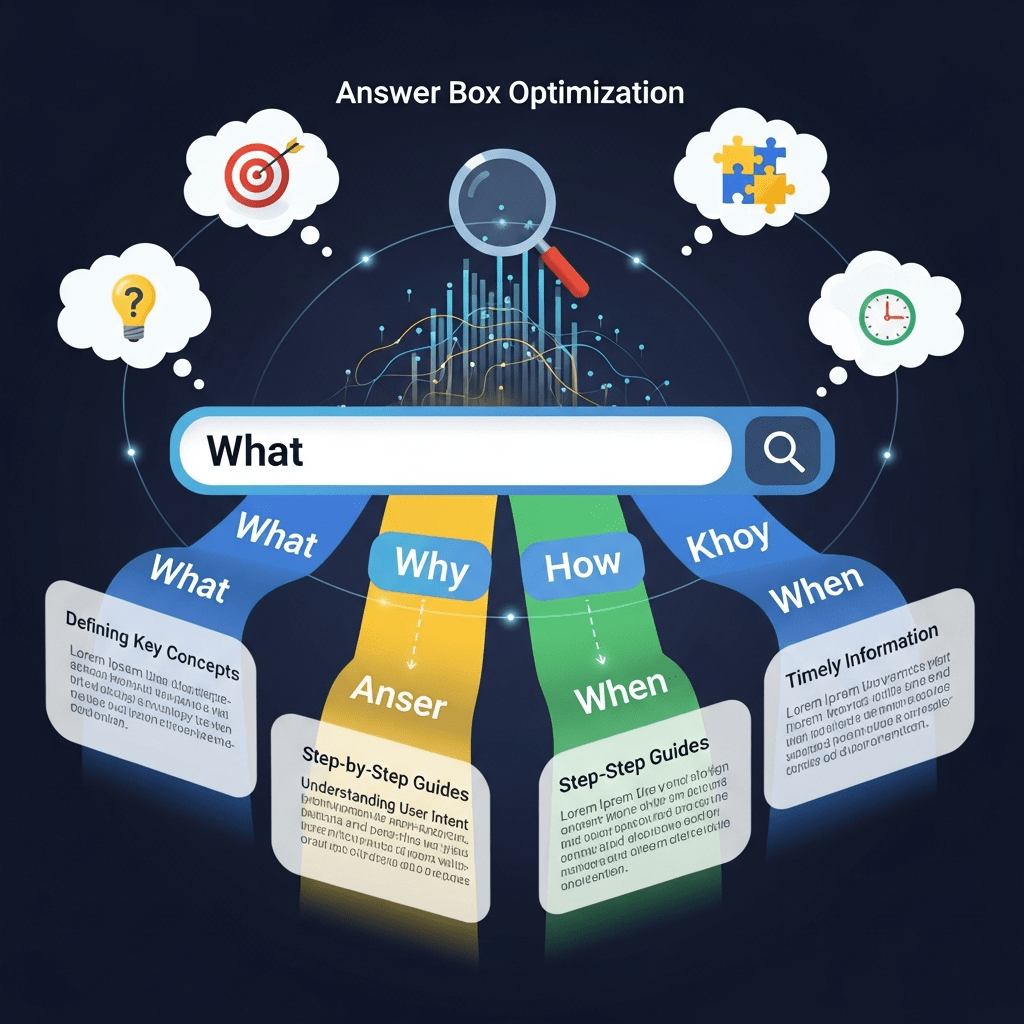
Why Do “What, Why, How, When” Queries Dominate Answer Boxes?
These four question types account for roughly 60% of all answer box triggers. They represent the fundamental information-seeking behaviors humans exhibit when researching anything.
Direct answer snippet opportunities multiply when you target these query patterns because they signal clear informational intent. Google knows exactly what users want—a definition, explanation, process, or timeline.
According to SEMrush’s query analysis, “how” queries trigger answer boxes 43% of the time, “what” queries 31%, “why” queries 17%, and “when” queries 9%. Your optimization strategy should reflect these percentages.
What Query Types Deserve Your Answer Box Attention?
“What” Questions
These seek definitions, explanations, or identification. “What is X?” queries trigger paragraph-style answer boxes that define terms clearly and concisely.
Structure your “what” answers in 2-3 sentences maximum. First sentence defines the term, second provides crucial context, third (optional) adds a distinguishing characteristic.
“Why” Questions
These demand explanations of causation, reasoning, or purpose. “Why does X happen?” queries need logical flow from cause to effect.
Your “why” answers should address the root cause first, then explain the mechanism or reasoning. Skip the philosophical preamble—get straight to the explanation users actually want.
“How” Questions
Process-oriented queries that seek step-by-step guidance or methodological explanations. These frequently trigger numbered list answer boxes.
Format “how” content with action-oriented numbered lists where each step begins with a strong verb (Click, Select, Enter, Configure). Keep individual steps to one sentence when possible.
“When” Questions
Timeline, scheduling, or conditional timing queries. These work best with specific temporal markers or condition-based answers.
Structure “when” answers chronologically or with clear conditional logic (If X, then do Y at time Z). Avoid vague timeframes—specificity wins answer boxes.
How to Structure Content for Answer Box SEO?
Start with the question as your H2 heading, mirrored exactly or closely to common search phrasing. Google loves when your heading structure matches query patterns.
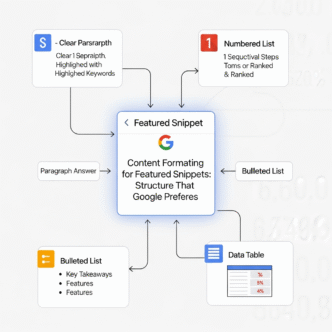
Immediately follow with a concise answer paragraph—40-60 words maximum. This becomes your answer box candidate text. No warm-up sentences, no “in this section we’ll discuss”—just pure answer.
The Paragraph Answer Format
Lead with the most direct answer possible in your opening sentence. If someone asked you this question face-to-face, what would you say first?
Follow with one sentence of essential context or clarification. End with one sentence that bridges to your detailed explanation below.
Example structure for “What is answer box optimization?”: “Answer box optimization is the process of structuring content to increase capture rates for Google’s direct answer displays. It focuses on matching query intent with concise, formatted responses. This strategy targets position zero visibility without requiring top organic rankings.
The List Answer Format
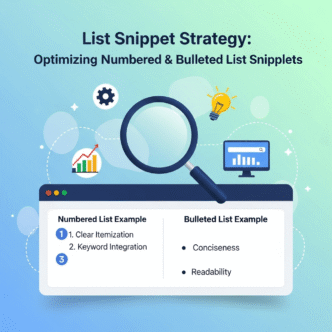
Use numbered lists for “how to” queries and sequential processes. Ordered lists signal step-by-step information that Google’s algorithm recognizes instantly.
Each list item should function independently—users should understand the step without reading previous items. This improves both answer targeting and user experience.
Keep list answers to 5-8 items when possible. Research from Backlinko shows that answer boxes displaying lists average 6 items, with 8 being the upper threshold before truncation occurs.
The Table Answer Format
Perfect for comparison queries or “difference between X and Y” searches. Tables provide structured data that Google extracts cleanly for answer boxes.
Use 2-4 columns maximum for mobile compatibility. First column should list the items being compared, subsequent columns detail attributes or characteristics.
What Makes Query-Based Snippets Different From Regular Content?
Query-based snippets require reverse-engineering search behavior rather than writing naturally. You’re not blogging, you’re answering specific questions with surgical precision.
Traditional content follows narrative flow—intro, body, conclusion. Answer box content flips this model: answer, elaboration, context. The conclusion comes first.
This inverted structure feels unnatural to writers but natural to searchers. They want answers immediately, not after three scrolling paragraphs of scene-setting.
How to Identify Answer Box Opportunities in Your Niche?
Use Google Search Console to filter queries by impressions where you rank positions 1-10 but don’t hold the answer box. These represent immediate low-hanging fruit.
Check “People Also Ask” boxes in your niche—each question represents a potential answer box opportunity. These questions cluster around core topics, revealing Google’s understanding of related queries.
Tools like AnswerThePublic generate question-based queries automatically. Filter by “what,” “why,” “how,” and “when” to build a target list of answer box optimization opportunities.
Competitor Answer Box Analysis
Search your main keywords and screenshot which competitors hold answer boxes. Analyze their formatting, word count, and structural patterns.
Notice the question phrasing in search queries that trigger their answer boxes. Often you’ll find slight variations where no answer box exists yet—these are your opportunity gaps.
Use Ahrefs or SEMrush to audit competitor domains for answer box holdings. If they’ve captured 50 answer boxes in your niche, you can target similar query patterns with better answers.
What Are Real-World Answer Box Optimization Examples?
A personal finance blog captured “what is compound interest” by using a 47-word definition paragraph followed by a simple formula and practical example. Total section length? Under 200 words.
A home improvement site won “how to unclog a drain” with a 6-step numbered list using exact action verbs (Remove, Pour, Wait, Flush, Repeat, Call). Each step contained 8-12 words maximum.
A SaaS company grabbed “when to use automation” by creating a conditional list: “Use automation when: [5 specific scenarios with bold conditions].” Simple, scannable, specific.
Common Answer Box Optimization Mistakes That Kill Rankings
The Context-First Trap
Starting with background information before answering the actual question torpedoes answer box chances. Google won’t dig through your preamble to find the answer three paragraphs down.
Jump straight to the answer. You can provide context, history, or additional details afterward for readers who want deeper understanding.
The Incomplete Answer Problem
Providing partial answers or teasing the full response behind a click frustrates users and signals low quality to Google. Your answer box text must be complete and standalone.
If the full answer requires 200 words, provide all 200 words. Don’t try to game click-through by withholding critical information.
Matching Wrong Query Intent
Optimizing “what is SEO” as a step-by-step guide instead of a definition mismatches query intent. Google won’t show your “how to do SEO” content for a “what is” query.
Match answer format to question type religiously. Definitional queries get paragraph answers, process queries get numbered lists, comparison queries get tables or structured comparisons.
Over-Complicated Language
Using industry jargon, complex sentence structures, or academic language reduces answer box eligibility. Google favors clear, accessible language that serves the broadest audience.
According to Semrush’s readability analysis, content at 8th-9th grade reading level captures answer boxes 47% more frequently than content requiring college-level comprehension.
Ignoring Mobile Rendering
Answer boxes that look perfect on desktop but break on mobile lose eligibility fast. Test your formatted content on actual mobile devices at various screen sizes.
Tables wider than 3 columns, lists with lengthy items, and paragraphs exceeding 4 lines on mobile all hurt answer box performance.
How Does Answer Targeting Differ for Voice Search?
Voice queries skew heavily toward question formats—exactly the queries that trigger answer boxes most frequently. According to PwC research, 71% of users prefer voice for quick information requests.
Conversational language wins voice-triggered answer boxes. Structure your answers using natural speech patterns rather than formal written English.
Include question variations people actually say out loud: “How do I…” instead of just “How to…” captures more voice queries.
What Schema Markup Supports Answer Box Optimization?
FAQPage schema signals to Google that your content contains structured question-answer pairs. While it doesn’t guarantee answer box placement, it increases eligibility for both answer boxes and PAA (People Also Ask) features.
HowTo schema enhances step-by-step content with structured data that Google parses easily. Add it to process-based content targeting “how” queries.
Speakable schema marks content as voice-assistant friendly. This emerging markup type helps optimize quick answer optimization for voice search scenarios.
Comparison Table: Answer Box Query Types
| Query Type | Format | Avg Length | Trigger Rate |
|---|---|---|---|
| What | Paragraph | 40-60 words | 31% |
| Why | Paragraph | 50-70 words | 17% |
| How | Numbered list | 6-8 steps | 43% |
| When | Conditional/Timeline | 30-50 words | 9% |
How to Scale Answer Box Content Across Multiple Topics?
Create a content matrix mapping your core topics against “what,” “why,” “how,” and “when” query variations. This reveals dozens of answer box opportunities from a single topic cluster.
Build comprehensive pillar pages that target multiple answer box types. Your main guide on featured snippets and AI can branch into focused answer box content for specific query types.
Template your answer structures for efficiency. Once you’ve cracked the format for “what is” queries in your niche, replicate that structure across related topics with different content.
What Role Does Content Freshness Play in Answer Box Rankings?
Google favors recently updated content for time-sensitive topics and queries where information evolves. Add “last updated” dates and refresh statistics quarterly minimum.
Answer boxes in competitive niches change hands frequently—sometimes weekly. Monitor your answer box holdings and update content immediately when competitors capture your position zero.
According to Moz’s freshness study, content updated within the past 90 days holds answer boxes 23% longer than content over a year old.
How to Optimize Direct Answer Snippets for Multiple Languages?
Create separate, optimized versions for each target language rather than relying on translation tools. Query patterns and answer preferences vary significantly across languages and cultures.
Research question formats in target languages—literal translations often miss colloquial phrasing that actual searchers use. Use Google Trends and keyword tools in the target language.
German “wie” (how) queries, Spanish “qué” (what) queries, and French “pourquoi” (why) queries each have unique structural preferences for answer box content.
What Tools Streamline Answer Box Optimization Workflows?
SEMrush Position Tracking
Monitor which keywords trigger answer boxes and track when competitors steal your position zero. Set up alerts for answer box losses.
Ahrefs Content Gap Analysis
Identify questions your competitors rank for that you don’t. Filter specifically for query-based keywords (questions starting with what, why, how, when).
AlsoAsked
Visualizes “People Also Ask” clusters around seed keywords. This reveals the interconnected question network Google associates with your topic.
Frase.io
Analyzes top-ranking content for target queries and suggests question-based content structures. Particularly useful for answer targeting at scale.
How Does Answer Box Optimization Impact Overall SEO Strategy?
Answer boxes drive qualified traffic even from lower organic positions. You can win position zero while ranking #7, effectively leapfrogging six competitors.
Direct answer snippet visibility builds topical authority signals. Multiple answer box holdings in one topic area strengthen your site’s E-E-A-T (Experience, Expertise, Authoritativeness, Trustworthiness) profile.
Answer box optimization forces content quality improvements that benefit all rankings. Clear structure, concise writing, and direct value delivery improve user metrics across your entire site.
Advanced Strategies for Competitive Answer Box Niches
Stack multiple answer formats in one piece of content. Address the same topic from “what,” “why,” and “how” angles, giving Google multiple snippet opportunities from a single page.
Create definitive comparison content targeting “X vs Y” queries. These generate both answer boxes and “People Also Ask” features simultaneously.
Build FAQ sections that target long-tail variations of main queries. While your main content targets “what is SEO,” your FAQ can capture “what is SEO in digital marketing,” “what is SEO optimization,” etc.
Pro Tips from Answer Box Optimization Experts
“Answer boxes favor content that answers questions in the first 40 words. Everything else is gravy for readers who want more depth.” — Brian Dean, Backlinko
“The best answer box optimization strategy? Write like you’re texting the answer to a friend who asked the question.” — Ross Simmonds, Foundation Marketing
“Track answer box volatility in your niche weekly. High turnover means aggressive optimization; stable boxes mean focus elsewhere.” — Marie Haynes, Marie Haynes Consulting
What Content Updates Maintain Answer Box Holdings?
Refresh statistics and data points quarterly minimum. Outdated numbers signal stale content that Google often replaces with fresher answers.
Add new examples or case studies annually. This provides update signals without requiring complete content rewrites.
Monitor user engagement metrics through Google Search Console. Declining CTR or high bounce rates on answer box holdings often precede losing position zero.
Update schema markup when Google announces new structured data types or refinements. Staying current with schema evolution maintains technical optimization edge.
How to Measure Answer Box Optimization Success?
Track “impressions” in Google Search Console for query-based keywords. Answer box holdings generate massive impression counts even with modest click-through rates.
Monitor CTR changes when you gain or lose answer boxes. HubSpot’s research shows answer box holdings increase average CTR by 114% compared to position one without the box.
Calculate position zero ownership percentage: (number of answer boxes held) / (total target queries) × 100. Aim for 15-25% ownership in competitive niches, 40%+ in less competitive spaces.
Set up rank tracking specifically for question-based keywords. Standard keyword tracking often misses answer box opportunities hidden in long-tail queries.
Critical Pitfalls That Destroy Answer Box Performance
Keyword stuffing in answer text: Forcing focus keywords unnaturally into your 40-60 word answer paragraph tanks readability and snippet quality scores.
Neglecting answer accuracy: Wrong or misleading answers get reported by users, triggering manual reviews that can blacklist your domain from answer boxes.
Ignoring query intent shifts: Searches evolve. “What is blockchain” meant something different in 2018 than 2025. Update answers to reflect current understanding.
Format-only optimization: Perfect structure with weak content loses to imperfect structure with exceptional content. Substance beats style when quality gaps exist.
Frequently Asked Questions
How long does it take to win an answer box after optimization?
Answer box changes typically occur within 2-4 weeks of content updates, assuming Google recrawls your page. High-authority sites with frequent crawling may see changes within days. Competitive queries require patience—sometimes 6-8 weeks of consistent optimization before capturing position zero from established holders.
Can you hold multiple answer boxes on one page?
Absolutely. Comprehensive pages with strong answer box SEO can capture 5-10 different answer boxes targeting related queries. Structure your content with distinct H2 sections that each target different question variations. Each section becomes an independent answer box candidate for its specific query type.
Do answer boxes hurt organic click-through rates?
Research shows mixed results depending on query intent. Informational queries may see reduced CTR because users get answers without clicking. However, commercial and transactional queries with answer boxes typically experience increased CTR because the visibility boost outweighs zero-click concerns. Overall site traffic usually increases with answer box holdings.
What’s the difference between answer boxes and featured snippets?
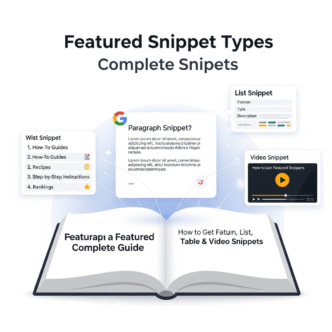
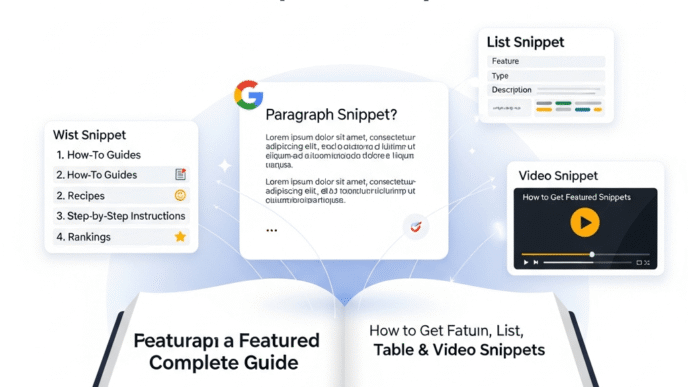
The terms are often used interchangeably, but answer boxes specifically refer to direct, text-based answers to explicit questions, while featured snippets encompass broader result types including lists, tables, and even video snippets. For practical optimization purposes, treat them as the same target—both require structured, query-matched content.
Should I optimize old content or create new pages for answer boxes?
Optimize existing high-ranking content first (positions 1-10). These pages already have authority and proximity to answer box eligibility. Create new pages only for query gaps where you have no existing content. Updating and restructuring existing assets delivers faster results than building authority from scratch.
How do answer boxes work with AI Overviews?
AI Overviews increasingly reference similar content sources that win traditional answer boxes—clear, structured, authoritative answers to specific questions. Optimize for both simultaneously by focusing on accuracy, proper formatting, and comprehensive coverage. The core principles of answer box optimization translate directly to AI Overview eligibility.
Final Thoughts
Answer box optimization isn’t rocket science, but it requires surgical precision. Google rewards content that respects user time by delivering immediate value without requiring navigation or scrolling.
The “what, why, how, when” query framework provides a systematic approach to capturing position zero at scale. Each question type has predictable formatting preferences and success patterns you can replicate across topics.
Start with your existing top-10 rankings that lack answer boxes. These represent immediate opportunities where small formatting adjustments can yield massive visibility gains.
The answer box landscape continues evolving with AI Overviews and generative search features. But the fundamental principle remains constant: clear, direct, well-structured answers win the visibility game regardless of algorithm changes.
Your competitors are ignoring 60% of answer box opportunities by not systematically targeting question-based queries. That’s your opening—exploit it while they’re still writing narrative content instead of surgical answers.
Citations
Related posts:
- Featured Snippet Types Complete Guide: Paragraph, List, Table & Video Snippets
- Amazon PPC Strategy 2025: How to Launch Profitable Sponsored Products Campaigns That Actually Rank
- Google Search Console Setup Guide for International Sites
- What is Entity SEO? Understanding Entities in Modern Search Algorithms